

Master Your Video Accessibility Checklist: Stop Guessing, Start Creating!
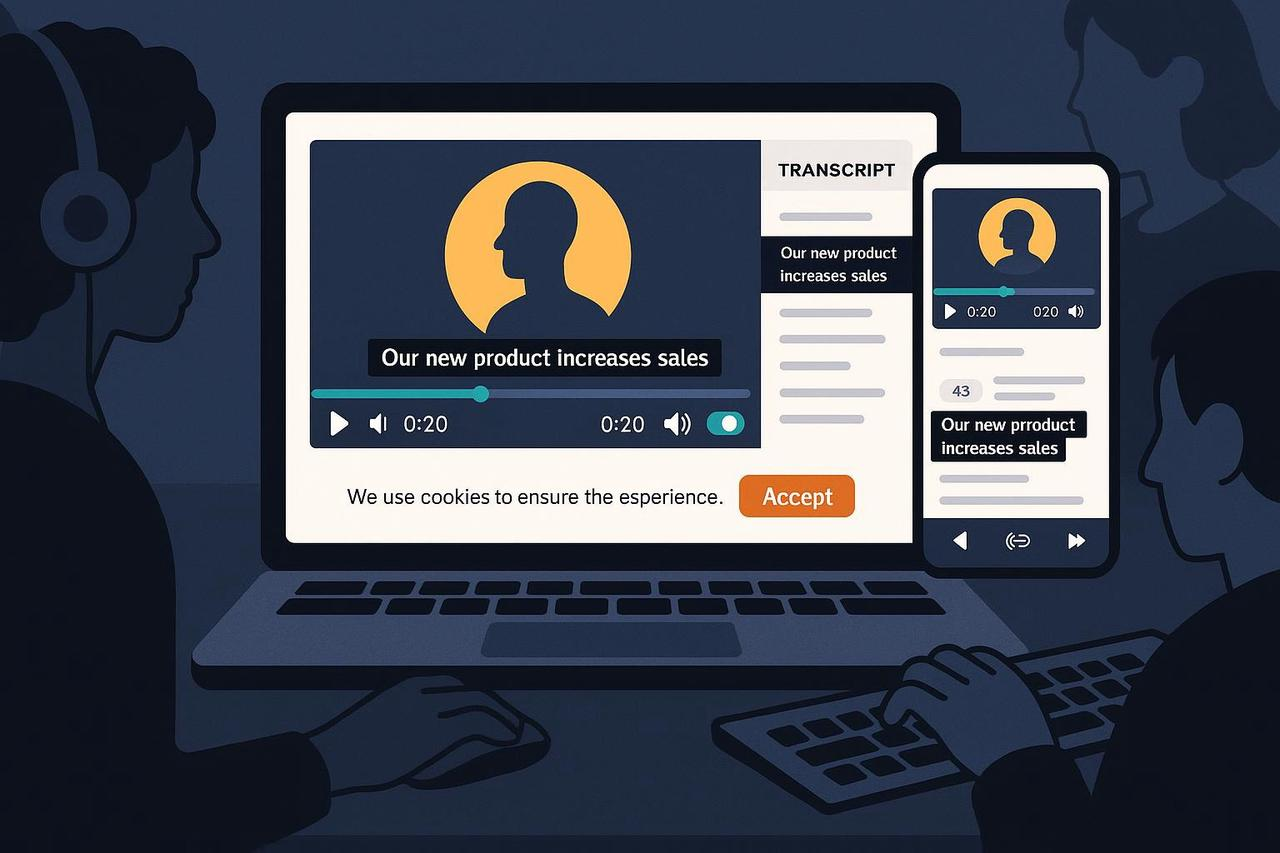
You've got killer video content, but a nagging voice asks, "Is it actually accessible?" Dealing with compliance, legal risk, and complex standards like WCAG can feel like a maze, slowing you down and limiting your reach.
Here’s the truth: Video accessibility isn’t a chore; it’s a creative advantage. Making your videos perceivable and operable by everyone, including people with disabilities, boosts your audience, future-proofs your work, and proves your brand cares. Forget the corporate filler; let’s get straight to the actionable steps. This is your video accessibility checklist to stop hoping your content is compliant and start knowing it is.
The Core Checklist: How to Ensure Videos are Accessible
Accessibility simply means designing your video so people with disabilities can understand and use it. It's about adding accommodations and publishing them in a way that aligns with recognized standards like the Web Content Accessibility Guidelines (WCAG) 2.2, the technical blueprint for most global laws.
Essential Elements of a Video Accessibility Checklist Template
A truly accessible video delivers the full experience—visual, auditory, and interactive—to every user. This is your video accessibility checklist template for daily production:
Accurate Captions: These are synchronized, same-language text for all dialogue and non-speech sounds (like [music fades]). Auto-captions are a great start, but you must edit them for accuracy, timing, and speaker identification to meet compliance standards.
Audio Description: This is a separate narration track describing crucial visual information that isn't covered in the dialogue. For example, if a product demo relies on showing a hand gesture, the description track must say, "The presenter taps the top-left icon."
Transcripts: A plain text equivalent of the entire audio or video content, often placed near the player. Transcripts are a video accessibility checklist free item that dramatically improves SEO and consumption for screen readers and those who prefer reading.
Accessible Player Controls: Your play/pause, volume, and caption toggles must be fully keyboard-operable. Users shouldn't get "trapped" inside the video player area when navigating with the Tab key.
Motion Control: If your video auto-plays or has continuous motion (like a moving background), users need a control to pause, stop, or hide the movement, unless that movement is absolutely essential to the content.
Creative Example: Imagine a high-energy cooking video:
Captions include the recipe instructions and the sound of [sizzling oil].
Audio Description says, "The chef quickly folds the egg whites into the batter," if the dialogue doesn't explain the folding technique.
Player Controls are keyboard-operable so a user can pause to read the recipe.
Compliance Context: It's Not Just a US Thing
Think of WCAG as the technical foundation, and specific laws as the overlay that defines where and when your videos must meet these standards. Ignoring this exposes your brand to unnecessary legal and reputational risk.
The Global Legal Overlays: A High-Level View
United States: Public-facing content for government entities is covered by the ADA Title II, which recently adopted WCAG 2.1 Level AA as its standard. Furthermore, federal agencies and their contractors must meet obligations under Section 508 for synchronized media, requiring captions and description. Even specific IP-delivered programming must comply with FCC rules on captioning.
European Union: The European Accessibility Act (EAA) becomes applicable to new covered products and services on June 28, 2025. This reinforces a strong requirement for accessible content, often aligning with WCAG.
Privacy & Consent (GDPR/ePrivacy): If your video embeds non-essential cookies or trackers (like analytics), you must obtain valid consent. Always follow best practices, such as the European Commission’s guidance on cookies.
Creative Example: A U.S.-based SaaS company launches a product demo. They must ensure the video meets WCAG standards for their public website to reduce risk under evolving ADA interpretation. If that video is promoted via ads in the EU, the embed must also respect GDPR consent for any associated tracking cookies.
Optimize Your Workflow: Accessibility as Empowerment
Stop treating accessibility as a last-minute audit. Integrate the video accessibility checklist into your creative process to achieve compliance and efficiency simultaneously.
The Accessible Video Production Workflow
Pre-Production: Script for Success
Plan Description: If your visual narrative relies on a chart or a complex animation, brief a short line of audio description into your script before you record.
Contrast Check: Ensure any critical on-screen text (titles, lower-thirds) has sufficient contrast to be legible, even before you start editing.
Pro Tip: Avoid rapid flashing effects, or be ready to provide a warning or alternative content to prevent triggering photosensitive epilepsy.
Post-Production: Build Assets, Not Roadblocks
Edit Your Captions: Don’t rely on the "auto" button. Use an editor to perfect the timing, split long lines, and add non-speech cues.
Produce Description: Generate a separate audio description track for your video—it's essential when visuals carry meaning not present in the dialogue.
Actionable Step: Use an intuitive tool like the NemoVideo AI Video Editor Tool to help manage multiple versions and assets like SRT files, speeding up your compliant delivery.
Publishing: Own the User Experience
Embed Smartly: When embedding, use an accessible player that allows users to operate controls via keyboard. Ensure the embed respects cookie consent settings before loading if it drops trackers.
Provide a Transcript: Always offer a clear link to the text transcript nearby, especially on pages where the content is critical, like tutorials or policy updates.
Call to Action: Make sure users can navigate to other key pages, like the NemoVideo home page, using only the keyboard.
Ready to Create Accessible, Top-Ranking Video?
Making your video content accessible is the single best way to maximize its reach, mitigate risk, and demonstrate genuine inclusion. It’s an investment that pays off in audience loyalty and SEO performance. Use this video accessibility checklist free guide to transform your workflow.
Stop wasting time with manual fixes and slow, complicated QA. Nemovideo is designed to be your AI Creative Buddy—a single hub for editing, versioning, and managing the assets you need for compliance.