

The Shorts Thumbnail Playbook: Increase Your Views (Without Clickbait)
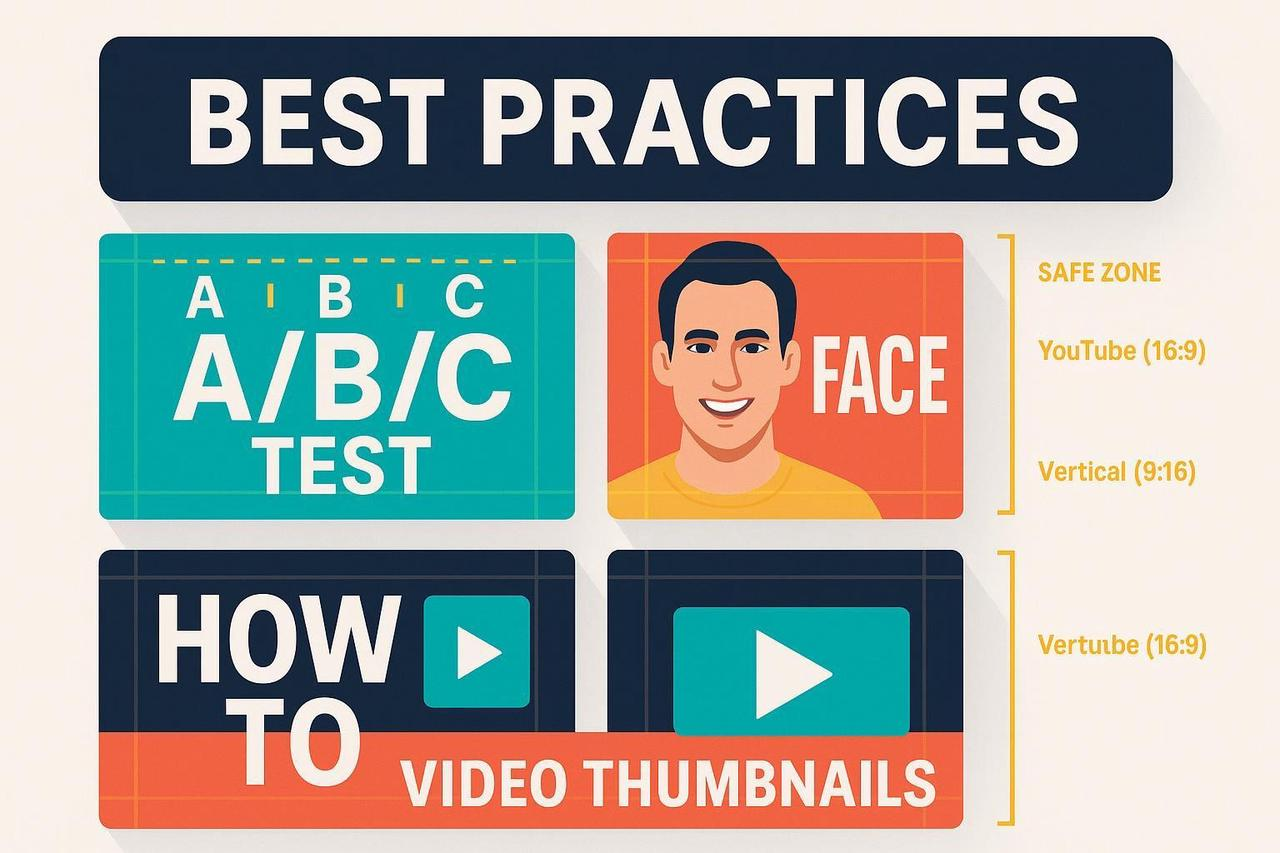
Let’s settle the debate right now: Yes, Shorts have thumbnails. And yes, they matter.
You spend hours editing a Short, only to have YouTube pick a random, blurry frame as the cover. The result? Your video gets ignored in the feed, and your hard work dies with 10 views.
If your thumbnails aren't engineered, they're guessed.
This guide is your 2025 playbook. We're ditching the "make it pop" advice and giving you the exact specs, templates, and strategies to design a shorts thumbnail that stops the scroll.
The "Is There a Thumbnail for Shorts?" Debate
Here is the current reality for 2025:
On Mobile (The Feed): Viewers see a preview frame as they scroll. While you can't always force a custom upload on every device (Android allows custom selection, iOS is catching up), you must select a specific frame from your video to act as the cover.
On Channel Pages: Your Shorts grid is purely visual. A messy grid kills subscriptions.
On Search/Desktop: Custom thumbnails appear here. If you ignore this, you lose desktop traffic.
The Golden Rule: Design your thumbnail into your video edit, or use the custom selector tool during upload.
Specs You Can't Ignore
Before you design, know your canvas.
YouTube Shorts Thumbnail Size: 1920 x 1080 pixels (Vertical 9:16).
Note: This is the opposite of a standard YouTube video (which is 16:9 landscape).
Safe Zones: The bottom 20% is covered by the caption and channel name. The right side has "Like" and "Comment" buttons.
File Types: JPG, PNG. Keep it under 2MB.
Is YouTube thumbnail 16:9 or 4:3?
Standard Video: 16:9.
Shorts: 9:16.
Old School: 4:3 (Don't use this unless you're being retro).
4 Principles of a High-CTR Thumbnail
A Shorts thumbnail has to work in milliseconds.
The "Face Factor"
Humans are wired to look at faces. A study on direct gaze proves that eye contact captures attention faster than anything else.
Tactic: Use a close-up of a face with an intense emotion (Shock, Joy, Fear).
Exception: If it's a pure product demo, make the product the "hero."
The "3-Word Rule"
You have zero space. Don't write a novel.
Bad: "How to bake a cake in 5 mins"
Good: "5-Min Cake"
Guidance: Follow Nielsen Norman Group's text-over-image research. Use high-contrast text (Yellow on Black) and keep it huge.
The "Bigger is Better" Contrast
Small screens kill details.
Tactic: Use high saturation and contrast. If your background is dark, your subject must be bright.
Check: Zoom out to 10% size. Can you still tell what the image is?
The "Honest Trailer"
Clickbait works for the click, but it kills the view duration. If your thumbnail shows a explosion, there better be an explosion in the first 3 seconds.
YouTube's Algorithm: Values "Satisfied Watch Time." If they click and leave, your video dies.
5 Repeatable Thumbnail Templates
Stop reinventing the wheel. Use these Shorts thumbnail templates:
The "Split Screen" (Before/After)
Use for: Tutorials, cleaning, renovations.
Layout: A line down the middle. Dirty room on left, clean room on right.
The "Reaction"
Use for: Drama, commentary, unboxing.
Layout: Huge face on the bottom, subject topic above.
The "Hero Object"
Use for: Tech reviews, food.
Layout: The object takes up 80% of the frame. Floating text "Worth it?".
The "Question"
Use for: Educational, mystery.
Layout: Interesting visual + "Why?" or "How?" text.
The "Negative Space"
Use for: Design, aesthetic vlogs.
Layout: Solid color background, small centered subject.
How NemoVideo Automates Your Thumbnails
You don't need Photoshop to make a killer thumbnail.
The NemoVideo AI video editor tool has a built-in YouTube Shorts thumbnail maker.
Auto-Select: Our AI scans your video and suggests the 3 most visually engaging frames to use as your cover.
Text Overlays: Add "3-Word Rule" text directly in the editor, ensuring it stays within the Safe Zones.
Smart Crop: Automatically reframes your horizontal thumbnail into a vertical 9:16 version for Shorts.
Your Pre-Upload Checklist
Before you hit publish, run this 2-minute audit:
[ ] Size: Is it 1080x1920 (9:16)?
[ ] Safe Zones: Is the text covered by the "Like" button?
[ ] Face: Is there a clear emotion?
[ ] Text: Is it under 5 words and readable at small size?
[ ] Honesty: Does it match the video intro?
Stop Guessing. Start Designing.
Your thumbnail is your first impression. Don't waste it.
Whether you need Free and customizable YouTube thumbnail templates or a powerful editor to build them for you, NemoVideo has the tools you need to win the click.
Sign up for free today and start creating Shorts that demand attention.
Mandatory Metadata
URL Slug: shorts-thumbnail
SEO Title Tag: Shorts Thumbnail Guide 2025: Size, Templates & Maker
Meta Description: Do Shorts need thumbnails? Yes. Get the 2025 guide to YouTube Shorts thumbnail size, templates, and how to use a shorts thumbnail maker to boost CTR.
Image SEO Metadata
Image Description | Keyword-Optimized File Name | Descriptive Alt Text |
A grid of vibrant YouTube Shorts thumbnail examples showing diverse styles like "Split Screen," "Reaction Face," and "Hero Object" with clear text overlays. | shorts-thumbnail-examples-grid.jpg | A collection of high-CTR shorts thumbnail examples showing shorts thumbnail size best practices and templates for YouTube. |