

Stop Editing, Start Creating: The Ultimate Workflow for AI-Powered Short Video Scripts
Staring at a blank screen can feel like the final boss level of content creation. You have a great product—maybe you’re a US-based real estate agent, a fitness coach, or an e-commerce seller—but your videos aren't converting, or worse, they’re trapped in the dreaded "300 views jail".
The good news? You can transform that “nothing” into a polished, high-converting script in one focused, frustration-free session.
This guide is your game plan for using an AI subtitle automation tools approach to go from zero to a ready-to-shoot script in under 90 minutes. We'll show you how to use your AI creative buddy to handle the repetitive "dirty work," so you can keep the control and creativity that other automated tools often steal.

Key Takeaways for US Creators
Solve the Pain Point: Stop jumping between TikTok for inspiration, ChatGPT for scripts, and CapCut for editing. This workflow provides an all-in-one approach.
Compliance Check: We’ll integrate checkpoints for the US market, specifically on ensuring clear disclosures as required by the FTC Endorsement Guides: What People are Asking.
Conversion Focus: The goal is to escape low views and turn views into actual sales, not just engagement.
Phase 1: The Idea Generator That Actually Works
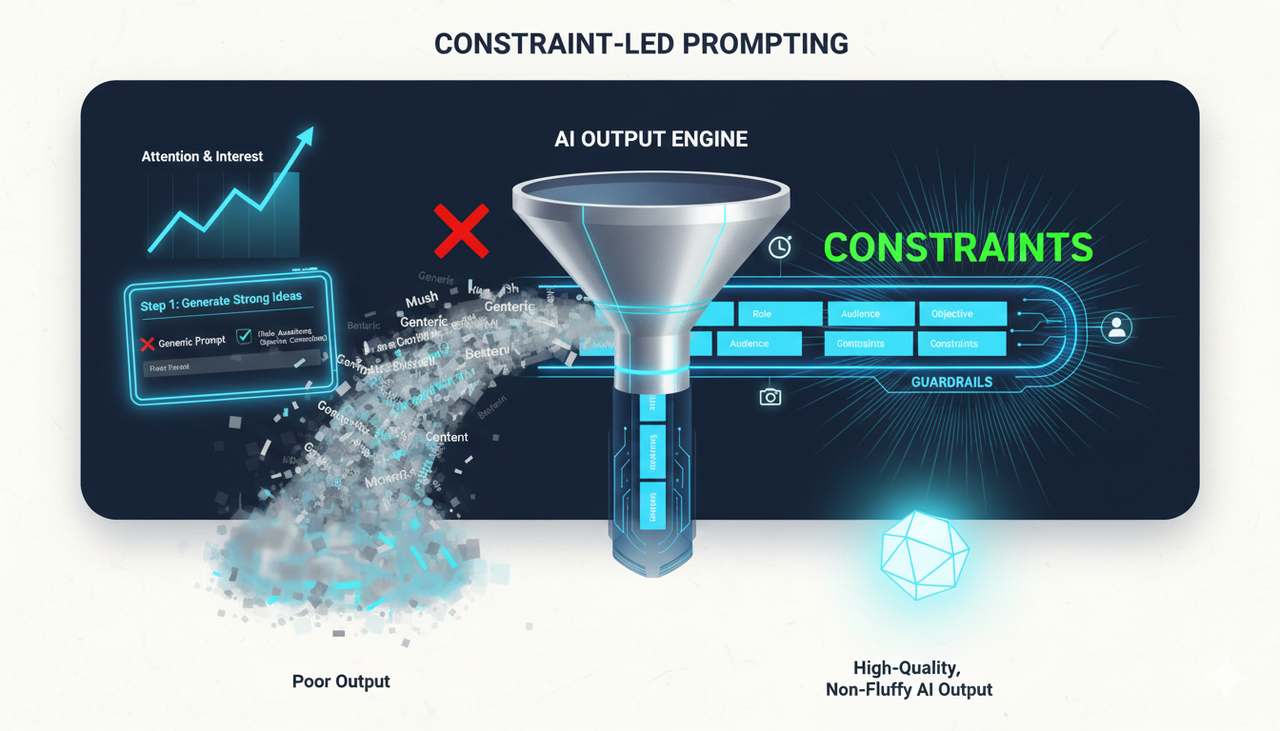
Forget generic prompts. The key to high-quality, non-fluffy AI output is constraint-led prompting. Think of constraints as guardrails that prevent your AI from giving you "make better content" mush. This process aligns with modern AI guidance, which emphasizes constraints and iteration to produce better, more specific results.
Step 1: Generate Strong Ideas with Constraint-Led Prompts (15–25 minutes)
Start with a concise template that sets the Role (Creative Strategist), Audience (e.g., beginner creators on TikTok and Reels), Objective (e.g., overcome the blank page), and Constraints (feasible for solo creators, 30–45s runtime).
❌ Bad (Too Generic):
Give me content ideas.
✅ Better (Specific and Constrained):
You are a creative strategist. Audience: beginner creators (18–30) on TikTok and Reels. Objective: help them overcome the blank page and ship a short video today. Constraints: keep ideas feasible for solo creators, no expensive gear, 30–45s runtime, on-screen text moments included. Format: return distinct ideas grouped by angle (how-to, myth-busting, story, checklist). Include a sample 1-line hook for each and a note on what proof/evidence could support it.
💡 Quick QA After Step 1:
Specificity: Is the idea concrete (not “make better content”)?
Feasibility: Can you film it this week with your resources?
Evidence-friendly: Can you show proof, examples, or a demo?
AIDA, modern, constraint-led prompting visual, sharp digital output
Phase 2: Transforming Ideas into High-Converting Scripts
You have a winning idea. Now, let’s structure it for maximum impact on platforms like TikTok and YouTube Shorts. Both platforms prioritize capturing attention fast and ending with a clear next step.
Step 2: Turn the Winning Idea into a Channel-Ready Outline (10–20 minutes)
For short-form video, a simple scaffold works best:
Hook (0–3s): The curiosity sparks or direct benefit statement.
Promise: What viewers will get by staying.
3–5 Beats: Concrete steps, examples, or demo moments.
CTA: What to do next.
Prompt the model: Turn Idea #7 into three outline options: 1) Problem–Agitation–Solution 2) Before–After–Bridge 3) Hook–Beats–CTA for a 30–45s TikTok/Reel. Include timestamps for each beat, suggested on-screen text, and b-roll ideas.
Tip for US Creators: Remember to include clear, early disclosures if your content is part of a paid promotion, per the FTC Endorsement Guides: What People are Asking.
Why AI Editing Is Now Essential
The global AI video market is exploding—projected to grow from $900 million in 2023 to $4.4 billion by 2033. Staying competitive means leveraging tools that respect your creativity but eliminate the time sink of traditional editing.
Feature | Traditional Editor (e.g., Adobe) | Automated AI Tools (e.g., Early-Gen) | NemoVideo AI Creative Buddy |
Editing Time | Hours of "Dirty Work" | Fast, but generic | Minutes (Conversationally Fast) |
Creative Control | Full, but complex | Low (Templates rule) | High (Dialogue-driven, your input matters) |
Watermarks | No | Often on free tier | Watermark-Free Export (Even on Free Tier) |
Skill Required | Professional | Low | Beginner-Friendly |
Best For | Feature films/long-form | Bulk, low-quality content | High-Converting Short Videos |
How Nemo (AI Video Editor) Works: Your Conversational Partner
If you're creating short-form video, a specialized AI subtitle automation tools editor like Nemo (AI Video Editor) can jumpstart the outline-to-edit path.
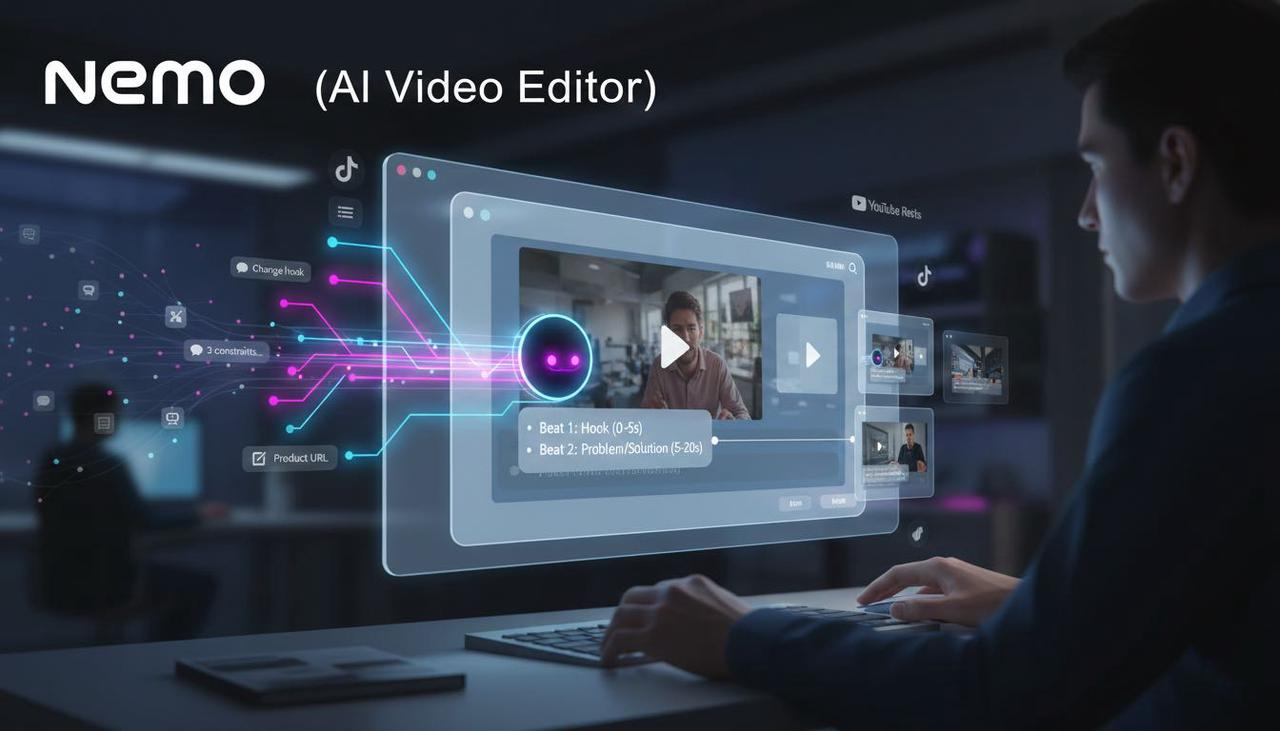
Nemo’s core difference is its "Conversational Editing" engine. It doesn't force you into rigid templates; it uses your natural-language outline and existing assets (like a product page URL) to suggest a beat-by-beat structure with key visuals. This keeps control of you, the creator.
Here's the simple methodology:
Input: Give it your chosen concept (e.g., "3 constraints that kill the blank page in 5 minutes") or a simple product link.
Deconstruct: The AI analyzes the text, deconstructs effective short-form patterns (like those used in TikTok Auction In‑Feed Ads or Creative best practices), and suggests a 30–45s beat outline.
Refine: You use simple chat commands (like a buddy) to adjust the pacing, change the hook, or add a specific clip. The goal is to quickly generate a few variants tuned for TikTok/Shorts/Reels so you can Split test best practices later.
Phase 3: Draft Fast, Polish Smart
Once the outline is locked, run a rapid drafting phase, followed by focused refinement loops. The entire workflow is designed to prevent you from getting "stuck".
Step 3: Draft Fast, Then Iterate with Targeted Prompts (–35 minutes)
Aim for a "good-enough" first pass.
First-Pass Draft Prompt (Text or Script):
Using this outline, write a first-pass draft in my voice (conversational, concise). Add on-screen text cues in [brackets], b-roll suggestions in (parentheses), and a 1-line CTA. Keep it within 0 words and under 45 seconds.
Targeted Refinement Prompts: Use these to refine a specific area, ensuring your AI subtitle automation tools script is perfect:
Tighten the Hook: Critique this hook for clarity, curiosity, benefit, and brevity. Score 1–5 on each and propose 3 rewrites under 80 characters.
Simplify Jargon: Rewrite the draft at an 8th-grade reading level without losing meaning.
Align to Voice: Analyze my style (warm, direct, lightly witty) and rewrite my draft to match that tone.
Human QA Checklist (US Focus):
Accuracy: Are any claims verifiable? Human review is required for factual reliability.
Compliance: If Promoting a brand, product, or service, is your disclosure clear, per US law?
Accessibility: Does your video plan for Accessibility for watching videos (e.g., clean captions, avoiding text burnout)?
Frequently Asked Questions
Q1: What exactly is "AI subtitle automation tools" and why is it important for my views?
A: AI subtitle automation tools use Artificial Intelligence to not only create subtitles automatically but also handle other repetitive tasks like rough cuts and structure optimization. This is crucial because 85% of social videos are watched without sound, making captions non-negotiable for view retention.
Q2: Will using an AI editor kill my creativity?
A: Not with the AI Creative Buddy philosophy. Traditional AI tools impose templates, leading to generic outputs. Tools like Nemo leverage conversational commands to let you guide the edit and keep the control, positioning the AI as a helpful "sidekick" rather than a complex piece of software.
Q3: Can I really get a clean, watermark-free video without paying?
A: Yes. A key differentiator for Nemovideo is that the free tier supports complete, watermark-free export. This "try-before-you-buy" model is designed to lower the barrier for creators who are tired of low-quality video output from other free tools.
Ready to stop editing and start creating?
You've got the strategy to crush the blank page, generate high-converting ideas, and structure a perfect short-form script. Now it's time to leverage an AI subtitle automation tools partner that honors your creativity and eliminates the grind.
The pain of long editing hours, low views, and required professional skills is over. Experience the "zero-frustration" philosophy that saves you time and unleashes your creative potential.
Click the link below and experience the future of content creation with your new Nemo (AI Video Editor) creative buddy today!