

Video as Code vs Timeline Editor: Remotion, CapCut & NemoVideo Compared
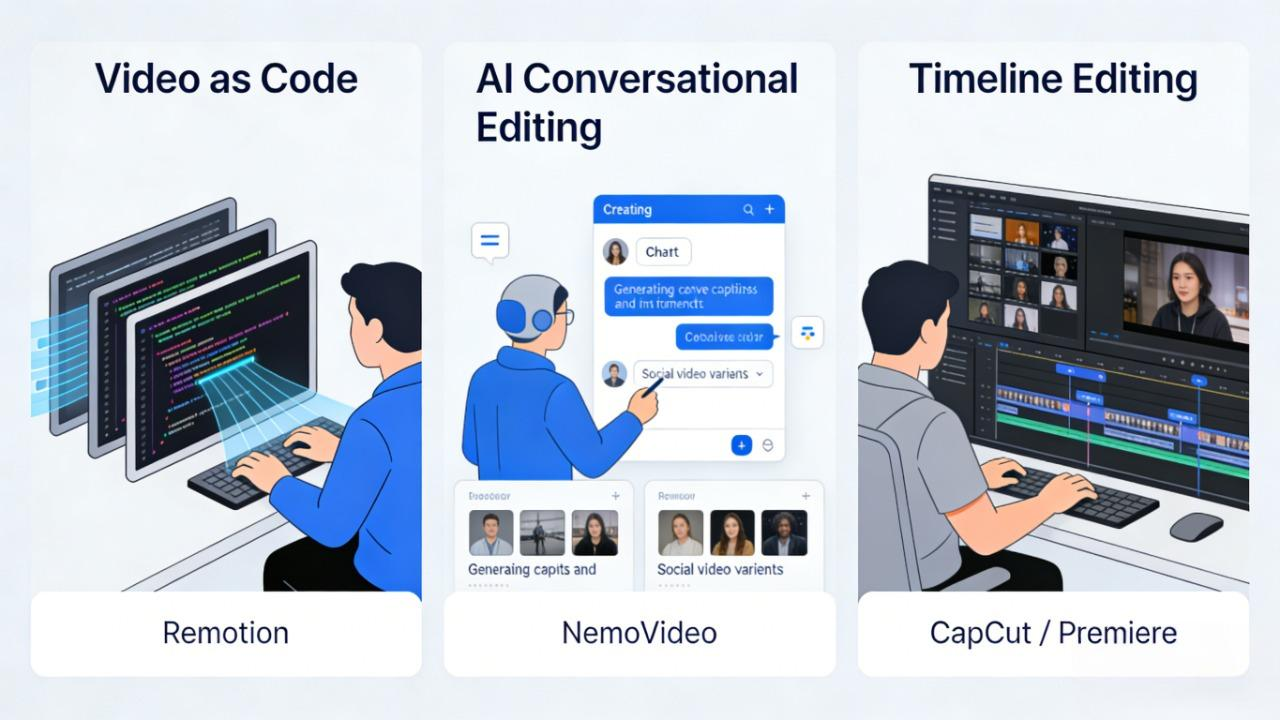
You're staring at a pile of product footage that needs to become fifty social ads by Friday. Your developer swears by Remotion. Your designer lives in CapCut. And you? You just want to ship videos that actually convert—without learning React or wrestling with timelines until midnight.
Here's the truth: there's no one "best" video editor. The right tool depends entirely on what you're trying to accomplish.
In this guide we'll compare them across time-to-first-draft, iteration speed, batch scalability, and team collaboration. You'll discover why dev-heavy teams love Remotion for programmatic video generation, when traditional timeline editors still dominate, and where NemoVideo's conversational editing shines for creators who need speed without sacrificing quality.
👉 See NemoVideo in action for creators
Quick Verdict — Finding Your Perfect Creative Workflow
Selecting the right tool isn't about finding the "best" software; it's about matching the tool to your specific Job-to-be-Done. In 2026, the video landscape is split into three distinct philosophies: Code, AI-Collaboration, and Manual Craft.
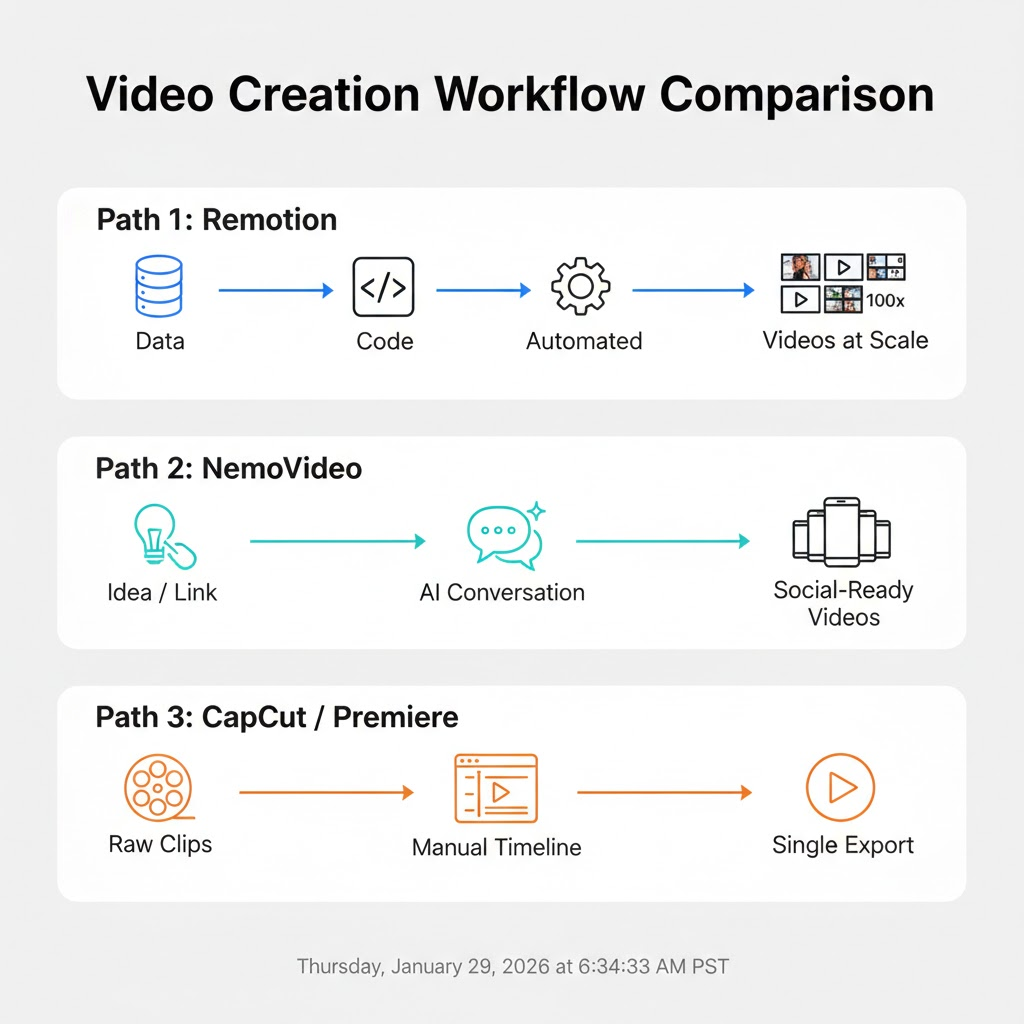
If you need large-scale, rule-based video → Choose Remotion
Remotion is the king of programmatic video. If your goal is to generate thousands of personalized videos—like Spotify Wrapped-style year-in-reviews or automated real estate listings—Remotion is your best bet.
The Logic: You write code (React/TypeScript) to define the video structure, and the data fills in the blanks.
The Benefit: It scales infinitely without a human editor ever touching a mouse.
The Cost: You need a developer who understands web technologies and server-side rendering.
If you need fast social edits with captions → Choose NemoVideo
NemoVideo is designed for the growth marketer and solo creator who needs to move at the speed of social media trends. It acts as your "AI Creative Buddy," handling the "dirty work" so you can focus on the hook.
The Logic: Use "Drop Anything" to input a product link or script, then use "Talk-to-Edit" to refine the results via natural conversation.
The Benefit: It generates viral-ready content with smart captions and platform-specific formatting in minutes, not hours.
The Cost: Less control over hyper-specific pixel-perfect motion paths compared to manual coding or Pro suites.
🚀 Stop fixing captions. Let AI get them right.
If you need frame-level artistry → Choose Traditional Timeline Editors
For high-end commercials, cinematic vlogs, or complex VFX, Adobe Premiere Pro or CapCut (for mobile-first artistry) remain irreplaceable.
The Logic: A manual, frame-by-frame timeline where every layer and keyframe is under your direct tactile control.
The Benefit: Unlimited creative flexibility for unique, non-templated visual storytelling.
The Cost: High "time-tax"—every edit requires manual labor, making it the slowest option for high-volume output.
Comparison Criteria — How We Evaluate Each Tool
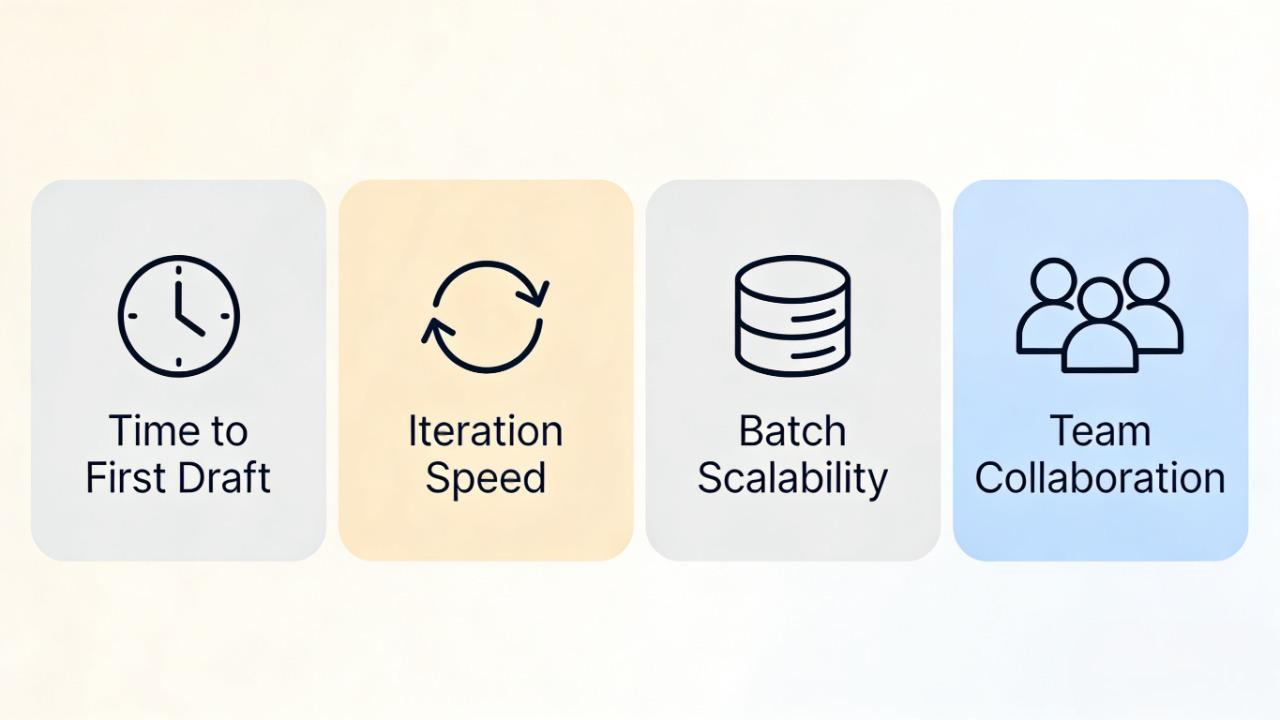
To provide a fair comparison, we evaluate Remotion, NemoVideo, and Traditional Tools (like Capcut & Adobe Premiere Pro) across four critical performance pillars that define modern content success:
Time to First Usable Draft
What it measures:
How long from "I have an idea" to "I have something I can show my team or clients."
What to watch for:
Remotion: Initially the slowest. Because it is "Video as Code," you must first set up a React environment, define components, and map your data before seeing a single frame.
NemoVideo: The fastest "Aha Moment." Using the Drop Anything feature, you can input a product link or raw script and get a structured, ready-to-go video in minutes.
Traditional Editors (CapCut/Premiere): Moderate. While the software opens instantly, you must manually import assets and drag them onto a timeline to see even a basic sequence.
👉 See how creators use NemoVideo to turn “Drop Anything” into viral videos.
Iteration speed & content updates
What it measures:
How fast you can make changes after seeing your first draft—swapping footage, updating text, adjusting pacing, or completely pivoting creative direction.
What to watch for:
Remotion: Unbeatable for rule-based updates. Change one variable in a JSON file, and the code automatically updates every frame across your project.
NemoVideo: High efficiency through Talk-to-Edit. You don't hunt for layers; you simply tell your "AI Creative Buddy" to "make the background music more upbeat," and it's done.
Traditional Editors: Low efficiency. Every small change—like fixing a typo in a caption—requires manual timeline adjustment and a full re-render of the project.
Batch Scalability & Automation
What it measures:
Can you create one video, or can you create one hundred without proportionally increasing effort?
What to watch for:
Remotion: Designed for infinite scale. It integrates with CI/CD pipelines to render thousands of personalized videos simultaneously using serverless infrastructure.
NemoVideo: Focused on Platform Intelligence. It excels at taking one core idea and instantly generating 10+ social variants optimized for the unique dimensions and rhythms of TikTok, Reels, and Shorts.
Traditional Editors: Limited. While they offer some template features, each variant typically requires a human to manually export and manage the files.
⚡TikTok, Reels, Shorts—NemoVideo syncs them all in seconds.
Collaboration (Devs, Marketers, Creators)
What it measures:
Can your entire team contribute, or does everything bottleneck through one specialist?
What to watch for:
Remotion: Exclusively for developers. It lives in VS Code and GitHub, making it difficult for non-technical marketers to make direct changes.
NemoVideo: Built for creators and growth teams. Its web-based, conversational interface allows a social media manager to produce professional-grade videos without waiting for a design team.
Traditional Editors: Professional editors or dedicated content creators. While CapCut is accessible, Premiere Pro still requires a "pro-user" skillset to manage complex project files.
If your bottleneck is producing enough ad variants to test, you can see how NemoVideo’s Workspace handles bulk versioning in a real pilot →
Scenario 1 — Batch Templated Videos at Scale (Remotion Wins)
You're running a real estate marketplace. Every day, 500 new listings go live—each needs a video. Hiring editors for 500 daily videos? Impossible. This is where Remotion dominates.
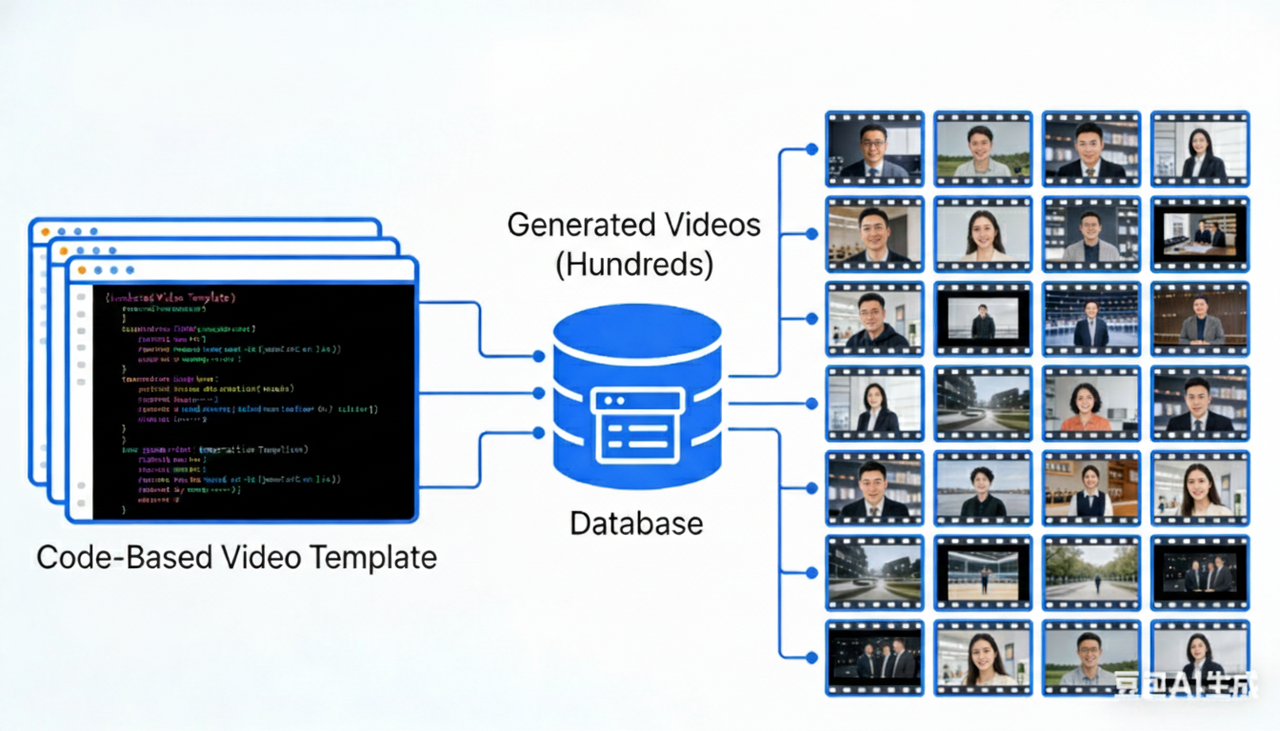
What “Video as Code” means in practice
Instead of dragging clips on timelines, you write instructions that generate videos automatically.
Traditional: Import assets → arrange manually → render → repeat 500 times
Remotion: Build one React template → feed it 500 rows of data → run script → get 500 videos
Remotion lets you parameterize your video by passing data. Each property becomes a data object. Your component reads that data and renders a unique video.
Strengths
Data-driven rendering: Create videos that respond to real-time data like marketing metrics, dashboards, or personalized user stories. Perfect for SaaS dashboards, finance reports, or personalized education content.
Infinite variants: Need 50 ad combinations (5 headlines × 5 CTAs × 2 styles)? One template with variable inputs generates all 50 during lunch.
CI/CD integration: Videos render as part of your deployment pipeline. Update product specs in code, videos regenerate automatically. No manual coordination is needed.
Trade-offs
React required: Basic knowledge of React is essential, including familiarity with components and JSX. Non-developers can't make quick tweaks.
Setup investment: First video takes longer—you're building infrastructure. For one video? Overkill. For your hundredth? Worth it.
Infrastructure needs: Server-side rendering means managing CPU/GPU capacity, storage, render queues, and monitoring. Your DevOps team gets involved.
If your goal is high-velocity social growth rather than high-code infrastructure, skip the setup and use NemoVideo to turn raw ideas into viral drafts in minutes.
Best for
Engineering teams building video features
SaaS companies with templated reports (like GitHub Unwrapped's 10,000+ personalized developer videos)
Marketplaces with thousands of products needing consistent videos
The verdict: Remotion wins decisively when scale meets structure. But for unique, one-off content without dev resources, look elsewhere.
Scenario 2 — Fast Social Edits + Captions (NemoVideo Wins)
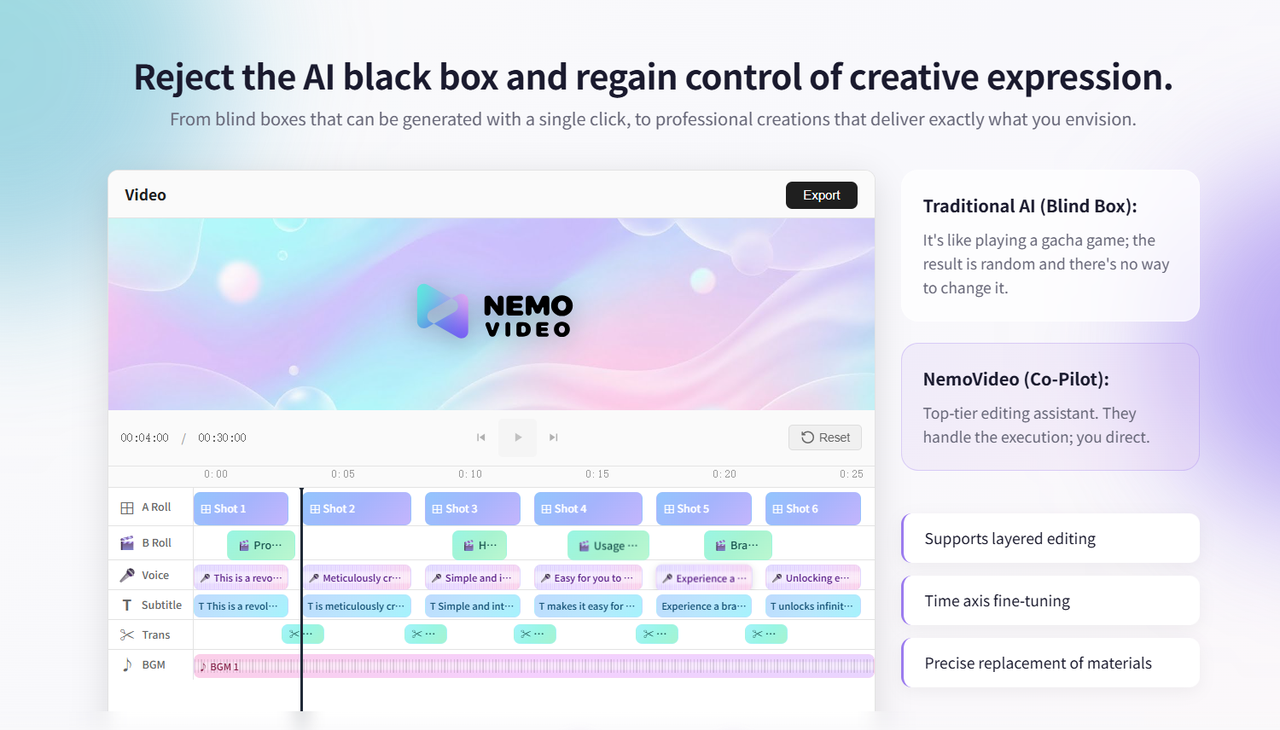
While Remotion rules data-driven automation, NemoVideo wins for social-first creators who need viral-ready content in minutes, not days. It bridges the gap between raw inspiration and polished export through conversational editing.
Why timeline-free editing matters for short-form
Traditional editing relies on manual timelines that demand frame-by-frame precision—draining time and creativity.
Conversational control: NemoVideo's Talk-to-Edit lets you issue natural language commands like "increase the intro energy" or "shorten the outro".
Zero learning curve: You "talk" to the software rather than "operate" it, removing the need to master complex manuals.
Intent over execution: Focus on your story while AI handles the technical dirty work like rhythm matching and clip selection.
🚀 Start your conversational editing journey today.
How NemoVideo collapses 5 tools into one workflow
One-click dynamic captions: AI generates accurate, search-friendly subtitles automatically, ensuring your message lands even with sound off.
SmartPick highlights: The AI scans footage to identify high-value moments and automatically trim awkward pauses or filler words to maximize viewer retention.
Platform Intelligence: One master video instantly adapts for TikTok, Reels, and Shorts—automatically optimizing aspect ratios, pacing, and caption styles for each platform.
Adjustable AI decisions: Unlike rigid template tools that break when you change one element, every NemoVideo suggestion—from B-roll matching to transitions—remains fully adjustable. You retain complete creative oversight.
A/B testing at scale: Rapidly generate multiple variants to test different hooks and styles without manual re-editing.
👉 Test these in your Nemo Workspace—no guesswork.
Best for:
Solo creators: Maintain 3-5 posts weekly without burnout.
Growth marketers: Turn product links or scripts into conversion-ready video ads in under 15 minutes.
Social media teams: Manage multiple brand accounts with consistent, platform-native outputs at scale.
The verdict: NemoVideo wins when speed and social engagement matter more than frame-perfect control. Meet your AI Creative Buddy in the Workspace and start a conversation that ends in a polished, ready-to-post video.
Scenario 3 — High-Touch Keyframe Artistry (Traditional Editors Win)
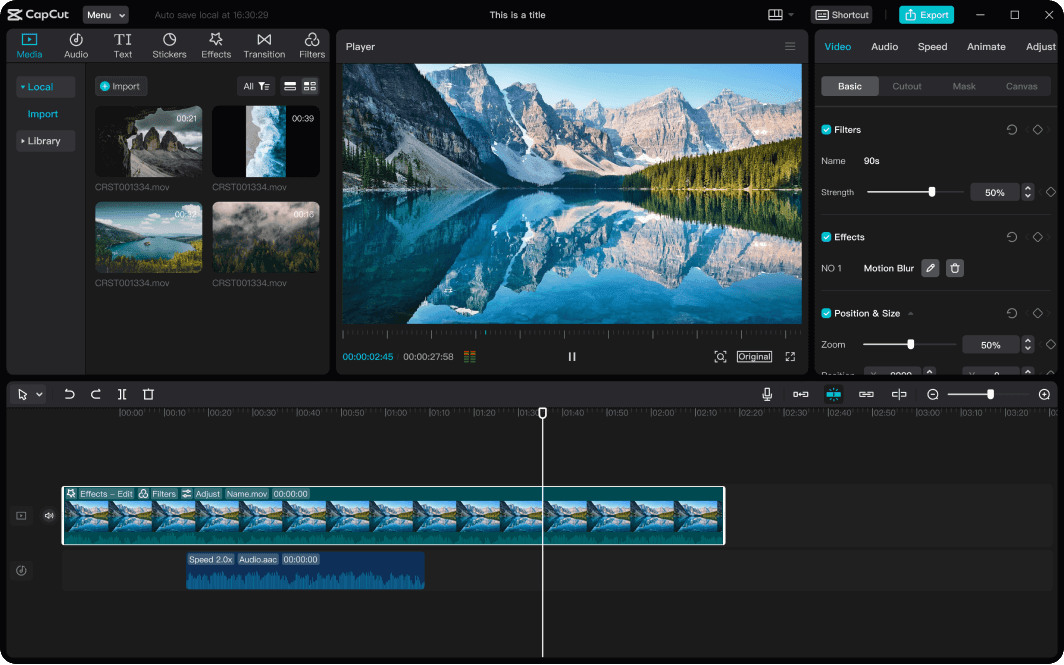
You're creating a luxury brand film. Every frame needs precise color grading. Product reveals require custom motion paths. Background elements need multi-layer masking. This is where traditional timeline editors remain unbeatable.
When manual control is non-negotiable
Frame-perfect editing: Adjusting a cut by a single frame to land a joke or build tension—rhythm that pattern-based AI can't feel.
Advanced VFX and compositing: Complex rotoscoping, multi-layered green screen work, and 3D space integration require Adobe's deep toolsets. AI can't handle pixel-perfect compositing.
Custom motion graphics: CapCut's keyframe animation system makes complex motion graphics achievable. By developing a custom CapCut template, professionals can lock in exact easing, bounce, and object paths to ensure brand consistency while maintaining manual craftsmanship.
Professional color grading: Dedicated panels for white balance, color curves, and secondary grading create specific "film looks" that generic AI filters fail to replicate.
Creative refinement: While AI handles the "first cut," final polish requires human editors for brand alignment and emotional resonance.
Best for:
Creative agencies: Producing brand films and commercials where every frame carries brand value. Agencies often build a master CapCut template to allow junior editors to scale production without losing the premium "manual" feel.
Professional video editors: Teams with VFX expertise creating custom motion graphics and cinematic color grades.
Premium content brands: Companies where production quality directly impacts brand perception—luxury, automotive, film production.
The verdict: When craft matters more than velocity, timeline editors remain irreplaceable. They're slower—but that's the point.
What Each Tool Really Costs (Skills + Time + Infrastructure)
Choosing between code, AI, and manual timelines involves looking beyond the monthly subscription. As of early 2026, the "true cost" of a video tool is measured in the technical talent required and the hidden infrastructure fees.
Learning Curve: Dev vs. Non-Dev
Remotion (Developer-Centric): Requires a deep understanding of React, TypeScript, and CSS. For a non-developer, the learning curve is steep; for a developer, it's a powerful extension of their existing web skills.
NemoVideo (Creator-Centric): Designed with a near-zero learning curve. Because it utilizes "Talk-to-Edit" conversational AI, anyone who can send a text message can produce a professional-grade video.
Traditional Editors (Specialist-Centric): Tools like Adobe Premiere Pro require weeks to master the basics. While CapCut is more accessible, both still require a manual "editor's eye" for timing and transitions.
Infra, Rendering, and Long-term Maintenance
Remotion: You are responsible for your own "render farm". While Remotion Lambda is powerful, it requires setting up AWS infrastructure and managing cloud permissions.
NemoVideo: A pure SaaS experience. All rendering happens on Nemo’s cloud servers. You simply click "export," and the AI Creative Buddy handles the heavy lifting.
Traditional Editors: Heavily dependent on local hardware. To render 4K video quickly in 2026, you still need a high-end laptop or workstation with a dedicated GPU.
Hidden Costs: 2026 Price Check
Factor | Remotion | NemoVideo | Traditional Editor (Premiere/CapCut) |
Direct Price | Free for individuals/small teams; $100/mo min for companies. | Freemium; typical creator plans range from $10-$50/mo. | CapCut Pro: Estimated new user pricing around $19.99/mo+. |
Talent Cost | High: Requires a React developer. | Low: Operated by your existing social team. | Medium: Requires a trained editor or significant time. |
Maintenance | Ongoing: Code updates and AWS billing management. | Zero: Managed entirely by the platform. | Occasional: Hardware upgrades and asset subscriptions. |
Expert Recommendation:
If you are a solo creator or a growth marketer, the "Time-Tax" of learning Premiere or the "Dev-Tax" of Remotion often outweighs the subscription cost.
For this group, NemoVideo offers the highest ROI by converting raw ideas into viral content in minutes. NemoVideo | Start for free →
Note: For the most current subscription plans and pricing, verify current rates at official websites before making decisions.
The Winning Workflow: Remotion + NemoVideo
Stop thinking "which tool is best" and start thinking "which combination wins." The smartest teams don't pick one—they use both strategically.
Stage 1 — Remotion builds the foundation
Remotion handles upstream work: structured, data-driven base videos at scale.
What Remotion does:
Generate 100+ product videos from database feeds
Create personalized onboarding videos with customer data
Build quarterly reports from analytics APIs
Maintain perfect brand consistency across all outputs
Why it wins here: Remotion lets you parameterize your video by passing data Remotion. Your e-commerce platform generates 100 product videos overnight—all perfectly branded, all structurally consistent.
Real workflow: Developer builds one master template in Remotion → Marketing feeds product data via spreadsheet → System outputs 100 base videos, ready for next step.
Stage 2 — NemoVideo optimizes for platforms
Those Remotion base videos are professional—but not social-ready. This is where NemoVideo takes over downstream optimization, turning structured outputs into platform-native content.
👉 See how NemoVideo transforms a single base video into platform-ready social assets.
What NemoVideo does:
Add platform-specific captions (TikTok vs LinkedIn tone)
Extract highlight clips from longer videos
Generate 10+ variants (9:16 for TikTok, 1:1 for LinkedIn, 16:9 for YouTube) simultaneously within your NemoVideo workspace.
A/B test different hooks without rebuilding
Why it wins here: AI identifies engaging parts and creates smart rough cuts. Your structured Remotion video becomes 10 platform-optimized variants in 10 minutes.
Real workflow: Upload Remotion base to NemoVideo → Tell it "create TikTok version with trending captions" → Get platform-ready video in minutes.
Why this workflow beats single-tool approaches
By combining Remotion with NemoVideo, you achieve a perfect separation of concerns that keeps your team moving fast. Unlock this workflow in your Nemo Workspace →
Developers own structure and brand (Remotion)
Marketers own messaging and platform optimization (NemoVideo)
No bottlenecks, no waiting for the other team
FAQ
Do I need React to use Remotion?
Yes, React is the core engine of Remotion. While traditional editors use a visual interface, Remotion treats video as a codebase, where each frame is rendered as a React component. As of 2026, Remotion has fully aligned with React 19, enabling developers to use the latest hooks and features to drive video logic.
Where does NemoVideo fit if I already use Remotion?
NemoVideo is your "Downstream" efficiency booster.
The Hand-off: Use Remotion for the "heavy lifting"—generating data-driven base videos or complex branded animations.
NemoVideo's Role: Once your base video is rendered, drop it into NemoVideo to handle the social-first "dirty work" like generating SmartPick highlights, adding dynamic viral captions, and instantly adapting the format for TikTok, Reels, and Shorts.
The Win: This hybrid stack keeps your developers focused on the "system" while your marketing team uses Nemo’s Talk-to-Edit to pivot social hooks in real-time without needing a code deployment.
🎬 Try NemoVideo now to scale your brand across TikTok, Reels, and beyond.
Can non-developers realistically use these tools?
The answer depends on the specific tool's philosophy and technical requirements. Here is the 2026 reality for non-technical users:
Remotion: While 2026 updates like Remotion Skills allow AI agents (such as Claude Code) to generate video code from natural language prompts, Remotion remains a developer-first tool. To use it effectively, you still need to manage Node.js environments and handle rendering pipelines—tasks that present a significant barrier for non-technical teams.
NemoVideo: NemoVideo is designed specifically for creators and marketers with a near-zero learning curve. Instead of writing code or mastering complex software, you use Talk-to-Edit to issue plain-English commands like "increase the energy of the intro". The AI handles all technical "dirty work"—such as rhythm matching and intelligent clip selection—allowing you to focus entirely on the story.
Traditional Editors: Tools like Adobe Premiere Elements 2026 offer "Guided Edits" to help beginners, but they still require a manual, hands-on approach to the timeline. While more accessible than pro suites, they lack the "intent-based" speed of conversational AI.
If you aren't a coder and need to move fast, NemoVideo is the most realistic option because it replaces technical complexity with simple conversation.
👉 Start your first project in NemoVideo — zero learning curve, just pure creative speed.