

Creative Fatigue Is Real: Beat It with AI and a Simple 3-Step Strategy
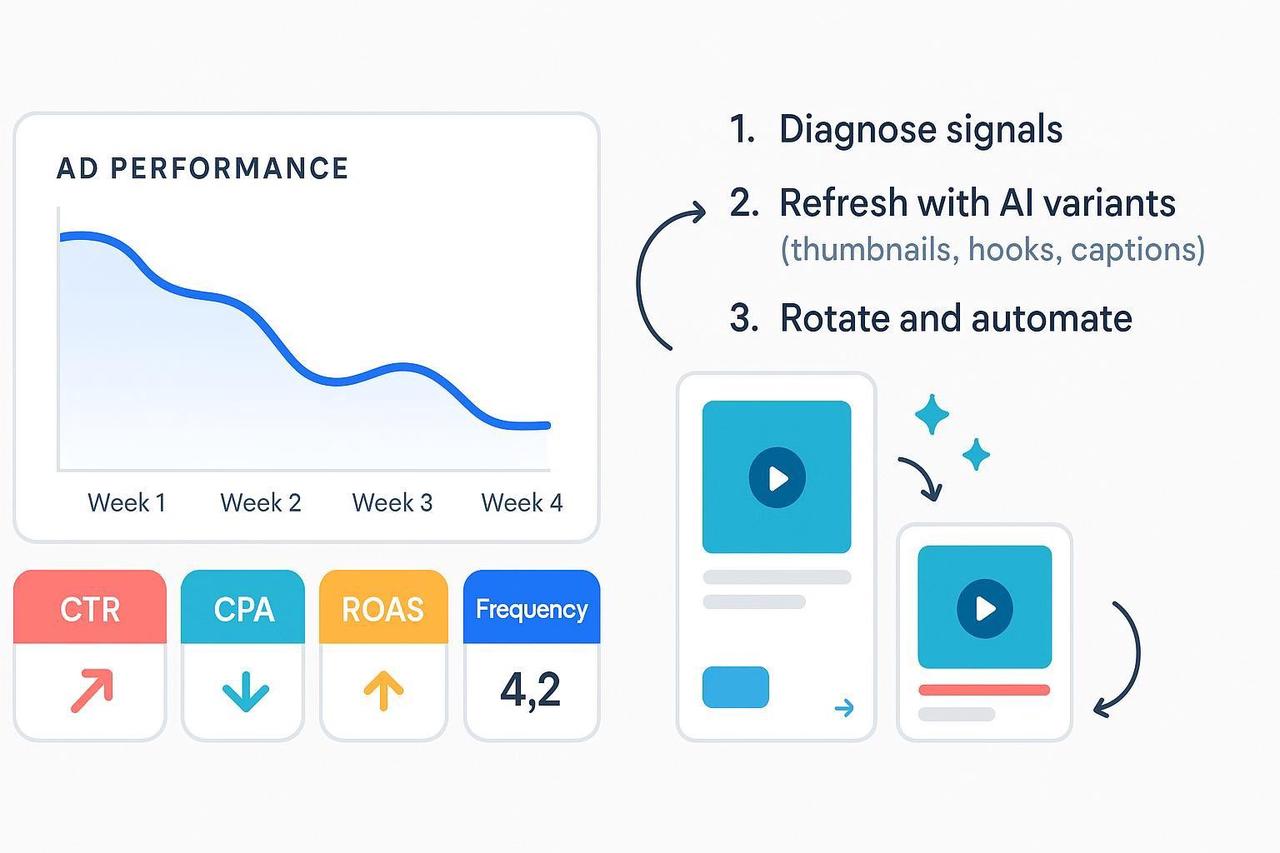
If your best-performing ads start slowing down two weeks into a campaign, you’re not imagining it. That painful drop is creative fatigue—your audience has seen your ad so many times the novelty is gone, and they stop clicking.
You don’t need a total overhaul; you need a strategic refresh. This guide gives you a simple, AI-assisted workflow to spot creative fatigue early and refresh ad creatives fast. Stop wasting budget on campaigns that audiences have already burned out on.
At a Glance
The Pain Point: Performance drop due to creative fatigue and audience overexposure.
The Solution: A 3-step system for rapid, high-impact creative rotation.
Time to Implement: 60–90 minutes for the first setup; 30 minutes weekly to maintain.
Step 1: Diagnose the Decline (Confirming Creative Fatigue)
Before you hit the panic button, confirm it’s fatigue, not seasonality or a targeting mistake. We look for a pattern where efficiency metrics decline while delivery metrics rise. Think of it as performance drop ad creatives that are spending, but no longer converting.
Primary Signals to Watch (2+ Needed)
You need to look beyond one metric. Compare the last 3–7 days to the prior 7–14 days while budget and audience stay stable.
CTR Trending Down vs. your recent baseline (People stop clicking).
CPC or CPA Rising over several days (Clicks and conversions cost more).
ROAS Falling from your typical range (Revenue return drops).
Frequency Rising while results fall (Overexposure is hitting hard).
Secondary Corroborators
CPM increasing or Reach stalling.
Engagement rate or video completion rate declining.
If two or more primary signals worsen broadly across segments, creative fatigue is your prime suspect. Both AppsFlyer’s guidance on ROAS drops and Clarisights’ analysis emphasize using your own historical performance as the baseline, not universal averages.
Quick Validation: If the decline is broad (not just one narrow audience), you need to move on to Step 2.
Step 2: Refresh with AI (Fast, Focused Novelty)
Your goal is to quickly restore novelty to beat reduce audience burnout without resetting all your conversion learnings. Think “micro-refresh” over “total overhaul.”
Choose Your Refresh Points (Pick 3–5 Per Concept)
The opening is often the quickest fix. If you only refresh ad creatives in the body, fatigue returns fast. Prioritize the first three seconds.
Hooks and First 3 Seconds: Open with a stronger claim, question, or visual.
Captions/Copy and CTAs: Try a new benefit or urgency line.
Aspect Ratios and Lengths: Create a square (1:1) and a vertical (9:16) cut, or 6s, 15s, and 30s variants.
Thumbnails: Use a compelling visual that promises a clear outcome or payoff.
Practical AI Workflow for Scaling Variants
This is where your AI creative buddy gives you a massive advantage. You can turn one winning video concept into 3–5 new, distinct variants in minutes.
Pick Winners: Select 1–2 of your best-performing concepts to “spin out.”
Generate Variants: Use an AI video editor like Nemovideo to automatically identify key visuals, re-time the first seconds, and create multiple cuts and caption styles in bulk. Our NemoVideo AI Video Editor Tool specializes in generating versioned edits (new hooks/first frames, alternative pacing, subtitles) from base footage.
Human QA: Verify brand voice, claims, and compliance.
Example: You have a 30-second testimonial. Use AI to create:
Variant 1: New 3-second hook (text overlay: “The biggest regret of my life”).
Variant 2: New CTA text and a 15-second cut.
Variant 3: Square (1:1) aspect ratio with simplified captions.
Quality Check: Each variant must have a clear, distinct opening that passes the thumb-stop test.
Stop spending budget on ads your audience has already seen. Beat creative fatigue with AI variants by refreshing hooks, first frames, pacing, and CTAs, fast enough to keep ROAS stable while your competitors stall.
Step 3: Rotate, Test, and Automate (The Creative Rotation Strategy)
Introducing novelty thoughtfully ensures you read results clearly and keep your account stable. This is your creative rotation strategy.
Set Up Rotation Guardrails
Stagger Launches: Introduce variants over several days to preserve stability and isolate performance. Keep one proven control creative live.
Monitor Frequency: Always watch frequency alongside CTR/CPA/ROAS. Rising frequency with declining results is the immediate sign to rotate again. StackAdapt’s ad fatigue explainer highlights this key relationship.
Use Alerts: Set automated rules or alerts (based on your Step 1 metrics) to pause variants when efficiency drops, and reallocate budget to top performers. RTB House recommends automated allocation as a core defense.
Verification and Rhythms
Verification Window: Read directionally in 24–48 hours, but look for stable trends across several days before making major decisions. Most teams find a weekly-to-biweekly refresh rhythm (7–21 days) works best, as noted by Madgicx’s creative refresh guidance.
Avoid Resetting Learnings: Always archive the winner’s winning elements (the hook, the CTA, the pacing) so you can apply them to the next batch. AppsFlyer’s Creative Optimization overview underlines grouping creatives by concept to see these patterns faster.
Operating Rhythm You Can Adopt This Week:
Monday: Review signals vs. baseline; confirm creative fatigue.
Tuesday: Generate 3–5 AI-assisted variants per active concept; QA and name consistently.
Wednesday/Thursday: Stagger launches; check early directional data.
Winning accounts don’t panic, they rotate. Build a weekly creative refresh system with NemoVideo and turn creative fatigue into a predictable process instead of a constant fire drill.
Conclusion: Empower Your Ad Account
Most teams underestimate how much novelty the first three seconds contribute. By implementing this system, you are no longer reacting to volatility; you are proactively managing creative fatigue and ensuring a continuous flow of high-impact creative.
Ready to build a small “variant factory” routine that turns one strong concept into 3–5 new tests each week? If you want help with fast video variants (new hooks, first frames, pacing, and captions) from your existing footage, you can explore Nemo to operationalize that weekly refresh cadence.
Creative fatigue doesn’t mean your idea failed—it means it’s time to refresh it.
If you want to turn one winning ad into 3–5 fresh variants every week without burning out your team, start your NemoVideo workspace and operationalize AI-powered hooks, pacing, and bulk creative refreshes in minutes.