

Blogs to Shorts AI Free: Convert Content to Viral Video in Minutes
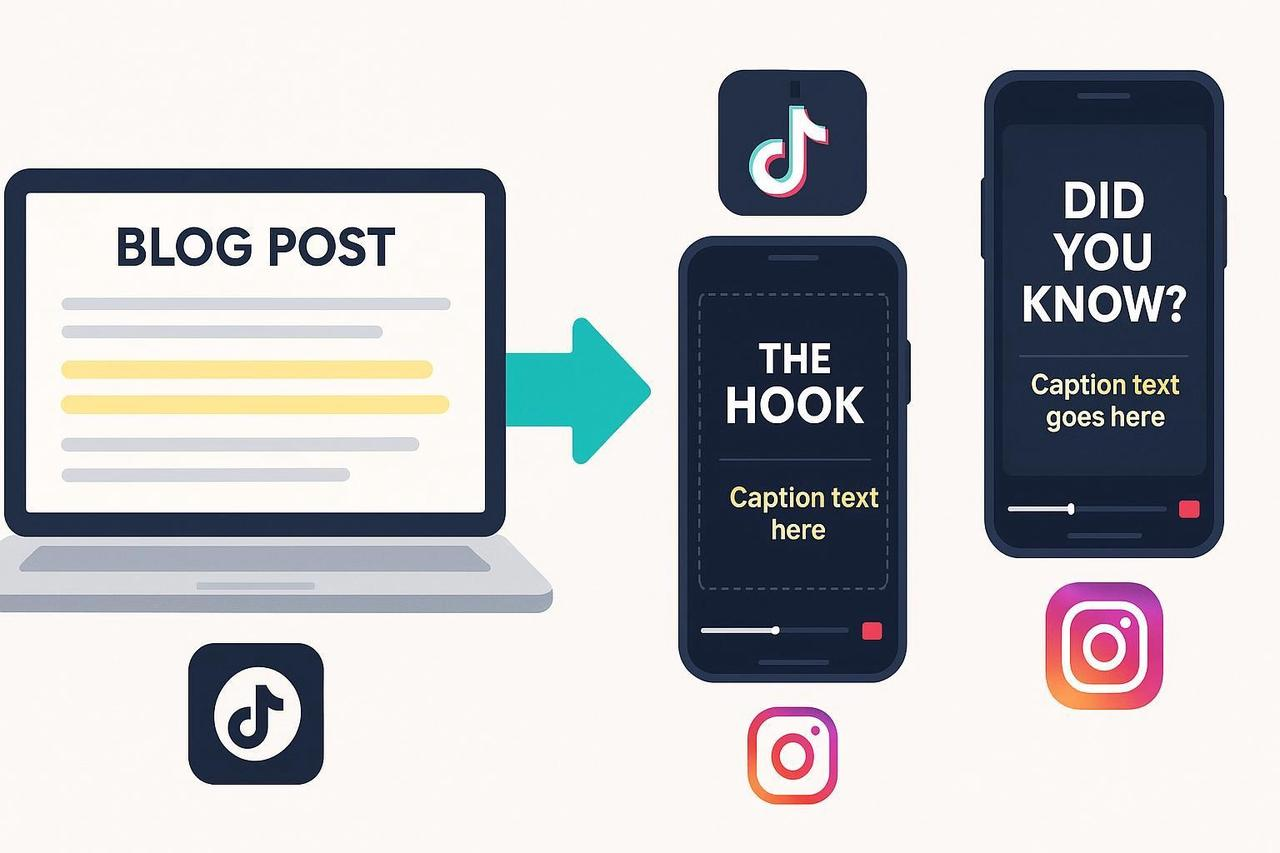
You have a backlog of amazing, high-performing blog content, but turning that text into dozens of engaging vertical videos is a manual nightmare. The slow editing, the constant need for new hooks, and the endless worry about safe zones stop your momentum cold. You're trying to figure out How to convert a blog post to a video? at scale.
As your AI Creative Buddy, I’m giving you the repeatable, mobile-first workflow that uses a Blogs to shorts ai free strategy. The solution is to leverage an AI system to slice your existing content. This guide shows you exactly how to Turn your blog posts into engaging short-form videos with AI efficiently, making the process fast and right.
Step 1: Extract 1–3 Micro-Stories from a Blog
Your blog content already contains proven insights and proof points. Your first goal is to find compact ideas that can be delivered in under a minute—the perfect structure for repurposing. Avoid dense theory or multi-layered arguments that won't translate well to a 15-second hook.
Skim and Highlight: Skim headings and conclusions. Highlight specific claims, quick tips, or mini case studies.
Pick Your Payoff: Pick 1 to 3 angles with a clear payoff (a quick win, a "gotcha," or a contrarian insight).
Write a One-Line Promise: Frame each idea as a simple promise: “In 30 seconds, you’ll learn X.”
Examples: “Three caption mistakes that kill Reels retention,” or “A 20-second product demo script from your FAQ.” If a friend can repeat your one-line promise back to you after hearing it once, you have a solid micro-story.
Step 2: Script it Hook-First (15–60 seconds)
Compress the blog paragraph into short, punchy beats. Keep each beat focused on one idea, one sentence. This maximizes viewer retention and sets your video up for success.
Hook (0–3s): Promise a tangible payoff or pose a sharp question. Avoid soft intros.
Setup (3–10s): Context in one sentence; show the problem clearly.
Proof/Steps (10–45s): 2 to 4 fast beats. Use simple language and on-screen text to reinforce the concept.
Payoff/CTA (Last 3–5s): Reveal the result, invite save/share/comment, or tease a part 2.
Hook Patterns to Steal: “Stop doing [common mistake]. Do this instead,” or “You’re wasting time on X. Here’s the 20-second fix.” Verification: Play the first five seconds to a colleague. If the payoff isn't immediately obvious, rewrite the hook to be more concrete.
Step 3: Plan Visuals for Mobile Safe Zones
Shorts, Reels, and TikTok all have overlapping UI elements that can block text. Design overlays for the central area, prioritizing the mobile experience over desktop perfection.
Safe Zones: Avoid the bottom ~ 30 to 35% where progress bars and engagement buttons live. For approximate guidance, TikTok generally needs you to avoid the top ~ 10% and bottom ~ 15 to 20%.
Text Placement: Place the hook text near the top-third; avoid the extreme top. Keep captions in the middle-third on busy shots; use a high-contrast background box.
Pacing: Use B-roll that directly illustrates each beat. Keep cuts every 1 to 2 seconds for maximum momentum.
For Deeper Reading: See detailed safe-zone guidance from Ignite Social Media's overview and the Strike Social guide.
Step 4: Captioning and Accessibility That Gets Watched
Captions boost comprehension and retention, especially for sound-off viewing. But they must be legible, or they are useless.
Legibility: Use sans-serif fonts (Arial, Roboto, Helvetica). Make them big enough to read on a 5 to 6 inch phone.
Contrast: Ensure contrast meets WCAG 2.1 AA (at least 4.5 : 1 for normal text). White or yellow text over a dark box works well.
Structure: Keep 1 to 2 lines with ~ 25 to 40 characters per line; trim filler words.
Sync and Reposition: Sync captions tightly to audio; avoid fast auto-captions that race ahead. Don’t cover faces or products, reposition captions or shrink slightly.
Verification: Preview on a real phone at low brightness. If you need to squint or captions overlap the UI, fix it before exporting. Review CapCut's caption style resource and Videomenthe's subtitling tips for practical design cues.
Step 5: Export to Platform-Compliant Specs
Specs evolve. Use these current guardrails, then check official docs on export day.
Vertical Video Specs (Shorts, Reels, TikTok)
Platform | Aspect Ratio & Resolution | Performance Length Target | Max Length Notes |
YouTube Shorts | 9 : 16 at 1080 × 1920 | 15 to 60s | Music rules often limit popular tracks to ≤ 60s. Max is up to 3 minutes (announced Oct 2024). |
TikTok | 9 : 16 at 1080 × 1920 | 15 to 60s | Ad max is ≤ 60s. Organic can be longer. |
Instagram Reels | 9:16 at 1080 × 1920 | 15 to 60s | Continues to signal expansion up to ~ 3 minutes. |
Format: MP4 (H.264) or MOV.
Audio: If using platform music libraries, verify duration limits and licensing. Otherwise, use properly licensed tracks.
Always Confirm: Defer to official help centers like YouTube’s latest updates on Shorts length and the TikTok Ads Help in-feed auction guide. The Sprout Social 2025 video specs guide is a useful quick reference.
Step 6: Publish, Measure, and Iterate
After posting, watch how the first few seconds perform and optimize accordingly. The goal is continuous improvement, not one-hit wonders.
First-3s Hold: Does the retention curve dip immediately? If yes, tighten the hook.
Average View Duration (AVD): Longer AVD signals clear pacing and strong payoffs.
Engagement: Track Saves (value), Shares (virality), and Comments (resonance).
Simple A/B Workflow
Produce 2 to 3 hook variants for the same micro-story (question vs. benefit vs. stat).
Post at similar times; compare first-3s hold and AVD.
Keep the winning structure; swap visuals or pacing for the next iteration.
Acceleration: What AI Converts Blog Posts to Video?
This is where you stop doing manual work and start winning the speed game. What is the AI that turns videos into Shorts? The answer is an editor that extracts the essence of your blog and auto-formats it.
NemoVideo Empowerment: A tool like NemoVideo can be used to extract the strongest lines from the blog, surface the best footage for each beat, auto-optimize pacing, and generate multiple versions tailored to different audiences and platforms.
The Result: You can take a blog paragraph and, with minimal effort, generate variants with different hooks (benefit, stat-led, or question) and B-roll (product demo vs. talking head), making your Blogs to shorts ai free strategy feasible.
Legal Basics (U.S.; Not Legal Advice)
Fair Use: Use caution with quotes, music, and stock footage. Attribution alone doesn't make it fair use. See the U.S. Copyright Office Fair Use Index for case summaries.
Music Licensing: For outside tracks, you typically need both sync and master licenses. Choose royalty-free or original audio/visuals if you are unsure. Practical guidance is available from Pex’s copyright checklist and Epidemic Sound’s brand music guide.
Quick Checklists You Can Actually Use
Step | Action |
Prep | Pick 1–3 micro-stories with clear payoffs. Draft hook lines for each. |
Script & Visuals | Hook within first 3s; one idea per beat. Place overlays in safe zones; avoid bottom ~ 30 to 35%. Add high-contrast caption boxes; 1 to 2 lines. |
Export | 9 : 16, 1080 × 1920, MP4/MOV. Target 15 to 60s; confirm platform music limits. |
Publish & Iterate | Check first-3 hold and AVD. A/B hooks; keep the winner. |
Final Notes: Focus each short on a single payoff. Preview everything on a real phone, legibility and safe zones matter more than desktop perfection.