
All-in-One Video Editor Guide: The Essential Tool to Scale Creator Content
For modern content teams and solo creators, the definition of an essential video tool has evolved. It is no longer enough to simply cut footage on a timeline. To survive in the US digital market, you need a robust all in one video editor that acts as a strategic command center—handling everything from viral trend analysis to strict platform compliance.
Tools like Nemo (AI Video Editor) represent this new generation of video creation solution. They move beyond manual stitching, using AI to automate the complex "pre-production" and "post-production" logic that usually slows creators down.

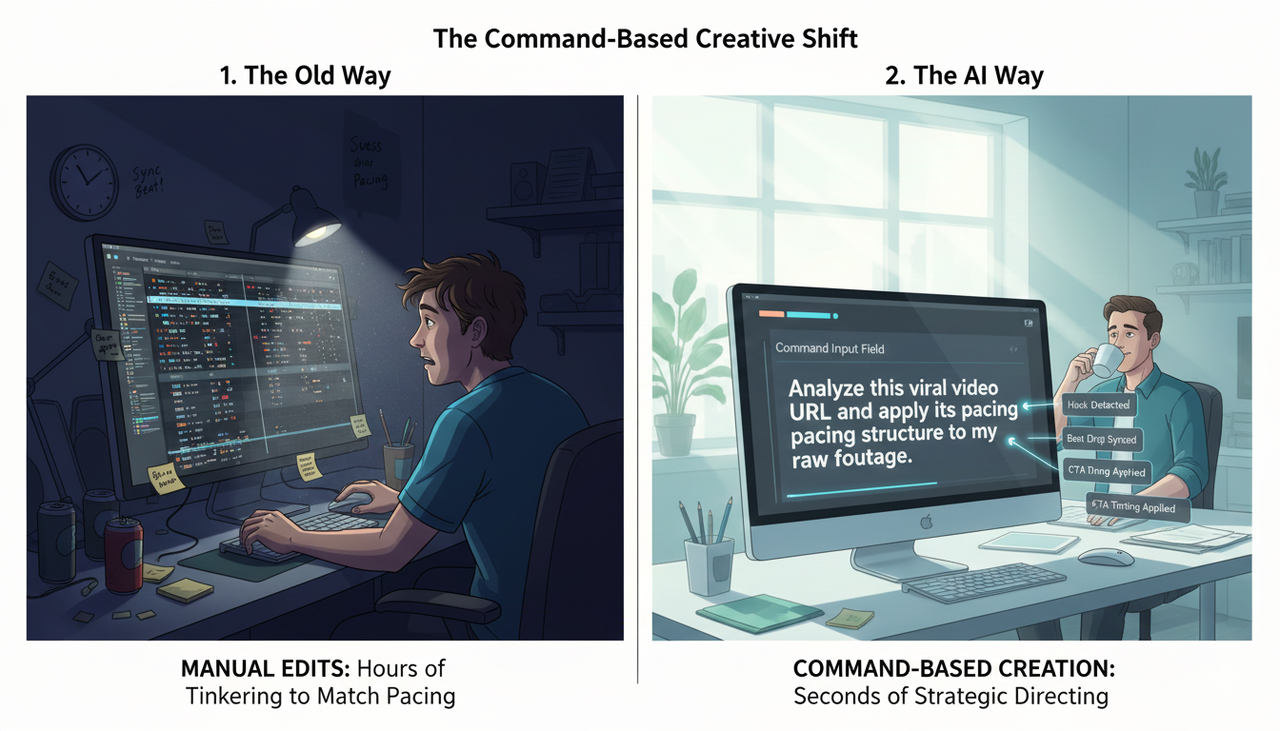
The New Workflow: From Manual Edits to "Command-Based" Creation
The biggest shift in creator content is the move from manual tinkering to strategic directing. An effective all-in-one platform should allow you to maximize efficiency by automating the technical heavy lifting.
Consider the difference in workflow when trying to replicate the top-performing content type online:
The Old Way: You manually watch competitors, guess the pacing, download assets, and spend hours syncing audio beats.
The AI Way: You issue a strategic command.
Your Command: "Analyze this viral video URL and apply its pacing structure to my raw footage."
The Result: The tool detects the hook, the beat drops, and the CTA timing, instantly rearranging your clips to match the proven viral pattern.
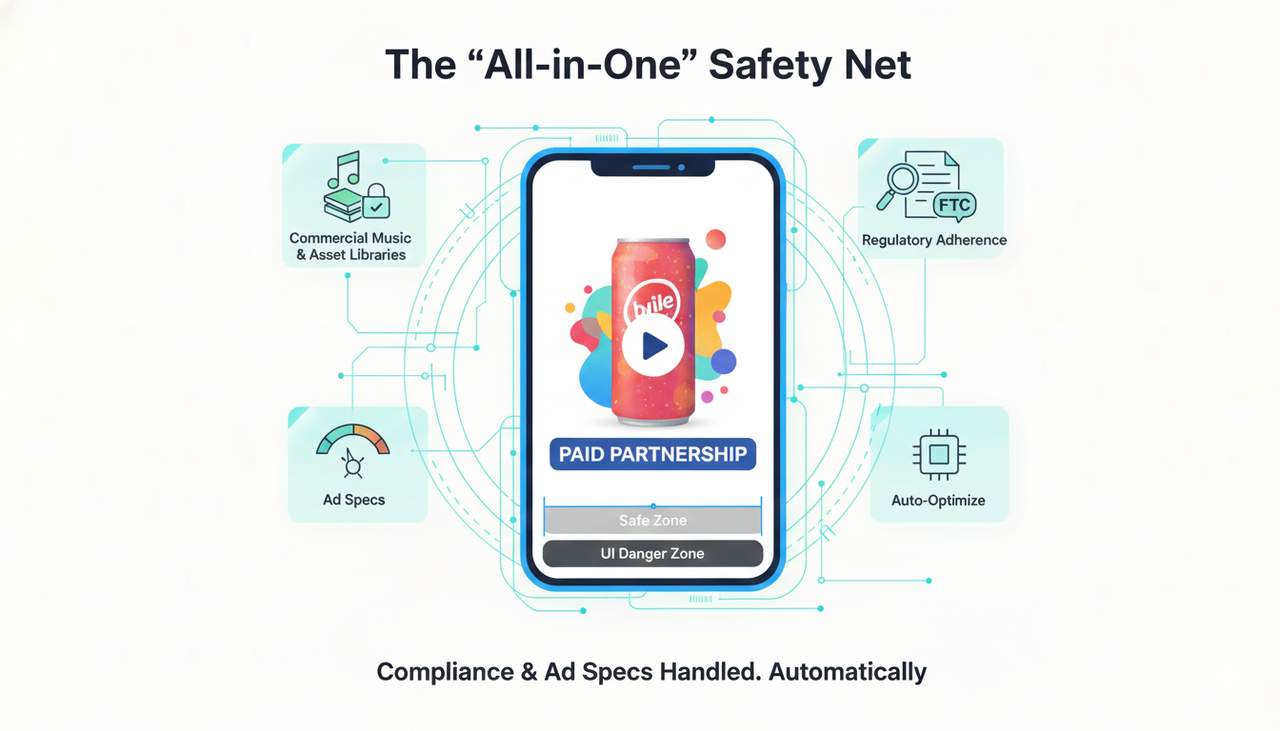
The "All-in-One" Safety Net: Compliance & Ad Specs
A true all-in-one solution doesn't just make videos; it ensures those videos are safe to publish. When you are Promoting a brand, product, or service, you face a maze of platform rules.
Your editor should be integrated with compliant asset libraries. Instead of risking copyright strikes, you should be able to access a Commercial Music Library directly within the tool. Furthermore, if you are working with sponsored content, the tool needs to facilitate the addition of clear text overlays to comply with FTC Endorsement Guides: What People are Asking.
Technical compliance is equally critical. Creating assets for TikTok Auction In‑Feed Ads requires precise aspect ratios and "safe zones" where text won't be covered by UI elements. An intelligent editor handles this automatically, ensuring your creative is never rejected for technical errors.
Comparative Analysis: Choosing Your Stack
When selecting your video creation solution, distinct tools serve different "North Star" metrics. We analyzed two top contenders: Nemo Video (focused on ad performance) and Wave.video (focused on hosting).
The Performance Engine: Nemo Video
Nemo Video is built for creators whose primary goal is testing and conversion. Its core strength lies in "Bulk Versioning"—the" the ability to generate multiple iterations of an ad to find the winner.
Scenario: You need to run a robust A/B test on Meta and TikTok.
Action: Instead of editing 10 videos one by one, you use bulk automation.
Command: "Generate 10 variations of this concept with different opening hooks."
Result: The system outputs 10 distinct video files, optimizing each according to Creative best practices.
Why it matters: This allows you to immediately deploy a campaign that follows Split test best practices without spending a week in the editing bay.
The Broadcaster: Wave.video
If your content strategy relies heavily on webinars, live streaming, or hosting videos on your own landing pages, Wave.video offers a strong infrastructure. It combines a live studio with a hosting backend, making it ideal for educators or agencies managing long-form content libraries.
Feature Comparison Matrix
Feature | Nemo Video | |
Primary Focus | Viral Ad Replication & Bulk Versioning | Hosting, Live Streaming & Multistreaming |
Best For | Performance Creators, Ad Testing, High-Volume Social | Webinar Hosts, Educators, Live Streamers |
Key AI Capability | Viral pattern analysis & Auto-pacing | Text-to-video & Auto-captions |
Workflow Example | "Import URL -> Output 12 Ad Variants" | "Record Live -> Host Replay -> Embed on Site" |
Distribution | Optimized for Social Feeds (TikTok/Reels) | Hosted Player with Landing Pages |
Accessibility | Auto-captions for generic exports | Tools for Accessibility for watching videos |
FAQ: Finding the Right Video Solution
Q: What is the most important feature in an all-in-one video editor for creators?
A: Efficiency via automation. A modern tool must reduce the time between "Idea" and "Publish." For example, Nemo Video automates the tedious parts of editing (like cutting silence or matching beats), allowing creators to focus on the story rather than the timeline.
Q: Can these tools help with video accessibility?
A: Yes. Essential video tools now include auto-captioning as a standard feature. This is crucial not just for compliance but for engagement, as many users watch mobile content with sound off. Ensuring accessibility for watching videos expands your potential audience significantly.
Q: Why is bulk versioning important for creators?
A: Social algorithms are unpredictable. To succeed, you often need to test multiple versions of the same core message (different hooks, different music). Bulk versioning allows you to produce these test assets in minutes rather than days.