

Stop Boring Your Clients: How to Create an Agency Onboarding Video That Works
Let's be real. That 20-page "Welcome Packet" PDF you send to new clients? Nobody reads it.
Your client kickoff calls feel like Groundhog Day. You repeat the same info, explain the same project management tool, and answer the same questions about invoicing... every single time. This "onboarding debt" is a silent killer for agency efficiency and client confidence.
What if you could replace 80% of that friction with one powerful, reusable asset?
This is where a killer agency onboarding video comes in. It's not just a "nice to have"; it's a scaling tool. It’s your new secret weapon for setting expectations, building trust, and getting to the actual creative work faster.
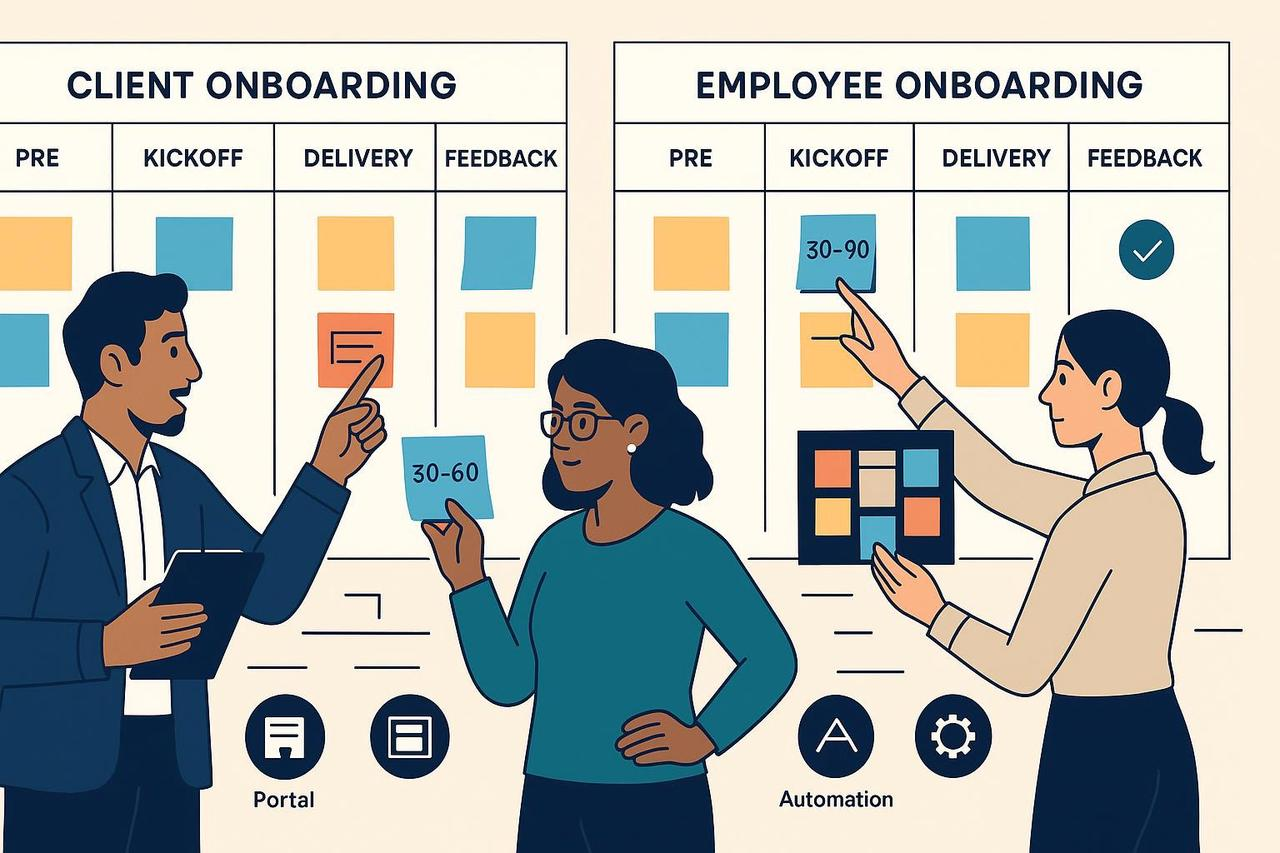
Your Agency is Bleeding Time (and Trust)
Inconsistent onboarding is chaos. It frustrates your team and, even worse, makes your new client feel anxious. An agency onboarding video fixes the three biggest bottlenecks.
It Replaces the "20-Page PDF." You spent hours writing a beautiful guide. Your client skimmed the title and then immediately DMed you, "So, what's next?" A short, engaging client intro video delivers the same info in a way they'll actually consume.
It Kills the "Groundhog Day" Kickoff Call. Your kickoff call should be for strategy, not for a tutorial on how to use Asana. An onboarding explainer content video gets all the "housekeeping" (tools, comms, approvals) out of the way before the call, making that first meeting 100% strategic.
It Stops the New Hire "Info Dump." Onboarding is a dual track. Your new employees are just as overwhelmed. As Harvard Business Review notes, dumping information on new hires is a recipe for failure, especially in hybrid workplaces. A video library gives them the info they need, on their own time.
The Client Onboarding Video Playbook
Your goal is to create a single client kickoff video asset that makes your client feel smart, secure, and excited. This is the ultimate welcome video for clients.
What to Include in Your Client Intro Video
Your video should be short (aim for 5-7 minutes) and broken into clear chapters.
The "Hi, We're Human" Intro (1 min)
Start with a warm welcome from the CEO or Account Lead. Show your face.
Briefly introduce the core team members they'll be working with. A 10-second clip from your Creative Director and PM goes a long way.
"How We Win Together": The Process (3 min)
This is the core onboarding explainer content.
Comms: "Email is for X, Slack is for Y. Our core hours are Z."
Tools: Use screen recordings. Show exactly where to find tasks in your PM tool, how to submit feedback, and where files are stored.
Approvals: Explain your approval and revision process. This alone will save you dozens of emails.
The "What's Next" Outro (1 min)
End with a clear, simple call to action.
Example: "After this video, you'll get two emails: one with an invite to our Slack channel and one to your project dashboard. Please log in to both. We're so excited to start!"
This one video instantly elevates your agency's professionalism, aligning with the principles of a portal-first onboarding experience and giving your client the confidence that you have a system.
Don't Forget Your Team: The Internal Video Playbook
The same logic applies to your new hires. Stop drowning them in docs. Build a library of short, internal onboarding explainer content.
"How We..." Video Library: Create 2-5 minute screen recordings for all your internal processes.
Example 1: A designer gets a video on "How to Use Our Brand Kit & Naming Conventions."
Example 2: An account manager gets "How to Build a Client Report in AgencyAnalytics."
The Internal Agency Services Overview Video: Your new social media manager needs to know what your PPC team actually does. A short overview video from each department head builds cross-functional respect and knowledge from day one.
How to Create Your Video (Without a Huge Budget)
You don't need a production studio. You need a plan.
Script, Don't Improvise. Write down exactly what you need to say. Keep it direct and friendly. Your script is the foundation for all the steps in any good agency client onboarding checklist.
Batch Record. Use a simple tool (like Loom or QuickTime) to record your screen for the "How We Work" sections. Film your "Human Intro" on your phone (just make sure the lighting is good!).
Edit for Clarity, Not Oscars. This is where it all comes together. And it's where an AI tool is your best friend. With the Nemovideo AI video editor, you can:
Drag and drop your "Welcome" clip, screen recordings, and team intros onto the timeline.
Instantly add your agency's logo, fonts, and brand colors.
Generate automatic, stylish captions (a must-have for accessibility and silent viewing).
Let the AI trim long pauses, "ums," and "ahs" to keep it snappy.
Host and Automate. Upload your final video. Now, put it to work. Add it to your welcome email. Link it in your project portal. Use it to build a smarter, automated onboarding flow that impresses clients from day one, just like the systems top-tier service teams use.
Stop the Groundhog Day Calls
An agency onboarding video isn't just one more piece of content. It's a system. It's a client kickoff video asset that saves you dozens of hours, builds immediate trust, and lets you and your client get to the great work, faster.
Stop repeating yourself. Start building your new video playbook today.
Try Nemovideo for free and build your first client intro video in 20 minutes.
Quick FAQ
Q: How long should my agency onboarding video be?
A: Aim for 5-7 minutes for a welcome video for clients. If it gets longer, break it into a "chaptered" playlist. For internal training videos, keep them under 3 minutes.
Q: What's the most important part to include?
A: "How We Work." Show, don't just tell. A screen recording of how to submit feedback or where to find the project board is worth a 10-page document.
Q: Can't I just use a text-based checklist?
A: You should have a checklist, but a video supports it. A checklist (like this one from HeyOrca or this one from AgencyAnalytics) is the "what"; the video is the "how" and "why."