

OpenClaw “Skills” for Creators: The Only 7 Automations Worth Setting Up (2026)
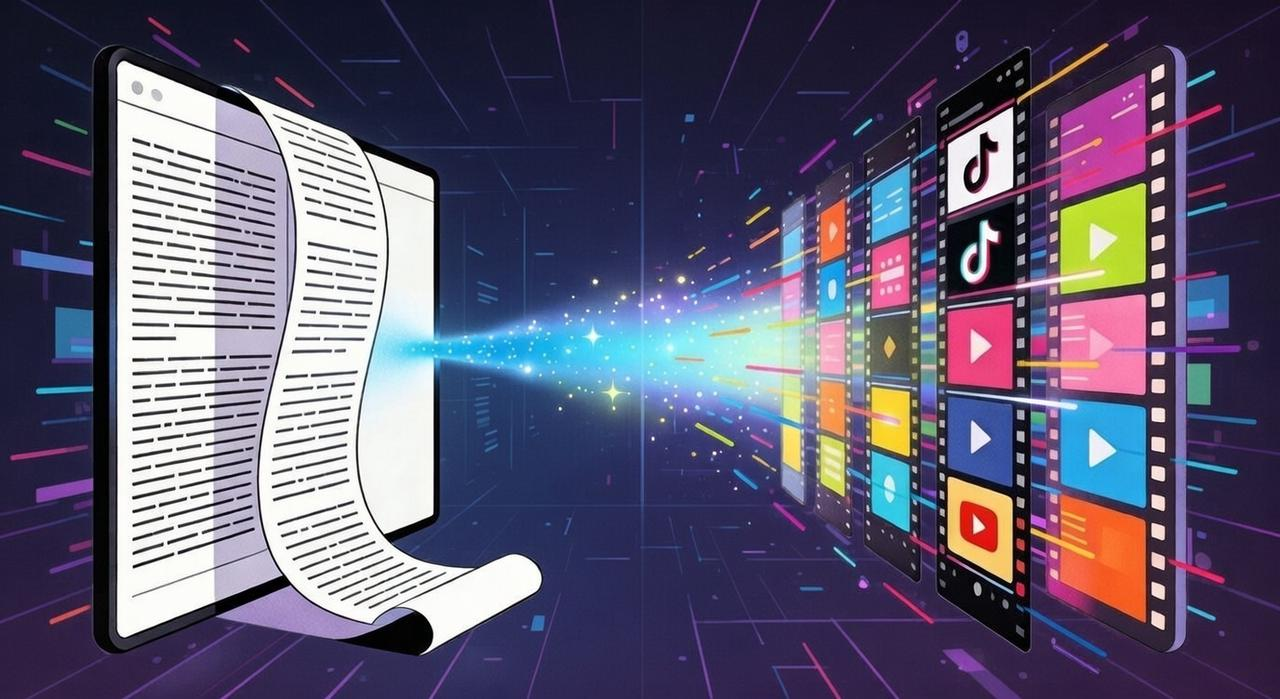
You already know how to make content. What slows you down is everything around it—the prep work, the naming, the briefs, the reminders, the constant context switching between tools.
None of it is hard, but all of it repeats, and none of it scales well when your output increases.
OpenClaw "Skills" are meant to handle exactly that layer of work.
In this guide, we'll walk through the seven skills that are actually worth keeping, how they reduce day-to-day friction, and how to avoid overbuilding your automation stack. If you want a workflow that supports consistency without adding complexity, this is the starting point.
What Skills are (and why they matter)
A Skill is a repeatable action with built-in guardrails. Think of it as a template that runs the same process every time, but smart enough to handle real-world messiness without breaking.
Here's what that looks like in practice:
You just finished a shoot. You have 50 raw clips with random filenames like
IMG_1234.movVID_20260203_143022.mp4A Skill can:
Read file metadata and apply your naming pattern automatically (
)2026-02-03_ProductDemo_A001.mp4Sort files into the correct project folders
Flag anything that doesn't match the expected format and log every change
You set it up once. It runs the same way every time.
Skills = repeatable actions with guardrails
The defining difference between a Skill and a standard AI prompt is guardrails—strict rules that prevent improvising.
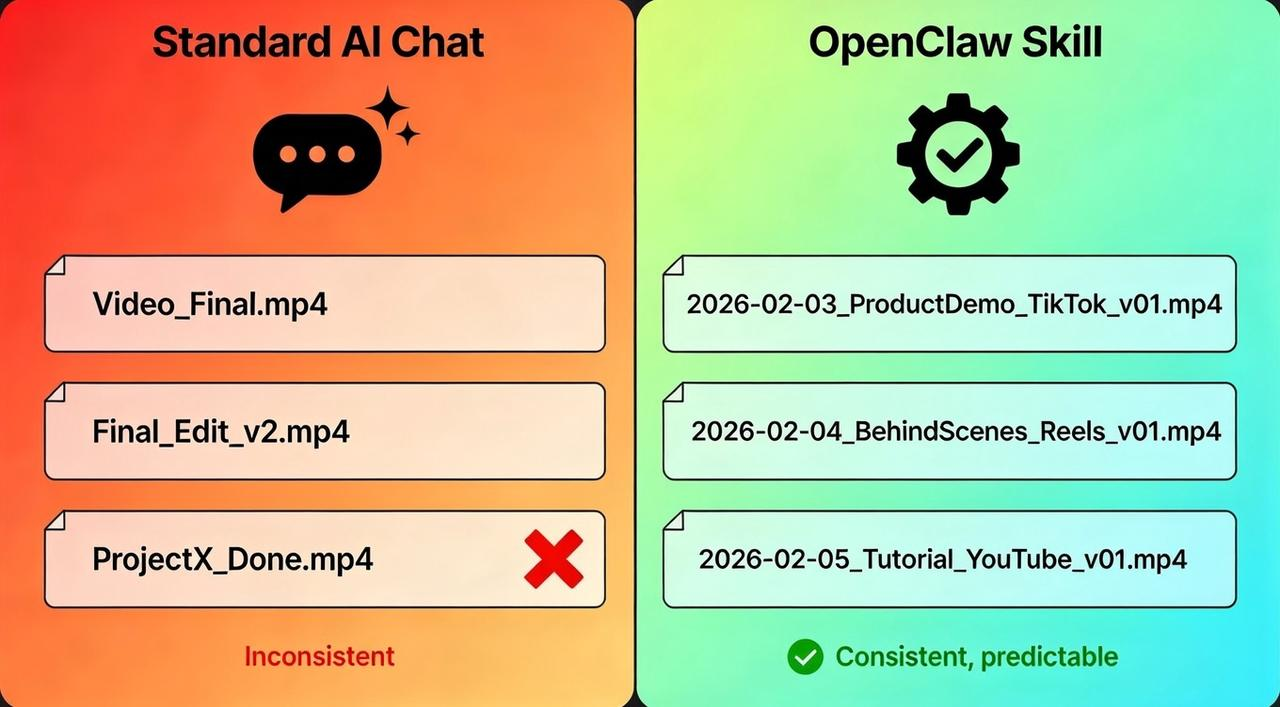
Standard AI chat: You ask it to rename your files. Today:
. Tomorrow:Video_Final.mp4
. Next week:Final_Edit_v2.mp4
. Inconsistent. You're constantly correcting it.ProjectX_Done.mp4OpenClaw Skill: Fixed logic:
. If the date is missing, it flags the file instead of guessing. No improvisation.[Date]_[Topic]_[Platform].mp4
Why this matters:
Files stay findable. No more 2 AM searches through 15 folders. Assets live where the system put them.
Flow stays unbroken. Skills eliminate "What should I name this?" micro-decisions that kill creative momentum.
Collaboration works. Your editor or VA finds files themselves. You're not the bottleneck.
Old projects stay usable. Six months later, you won't waste time decoding your own naming logic.
Skill #1–#3: Asset Prep (Folders, Rename, Metadata)
Asset prep is where most content workflows silently die.
You shoot 50 clips. They land on your desktop with names like
IMG_4829.MOVScreen Recording 2026-02-03...These three OpenClaw agent skills fix that chaos before it starts. They act as your digital librarian, enforcing order the moment a file hits your drive.
Skill #1: Auto-folder creation
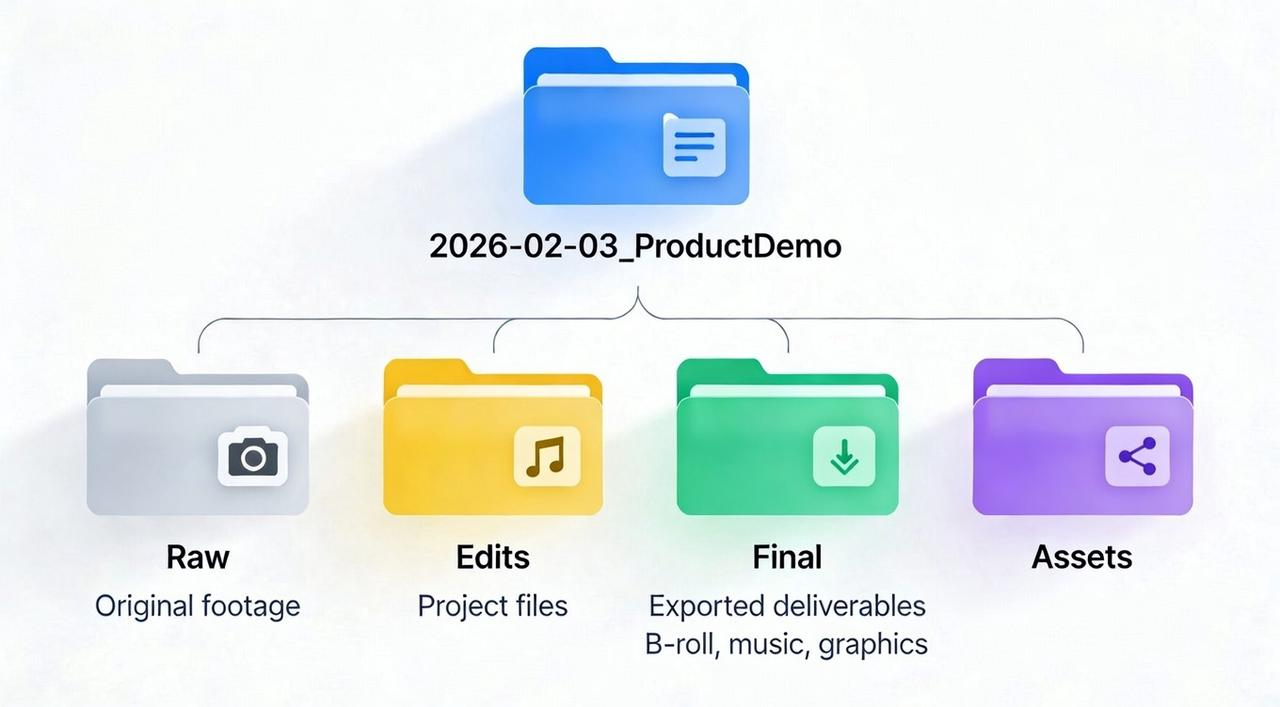
Stop wasting brain power deciding where a file belongs. This Skill triggers the moment a project starts, instantly generating the exact same infrastructure:
📂 /Raw (Original footage)
📂 /Edits (Project files)
📂 /Final (Exported deliverables)
📂 /Assets (B-roll, music, graphics)
The Benefit: Your brain stops designing folders and starts creating content.
Skill #2: Metadata tagging
Your files carry invisible data—camera model, date, frame rate—that usually gets ignored. This Skill extracts that data and tags your files before you even open them.
Date: Sorts by shoot day, not upload day.
Tech Specs: Tags
vs4K
so you don't mix resolutions.1080pSource: Identifies "Sony A7S" vs "iPhone Screen Rec". Later, when you are hunting for "that 4K outdoor B-roll," you filter by tag instead of previewing 40 mystery files.
Skill #3: Batch file renaming
This is the most critical step. Openclaw Agent Skill intercepts files as they land and applies a strict file rename automation. It scrubs the chaotic
IMG_Naming convention that keeps edits searchable
A good naming convention turns your hard drive into a searchable database. The goal is to find files by keywords, not by memory.
The Golden Formula: Configure your automation to enforce this specific string:
Format:
Example:[Date]_[Topic]_[Platform]_[Version].mp42026-02-03_ProductDemo_TikTok_v01.mp4
This gives you four searchable "hooks":
Date: Automatic chronological sorting.
Topic: You know the content without playing the video.
Platform: You instantly know the aspect ratio (9:16) and intent.
Version: Tracks iterations clearly so you never overwrite a backup.
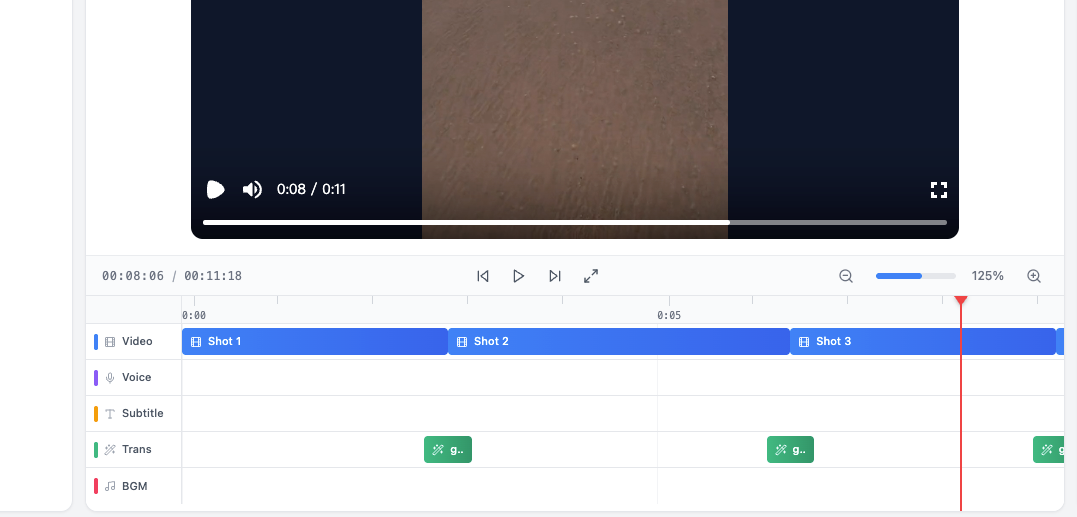
To take this further, you can use NemoVideo’s SmartPick to automatically identify the best "magic moments" in your footage the moment they hit the folder.
Skill #4–#5: caption brief + hook variants
For most creators, the video is done, but the caption becomes a bottleneck. You've spent hours editing, and now you're stuck writing the post. You type something. Delete it. Type again. Eventually, you settle for something generic just to hit publish.
This is exactly where OpenClaw Skill #4 steps in.
Skill #4: Caption brief generator
This Skill builds the skeleton of your caption in seconds by analyzing your topic and platform goal—whether it's for TikTok, YouTube, or Instagram Reels.You feed it:
Video topic
Target platform (TikTok, LinkedIn, Reels)
Goal (awareness, engagement, conversion)
It outputs a structured brief:
Hook: [Question or bold claim]
Context: [1-2 sentences setting up the problem]
Value: [What the viewer gains]
CTA: [Clear next step]
The brief gives you structure. You're not inventing from scratch—you're filling in details.
Skill #5: Hook variants
The hook is the make-or-break line. If it doesn't stop the scroll in 1.5 seconds, the rest doesn't matter—especially on short-form feeds like TikTok and YouTube Shorts.
This Skill takes your topic and generates multiple hook options in different tones—so you can match the platform and audience without overthinking it.
Hook variants generator (10 lines, 3 tones)
You input your topic (e.g., "Automation for content creators"). The agent skill generates 10 hooks across 3 tones.
Tone 1: Direct (Best for LinkedIn/Pro)
"Automation isn't just for developers anymore."
"You're probably automating the wrong tasks."
"Most creators waste 10+ hours weekly on manual work."
Tone 2: Conversational (Best for Instagram, TikTok)
"Stop doing everything yourself."
"If you're still naming files manually, this is for you."
"I used to spend hours on admin. Not anymore."
Tone 3: Bold/Contrarian (Best for Reels, Shorts)
"Automation won't replace you. But someone using it will."
"You don't need more tools. You need better systems."
"Hot take: most 'productivity' advice slows you down."
For even higher conversion, NemoVideo’s Inspiration Center analyzes millions of viral videos to ensure your chosen hook is truly "viral-ready" before you post.
👉 Unlock your next viral hit here
Skill #6: publishing checklist + schedule reminders
Pre-publish checklist that runs itself
You've finished the edit. Caption is ready. You hit "Publish"—then realize you forgot the CTA link. Or the hashtags. Or the thumbnail.
This Agent Skill runs the same checklist every time and sends reminders so nothing falls through.
What it checks:
✅ Video exported (correct format, aspect ratio)
✅ Caption includes hook, value, CTA
✅ Hashtags/keywords added
✅ Thumbnail uploaded
✅ Link in bio updated
✅ Post scheduled for optimal time
If any step is incomplete, the Skill flags it immediately. By using these automated guardrails, your workflow aligns with the NIST AI Risk Management Framework, ensuring your production is secure, governed, and consistent.
Daily reminder format:
The Skill sends a message 1 hour before your scheduled post. Quick to scan, under 2 minutes to act on.
Example:
Daily Ship Checklist – Feb 3, 2026
Video:
Scheduled: 3:00 PM | Platform: TikTok2026-02-03_ProductDemo_TikTok_v01.mp4Status: ✅ Video exported (9:16, 1080p) ✅ Caption ready ⚠️ Missing: Hashtags ⚠️ Missing: Link in bio
To address common UI obstruction issues found in checklists, many creators let NemoVideo automatically execute Platform Intelligence, adjusting caption placement with one click to avoid "visual blind spots" on platforms like TikTok or Reels.
→ See how NemoVideo optimizes your performance across every platform.
Skill #7: daily "content ops recap" message
This skill sends you a daily recap at the end of your workday. It shows what you shipped, how much time you saved, and where you got stuck.
What metrics to include (outputs, time saved, blockers)
The daily message format:
Content Ops Recap – Feb 3, 2026
Outputs: • 3 videos published (TikTok, Reels, YouTube) • 2 videos queued for tomorrow
Time saved: • Asset prep: 45 min (auto-rename, folder setup) • Captions: 30 min (hook variants, brief generator) • Publishing checks: 15 min (automated checklist) Total saved today: 1.5 hours
Blockers: • Missing B-roll for Feb 5 shoot • Client approval pending on LinkedIn video
Next action: Source B-roll by EOD tomorrow.
When to stop adding skills
Automation is addictive. It is tempting to build a "Skill" for every tiny task in your studio, but every automation you add comes with a maintenance tax. If a Skill requires you to troubleshoot it every few days, it is no longer saving you time—it’s stealing it.
The "maintenance tax" rule (if it breaks weekly, cut it)
Here's the decision framework:
Keep the Skill if:
It runs consistently without your intervention
It solves a problem that repeats daily or weekly
Fixing it takes less than 5 minutes when it breaks
Cut the Skill if:
You're troubleshooting it more than once a week
It only saves time "in theory" but breaks in practice
You've built workarounds to make it work
Your threshold: Seven Skills is the sweet spot for most creators. If you're running more than ten, audit them. Cut the ones that demand more attention than they're worth.
Stay lean. Stay fast. Stop building systems that need babysitting.
FAQ
How do OpenClaw Skills improve content creation automation?
OpenClaw Skills improve content creation automation by applying strict guardrails and repeatable logic to manual tasks like file naming and asset organization. By combining OpenClaw Skills with NemoVideo, you can enforce specific naming conventions and folder structures, which reduces creative friction and ensures project scalability without manual intervention.
What is the best way to automate a video creator workflow?
The best way to automate a video creator workflow is to focus on "asset prep" and "publishing operations" to reduce manual labor. Using a NemoVideo 2026 guide can help you move from 3 hours of work to 15 minutes by automating file renaming, folder creation, and hook generation to eliminate administrative bottlenecks.
Can I use AI to generate viral hooks for TikTok and Reels?
Yes, you can use AI to generate viral hooks by feeding your video topic into a "Hook Variant" skill. For maximum efficiency, you should follow a TikTok viral video guide and use NemoVideo’s Inspiration Center to provide hook options that are optimized for high retention and engagement on short-form platforms.
How does a naming convention help with digital asset management?
A strict naming convention turns your hard drive into a searchable database by using consistent "hooks" like date, topic, and platform. Implementing these OpenClaw for video creators strategies ensures that assets stay findable for years, preventing the common "2 AM search" for lost footage and making collaboration with editors seamless.
What is the best tool for creating viral video content in 2026?
The best tool for creating viral content involves using a dedicated Nemo viral workspace that integrates AI editing with platform-specific intelligence. This setup allows creators to analyze millions of viral data points to ensure their content is optimized for the algorithm before they ever hit publish.
The shortcut to viral-ready content starts here/Your next move:
Stop overengineering your setup and start creating. By combining OpenClaw Skills with NemoVideo’s Talk-to-Edit intelligence, you get a zero-friction path from raw idea to published hit. No more "maintenance tax" just pure creative freedom.
Ready to see how it works?
🚀 Try NemoVideo for free today and see how to publish 3x more content without losing quality.