

OpenClaw for Video Creators (2026): What It Automates vs What Your Editor Should Do
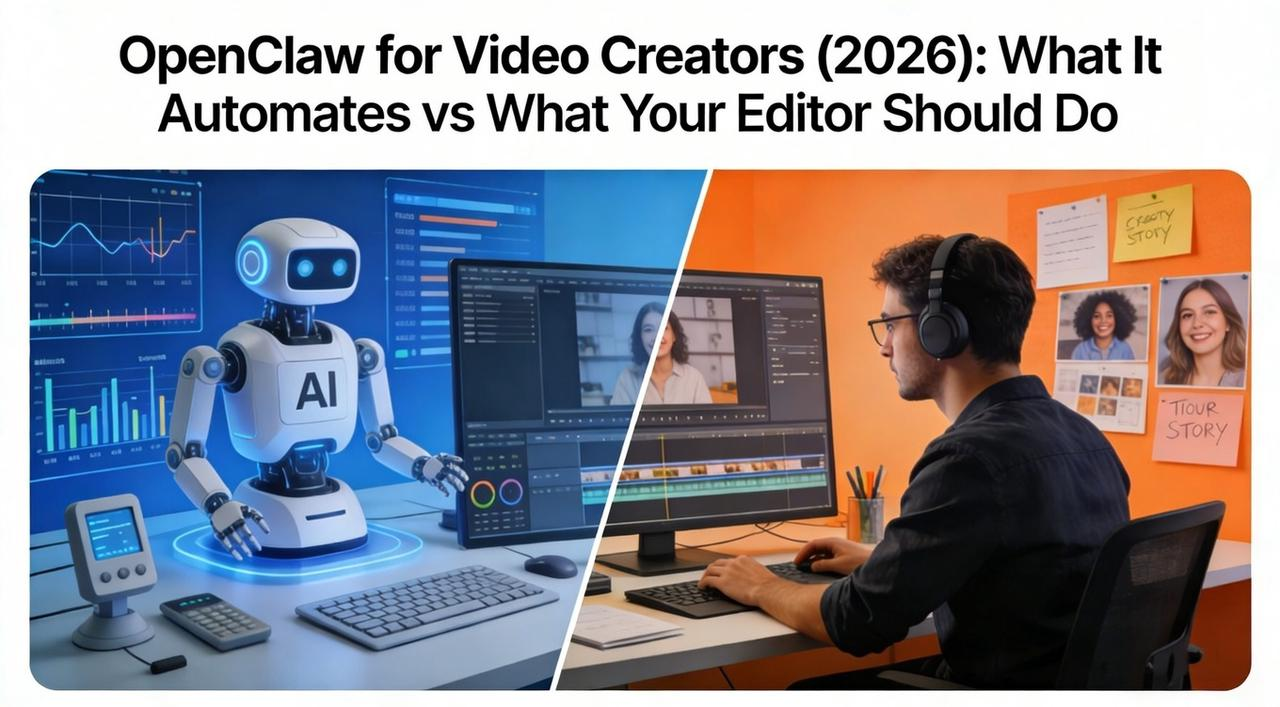
You spend more time organizing files than creating content. Renaming clips from
IMG_4782.movCreators burn 10+ hours a week on prep tasks that steal focus from the work that actually matters.
This is where AI tools like OpenClaw (formerly MoltBot/ClawdBot) enter the conversation. The local-first AI agent hit 100,000 GitHub stars in three days after going viral in early 2026. It promises to automate the busywork—file operations, scheduling, asset prep—so you can move faster.
This guide will walk you through what OpenClaw can realistically automate for video creators in 2026, where human editors still outperform agents, and how to pair it with a tool like NemoVideo to get the best of both worlds—speed without sacrificing quality.
OpenClaw in 60s (what it is)
If you've seen the lobster emoji 🦞 flooding your Twitter feed, you've met OpenClaw (formerly MoltBot, briefly ClawdBot before legal pressure from Anthropic).
Forget the viral memes for a second. In plain English: OpenClaw is a digital intern that lives on your hard drive.
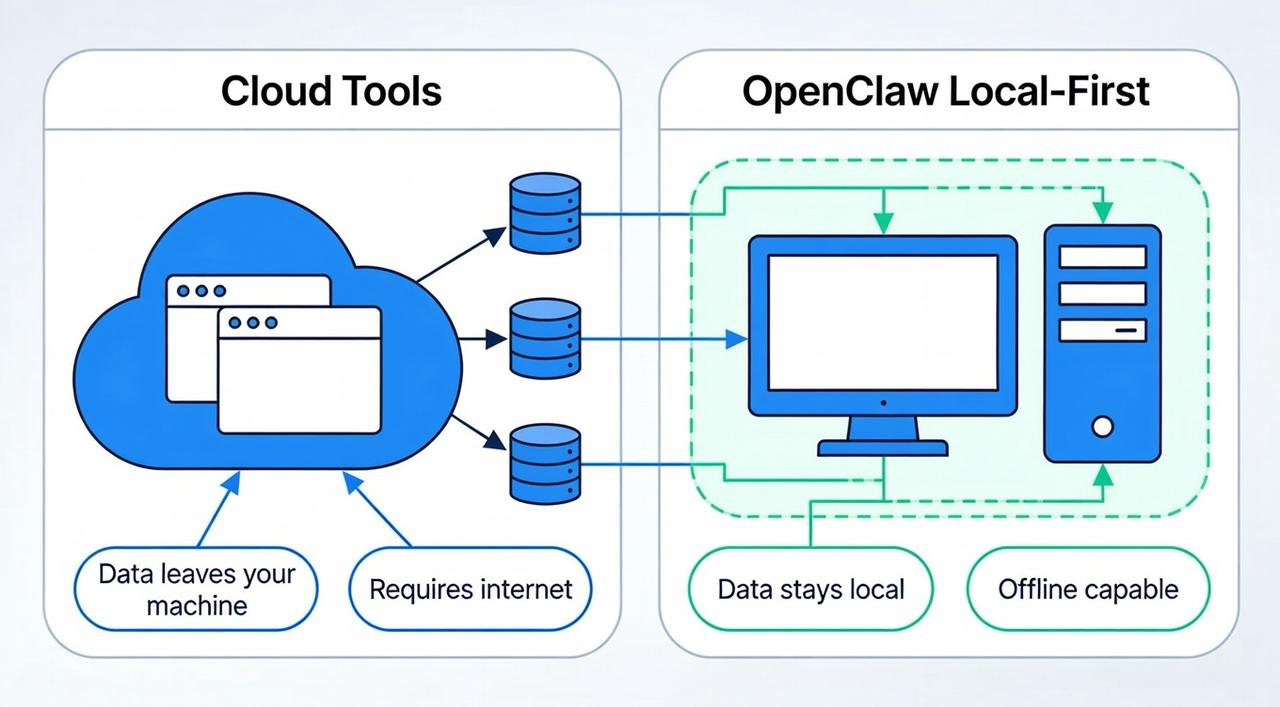
Unlike cloud tools that trap your data in browser tabs, OpenClaw is an open-source agent installed directly on your machine—Mac, Windows, or Linux. It’s not just a chatbot—OpenClaw can organize your files and send messages on your behalf. It acts like a personal assistant that moves files, manages tasks, and automates workflows.
Text it "organize today's footage" from your phone, and it's done before you hit your desk.
Local-first "agent that executes" vs chatbots
The confusion exists because both use LLMs (like Claude or GPT). But the difference lies in agency.
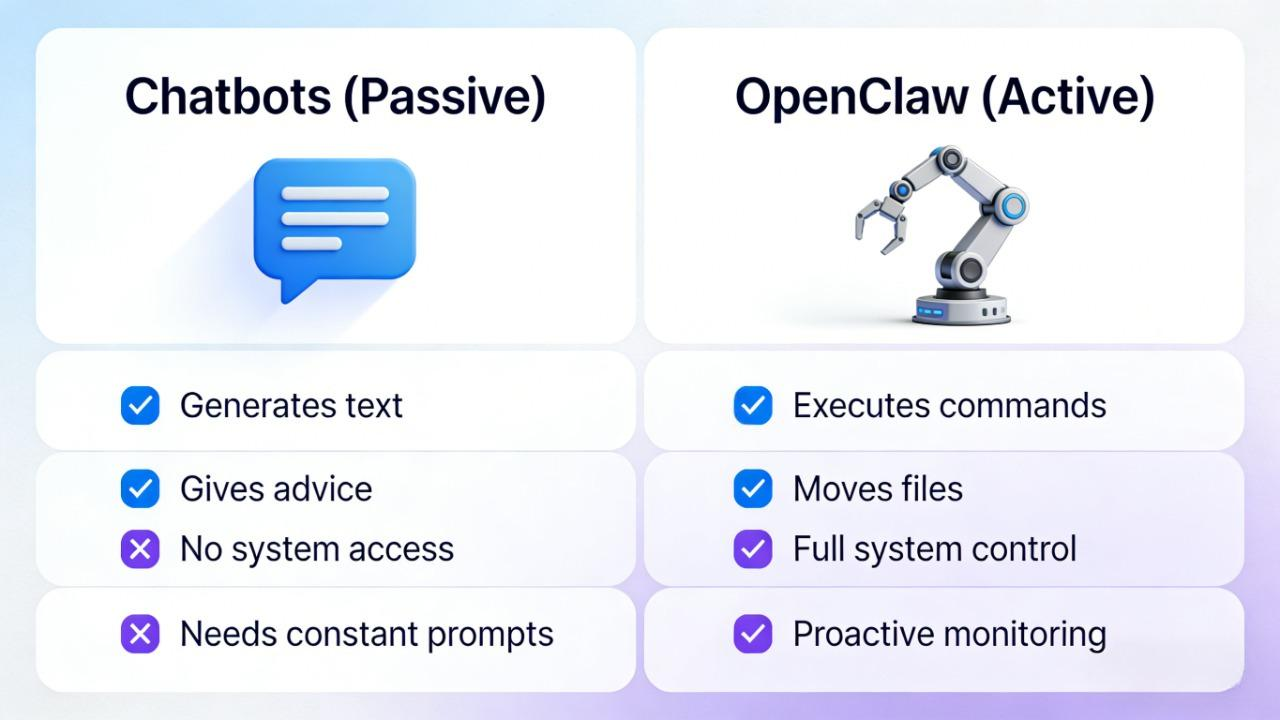
Chatbots have a "Mouth" (Passive): You ask for a script, they talk back. Brilliant consultants, but they can't touch your work.
OpenClaw has "Hands" (Active): You tell it "organize my footage," and it actually moves the files on your SSD. It has genuine control over that system—it can write scripts, manage files, and execute shell commands.
At a glance: The Agency Gap
Feature | Standard Chatbot | OpenClaw Agent |
Location | Cloud (Browser Tab) | Local (Your Mac/PC) |
Action | Generates Text/Ideas | Executes Commands (Moves files, runs scripts) |
Privacy | You upload files | Files stay on your drive (Zero upload) |
Proactive | Waits for prompts | "Heartbeat" (Wakes up & checks tasks) |
The "Killer App" for Creators: It introduces the "Heartbeat." Unlike ChatGPT which sleeps until you prompt it, OpenClaw can proactively check your "Renders" folder every 10 minutes and WhatsApp you: "Your 4K export is done. Should I upload it to Frame.io?"
What Can OpenClaw Actually Automate for Video Creators?
Think of OpenClaw not as your Director, but as your Digital Assistant Editor (AE).
In the film industry, the AE never makes the final cut. Their job is to "prep the kitchen"—organize footage, sync audio, and set up the project file so the Lead Editor can sit down and immediately start cooking.
For YouTubers and Brand Creators, this "prep work" usually eats up the first hour of every day. OpenClaw automates the friction between "Idea" and "Editing." It handles logic-based tasks that require zero taste but 100% accuracy:
Smart Briefing: Don't type. Record a rambly 3-minute voice note on your way to the studio. OpenClaw transcribes it, extracts key points, and formats it into a structured brief inside your Notion.
Calendar Tetris: Instead of tab-switching, just message your agent: "Book a 30-min sync with Brand X next Tuesday." It checks your local calendar, finds the slot, and drafts the invite.
File Operations (The Big One): This is where local agents shine. They can read metadata to create a standardized project structure every single time.
Best quick wins (rename → sort → prep assets)
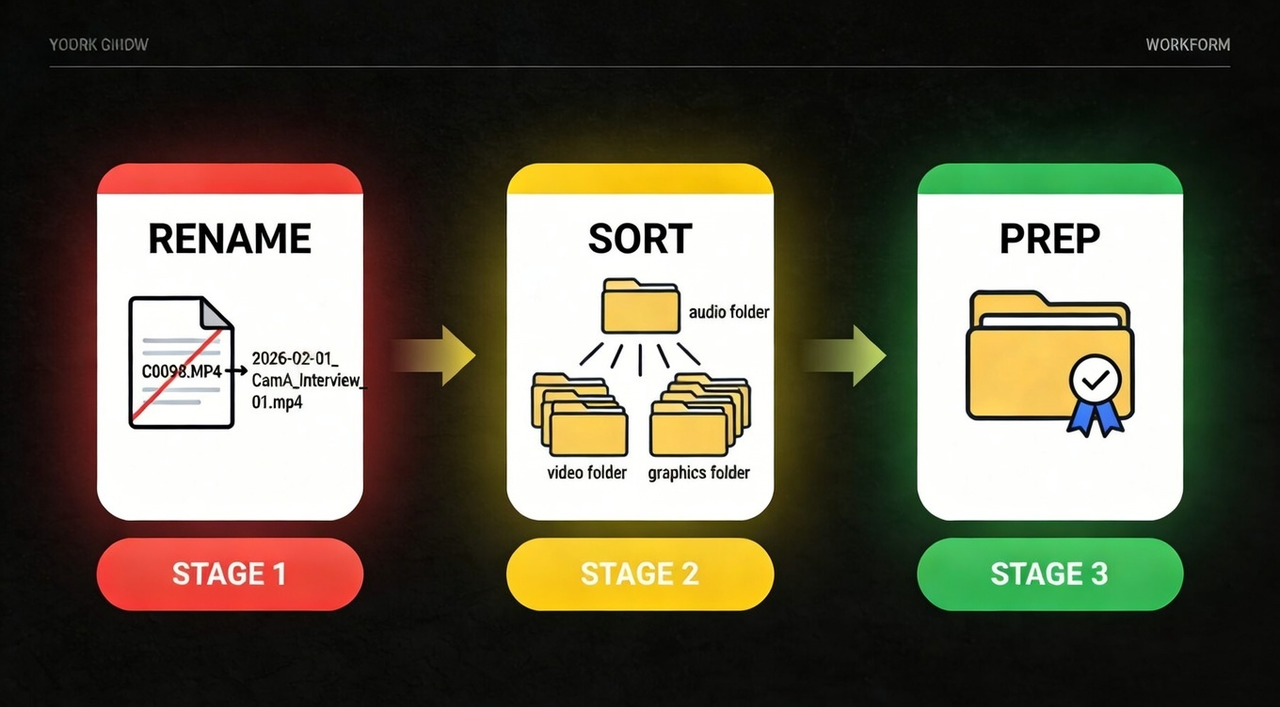
If you only automate one thing, make it your Ingest Workflow. This is the single biggest friction point between "shooting" and "editing."
Here is the exact "Rename → Sort → Prep" logic you should run to save ~4 hours per project:
RENAME (The Sanity Check)
Problem: Camera files come with useless names like
orC0098.MP4
.DSC_9921.MOVThe Fix: OpenClaw scans your SD card dump. It reads the metadata (date, time, camera model) and batch-renames files instantly.
Result:
➔C0098.MP42026-02-01_CamA_Interview_01.mp4
SORT (The Folder Hygiene)
Problem: Audio, B-roll, and A-roll are mixed in one messy "Dump" folder.
The Fix: It analyzes file extensions and moves them into a standardized hierarchy.
files ➔ /Audio/External_Mic.WAV
files ➔ /Footage/Raw.MOV
screenshots ➔ /Assets/Graphics.PNG
PREP (The Handoff)
Problem: Editors waste billable hours just organizing your mess before they can edit.
The Fix: The agent verifies the structure and creates a fully organized folder ready for your editor.
The Value: When you hand off a clean package to a platform-intelligent tool like NemoVideo, you aren't paying with your time to organize. You are paying to tell a story.
⚡Ready to turn prep into profit? Start your viral edit here.
What it can't do reliably (editing quality control, creative judgment)
OpenClaw organizes files. It doesn't understand storytelling.
An agent can rename 200 clips in 30 seconds. It can't tell you which 3-second clip makes your hook land or kills it.
Example: You shot 10 takes of a product demo. Takes 1–4 have bad lighting. Take 5 is perfect except one stumble. Takes 6–10 are overexposed. OpenClaw sees 10 files. A human editor sees the stumble, the lighting shift, the energy difference.
🚀 Ready to stop scrubbing through raw footage for the "golden take"? Let NemoVideo find it for you.
Where it breaks down:
Platform-specific pacing (TikTok vs YouTube timing)
Visual continuity (jump cuts, color matching)
Hook effectiveness (the critical first 3 seconds)
Brand voice nuance
Quality control (compression artifacts, audio sync)
Where humans/editors still beat agents (timing, pacing, taste)
This is the "Taste Gap." OpenClaw can sort your 200 clips. It can't decide which one stops the scroll.
When a human editor—or a platform-intelligent AI like NemoVideo trained on viral video patterns—reviews your footage, you're not paying for file management. You're paying for creative judgment: knowing which frame grabs attention, which pause builds tension, which cut kills momentum.
Timing (When to Cut)
The Agent: Cut your product unboxing the moment the box opens.
The Editor: Hold on your reaction for 0.8 seconds before revealing the product—building anticipation. Knows that "wait for it" pause is what makes viewers lean in.
Pacing (The Breath)
The Agent: Keeps your tutorial at relentless speed because "short videos perform better."
The Editor: Slows down during the crucial step (the part viewers rewind), then speeds up the repetitive setup. Matches pacing to learning curve, not just retention metrics.
Taste (Visual Judgment)
The Agent: Grabs the sharpest B-roll clip from your library.
The Editor: Picks the slightly softer shot because the golden hour lighting matches your brand's "warm, approachable" vibe better than technically perfect but cold footage.
The bottom line: Automation preps the raw materials. Humans shape the story. Use OpenClaw to organize, but let editors handle the craft. Ready to bridge the gap between file management and viral success? Start your edit with NemoVideo.
The 2-Brain Video Workflow: Automation for Prep, AI for Editing
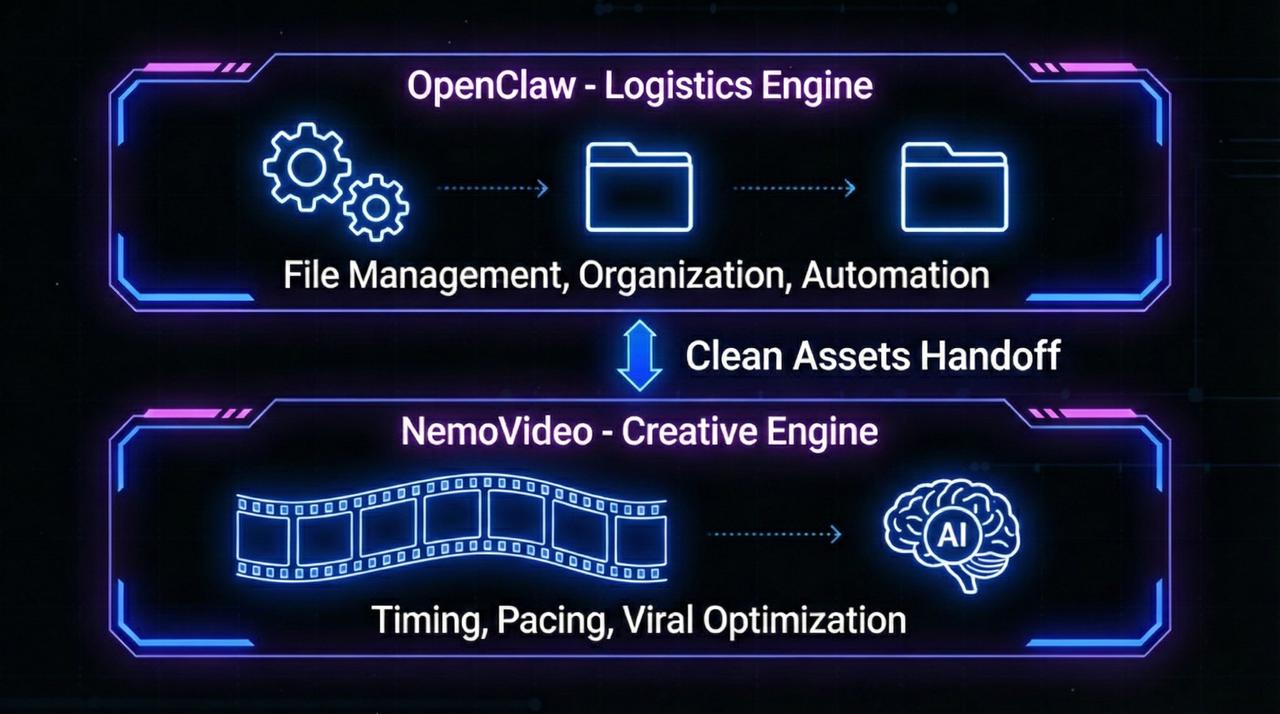
The winning strategy for 2026 isn't replacing humans. It's stacking Specialized Intelligence.
Instead of relying on a single AI video assistant to do everything, high-performing teams separate automation from creative editing.
To scale without burnout, you need to split your workflow into two distinct "brains":
OpenClaw is your Personal AI Assistant (The Logistics Engine). It lives locally on your desktop. It handles the "boring" input: file management, renaming, and organization. Its job is to ensure the ingredients are prepped.
NemoVideo is your AI Creative Buddy (The Creative Engine). It lives in your workflow. Trained on millions of viral videos, it handles timing, pacing, and platform-specific editing—decisions that require creative judgment, not just logic.
NemoVideo's Creative Automation Unlocks:
Replicate Viral Structures: Map your footage against proven high-retention frameworks (hook-retention-payoff) in minutes
Automate the Grind: Leverage Intelligent rough cuts, pacing adjustments, filler word removal
Eliminate Manual Scrubbing: Stop hunting for the best take; the automated script analysis system identifies your top-performing moments automatically.
Scale Output: Generate platform-native variants in bulk—turn one video into 5 vertical Shorts or Reels instantly
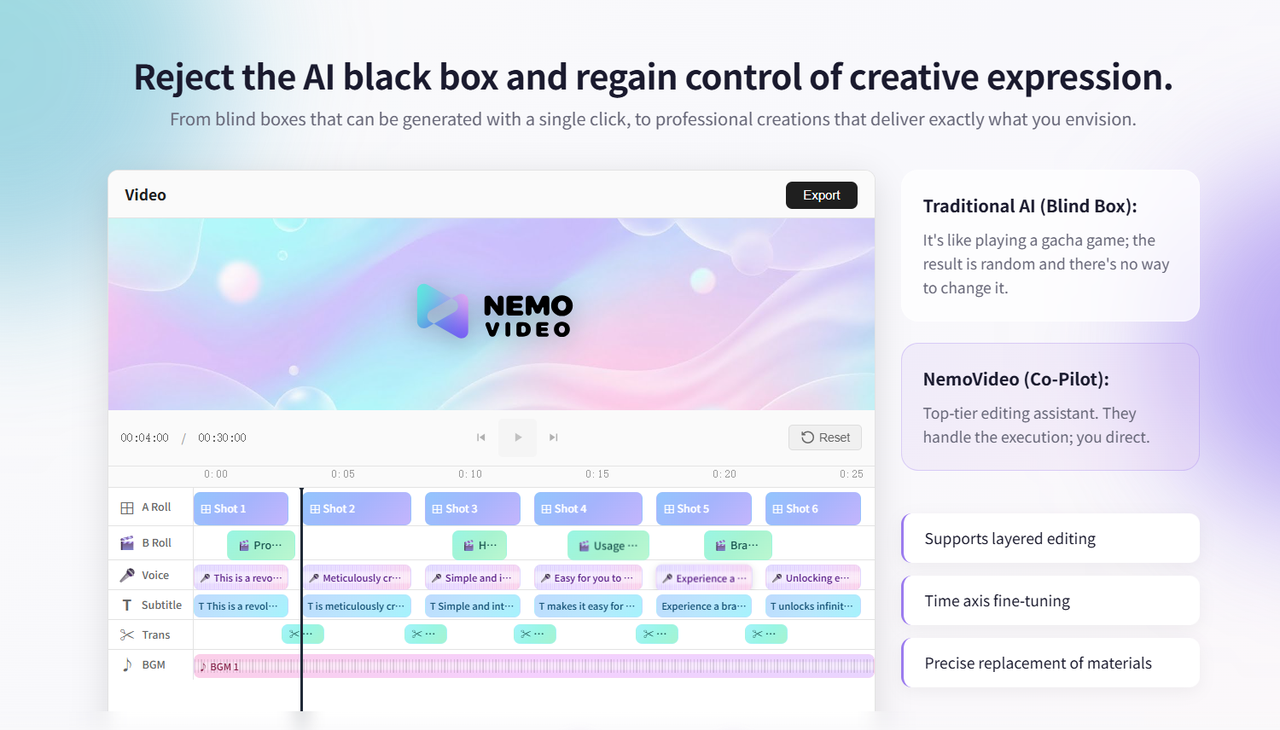
3-Step Handoff Checklist: Prep Files for AI Video Editing
To let NemoVideo work fast, OpenClaw needs to package assets the right way.
Configure your agent to prep these three things so your AI editor can start building timelines immediately:
1. Organized Footage Folders
OpenClaw Action: Sorts A-Roll, B-Roll, and Audio into separate subfolders (
/Footage/Main/Footage/Broll/AudioNemoVideo Benefit: Instantly identifies your main storyline vs. supporting visuals. Syncs multi-cam sequences automatically and maps B-roll to key moments without manual dragging.
2. Creative Intent File
OpenClaw Action: Extracts "Hook Concept" and "Target Audience" from your voice note, saves it as
Brief.txtNemoVideo Benefit: Selects the right Viral Structure Template (e.g., "Product Demo - Fast Cuts" vs. "Tutorial - Step-by-Step") and applies retention-optimized pacing to your edit.
3. Platform Tags
OpenClaw Action: Tags the project with destinations (e.g., "YouTube Main + TikTok + Instagram Reels")
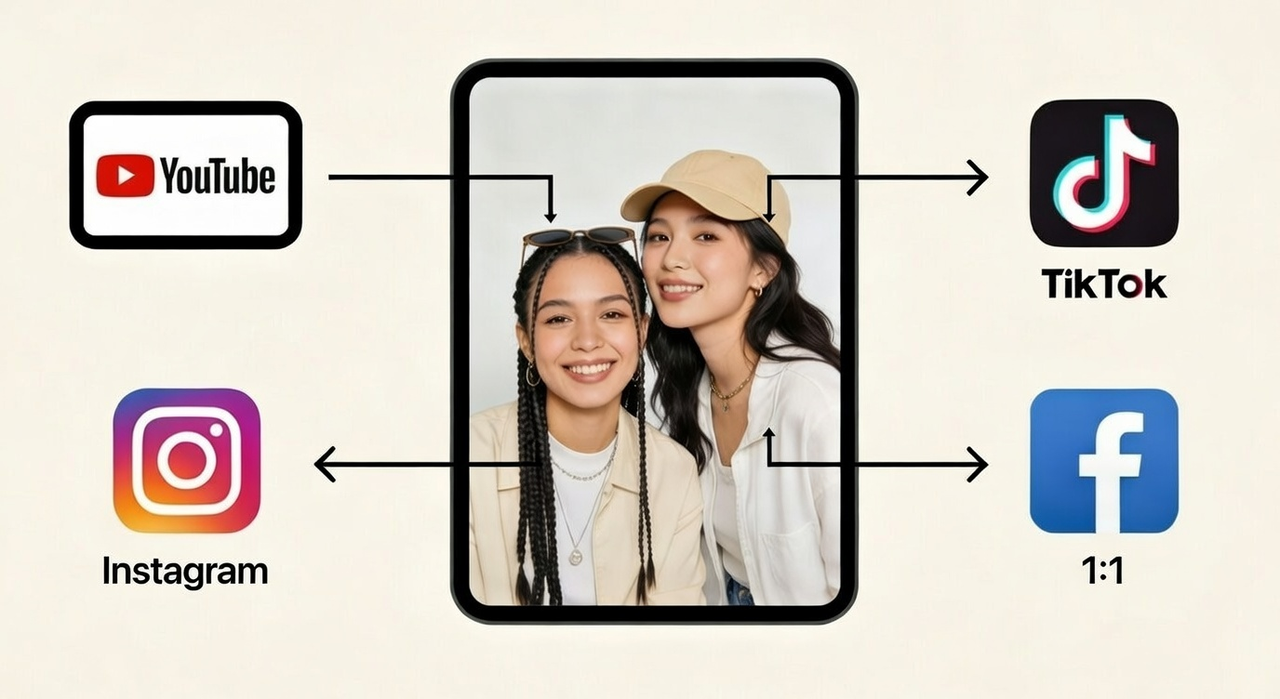
NemoVideo Benefit: Auto-generates platform-specific variants—reframes your 16:9 edit into vertical 9:16, adjusts pacing for each platform's algorithm, exports all versions in one click.
The result: OpenClaw handles the files, so you never lose footage. NemoVideo handles the cut, so you never lose the audience.
Security Risks (And How to Protect Your Client Files)
OpenClaw has system access. That's both its power and its risk.
OpenClaw has already been reported to have leaked plaintext API keys and credentials. If misconfigured—or if you install a malicious skill—it can expose your files, credentials, or execute harmful code.
But don't let this discourage you—by following best practices, you can mitigate these risks and safely integrate it into your workflow.
4 Security Rules Every Creator Should Follow
Use Secondary Devices: Experts recommend running OpenClaw on secondary devices, such as an old Mac Mini, VPS, or Raspberry Pi, rather than your primary production machine.
Set Permissions Wisely: Follow the NIST Zero Trust guidelines and only grant access to specific project folders.
Avoid Main Business Accounts: Keep OpenClaw separate from your main business email, social accounts, or client databases.
Conduct Regular Audits: Review permissions every two weeks as suggested by OWASP AI Security Standards.
Minimum-Permission Setup (Least Privilege)
Give OpenClaw only what it needs—nothing more.
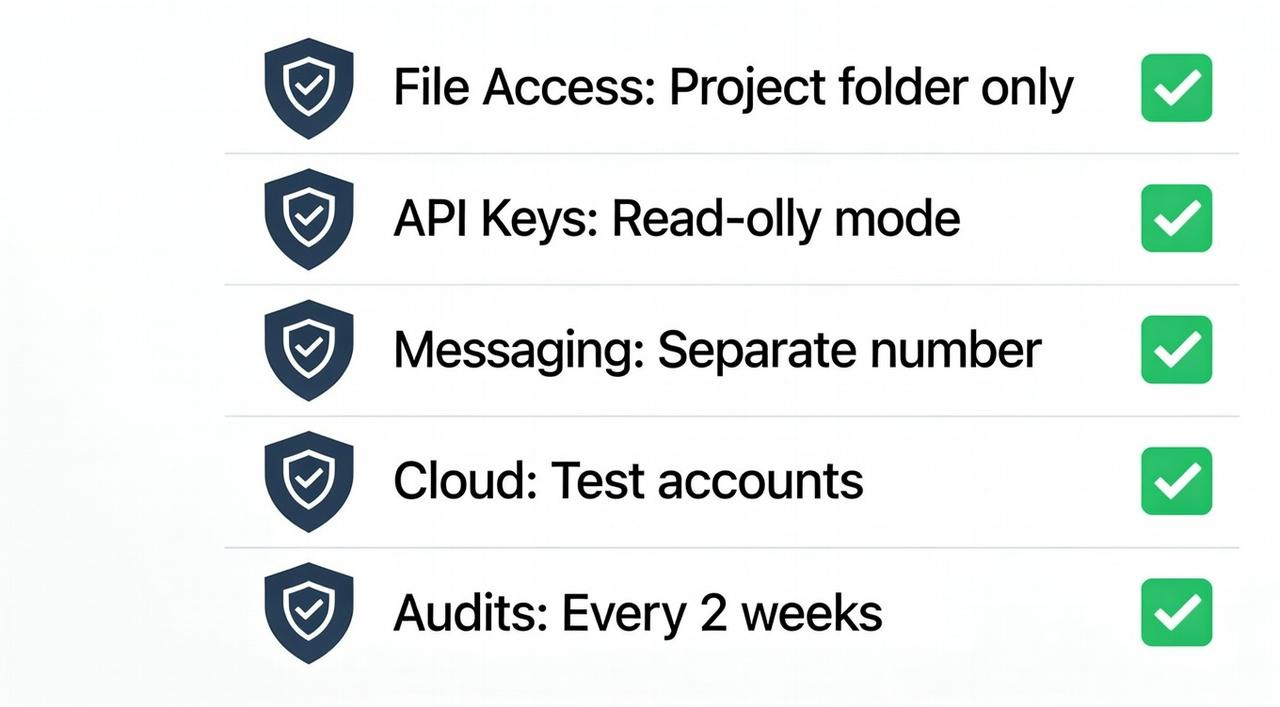
5-Point Permission Checklist
✅ File access: Restrict to
/OpenClaw_Projects✅ API keys: Read-only when possible. No edit/delete unless required.
✅ Messaging: Separate WhatsApp number. Protect your main business line.
✅ Cloud services: Test accounts only. Not your main social accounts.
✅ Regular audits: Review permissions every 2 weeks. Revoke unused access.
Bottom line: Use OpenClaw for file prep and scheduling—but isolate it from critical systems. Speed matters. Security matters more.
Your next steps: From Chaos to Creative Flow
Step 1: Secure Your Logistics Stop being your own file clerk. Get your assets under control with the latest local-first agent and let it handle the data entry while you focus on the big picture.
👉 Download OpenClaw (GitHub Open Source)
Step 2: Unleash Your Creative Engine Don’t waste the time OpenClaw just saved you by manually scrubbing through timelines. This is where NemoVideo takes over. Drag your prepped folders into Nemo and let the AI map your footage to high-retention viral structures instantly. It’s the difference between "fighting with software" and "directing a masterpiece."
👉 Replicate Viral Success with NemoVideo (Free Demo & Trial)
The 24-Hour Challenge: Download OpenClaw tonight. Let it organize one messy project folder while you sleep. Tomorrow morning, drag that clean folder into NemoVideo and see how it feels to finish a week's worth of editing before lunch.🚀
That's the workflow: Agent preps the files. NemoVideo delivers the viral edit.
See what your competitors are already doing.
👉 Start your free NemoVideo trial now