
Your Creative Freedom Just Got an Upgrade: The 3-Step Music Clearance Checklist
The Challenge: Stop the Muting, Start the Monetizing
If you publish videos on YouTube, Instagram, or paid social, music can be your biggest compliance risk—and your fastest way to get muted, demonetized, or removed. You are a realtor, a fitness coach, or a business owner in the US who needs video to attract customers, but dealing with copyright feels like a black hole, right?
The core problem isn't just getting your video out there; it's that long editing time and repetitive dirty work and the fear of a strike halting your momentum. Plus, you're struggling with low video views (300 views jail) and product videos that never convert to actual sales.
This practical, repeatable 3-step workflow is your roadmap. It uses smart checks and lightweight documentation to prevent most issues and quickly resolve the rest. This is essential for anyone aiming for advanced AI video editing and leveraging AI video editing solutions for creative filmmaking and the next-gen video editing future.

Who this is for: Social video managers, creators, agency editors, and marketing ops in the US.
Difficulty: Moderate (you don’t need to be a lawyer).
Time: After initial setup, expect under 10 minutes per video.
Important: This is educational information only; not legal advice. For edge cases or disputes, consult counsel.
The Problem in Simple Terms: Two Rights, Two Permissions
To use a song in a video, you typically need two key permissions:
Synchronization License (The Composition): Permission to use the underlying musical work (the notes, the melody).
Master Use License (The Recording): Permission to use the specific sound recording (that artist's version).
Quick Head's Up: Performance licenses from PROs (like ASCAP and BMI) don’t cover sync—both ASCAP Licensing FAQ and BMI Licensing FAQ state this clearly.
Platform Enforcement Reality Check | Key Takeaway |
YouTube | A Content ID claim is an automated match; it’s not a legal strike. Strikes come from formal takedown notices and carry serious penalties. Learn about Content ID claims. |
Meta/Instagram | Business accounts and ads have tighter music limits. Use Meta’s first-party library (Sound Collection) or licensed music. See the Instagram music guidelines announcement and Instagram Help on accessing licensed music. |
DMCA (US Law) | Takedowns and counter-notifications are governed by Section 512 in the U.S. The U.S. Copyright Office’s Section 512 portal outlines the timelines. |
Pro-Tip for Creatives: Fair use is super narrow and context-specific. Marketing and ads seldom qualify. Always assume you need proper licensing!
Step 1 — Preflight Risk Scan and Metadata Capture
Goal: Catch problems before you publish and collect the proof you’ll need if a claim appears later.
This step is all about proactive checks—it. It's your safety net before liftoff.
Run Platform-Native Checks on Drafts
On YouTube: Upload your draft privately and check the Checks panel. It scans for potential copyright issues, allowing you to fix them before going live. If a match appears, you’ll see restrictions and options. See YouTube’s overview in Learn about Content ID claims.
On Instagram/Facebook: For business accounts or ads, do not rely on popular commercial tracks. Stick to Meta’s Sound Collection or properly licensed stock music. Check out the Instagram music guidelines announcement for details.
Why it Matters: Native checks surface problems when fixes are easiest—before your post triggers muting, demonetization, or removal.
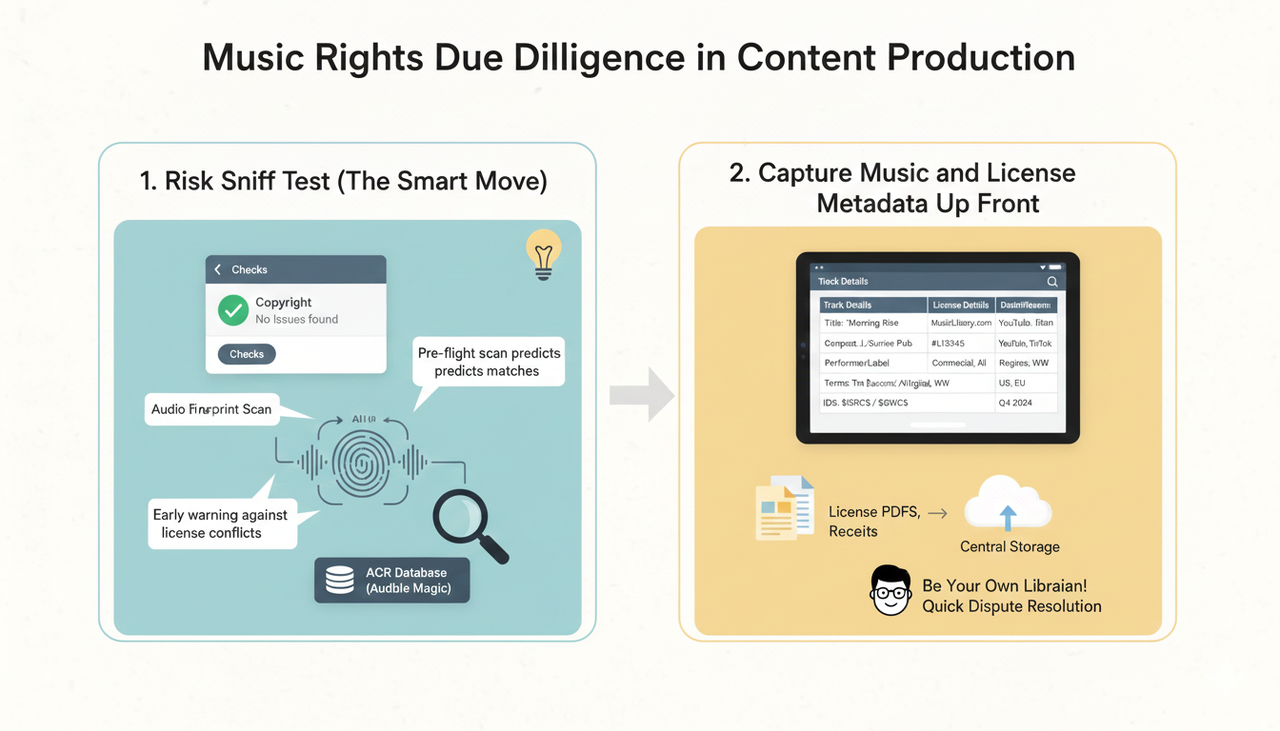
Add an AI-assisted “Risk Sniff Test” (The Smart Move)
Some savvy teams run preflight fingerprint scans to predict matches using Audio Content Recognition (ACR). This validates using platform checks and choosing sources that won’t collide with known catalogs. The concept is explained in the AWS Media Blog on integrating Audible Magic, which details how fingerprints and match policies work.
Capture Music and License Metadata Up Front
You need to be your own librarian! For each track, record:
Track title, composer/publisher, performer/label, ISRC/ISWC (if available).
Source: Licensed library name, license ID/receipt, and terms (commercial use allowed? ad use? platforms? territories? duration?).
Distribution: Platforms (YouTube, Instagram, TikTok), regions (especially US), organic vs. paid, post type, and campaign dates.
Store proof centrally: Save license PDFs/receipts and a simple cue sheet linked to your video file name or URL. This makes it easy to dispute a claim later!
Step 2 — Clearance Path Decisioning and Quick Remediation
Goal: Choose a compliant music path for the edit you have—and know how to fix issues fast.
You have four main paths to music clearance:
Branch A: Commercial Track: You must secure two permissions: sync and master. This takes time and budget. If the campaign is urgent, consider the next options.
Branch B: Licensed Stock/Library Music: Choose reputable libraries that explicitly allow ads and your target platforms/regions (essential for the US market). Save the license file/receipt.
Branch C: Commissioned Music: Ensure your agreement allows commercial, multichannel distribution (YouTube, Meta, paid social) across target territories, with clear ownership.
Branch D: Instagram/Facebook Business: Prefer Meta’s first-party options or properly licensed tracks. Check the Instagram Help for guidance.
🛠️ Quickfixes if YouTube Flags Your Video
If you get a Content ID claim (the low-stakes match):
Accept: Let the rightsholder monetize the video.
Fix: Trim the segment, replace with library music, or mute the portion.
Dispute: If you have the rights, file a dispute and attach your proof. YouTube details the process in Dispute a Content ID claim.
If you receive a Copyright Strike (the serious one):
This is a legal takedown request.
You can request retraction from the claimant, or submit a counter-notification. Legal requirements are in YouTube Help — Submit a copyright counter notification and the U.S. framework cited in Step 1.
Don't Forget! Cover songs still require composition clearance. Samples—even a few seconds—can can trigger claims. Don’t assume “short = safe”.
Step 3 — Distribution QA, Rights Packet, and Ongoing Monitoring
Goal: Publish with confidence, keep proof close, and react swiftly if anything changes.
Final QA Before Going Live
YouTube: Re-run Checks on the final export. If anything lights up, fix it or dispute as needed.
Meta: If you’re a business account or running ads, confirm your audio source is licensed stock/original or explicitly cleared for your use in the US region.
Generate Your “Rights Packet” Per Video
This is your single source of truth for the video. Include:
Licenses/receipts, the cue sheet, platform upload ID/URL, claim/strike status (if any), and the distribution plan.
Store centrally (a shared drive or rights tracker). Name it with your video ID for easy retrieval in disputes.
Monitor and Respond Quickly
YouTube: Check the Copyright tab and email alerts. Use the official flows: accept/troubleshoot claims or pursue disputes/counter-notification.
Meta/Instagram: Watch for muting/removal. If a video is muted, replace the audio with Sound Collection or a licensed track and re-upload.
Heads-up for US Filers: If you submit a DMCA counter-notification, U.S. law generally provides a restoration window of 10–14 business days unless the claimant files suit. See the U.S. Copyright Office’s Section 512 portal for statutory context.
💡 The Future of Editing is Smarter: A Comparison
You’re worried about long editing time and repetitive dirty work. This music clearance guide helps, but the future of editing is about making the entire process faster using advanced AI video editing. This is where Nemo (AI Video Editor) comes in.
📊 AI vs. The Old Way: A Workflow Showdown
Feature | Traditional/Legacy Editor | NemoVideo (AI Video Editor) |
Video Creation Time | Hours of manual timeline work | Minutes—especially with next-gen video editing features. |
Music Clearance Pain | Tedious manual tracking, high risk of claims | Risk managed by proactive checks (as per this guide) |
Creative Input | High skill barrier, technical setup required | Low skill barrier, you focus on creative filmmaking. |
Jargon/Complexity | Complex interface, requires expert training | Conversational, "Creative Buddy" approach |
Output Goal | Making a video that looks good | Making a video that converts and attracts customers. |
🧠 How the AI Creative Buddy Handles Dirty Work
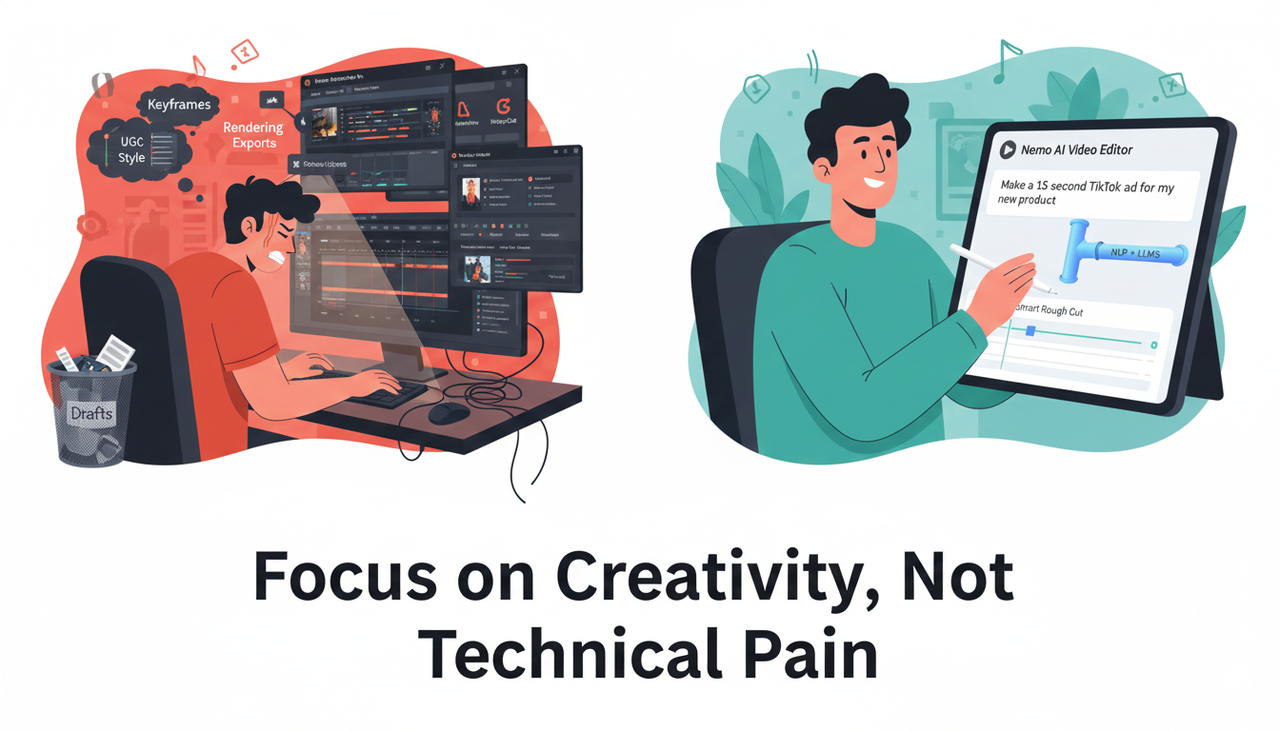
You don't need to be skilled with Adobe or stuck in the ugc style for CapCut. The core tech in Nemo (AI Video Editor) simplifies the process so you can focus on creativity, not technical pain.
Simple Explanation of the Tech
Nemo uses natural language processing (NLP) and large language models (LLMs) to turn your instructions (like "Make a 15-second TikTok ad for my new product") and links into a complete video draft. It's an All-in-one tool for you—no need to jump between TikTok for inspiration, ChatGPT for script, CapCut, and many other tools. The AI handles the "dirty work" like smart rough cuts, leaving you the fun part: shaping the final narrative.
FAQ (Your Quick Answers)
We know you have questions. Here are the clear, simple answers you need:
Is a Content ID claim the same as a copyright strike?
No. A claim is an automated match that might block, monetize, or track your video; it is not a legal strike. A strike is a legal takedown with heavier consequences. See YouTube’s explanation in “Learn about Content ID claims”.
Can I use popular songs on Instagram for my brand in the US?
Often not, especially on business accounts and ads. In the US and elsewhere, you should prefer Meta’s first-party Sound Collection or properly licensed alternatives. See Meta’s guidance on limitations and the Instagram Help access page.
Do PRO licenses (ASCAP/BMI) cover my video use?
Not for sync. You typically need both a synchronization license (for the composition) and a master use license (for the recording). Both PROs clarify this in their FAQs.
How do I stop struggling with inspiration and get my product videos to convert?
Focus on the story, not the software. Tools like Nemo (AI Video Editor) are designed to save you time on technical stuff, so you can pour your energy into the creative narrative that solves your customer's pain points. This approach helps get your product videos that never convert to actual sales over the finish line.
Ready to Stop Editing and Start Creating?
Once you set up this simple template and rights vault, the three-step loop—scan, clear, and publish—takes minutes per video. Most issues are preventable, and the rest are easily resolvable if you keep your documentation tight and follow the official dispute flows .
But what if you could spend even less time editing and more time on big ideas?
You deserve to stop struggling with long editing times and repetitive dirty work. Give your creative filmmaking a turbo boost.
Ready to see the future of editing in action?