
Stop the Subtitle Grind: Your Guide to Effortless, High-Quality AI-Powered Subtitle Solutions
If you've ever turned on auto-captions and cringed at names, numbers, or idioms gone wrong, this guide is for you. We know the pain: hours spent on tedious editing, even with AI, just to make sure your video is accessible and professional. Whether you're a real estate agent trying to reach a wider audience or a fitness coach struggling with low video views (the infamous 300 views jail), perfect subtitles are key to video localization and audience retention in the US market.
This is the ultimate, jargon-free guide to creating accurate, readable subtitles in multiple languages using AI-powered subtitle solutions—without being locked to complex tools.

What You'll Master (And Why It Matters)
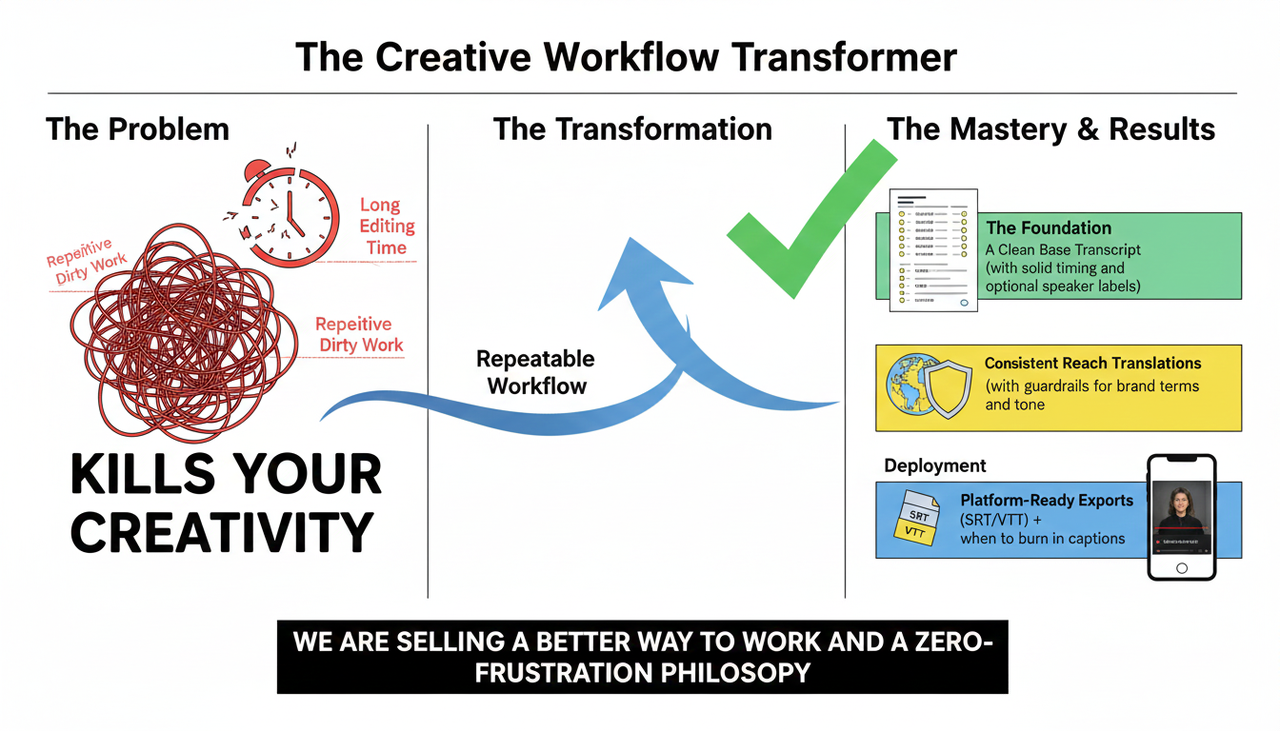
Our goal is to help you overcome the long editing time and repetitive dirty work that kills your creativity. By the end of this guide, you’ll have a repeatable workflow to achieve:
A clean base transcript with solid timing and optional speaker labels.
Consistent translations with guardrails for brand terms and tone.
Platform-ready exports (SRT/VTT), plus when to burn in captions for social.
We are not selling software features; we are selling a better way to work and a zero-frustration philosophy.
Defining the Finish Line: What "Accurate" Subtitles Really Mean
Accuracy isn't just about words. It's about a complete, seamless viewing experience that helps you enhance accessibility and breaking language barriers.
Words: Correct spellings and terms (especially names, brands, numbers).
Sync: Subtitle in/out times match speech onsets and pauses.
Readability: Two lines max, natural breaks, consistent pacing.
Attribution: Correct speaker labels when relevant.
Translation: Faithful meaning and tone in each target language.
Creative Buddy Tip: Remember that a Human-in-the-loop review remains essential even with great AI. The Amberscript AI subtitles guide reminds us that AI-generated subtitles still benefit from human editing for quality and accessibility.
Phase 1: The Blueprint—How to Get a Clean Base Transcript
Everything downstream (segmentation, translation, QA) depends on the base transcript being correct and well-timed. Errors in hooks, CTAs, and product claims can snowball across languages, leading to video views that never convert to actual sales.
Prepare, Transcribe, and Label
Clean Up Your Audio: Reduce strong background music, normalize levels, and trim silences. Cleaner audio improves recognition and timing.
Run AI Transcription (ASR): Most modern ASR systems support dozens of languages. If you have back-and-forth dialogue, turn on diarization to label Speaker 1/2 and avoid misattribution later.
Enable Timestamps: If your tool offers word- or phrase-level timestamps, enable them—this makes later alignment fixes faster.
Quick Spot-Correction Where It Counts Most
Manually check the high-impact parts first: the first 30–60 seconds, any fast-talking sections, names/brands, numbers, dates, and your call‑to‑action lines.
Correct obvious mis-hears, enforce capitalization for names, and fix units/currencies.
Timing Sanity Check: Play a few 10–15 second segments and watch the subs. If they lead/lag by more than ~200–300 ms, nudge the in/out points or use your editor’s auto-sync feature.
Keep lines short (two lines max) and break at natural clause boundaries.
Quick Checkpoint (You're Doing Great!)
Names, numbers, and brand terms are correct.
No noticeable lead/lag in the first minute and after fast cuts.
Optional speakers labeled where it helps comprehension.
Phase 2: Unleashing Creativity—Translation and Structured QA
Raw machine translation can be literal, drop brand terms, or ignore idioms. This step is where you take back control from overly automated AI tools. You’ll enforce terminology, fix segmentation for each language, and do a quick but effective quality assurance (QA).
Glossary and Translation
Create or Import a Multilingual Glossary: List brand/product names, key terms, and preferred translations. This is how you lock in your brand's voice.
Translate from Your Corrected Source: Run machine translation (MT) per target language using your glossary. Avoid translating from a messy or unreviewed source—it just multiplies errors.
Language-Aware Segmentation and Timing
Each language has different word length and rhythm; you need to adjust line breaks at natural clause boundaries.
Keep two lines max and ensure enough on-screen time for reading.
The BBC’s subtitle style guidance highlights readability and sensible pacing principles, confirming that natural segmentation is vital.
Consistent QA Routine
Sample 5–10 random subtitle cues, plus the intro and any CTA. Fix literal translations, awkward idioms, tense mismatches, or tone issues.
Enforce your glossary. If a term is off, search/replace across the file.
For right‑to‑left languages (Arabic, Hebrew), visually verify bidirectional rendering and punctuation directionality.
How NemoVideo Simplifies This (The "AI Creative Buddy" Way)
We know you don't need to jump between TikTok for inspiration, ChatGPT for script, CapCut and many other tool for editing. Nemovideo acts as your AI Creative Buddy, simplifying the complex, technical work:
Feature | Traditional/Other AI Tools | NemoVideo (The Creative Buddy) |
Editing Control | Professional editing skills required for Adobe or too ugc style for CapCut. Other AI tools are too automated. | Conversational Editing: Edit your video like a text document. Zero frustration, full control. |
Watermark | Watermark on free versions or complicated paywalls. | Watermark-Free Export on free tier. |
Workflow | Jump between multiple tools (Script, Edit, Subtitle, Music). | All-in-one tool. Generate and subtitle directly from a product link in one place. |
Focus | Technical features and complex timelines. | Creativity First: Focus on the story and message, not the software. |
Phase 3: Export for Each Platform and US Compliance
The perfect subtitle file in the wrong format (or on a platform that can’t use it) won’t help your audience. In the US, ensuring content is accessible is paramount, especially regarding guidelines like the FTC Endorsement Guides: What People are Asking and general accessibility standards.
Choose the Right Delivery Method
YouTube: Accepts standard subtitle uploads like .srt and .vtt via Studio; see YouTube Help on adding subtitles.
Instagram Reels & TikTok: Currently focus on auto‑captions you can enable and edit in-app. Uploading external SRT/VTT isn't the primary path. For more on how to manage captions, see Instagram Help for managing captions on reels and TikTok Help on accessibility and captions. For commercial content on TikTok, you must use the Commercial Music Library for ad music.
Final Compliance and Preview
Prepare and Export: For platforms that accept uploads, export .srt or .vtt per language. Use clear filenames (e.g.,
).video.en-US.srtBurn-in Captions: If you need to control styling or for platforms without uploads, you'll need to render a captioned video.
Final Visual QA: Watch the first 30–60 seconds on both mobile and desktop. Confirm subs don’t cover essential on‑screen text or faces, a crucial step for US users concerned with accessibility.
A Note on Technical Authority: The Role of SubER
To establish a metric for quality beyond "it looks good," we turn to the Subtitle Edit Rate (SubER). Think of SubER as a quality score. The AppTek explainer on SubER discusses how this metric evaluates both text edits and timing/segmentation operations. A lower SubER score correlates with better subtitle quality—it's a helpful metric for continuous improvement!
💡 How NemoVideo Works: Zero-Frustration Creation
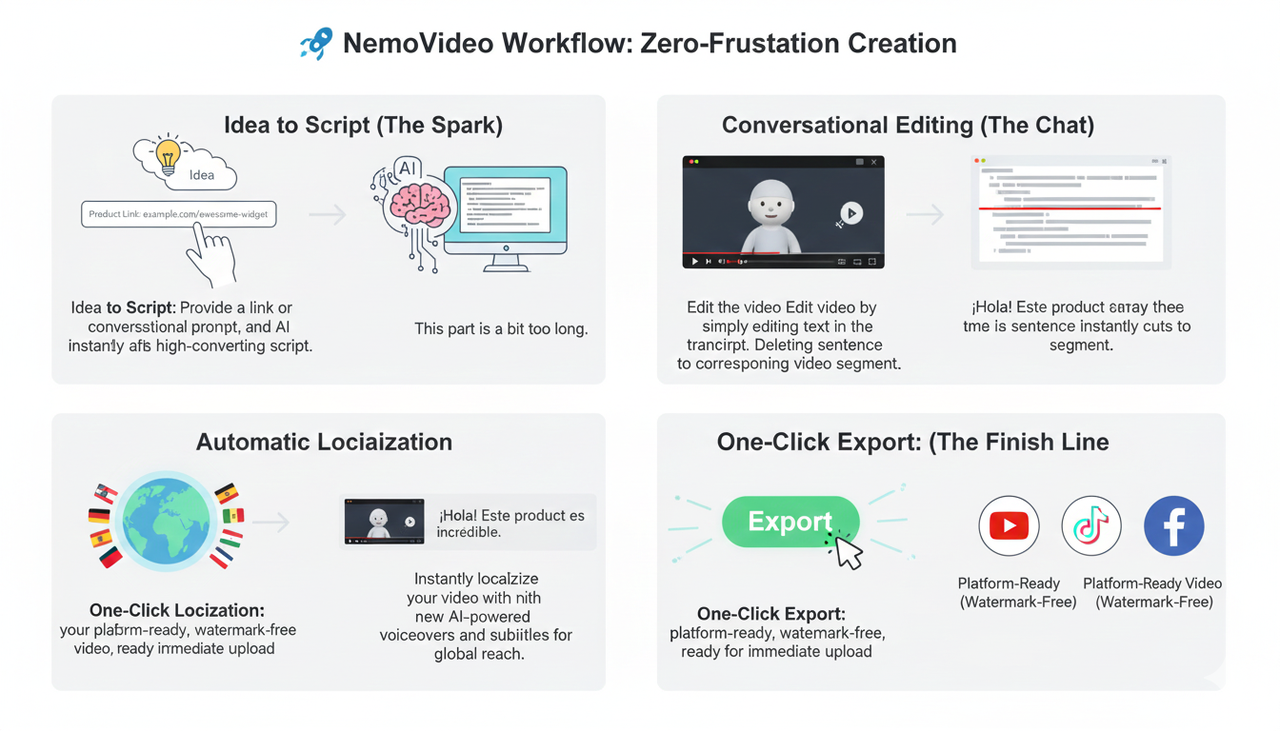
We are not a scary, complex piece of software. Here is a simple breakdown of how your AI Creative Buddy takes you from an idea to a fully localized video:
Idea to Script: Instead of writing from scratch, simply provide a product link or a conversational prompt. NemoVideo uses this to draft a high-converting script, removing the "Struggled with inspirations" pain point.
Conversational Editing: The draft video is generated. Now, instead of dragging timelines, you edit the video by editing the text in the transcript. This is the dialogue-based editing—if you delete a sentence, the corresponding video segment is instantly cut.
Automatic Localization: Based on your prompt, the video can be instantly localized with new voiceovers and subtitles, leveraging AI-powered subtitle solutions for speed and consistency.
One-Click Export: Download your platform-ready video with watermark-free export, ready to be uploaded to YouTube, or used in TikTok Auction In-Feed Ads after reviewing Creative best practices.
Frequently Asked Questions (FAQ)
Q1: Is the free version truly watermark-free?
A: Yes! Unlike many competitors, our free tier supports full, watermark-free export. This is part of our "zero-frustration" philosophy, letting you experience the full quality before you decide to upgrade.
Q2: Can NemoVideo help me if I have Low video views (300 views jail)?
A: Absolutely. Low views are often tied to low engagement. NemoVideo helps by cutting the long editing time, freeing you up to focus on content quality and running better A/B tests. We make it easier to follow Split test best practices to find what truly resonates with your audience.
Q3: How does the "Conversational Editing" feature work?
A: It’s simple: the AI transcribes your video, and you then edit the video like a Word document. You cut, paste, and rewrite the text, and the corresponding video clips immediately follow your commands. No complex timelines or layers—just chat with your video!
🎬 Ready to Stop Editing and Start Creating?
You no longer need to settle for long editing times and repetitive dirty work that leads to product videos that never convert to actual sales. The world of video creation, especially video localization, is moving fast. Don't be left behind with complex software or overly automated tools that steal your creativity.
It's time to find a partner that acts as a helpful sidekick, not a scary, complex piece of software.
Ready to unleash your creative potential with the AI Creative Buddy? Give NemoVideo (AI Video Editor) a try and see how effortless high-quality video creation can be!