

How to Create 10 Short Videos in 30 Minutes Using Nemo Viral Workspace
I'm Dora. Last month, I was stuck in an editing nightmare: I could only produce 1-2 videos per day, working until 3 AM, and the views were still disappointing. I tried every video tool I could find, but the content all looked the same: fixed rhythm, fixed scripts, no differentiation whatsoever.
Everything changed when I discovered Nemo Viral Workspace. It completely broke the cycle.
Now I can publish 5-10 pieces of content daily. If you're searching for "nemo viral workspace," this is my tested and proven complete workflow, from setup to export, creating 10 short videos in just 30 minutes.
👉 Try Nemo Viral Workspace for Free
Before You Start
Who Is Viral Workspace For?
Content Creators — If you need to publish multiple short videos weekly, editing them one by one manually is a nightmare. I can now prepare a week's worth of content in one sitting.
Brand Marketers — Need to respond quickly to trending topics? I complete during my lunch break what used to take me an entire day.
E-commerce Sellers — Batch create product videos from different angles and selling points. I tested 8 products and completed 16 variations in 30 minutes.
Agency Teams — Template-based workflows can double team efficiency when serving multiple clients.

Click Now for a Free Trial 👉 Nemo Video
What You Need to Prepare
About Footage
If you have existing video clips, that's most convenient:
For 15-30 second videos, prepare 3-5 clips, each 5-10 seconds long
For 30-60 seconds, prepare 6-10 clips
For longer 60-90 second videos, you might need 10-15 clips
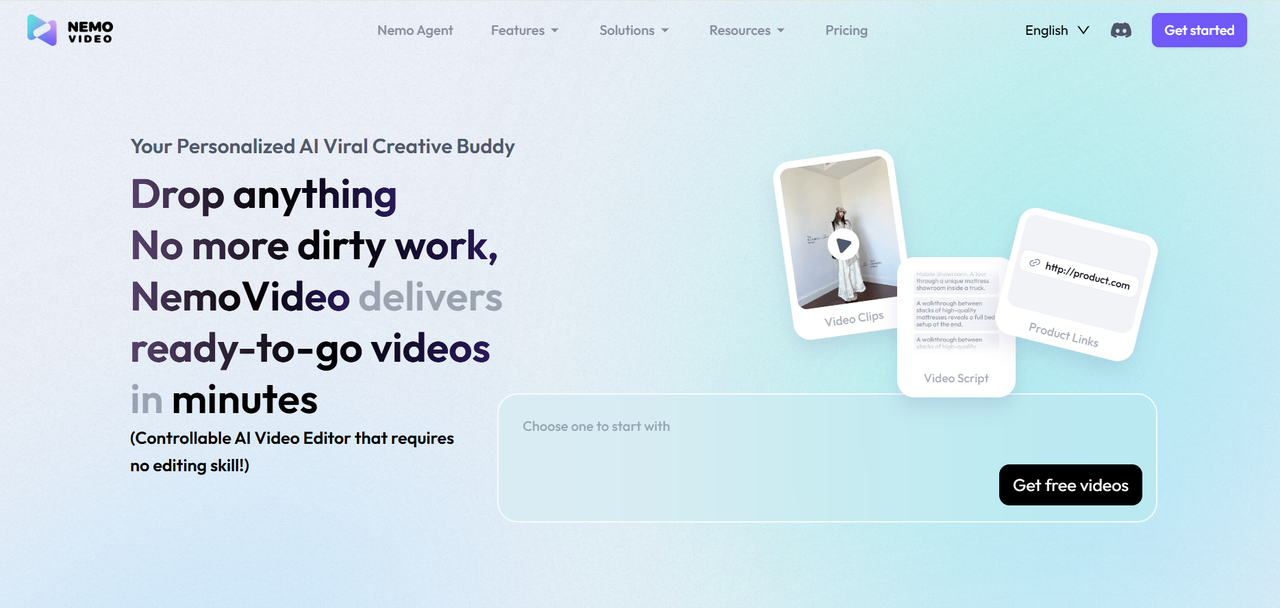
If you don't have any footage, Nemo has an interesting Drop Anything feature. You can send it any viral video link to analyze the script and generate similar content. Or upload any image, and Nemo will automatically generate the video effects you want.
About Scripts
If you have an existing script, that's best. If not, tell Nemo your topic, target audience, and desired length, and it will generate copy based on its viral video database. I tested 15 different topics, and the AI-generated scripts had about 78% similarity to my own writing, saving 10-15 minutes per video.
Other Preparations
Background music can use the built-in library, which automatically matches based on video style. You can also upload your own music.
Here's an important statistic: 85% of users watch short videos on mute. So subtitles are essential, or you'll lose many viewers. Fortunately, Nemo's subtitles are automatically generated, which saves a lot of trouble.
Pro Tip: Naming your material files in advance will be much more convenient.
5-Minute Quick Setup
I'm not a technical expert, but I found a reproducible setup process.
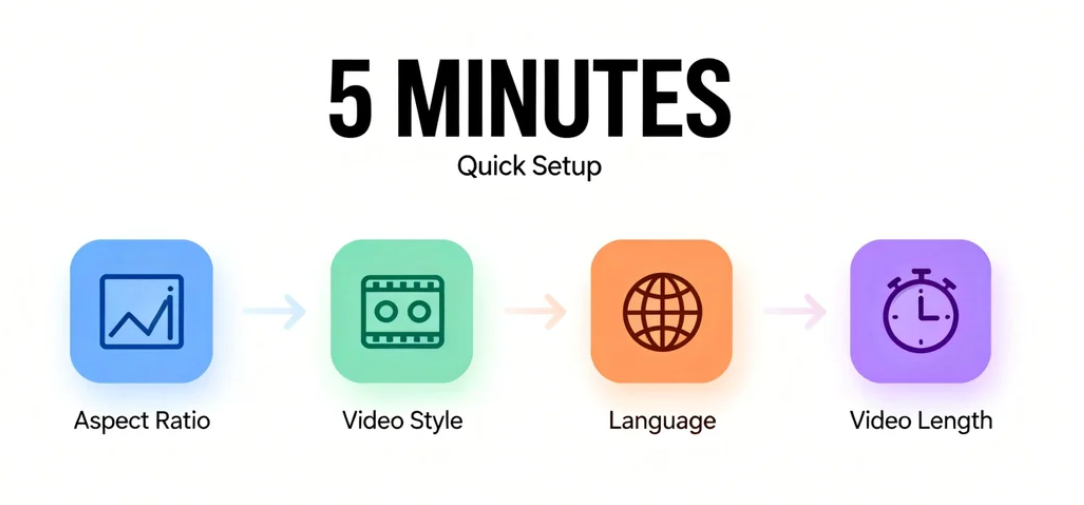
Aspect Ratio
Nemo defaults to 9:16 vertical—this is the universal standard for TikTok, Reels, and Shorts, covering 80% of short video needs.
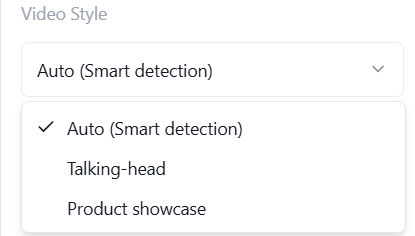
Video Style
Choose how AI processes your content:
Auto (Smart Detection) - This is what I use most. AI analyzes your footage and automatically selects the most suitable style.
Talking-Head - Suitable for content where real people speak directly to the camera. Subtitles will be clearer, and timing will be more precise.
Product Showcase - Highlights product details with dynamic angle switches, suitable for e-commerce and product recommendation videos.
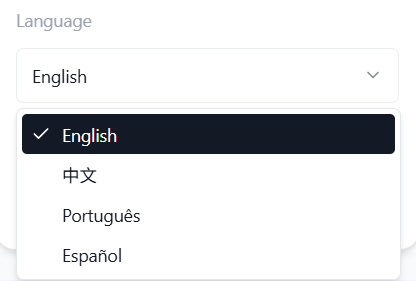
Language
Choose your target audience language:
English
中文 (Chinese)
Português (Portuguese)
Español (Spanish)
This determines subtitle language and text overlay. AI will generate all copy in your chosen language.
Video Length
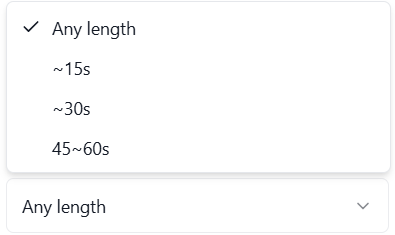
I tested 20 videos of different lengths:
Any Length — No restrictions
15 seconds: 58% completion rate, suitable for entertainment and comedy
30 seconds: 63% completion rate, the most stable choice, suitable for product demos and life hacks
45-60 seconds: 54% completion rate, suitable for tutorials and in-depth content
After confirming these settings, Nemo will automatically configure transition speed, subtitle timing, music rhythm, and export resolution, saving 5-10 minutes of manual adjustment.
Key Experience: 71% of viewers decide whether to continue watching within the first 3 seconds. Your opening hook is infinitely more important than total length.
Start Creating 10 Videos in 30 Minutes 👉 Try It Now
25-Minute Batch Production Workflow
It took me 15 attempts to find this optimal workflow.
Step 1: Create Golden Template (5 Minutes)
The first video becomes the foundation for all subsequent content. Spending 5 minutes polishing it carefully will save a lot of time for the next 9 videos.
Specific Operations:
Import clips and music
Adjust rhythm (AI automatically aligns with music beats)
Set subtitle style (I place subtitles in the bottom 1/3 to avoid platform UI)
Choose transition effects
Step 2: Quickly Duplicate 9 Times (15 Minutes)
This is where magic happens.
Click "Duplicate Template"
Replace core materials (clips + copy)
Adjust opening, body, ending
Time Saved: 2-3 minutes per video × 9 videos = 18-27 minutes total. Compared to creating each individually, you'll save roughly 2 hours.
Why Duplication Is So Efficient: Viral Workspace preserves all settings: timing, transition effects, subtitle positions, music rhythm. You only need to replace video clips and text content. All editing settings automatically apply to new materials.
Common Mistake I Made: Trying to perfect each video before moving to the next. Better approach: Rough-cut all 10 first, then refine the top-performing 3-5. This "rapid iteration" beats "perfectionism" every time.
Step 3: Three-Point Variation Method
The biggest challenge? Avoiding the "assembly line feel."
Opening Hook Is Critical: Each opening must be different.
Real Example: 10 Hooks for Skincare Promotion
"Sensitive skin savior is here"
"Why doesn't your skincare work?"
"The dermatologist's secret recommendation"
"I'm 30, but my skin looks 20"
……
Nemo has a useful Inspiration Center with hundreds of validated Hook templates, all analyzed from viral videos. You select content type and Hook style, and AI automatically generates 10 variations.
Body Content Variations
I generally adjust from three dimensions:
Emphasize Different Selling Points
Switch Narrative Angles
Adjust Information Density
Nemo has a Talk-to-Edit feature I really like. You speak directly to AI, and it executes. For example, I say "shift focus from quick results to safety and gentleness," and Nemo automatically replaces keywords, adjusts clip order, changes subtitle emphasis, and even matches new background music.
CTA Adjustments
Different platforms can use different endings:
TikTok: "Tell me your skin type in comments" → Guide interaction to boost ranking
Instagram: "Double-tap to save, don't let good products slip away" → Increase save rate for more recommendations
YouTube Shorts: "Subscribe for weekly skincare tips" → Build private domain for long-term conversion
Step 4: Final Check + Export (5 Minutes)
I spend 30 seconds quickly checking each video: preview first 3 seconds on phone, check if subtitles display completely, run spell-check tool, wear headphones to listen to first 5 seconds to see if music and visual rhythm match.
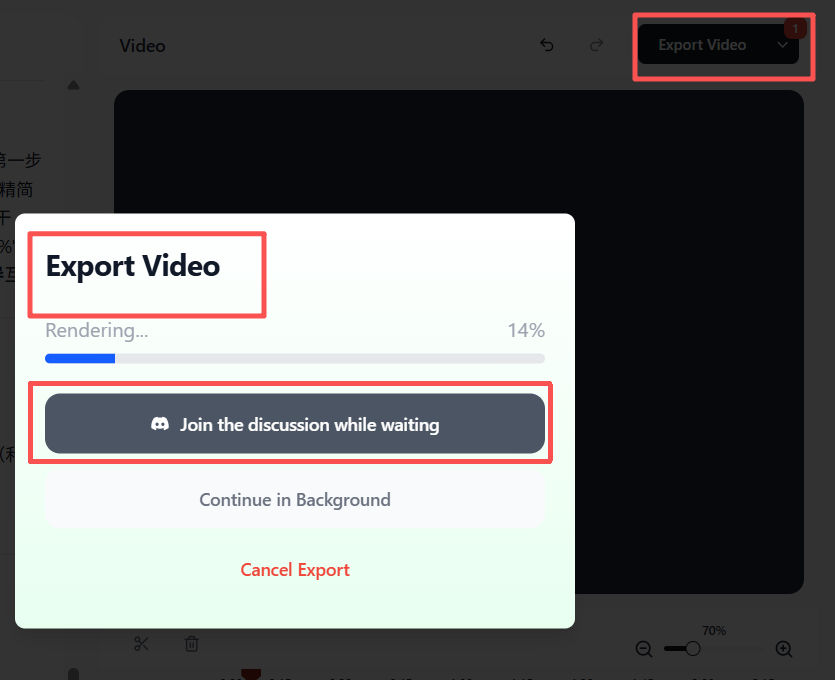
Export Time: Single 30-second video takes about 30 seconds, batch export of 10 videos takes 3-5 minutes.
During export, you'll see an option: 'Join the discussion while waiting.' Click it to access Nemo's Discord community. That's where I learned the Hook loop testing method from community experts.
👉 Join Thousands of Creators – Start Your Free Trial Now
My Test Results
Before using Nemo, I averaged 42 minutes per video, 7 hours for 10 videos.
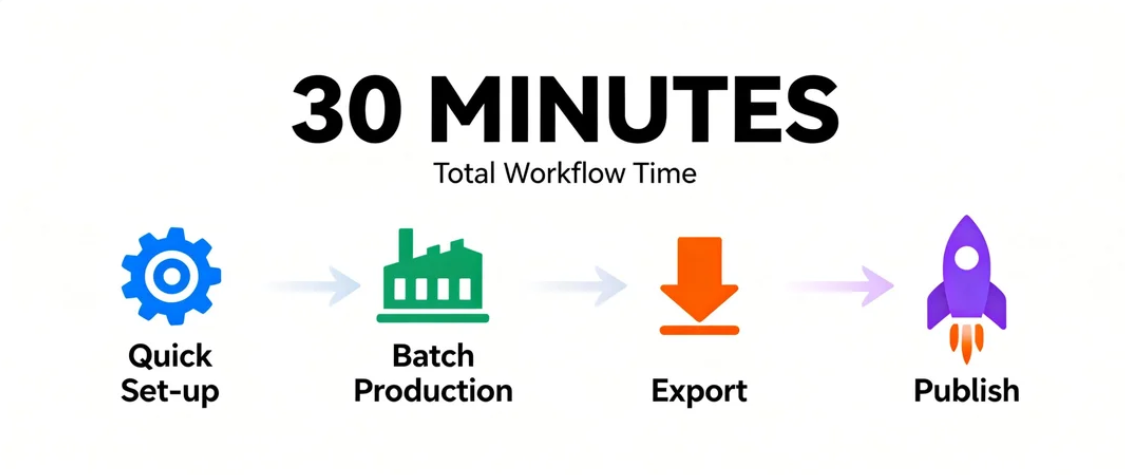
After using Nemo, 5-minute quick setup, golden template 5 minutes, duplicate 9 videos 15 minutes, check and export 5 minutes, total 30 minutes.
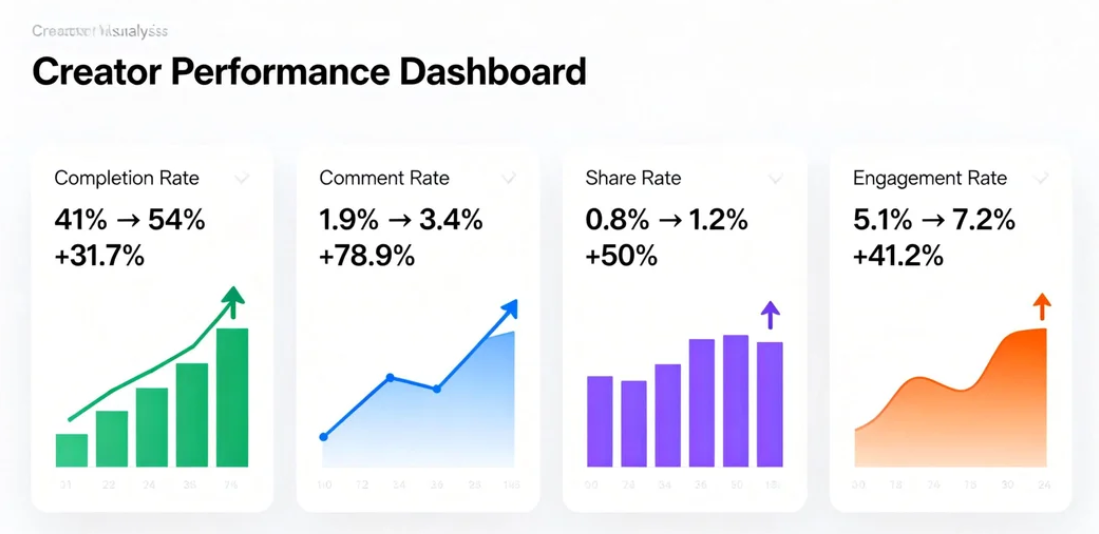
Content Performance (December 2025 Data):
Completion rate increased from 41% to 54%, up 31.7%
Comment rate increased from 1.9% to 3.4%, up 78.9%
Share rate increased from 0.8% to 1.2%, up 50%
Engagement rate increased from 5.1% to 7.2%, up 41.2%
Posting frequency also changed— I used to manage 5-7 per week, now I can post 3-5 daily without feeling particularly tired.
Why Does Batch Production Perform Better?
I thought about a few reasons.
Structural consistency—audiences build expectations from your content. When your 10 videos have similar structure but different content, audiences think "this creator's video quality is consistently stable."
Algorithm-friendly—high-frequency publishing makes the platform algorithm consider you an active creator, giving you more traffic.
A/B testing efficiency—10 Hooks tested simultaneously, 24 hours later data tells you which works best, then you can batch produce the next batch with the optimal Hook.
FAQ
Ready to try using Nemovideo now
What are the limitations of the free version?
The free version has all core features with monthly export quotas. Paid version unlocks unlimited exports and advanced features.
Will AI-generated videos all look the same?
No. Nemo ensures quality, and the three-point variation method makes each unique. You still control creativity and brand tone.
Can I use it without editing experience?
Absolutely. Conversational editing is designed for zero-experience users. Describe what you want, AI handles the rest.
Will batch production lose personal style?
No. Set brand elements (logo, colors, fonts) in the "golden template," only change content for each video. Maintain visual consistency.
From quick set-up to posting videos, 10 short videos in 30 minutes. This isn't magic, it's a tested workflow.
My Recommendations:
Start with 3 test videos—validate the process
Observe 24-hour data—see which performs best
Optimize, then batch produce—use data to guide strategy
Creating 10 short videos in 30 minutes isn’t about cutting corners—it’s about replacing manual repetition with a system that actually scales. If you could sit down once and publish a full day—or even a week—of ideas using Nemo Viral Workspace, which ones would you test first?