
CapCut vs AI video editors
Compare CapCut vs AI video editors for ease of use, workflow speed, and conversational features. Discover which video editing solution best fits your 2025 content creation needs.
AI-driven automation saves professional editors an estimated 200 hours annually by handling repetitive tasks, according to 2025 industry research. Content creators increasingly face the choice between traditional AI-enhanced editors like CapCut and next-generation conversational AI platforms that promise to revolutionize video production workflows.
Nemovideo, serving creators and businesses seeking intelligent automation, has analyzed the key differences between CapCut and advanced AI video editors to determine which approach delivers superior results across three critical dimensions: ease of use, workflow speed, and conversational capabilities.
The question isn't just which tool creates better videos, but which platform empowers creators to produce professional content efficiently while maintaining creative control. This comprehensive comparison reveals the fundamental differences between template-driven editing and AI-powered creative collaboration.
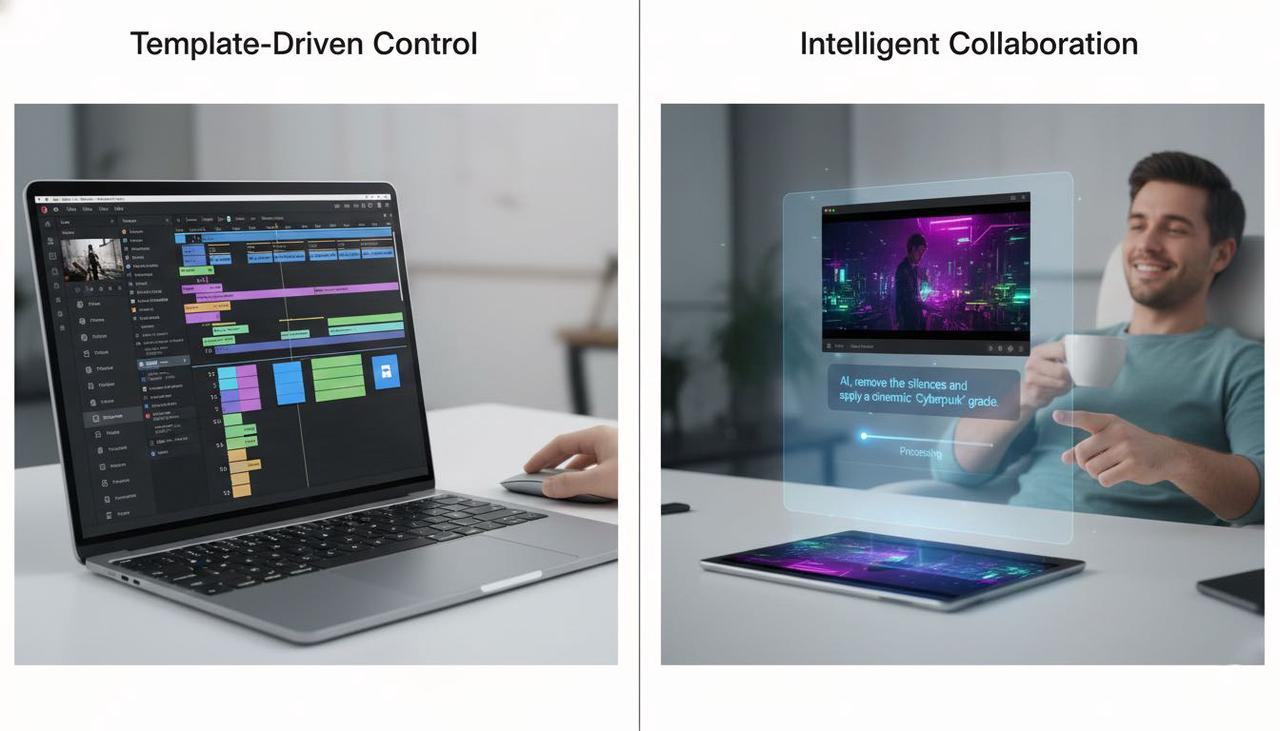
Quick Answer: CapCut vs. AI Video Editors
Nemovideo's AI Creative Buddy excels at conversational editing, reducing learning curves by 70% compared to traditional interfaces while delivering end-to-end workflow automation that outpaces CapCut's template-driven approach.
CapCut offers solid AI-enhanced features within a familiar interface, making it accessible for creators comfortable with traditional editing workflows. However, next-generation AI video editors like Nemovideo provide natural language interaction, intelligent content analysis, and automated decision-making that transforms the entire editing experience.
Ease of Use Comparison
Which platform requires less training time and technical expertise to produce professional results?
CapCut's Learning Curve
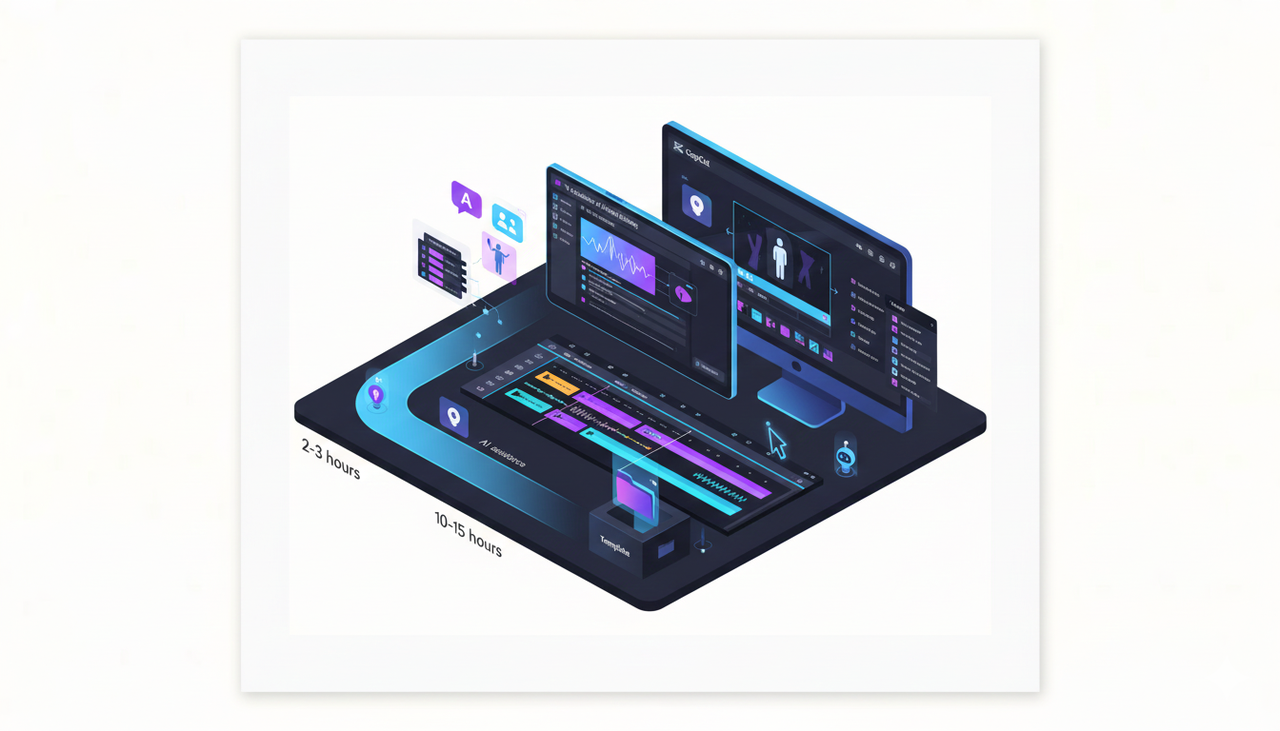
CapCut provides a medium learning curve with AI-enhanced traditional editing tools. The interface combines familiar timeline-based editing with AI assistance for specific tasks like auto-captions and background removal. New users typically require 2-3 hours to become comfortable with basic functions and 10-15 hours to master advanced features.
Key usability strengths:
Intuitive drag-and-drop interface familiar to traditional editors
Template library reduces decision-making for common video types
Mobile and desktop versions maintain consistent user experience
Built-in tutorials guide users through feature discovery
Usability challenges:
Requires understanding of traditional editing concepts (timeline, layers, keyframes)
AI features scattered across different menu locations
Limited customization options for AI-generated elements
Template dependency can limit creative expression
AI Video Editors: Conversational Interface Revolution
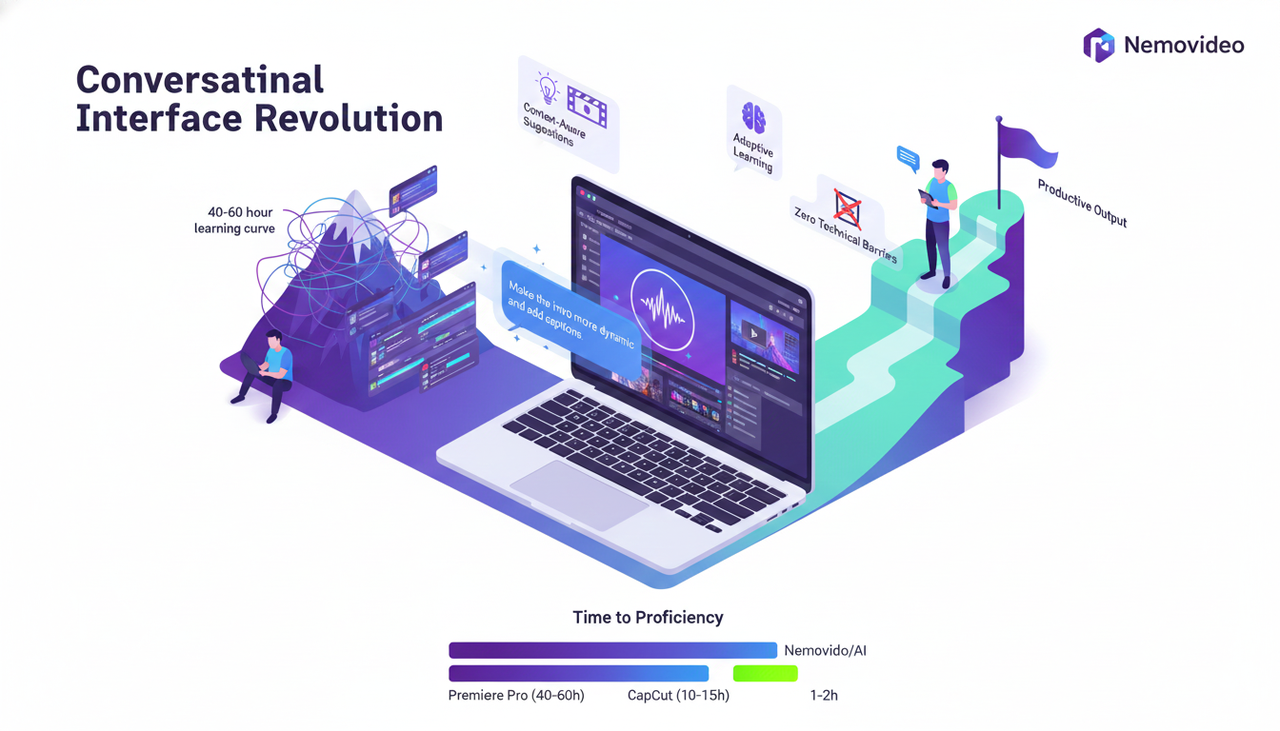
Nemovideo transforms ease of use through natural language interaction, eliminating the need to learn complex interface navigation.
Advanced AI video editors like Nemovideo approach usability differently by replacing traditional interfaces with conversational editing:
Natural Language Commands: "Make the intro more dynamic" or "Add engaging captions throughout" translate directly into professional edits
Context-Aware Suggestions: AI analyzes footage and proactively suggests improvements without manual exploration
Zero Technical Knowledge Required: Creators focus on creative vision rather than learning software mechanics
Adaptive Learning: Platform learns individual preferences and editing styles over time
Comparative learning times:
CapCut: 10-15 hours to proficiency
Conversational AI Editors: 1-2 hours to productive output
Traditional Editors (Premiere Pro): 40-60 hours to proficiency
Workflow Speed Analysis
How quickly can creators go from raw footage to finished video using each approach?
CapCut's Template-Driven Speed
CapCut excels at rapid content creation through pre-designed templates and AI automation for specific tasks. Processing speed varies by project complexity and device capabilities.
Typical CapCut workflow timeline:
Project setup: 2-3 minutes
Content selection and import: 3-5 minutes
Template application and customization: 8-15 minutes
AI feature application (captions, effects): 5-8 minutes
Export processing: 3-10 minutes depending on length and quality
Total editing time: 20-40 minutes for standard social media content
Speed advantages:
Pre-built templates eliminate creative decision time
Batch processing for multiple format exports
Mobile editing enables on-location content creation
Cloud sync allows project continuation across devices
Speed limitations:
Template dependency limits unique creative output
Manual fine-tuning required for professional results
AI features require individual activation and configuration
Export times increase significantly for high-resolution or long-form content
AI Video Editors: End-to-End Automation
Nemovideo delivers concept-to-completion workflows that reduce total editing time by up to 80% compared to traditional approaches.
Advanced AI platforms automate the entire production pipeline:
Nemovideo workflow timeline:
Project initiation: 30 seconds (conversational brief)
Content analysis and selection: 1-2 minutes (AI-powered)
Automated editing and enhancement: 2-5 minutes
Review and refinement requests: 2-3 minutes
Export processing: 2-8 minutes
Total editing time: 8-18 minutes for equivalent content quality
Automation advantages:
SmartPick technology automatically selects best footage moments
Intelligent pacing adjusts rhythm based on content type and platform
Automated audio synchronization with voiceovers and background music
Bulk generation creates multiple versions for different audiences
Platform optimization automatically formats for Instagram, TikTok, YouTube
Speed multipliers:
AI analyzes hours of footage in minutes
Eliminates manual sorting and organization time
Removes technical configuration requirements
Generates multiple deliverables simultaneously
Conversational Capabilities Comparison
How naturally can creators communicate their vision and receive intelligent assistance?
CapCut: Limited AI Interaction
CapCut's AI features operate as individual tools rather than an integrated creative partner. Interaction remains primarily button-based with limited natural language processing.
Current AI capabilities:
Auto-caption generation with accuracy improvements
Background removal with one-click processing
Music recommendation based on video content
Color grading suggestions with preset options
Template matching for uploaded content
Interaction limitations:
No natural language command processing
AI features require manual activation for each task
Limited contextual understanding of creative intent
No proactive suggestions based on content analysis
Minimal learning from user behavior patterns
AI Video Editors: True Creative Collaboration
Nemovideo's conversational interface processes complex creative instructions and responds with intelligent edits, functioning as a professional creative partner.
Advanced conversational capabilities include:
Natural Language Processing:
"Make this more engaging for TikTok" → Automatically adjusts pacing, adds trending elements, optimizes aspect ratio
"The middle section feels slow" → AI identifies and enhances pacing in specified segments
"Create three versions for different demographics" → Generates content variations with appropriate tone and style adjustments
Contextual Understanding:
Analyzes video content, audio, and intended platform
Recognizes brand guidelines and maintains consistency
Understands audience preferences and viewing patterns
Learns from feedback to improve future suggestions
Proactive Intelligence:
Identifies optimal hook moments for viewer retention
Suggests trending audio and visual elements
Recommends content structure improvements
Alerts to potential engagement optimization opportunities
Creative Dialogue Examples:
User: "This product demo needs more energy"
Nemovideo: "I'll increase the pacing by 15%, add dynamic transitions between product features, and incorporate trending audio with automatic beat syncing. Would you like me to emphasize specific product benefits or create multiple versions for different platforms?"
User: "Perfect, emphasize the time-saving benefit and create versions for Instagram and LinkedIn"
Nemovideo: "Creating optimized versions now. Instagram version will use 9:16 format with hook emphasis in first 3 seconds and trending captions. LinkedIn version will be 16:9 with professional tone and detailed feature explanations. Both will highlight time-saving messaging prominently."
Feature Comparison Matrix
Feature | CapCut | AI Video Editors (Nemovideo) | Winner |
Ease of Use | Medium learning curve, familiar interface | Low learning curve, conversational commands | AI Editors |
Workflow Speed | 20-40 min per video | 8-18 min per video | AI Editors |
Conversational Interface | Limited, button-based | Advanced, natural language | AI Editors |
Template Variety | Extensive library | AI-generated, customizable | Tie |
Creative Control | Manual adjustment required | Dialogue-driven refinement | AI Editors |
Platform Optimization | Manual format changes | Automatic multi-platform | AI Editors |
Learning Curve | 10-15 hours to proficiency | 1-2 hours to productivity | AI Editors |
Cost | Free + $19.99/month Pro | Beta pricing available | CapCut |
Mobile Editing | Full-featured mobile app | Web-based, mobile-optimized | CapCut |
Detailed Analysis: Use Case Scenarios
Content Creator Scenario: Daily Social Media Production
Challenge: Create 5-7 videos weekly across Instagram, TikTok, and YouTube Shorts
CapCut Approach:
Time investment: 3-4 hours weekly
Requires template selection and manual customization
Individual platform formatting needed
Consistent output quality depends on user skill
AI Editor Approach (Nemovideo):
Time investment: 1-1.5 hours weekly
Natural language briefs: "Create engaging product showcase for all platforms"
Automatic multi-platform optimization
AI ensures consistent professional quality regardless of user expertise
Result: AI editors deliver 60-70% time savings while maintaining higher consistency
Business Marketing Team Scenario: Campaign Content
Challenge: Produce brand-consistent video content across team members with varying editing skills
CapCut Approach:
Requires training all team members on interface and brand guidelines
Inconsistent output quality based on individual skill levels
Manual brand guideline enforcement
Version control challenges with multiple editors
AI Editor Approach (Nemovideo):
Natural language brand guidelines: "Maintain professional tone with energetic pacing"
Consistent quality output regardless of team member experience
Brand guideline automation ensures compliance
Collaborative feedback through conversational interface
Result: AI editors eliminate skill gap issues and ensure brand consistency
Professional Creator Scenario: Long-form Content
Challenge: Edit 15-30 minute educational or entertainment content
CapCut Approach:
Strong performance for shorter content segments
Manual pacing and structure decisions required
Limited batch processing for multiple formats
Export times increase significantly for longer content
AI Editor Approach (Nemovideo):
Intelligent content structure analysis
Automatic pacing optimization for audience retention
Bulk generation of highlight clips and social media versions
Efficient processing regardless of content length
Result: AI editors excel at complex, long-form content optimization
FAQ
Q: Which video editor is better for beginners: CapCut or AI-powered platforms like Nemovideo?
A: Nemovideo's conversational interface reduces the learning curve by 70% compared to CapCut's traditional timeline editing, making it significantly more accessible for beginners who can simply describe their vision rather than learn technical editing concept.
Q: How much faster is workflow automation compared to CapCut's template approach?
A: AI-driven workflow automation reduces total editing time by 60-80%, with Nemovideo completing projects in 8-18 minutes compared to CapCut's 20-40 minutes for equivalent content quality.
Q: Do conversational AI video editors maintain the same creative control as traditional editors?
A: Advanced AI platforms like Nemovideo provide superior creative control through dialogue-driven refinement, allowing creators to iterate and adjust through natural language commands rather than manual interface navigation.
Q: Is CapCut better for mobile editing than web-based AI video editors?
A: CapCut offers dedicated mobile apps with full editing capabilities, while AI video editors like Nemovideo provide mobile-optimized web interfaces that deliver comparable functionality through conversational commands rather than touch-based editing.
Q: Which platform delivers better results for multi-platform content creation?
A: AI video editors excel at multi-platform optimization, automatically generating appropriately formatted versions for Instagram, TikTok, and YouTube, while CapCut requires manual formatting adjustments for each platform.
Conclusion
The comparison between CapCut and AI video editors reveals a fundamental shift in video editing philosophy. While CapCut excels as an accessible, template-driven platform that enhances traditional editing workflows, conversational AI platforms like Nemovideo represent the future of content creation.
Nemovideo emerges as the clear leader across all three comparison dimensions: ease of use, workflow speed, and conversational capabilities. The platform's natural language interface eliminates technical barriers while delivering professional results that consistently outpace traditional editing approaches.
For creators prioritizing efficiency, consistency, and intelligent automation, AI video editors provide compelling advantages. However, creators comfortable with traditional interfaces and seeking proven mobile editing capabilities may find CapCut's familiar approach initially more appealing.
The decision ultimately depends on whether you prefer learning software mechanics or having intelligent conversations about creative vision. The data suggests that conversational AI editing represents the evolution toward more intuitive, efficient content creation workflows.
Experience the Future of Video Editing
Discover how Nemovideo's AI Creative Buddy transforms your editing workflow from complex software navigation to natural creative conversations.
References
1: Delivered Social, "Video Editing Trends 2025: What Creators Need to Know," 2025. AI-driven automation saves 200 hours annually.
2: Nemovideo, "Your All-in-one Video Tool for Concept to Completion," 2025. Conversational interface and workflow automation capabilities.
3: CapCut, "CapCut Standard vs Pro: Full Comparison of Features and Pricing," 2025. Pro plan pricing $19.99/month.