

Instagram Reels Workflow: The Step-by-Step System for Rapid Growth
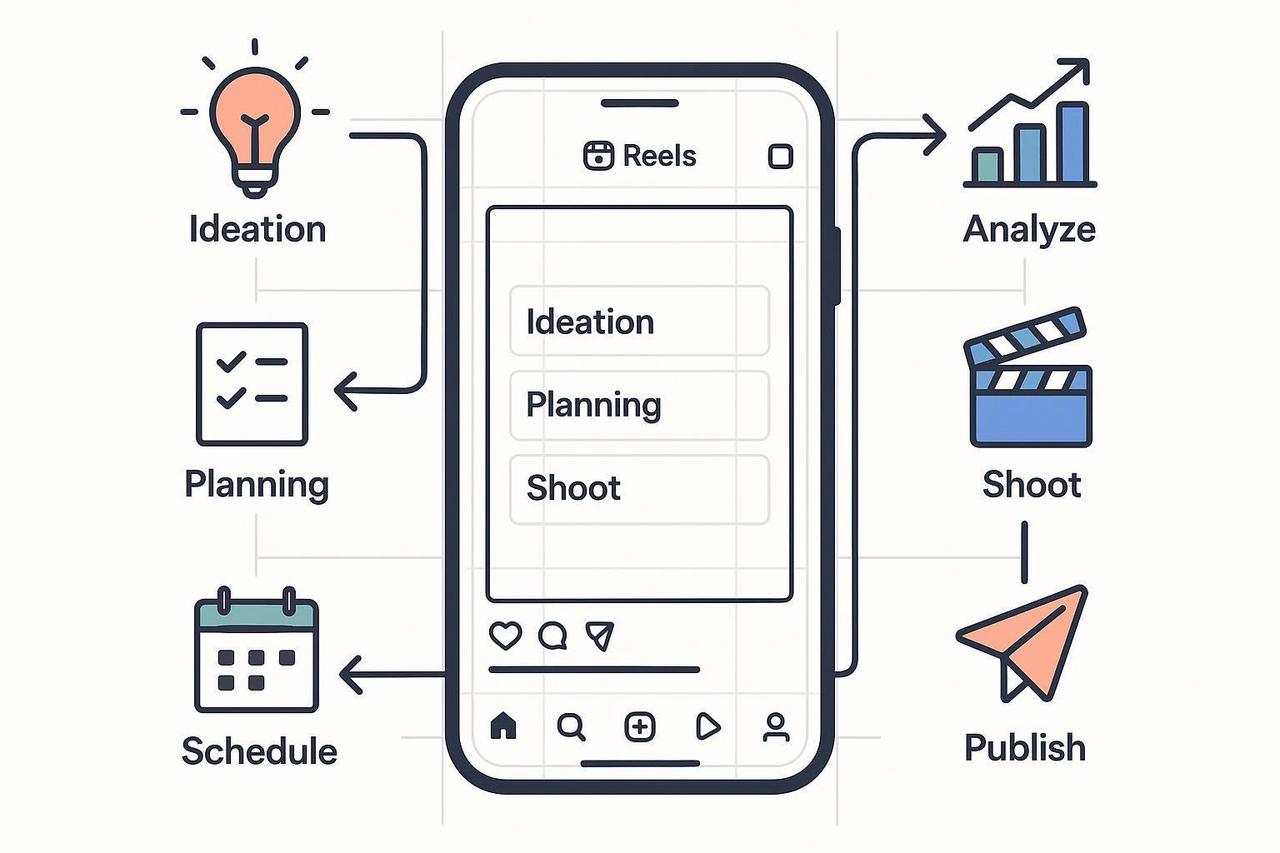
Let’s be honest: Posting Reels can feel like throwing spaghetti at the wall. Sometimes it sticks, sometimes it slides off, and you have no idea why.
If your current strategy is "film when I feel inspired," you are leaving growth on the table.
Top creators don't rely on inspiration. They rely on a system. An Instagram Reels workflow turns the chaos of content creation into a predictable engine for views, engagement, and sales.
In this guide, we’re ditching the "hack of the day" advice. Instead, you’ll get a repeatable SOP (Standard Operating Procedure) to ideate, film, edit, and publish high-performing Reels in just 20-30 minutes.
Plus, we’ll show you how AI tools can act as your free AI Reels maker, speeding up the boring parts so you can focus on being creative.
Step 1: The "Set It and Forget It" System (15 Minutes)
Stop reinventing the wheel every Monday. Build your factory first.
Define Your Goals (Pick One Per Reel)
Awareness: Views & Profile Visits (Top of Funnel)
Consideration: Saves & Watch Time (Middle of Funnel)
Conversion: Link Clicks & DMs (Bottom of Funnel)
Establish Content Pillars
Don't just post "whatever." Rotate through 3-5 core themes to train the algorithm on who you are.
Example: "How-to Tips," "Myth Busting," "Behind the Scenes," "Customer Wins."
Organizing Your Files
Create a simple folder structure on your drive.
01_Ideas -> 02_Raw_Footage -> 03_Edits -> 04_Final_Exports
Naming Convention: Date_Topic_HookVariant.mp4 (e.g., 2025-11-21_AI-Editing_Hook1.mp4)
Pro Tip: Batching is your superpower. Script 3 videos on Monday, film them all on Tuesday. You’ll save hours of setup time.
Step 2: Plan for Retention (The "Hook" Phase)
Most people scroll past your Reel in 0.5 seconds. You need to stop them.
Use this simple worksheet for every video:
The Promise: "In 30 seconds, you'll learn..."
The Hook (Visual + Verbal): "Stop scrolling if you want X."
The Beats: Change the visual every 3 seconds.
The CTA: "Comment 'LINK' for the guide."
Need help? Ask yourself: What is the best reel maker for Instagram? Often, it's just a solid plan.
Step 3: Shoot Like a Pro (Fast)
You don't need a cinema camera. You need good light and clear audio.
Framing: Always shoot vertical (9:16).
Safe Zones: Keep faces and text out of the bottom 20% (where the caption and UI live).
Audio: Use a clip-on mic or a quiet room. Bad audio kills retention faster than bad video.
B-Roll: Shoot 5-second clips of your product, your screen, or you working.
Step 4: Edit for Maximum Attention (25 Minutes)
This is where the magic happens. A good edit keeps the dopamine hitting.
Can AI make an Instagram reel? Yes. Tools like NemoVideo act as a free Instagram Reels maker online, auto-selecting your best shots and syncing them to music.
Pacing: Cut out every breath and pause.
Pattern Interrupts: Add a zoom, a text pop-up, or a B-roll switch every 3-5 seconds to reset the viewer's attention span.
Captions: 80% of people watch on mute. Use auto-captions. Ensure they are legible and high-contrast (White text on black background is the gold standard).
Tech Check:
Resolution: 1080x1920 pixels.
Frame Rate: 30fps or 60fps.
Check Buffer's Instagram image size guide for the latest specs.
Step 5: Scale with Variants (The "Secret Weapon")
Don't just post one video. Post three versions of the same video.
Variant A: Hook #1 ("Stop doing this...")
Variant B: Hook #2 ("The secret to...")
Variant C: Hook #3 (Visual only, trending audio)
Why? Because you never know which hook will go viral.
Tool Tip: Use the NemoVideo AI video editor tool to duplicate your project and swap hooks instantly. It's the AI video creator for Instagram that saves you hours of manual re-editing.
Step 6: Compliance & QA (Don't Get Blocked)
Before you hit post, run this 2-minute checklist:
[ ] Music: Is it licensed? Use the Instagram Audio Library or royalty-free tracks.
[ ] Text: Is it readable? Check contrast against WCAG standards.
[ ] Safe Zones: Is your text covered by the "Like" button?
[ ] Disclosure: If it's an ad, did you add the "Paid Partnership" label?
Step 7: Publish & Distribute
Caption: Keep it punchy. Use keywords for SEO.
Schedule: Use Meta Business Suite to schedule your Reels for peak times.
Boost: Share to your Stories immediately. Reply to every comment in the first hour.
Step 8: Measure & Iterate (The Growth Loop)
Data is your best friend. Check your Instagram Insights weekly.
High Reach? Your hook worked.
High Saves? Your content was valuable.
High Drop-off? Your pacing was too slow.
Weekly Retro:
What worked? Keep doing it.
What failed? Change the hook next time.
Stop Guessing. Start Building.
You now have the system. You have the plan.
Don't let "lack of time" be your excuse. With this workflow and tools like NemoVideo, you can create Reels quickly online and dominate your niche.
Sign up for NemoVideo today and start turning your raw footage into viral Reels in minutes.