

How to Edit Videos with AI: A Complete Guide (2026)
I. Introduction: AI Video Editor Redefines Creative Work in 2026
Video editing is no longer a skill reserved for professionals—thanks to the rise of the AI video editor. In 2025, tools like Nemovideo have democratized video creation, letting beginners produce high-quality content quickly while keeping core principles applicable to diverse projects (from social media clips to tutorials). Whether you’re a small creator on a budget or a marketer needing fast turnaround, a reliable AI video editor bridges the gap between ideas and polished results. This guide breaks down every step of AI-powered video editing, with a focus on leveraging free tools like a Free AI video editor and Free AI video generator to maximize efficiency.
II. Before Editing: Prepare for Success with These Key Steps
Set Clear Goals and Expectations
Start by defining your video’s purpose: Is it a TikTok marketing clip, a YouTube tutorial, or personal entertainment? Align your goals with practical factors—editing style (fast-paced for social media vs. detailed tutorials), equipment limitations (phone footage vs. professional shots), and expected revisions. This clarity will help you choose the right AI video editor features later, such as a Free AI video generator’s multi-version tool for testing different styles.
Organize Your Video Materials Systematically
Disorganized footage slows down even the best AI video editor. First, draft a script or storyboard to map your narrative. During shooting, label footage by scene, then categorize files by theme (e.g., “interviews,” “b-roll”) post-shooting. Standardize file names using the format: Title > Date > Version (e.g., “CakeTutorial > 20250815 > V1”). Store all content in a main project folder (with subfolders for footage, music, and images) on a single drive—this ensures your Free AI video editor can access materials quickly.
Choose the Right Free AI Video Editor (Focus on Nemovideo)
The best AI video editor for you balances features, usability, and cost—and Nemovideo stands out as a top Free AI video editor. Its core advantages make it ideal for 2025 creators:
AI Automation
Platform Adaptation
Cost-Effectiveness
Create a Backup Plan to Avoid Data Loss
Even a powerful AI video editor can’t recover lost footage. Follow the “321 rule”: Keep 3 copies of every file in 2 different locations (e.g., external hard drive + cloud service like Google Drive). Record version dates and times for each edit—this lets you trace back to earlier drafts if your Free AI video editor project glitches.
III. Core Steps: Edit Videos Like a Pro with an AI Video Editor
Review All Raw Footage Thoroughly
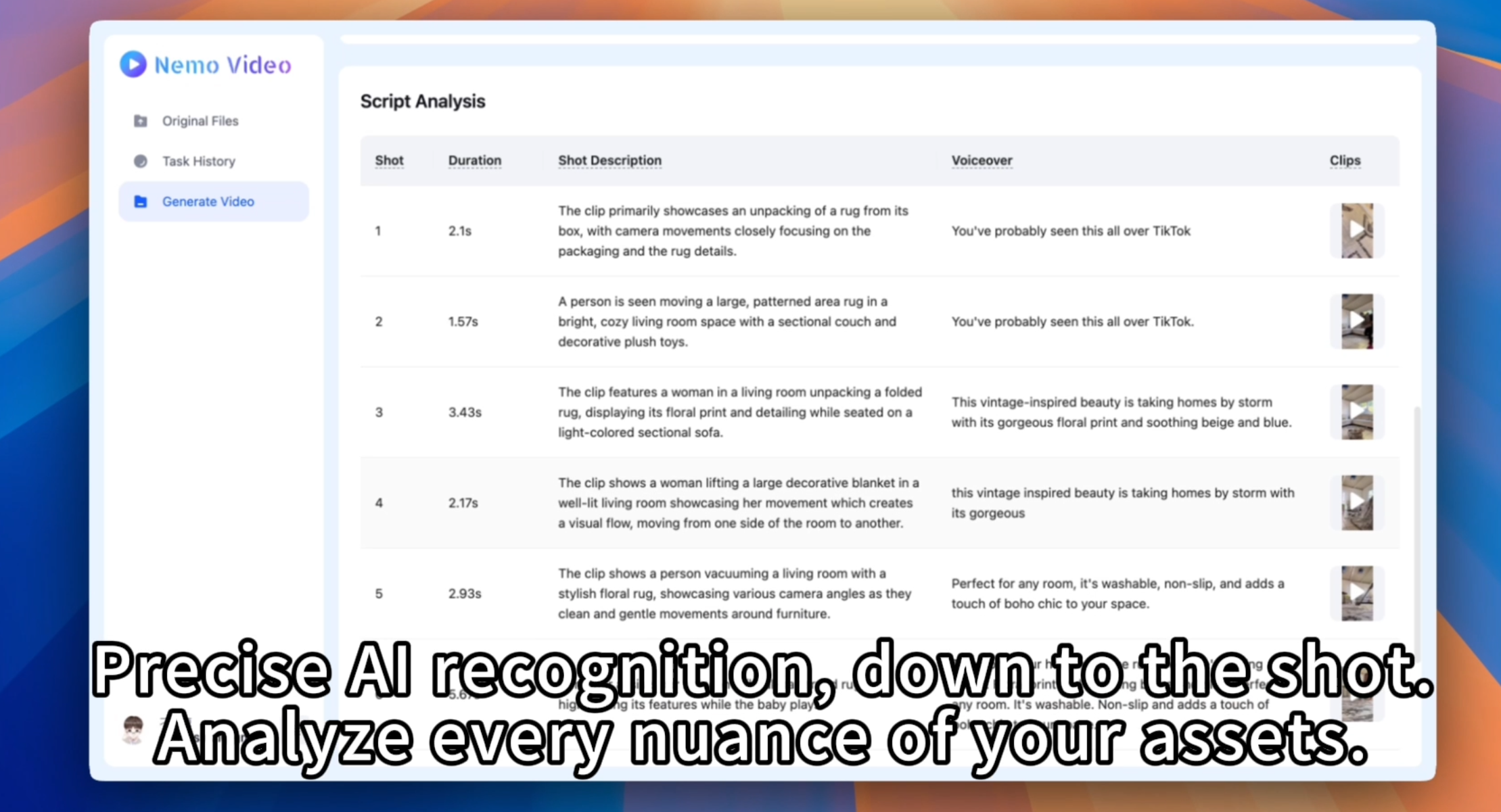
Before opening your AI video editor, watch all raw footage from start to finish. Filter out redundant shots (e.g., blurry takes, long pauses) and note standout clips that align with your goals. This initial curation saves time later—your Free AI video editor will work faster with a streamlined 素材库 (material library).
Make a Rough Cut Using Nemovideo’s AI Features
Import your curated footage into Nemovideo (your Free AI video editor) to build the first draft:
Use the “intelligent step breakdown” tool to auto-mark tutorial steps and generate subtitles—this eliminates manual typing and keeps your video aligned with platform styles (e.g., TikTok’s fast, informative format).
Leverage its Free AI video generator capability: Create platform-specific versions (e.g., a 60-second TikTok condensed cut, a 5-minute YouTube behind-the-scenes clip) in one go. This cuts down repetitive editing and lets you test what resonates with audiences.
Refine the Edit for a Polished Final Product
A great AI video editor simplifies refinement, but human oversight ensures quality. Trim redundant segments (even AI might miss small pauses), add missing shots to fill narrative gaps, and adjust transitions (e.g., use fades for tutorials, quick cuts for marketing). Sync music to your video’s pace—most Free AI video editor tools include a basic music library, or you can upload your own. The goal is to keep the narrative tight and engaging.
Get Feedback and Finalize the Video
Step away from your project for a few hours (fresh eyes catch mistakes!) before reviewing. Invite peers or your audience to share feedback—focus on clarity (Are subtitles readable?) and flow (Does the video stay on topic?). Use your AI video editor to make final tweaks, then confirm all elements (subtitles, music, cuts) align with your initial goals.
IV. After Editing: Export and Upload for Maximum Reach
Your Free AI video editor’s export settings matter—match them to platform requirements to avoid quality loss:
YouTube
TikTok/Instagram Reels
Facebook
Refer to each platform’s official upload guides for details—most AI video editor tools (like Nemovideo) include pre-set export options for major platforms, simplifying this step.
V. Frequently Asked Questions (FAQs) About AI Video Editing
What’s the Easiest Way to Edit Videos for Beginners?
The easiest method is to use a user-friendly Free AI video editor like Nemovideo. Its AI automation (auto-subtitles, multi-version generation) reduces manual work, and the free version covers all basics. As a bonus, its Free AI video generator feature lets you create multiple videos without extra effort—perfect for beginners learning the ropes.
How Can I Edit Videos on a Phone?
For mobile editing, use tools like KineMaster (a mobile-friendly AI video editor alternative). It supports drag-and-drop operations, pre-built effects, and an asset store for expanding features. While it’s not a dedicated Free AI video generator, it works well for quick edits on the go—pair it with a web-based Free AI video editor like Nemovideo for more advanced AI features.
What’s the Best AI Video Editor Option for Mac Users?
Mac users have two great choices:
iMovie
Final Cut Pro ($299.99)
Which Simple, Budget-Friendly Editing Tool Should I Choose?
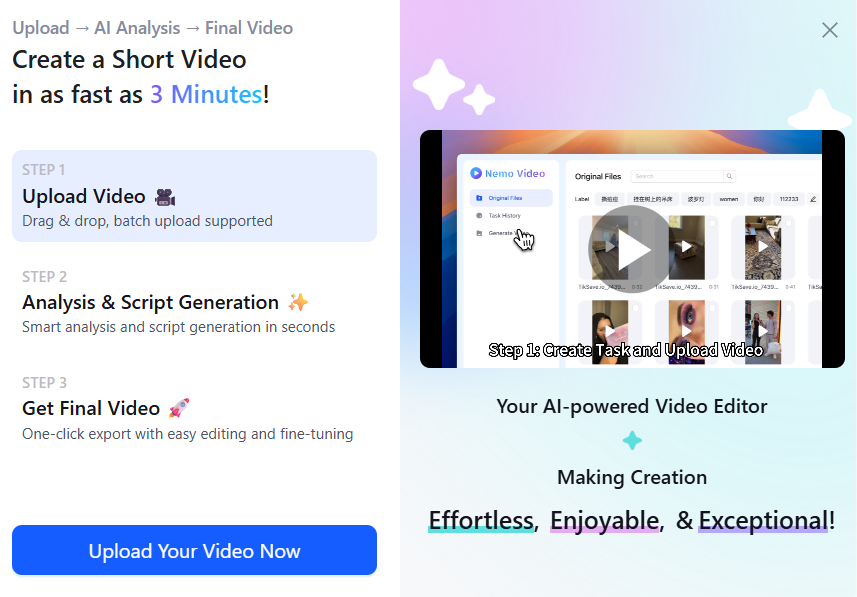
For “efficient mass production” on a budget, Nemovideo is the top Free AI video editor. Its free version includes basic cuts, AI subtitles, and a Free AI video generator—all essential for small creators or marketers. Unlike paid tools, it doesn’t sacrifice speed or quality, making it the best AI video editor for anyone looking to create more content in less time.