
The Creative Creator's Guide to Running High-Converting Ad Tests Every Week
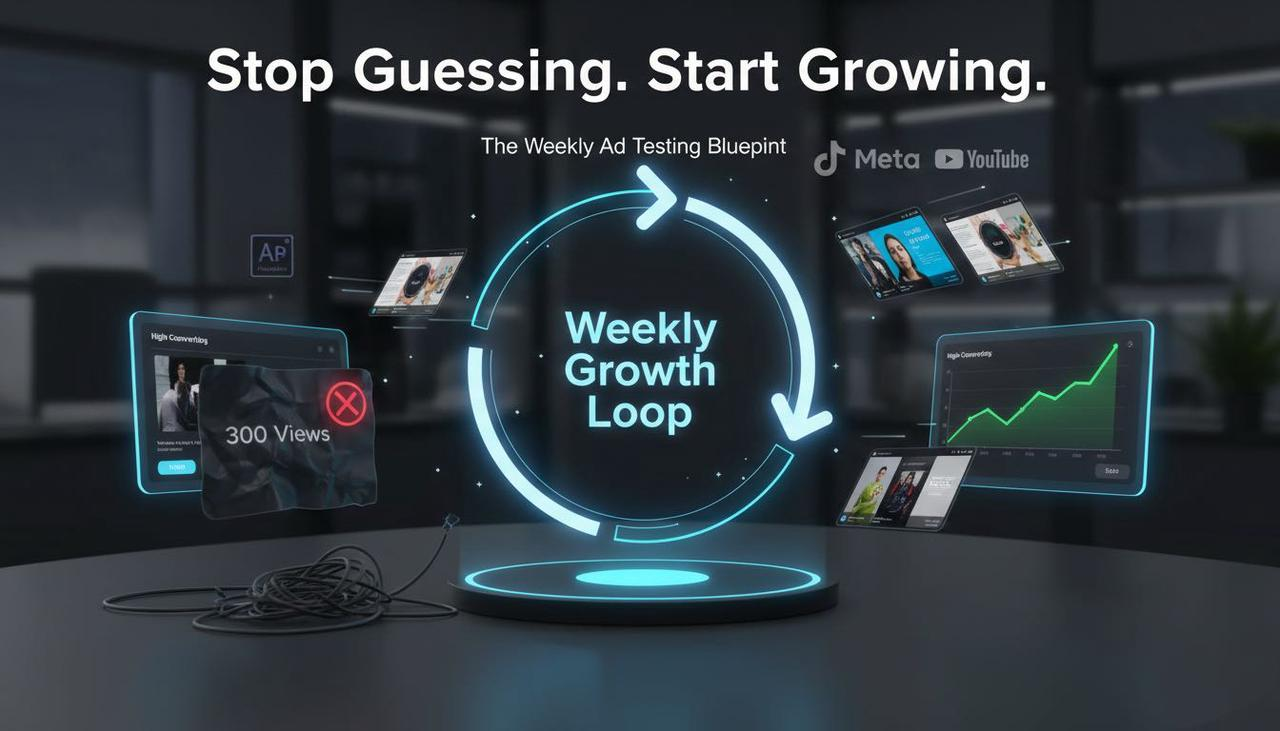
Are your video ads getting stuck in the "300-view jail" or just not turning into sales? We know the feeling: you spend hours editing, launch a campaign, and the results are... ambiguous. It’s frustrating when you need to grow your online business, but the editing process is too long, repetitive, and requires professional editing skills for Adobe.
If your ad testing feels slow, unstructured, or inconclusive, this guide is your blueprint. We'll give you a simple, repeatable loop you can run every single week. In about 2–4 hours, you'll set up a clean, reliable framework to design your test, produce creative variants, launch across Meta/TikTok/YouTube, and confidently read the results.
This isn't about complex software—it's about a better way to work and getting your time back. Ready to stop guessing and start growing? Let's dive in.
Define the Test: Strategy First, Editor Second
Before you touch the editor or Ads Manager, you need to be crystal clear on what you're testing and how you'll define a winner. This simple step eliminates “mushy” results and mid-test panic.
1.1. The Blueprint for Success
Clarify Your Goal and KPI: What’s the single most important thing you want the test to achieve?
Prospecting: Lower cost per add-to-cart (CPA) or cost per lead (CPL).
Retargeting: Increase purchase conversion rate (CVR).
YouTube Awareness: Raise the view rate and click-through rate (CTR).
Write a Clear Hypothesis: Use this simple template to keep your thinking clean:
Because [insight], changing [one variable] from [A] to [B] will improve [KPI] by [practical threshold] for [audience/placement] over [pre-decided runtime].
Example: "Because UGC-style intros feel more native in feed, changing the first 3 seconds from product B-roll to a creator hook will improve CTR by 15% for cold audiences on Meta over 7 days."
Isolate ONE Variable: This is non-negotiable for a clean test. Choose a single creative element to change, such as:
Hook/opening 3–5 seconds
On-screen headline/caption overlays (essential for AI-powered subtitle solutions )
Call-to-Action (CTA) line or voiceover (e.g., “Shop now” vs “See how it works”)
Offer framing (percent off vs dollar off vs free shipping)
Quick Tip: Start with the big levers (like the hook or offer) before you get into micro-tweaks (like color or font). Those big changes give you the most signal, fastest.
Mini-Check: Is Your Test Valid?
One variable only? Yes/No
Targeting/bidding/placements matched? Yes/No
Pre-set runtime and decision rule? Yes/No

Produce & Organize Variants (Your AI Creative Buddy Helps!)
Desire: Create desire by showing the benefits of the solution (NemoVideo) and using visuals.)
Your goal here is speed and consistency. You need to generate 2–4 variants that differ only on the chosen variable, then name and log them, so nothing gets lost.
2.1. The AI Advantage for Variant Creation
If you're tired of jumping between TikTok for inspiration, ChatGPT for a script, and multiple tools for editing, this is where a conversational AI partner comes in handy.
How an AI Creative Buddy speeds up this step:
Hook & Caption Ideation: AI can suggest hook lines and captions from your brief, saving you a ton of time.
Effortless Editing: AI editors like Nemo (AI Video Editor) can auto-surface the strongest shots (faces, actions, product closeups) to build opening sequences or align cuts to music beats to maintain energy without changing content.
Platform Exports: Bulk-exporting platform-specific versions (9:16, 4:5, 16:9) is automated while preserving your single variable under test.
Micro-Example Workflow:
Import your footage and set the baseline edit.
Duplicate the timeline and swap only the opening 3 seconds for Hook A, Hook B, Hook C.
Export three variants per platform (e.g., Meta 4:5, TikTok 9:16, YouTube 16:9) without touching the rest of the sequence.
2.2. Why AI Subtitles Matter (Especially in the US)
In the US market, compliance and accessibility are critical. High-quality ai-powered-subtitle-solutions are no longer a nice-to-have—they're a must for engagement and following accessibility guidelines, like those for Accessibility for watching videos.
Feature | Traditional/Legacy Editor | AI Creative Buddy (e.g., Nemo) | Conversion Impact |
Subtitle/Captioning | Manual entry, or use third-party tool. | Instant, branded AI-powered subtitle solutions | Essential for US accessibility & higher hold rate (92% of users watch with sound off). |
Variant Creation | Manual razor & copy/paste across timelines. | One-click duplication with Conversation/Link Editing | Reduces editing time by 80%; enables weekly testing. |
Output | Requires paid tier for "watermark-free". | Free tier supports complete watermark-free export. | Drastically lowers the barrier to entry for solo creators. |
Control | Expert skills required (Adobe) or too simplistic (CapCut). | Full control over creative decisions; the AI is your sidekick. | Perfect for US real estate agents or coaches who need professional results without the expertise. |
Using the Nemo (AI Video Editor) and Free tier supports complete watermark-free export fulfills the need to highlight brand value and reduce risk for the target audience.
2.3. Keep Assets Tidy (The Creative Paper Trail)
Always maintain a minimal asset log (simple sheet or tracker) and use a simple, consistent naming scheme to prevent future headaches.
Naming Scheme:
Brand_Campaign_Platform_Format_Variable_Version_DateExample:
Acme_Summer_Meta_45_HookA_v1_2025-10-14
Launch, Measure, and Learn
You've done the hard strategic part. Now you'll set up a fair traffic split, wait for enough data, and apply your pre-committed decision rule.
3.1. Platform-Specific Setup Tips
Meta Ads (Facebook/Instagram): Use Experiments (A/B Test) in Ads Manager to randomly split traffic. For detailed guidance on setup and significance, check the official documentation: [Meta Business Help — Experiments (A/B testing)](Meta, latest available). Bold Pitfall: Avoid mid-test edits (budget spikes, audience changes)—they completely mess up your results.
TikTok Ads: Always use TikTok’s built-in Split test best practices feature to isolate one variable and route even traffic. Remember to keep videos native-feeling and sound-on, as advised in Creative best practices.
YouTube (Google Ads): Use Google Ads Experiments to split traffic between creatives. For test discipline and linking questions to actions, the methodological guidance is key: [Think with Google — The Experiments Playbook](Google, PDF, methodology). Bold Pitfall: Don't let your thumbnails vary in a creative test of the first 5 seconds—the. The thumbnail is a separate variable!
3.2. Troubleshooting: If This, Then That
If you see... | Try this... |
Ambiguous results (no clear winner) | Extend runtime or re-run with higher spend per variant. Reduce the number of variants to concentrate data. |
One variant hogs spend | In platform experiments tools, verify the split is truly even; otherwise, use fixed-split experiments. |
Creative fatigue (performance degrades) | Watch frequency, CTR decay, and conversion rate trends. Refresh the hook or angle while keeping the core message consistent. |
Why AI Video Editing is the New Testing Norm (The "How It Works")
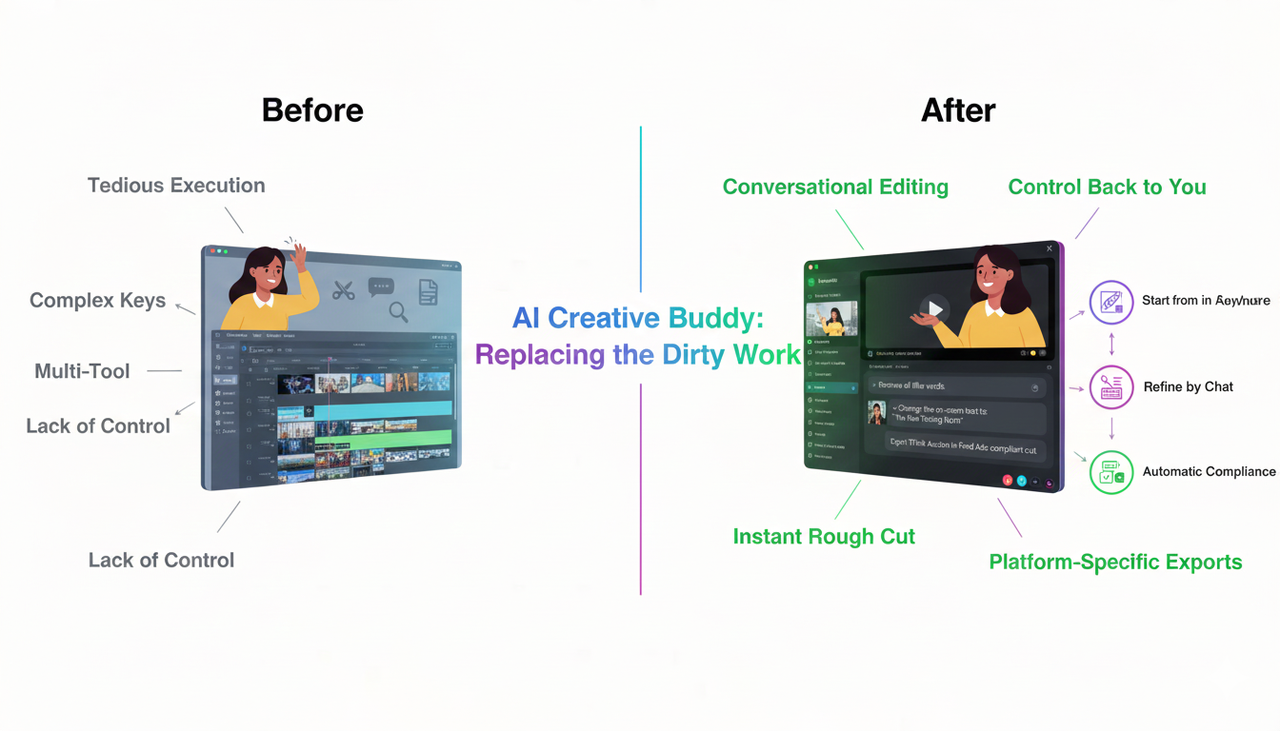
The core problem for creators is not a lack of ideas but the tedious execution of the "dirty work". Here is the simple technical difference.
The AI Creative Buddy approach replaces the traditional, multi-tool workflow with conversational editing. Instead of using a timeline and complex keys, you simply tell the tool what you want.
Start from Anywhere: Input a product link, a script, or just raw footage.
Rough Cut in Seconds: AI identifies the key subjects, removes filler words, and creates a smart "rough cut".
Refine by Chat: You literally talk to the video to make changes (e.g., "Change the on-screen text to this hook," "Make the pace 20% faster"). This is where control comes back to you.
Automatic Compliance: The tool applies perfect AI-powered subtitle solutions and exports platform-specific cuts, ensuring your videos look professional and are ready for TikTok Auction In‑Feed Ads.
Frequently Asked Questions (FAQ Section)
Q: Are AI-generated subtitles accurate enough for professional ads?
A: Yes. Modern ai-powered-subtitle-solutions are highly accurate and allow for instant editing and styling to ensure your brand's voice and required compliance (especially for US consumers) are met. They are much faster and more reliable than manual captioning.
Q: Do I lose creative control when using an AI video editor?
A: Absolutely not. The Nemo approach is "Creativity First, Tools Second". The AI is designed to handle the repetitive tasks—the "dirty work"—but but leaves all the high-level creative decisions, like choosing the hook or defining the offer, entirely to you.
Q: Can I really export watermark-free videos on the free version?
A: Yes! Unlike many other tools that hide this feature behind a paid wall, Nemo’s free tier supports complete watermark-free export. We believe in a "zero-frustration" philosophy—you should be able to experience the full value before committing.
Q: Where can I find music that is safe to use in my TikTok ads?
A: You should always use music that is licensed for commercial use. TikTok provides official music resources, such as the Commercial Music Library, which offers sound that is pre-cleared for use in TikTok Auction In‑Feed Ads.
Final Action Plan
Testing is a flywheel. A few disciplined, weekly cycles beat massive, one-off overhauls. Every cycle builds your library of “what works” and speeds up your ability to convert those low views into real sales.
Ready to stop wasting time on manual editing and start running smarter, faster ad tests?
Try Nemo (AI Video Editor) today.
Ready to stop editing and start creating? Give NemoVideo a try!