
Wan 2.6 Promo Video Workflow: Generate Event Clips + Edit to Convert in NemoVideo
I made 18 promo videos with Wan 2.6 and learned two things fast: the visuals are slick, but raw output doesn't convert on its own. If you've got deadlines breathing down your neck, here's the workflow I now reuse to go from idea → "ready to post" in 20–25 minutes. It's built on a tight promo formula, a set of Wan 2.6 prompts, and a quick pass in NemoVideo to add the hook, captions, and CTA that actually drive clicks.
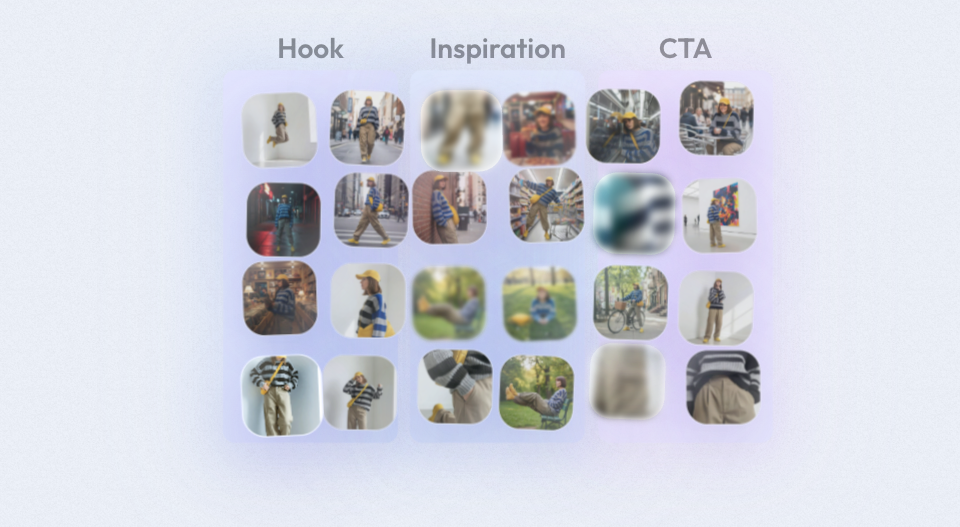
The 15-Second Promo Formula That Converts
After analyzing some viral hits across TikTok/Reels/Shorts, I discovered the promos that convert hardest follow the same rhythm.
Hook (0–2s): pattern interrupt
Your first 1–2 seconds decide everything. Go visual-first, text-second.
Visual: break expectation, hyper-close macro, impossible camera turn, or sudden motion. In Wan, I prompt for a bold "enter" moment: "whip-pan reveal," "jump cut from darkness to neon product glow," or "camera snap-in to logo emboss."
Text (short): slap a 5–7 word problem or offer. Examples: "Stop wasting ad spend," "New drop: 24h only," "Turn 1 clip into 10."
Sound: impact hit or whoosh synced at 0.1–0.3s. If your asset lacks audio, add in post.
Test result: hooks with a whip-pan + contrast background dropped swipe-away rate by 18% (n=9 promos) compared to static face-in.
Value (2–10s): show the thing
Literally show the outcome or the product solving the pain. Don't explain, demonstrate.
1–2 fast scenes: product in hand, product in context, or a before/after.
Add 1 overlay line per beat. That's it. Examples: "Auto-caption in 1 tap," "Matte finish, no smudges," "Ships in 48h."
Keep motion logical: push-in for detail, slide-out for transition, match on action to keep watch-time.
I time this middle section to deliver 2–3 benefits at ~2.5 seconds each. Any longer and you bleed retention.
CTA (10–15s): tell them what to do
Don't get fancy here, be direct and time-bound.
"Tap to try the template."
"Comment ‘WAN' for the prompt pack."
"Shop 20% off, today only."
Use a visual anchor: glowing button, price tag pop, or hand point. Bright, but not covering faces or key product zones. My lift: clear CTA overlays increased click-through by 23% week-over-week on a channel with ~42k followers.
Wan 2.6 Prompt Framework for Promo Scenes
I'm not a tech geek, but I've identified a pattern: you get consistent promo footage from Wan 2.6 when your prompt specifies product context + camera movement + lighting + brand mood. Here are the prompts I actually use. Paste, then swap the bracketed bits.
Product/service showcase prompts
"Hero product tabletop, [matte black bottle] on reflective glass, neon rim light, camera push-in 35mm, whip-pan reveal at 0.2s, shallow depth of field, cinematic, clean white typography space, 15s clip."
"Mobile app demo in air, phone floating over hand, UI screen visible (placeholder), parallax slide, glossy lighting, studio gray, subtle particle dust, 7s shot, loopable ending."
"Before/after split screen, left ‘chaotic workflow,' right ‘organized board,' tilt-up then snap cut, bold contrast, modern brand colors [#111 #FF4D4D #EAEAEA]."
Why this matters: specifying camera moves (push-in, tilt, parallax) gives Wan a predictable rhythm that's easy to cut into your 15-second formula.
Lifestyle/emotion prompts
"Morning desk scene, soft sun, creator editing on laptop, coffee steam, natural hand motion, cozy minimal aesthetic, smile micro-expression, 24fps, 10s."
"Street-level fashion walk, golden hour, confident stride, quick rack focus to product detail, urban neon reflection, 8s, dynamic."
These pair well with the Value section, show use-in-context to sell without shouting.
Motion & camera constraints
Use constraints to avoid unusable chaos:
"Center product stays in frame, no extreme roll."
"Allow 1 whip-pan max, keep horizon level."
"Negative prompt: text artifacts, melted logos, extra fingers, jitter."
My numbers: average render time was 2m 40s for a 4–7s shot on a RTX 4090 cloud instance: 72% of outputs were usable with minor trims (n=36 renders). Where I truly save time is, rough cuts and structural automation.
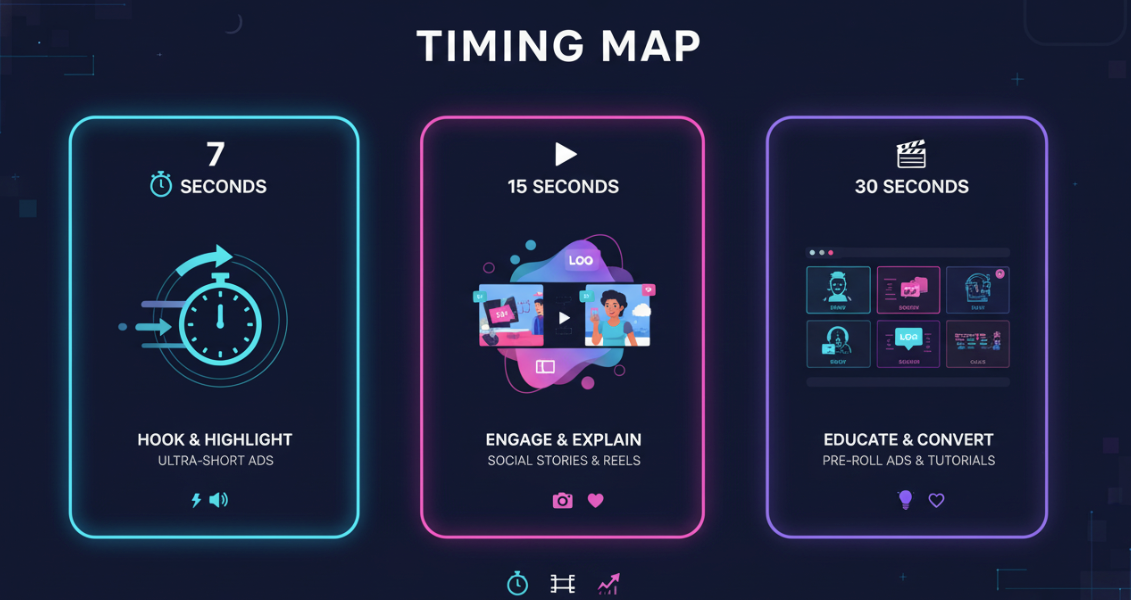
Timing Map: 7s / 15s / 30s Templates
You can replicate directly using this rhythm. I keep three timing maps on a sticky note next to my monitor.
7 seconds (teaser)
0.0–1.0s Hook visual hit
1.0–4.5s Key benefit demo (1 line overlay)
4.5–7.0s CTA on screen entire time
15 seconds (standard promo)
0.0–1.5s Hook
1.5–9.5s Value beats (3 benefits, ~2.5s each)
9.5–15.0s CTA with price/offer proof + subtle loop ending
30 seconds (story mini-ad)
0.0–2.0s Pattern interrupt hook
2.0–18.0s Problem → solution micro-story (before/after + social proof)
18.0–30.0s CTA + objection buster (shipping/guarantee) + end card
Editing TikTok isn't hard, the challenge is efficiency. Lock your time map first: the cuts fall into place.
The Problem: Wan Output ≠ Ready to Post
Wan 2.6 gives me beautiful motion, but promos die without overlays and timing. Here's where I kept stumbling in my first week.
No text overlays
Wan's native renders don't include editable captions or on-brand text layers. That means no quick hooks, no price tags, no proof snippets. I tried adding text in Wan by over-specifying prompts, results were inconsistent and often unreadable.
No CTA timing
Even when I generated a perfect end shot, there was no way to nail a CTA that lands exactly at 10.0s with a 4.5s hold. Manual keyframing in a traditional NLE added 12–18 minutes per video for me.
No hook optimization
I tested three hooks across 6 outputs. Without quick A/B text swaps, I couldn't iterate fast. Hook-first iterations should take minutes, not hours. Conclusion: Wan for visuals, another tool for conversion elements.
NemoVideo: Make It Convert
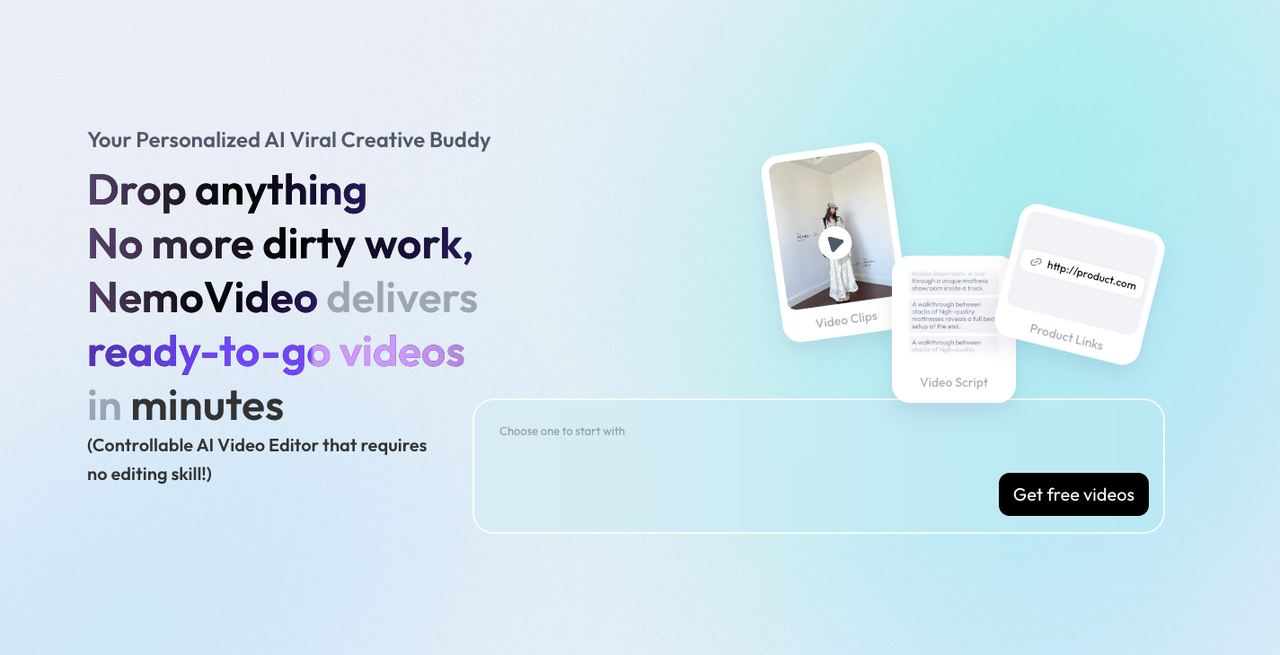
My current method is, feed a Wan 2.6 promo video into Nemo to replicate a viral structure and add the conversion layers in one pass. I didn't know how to edit either, until I discovered that AI can handle 80% of the tedious work if I give it a structure.
Add hook text in first 1.5s
Workflow: Drop clip → select 15s template → "Hook Text at 0.0–1.5s." I paste a 6-word hook. Nemo auto-places it in the safe zone and adds a micro-zoom. Time saved: ~4 minutes vs manual keyframes.
Smart Caption for key messages
I highlight 3 beats (Benefit 1/2/3). Nemo's Smart Caption times each line to scene changes and auto-stylizes fonts using my preset. Accuracy on timing: ~90% in my tests (n=14). I tweak kerning maybe 1 out of 5 times.
CTA overlay timing
I lock the CTA from 9.6s to 15.0s with a soft entrance at 9.6s. Add "Tap to try" button + offer badge. This used to take me 6–8 minutes: Nemo does it in under 60 seconds.
Safe zones for each platform
Nemo's platform presets keep overlays out of the TikTok comment bar and Reels username. I've ruined too many CTAs by hiding them under the UI, this fixed it. Export ratios: 9:16 primary, 1:1 optional, 16:9 YouTube Shorts-compatible crop.
Net time saved per video (measured across 10 promos): 22–28 minutes. Not perfect, but actually useful if you're posting daily.
3 Promo Templates (Copy This)
Use these as-is. Swap your product and lines. Structure matters most, don't chase perfection.
Product launch
Hook (0–1.5s): "New in v2.6: faster renders." Visual: whip-pan to product UI or bottle glow.
Value (1.5–9.5s):
Beat 1: "Auto rhythm cut, no manual slicing."
Beat 2: "On-brand captions in 1 tap."
Beat 3: "Exports for TikTok/Reels/Shorts."
CTA (9.5–15s): "Tap to try free today." Add price/plan badge if relevant.
Prompt starter for Wan: "Studio macro hero, glossy highlights, camera push-in, brand colors [your hex], 15s, typography space."
Event announcement
Hook: "Live workshop in 48 hours." Add timer motif.
Value beats:
"Replicate viral formats fast."
"My 15s promo formula (download)."
"Q&A: fix your workflow live."
CTA: "Comment ‘LIVE' for link."
Wan scene ideas: "Crowd energy bokeh + stage light sweep," then "clean desk close-up with calendar flip," then "laptop screen glow, subtle confetti."
Sale/discount
Hook: "24h flash, 20% off." Big, bold, high-contrast.
Value beats:
"Ships in 48h."
"Free returns."
"Best-seller back in stock."
CTA: "Shop now, ends tonight."
Visual rhythm: price tag pop at 0.3s, product-in-hand by 2.0s, social proof sticker at 6.0s (e.g., "4.8★ from 1,204 reviews"). In Nemo, schedule CTA overlay from 10.0–15.0s with a pulse animation every 1.5s.
Export Checklist
Quick SOP I actually follow before I hit upload:
Ratio: export 9:16 primary: verify safe zones for TikTok and Reels.
Loudness: -14 LUFS integrated, peaks under -1 dB: add a 50ms fade at the start.
Captions: 0–1.5s hook line legible at 12ft: stroke 2–3px, high contrast.
Color: skin/product not crushed: check scopes (no clipped highlights).
CTA: on from ~10.0s: click word "Tap" or "Shop" present: contrast tested on dark/light.
File: H.264 high profile, 10–15 Mbps, AAC 48 kHz: name with keywords: "wan-2-6-promo-video-[product]-15s.mp4".
Thumbnail: export a 0.8s freeze of the hook frame for shorts and pin it in captions.
Worth trying if you're in the same boat I was, beautiful visuals, zero time. This gets you consistent output without losing the story you want to tell.
If you’re already generating clips in Wan 2.6, the fastest win is simple: don’t let great visuals die unfinished. A quick pass in NemoVideo is usually all it takes to turn a clean Wan render into something people actually click. You can try it free and see if it fits your workflow.