

NemoVideo vs HitPaw: Which AI Video Editor Scales Agencies Faster?
If you run an agency trying to scale short-form ads on TikTok, Meta, or YouTube Shorts, you probably want two things: more output and better performance from creative tests. In this comparison, we look at two different approaches:
👉 If your agency’s bottleneck is creative testing velocity, you can start your first bulk-versioning project inside the Nemo Workspace and see how many real variants you can ship in one sprint.
NemoVideo focuses on AI that can replicate proven viral structures and spin up many creative versions fast. Disclosure: We’re discussing our own product, and we’ll stay objective and transparent.
HitPaw (including Edimakor and the broader suite) focuses on strong AI assists and batch utilities that help individual editors work faster.
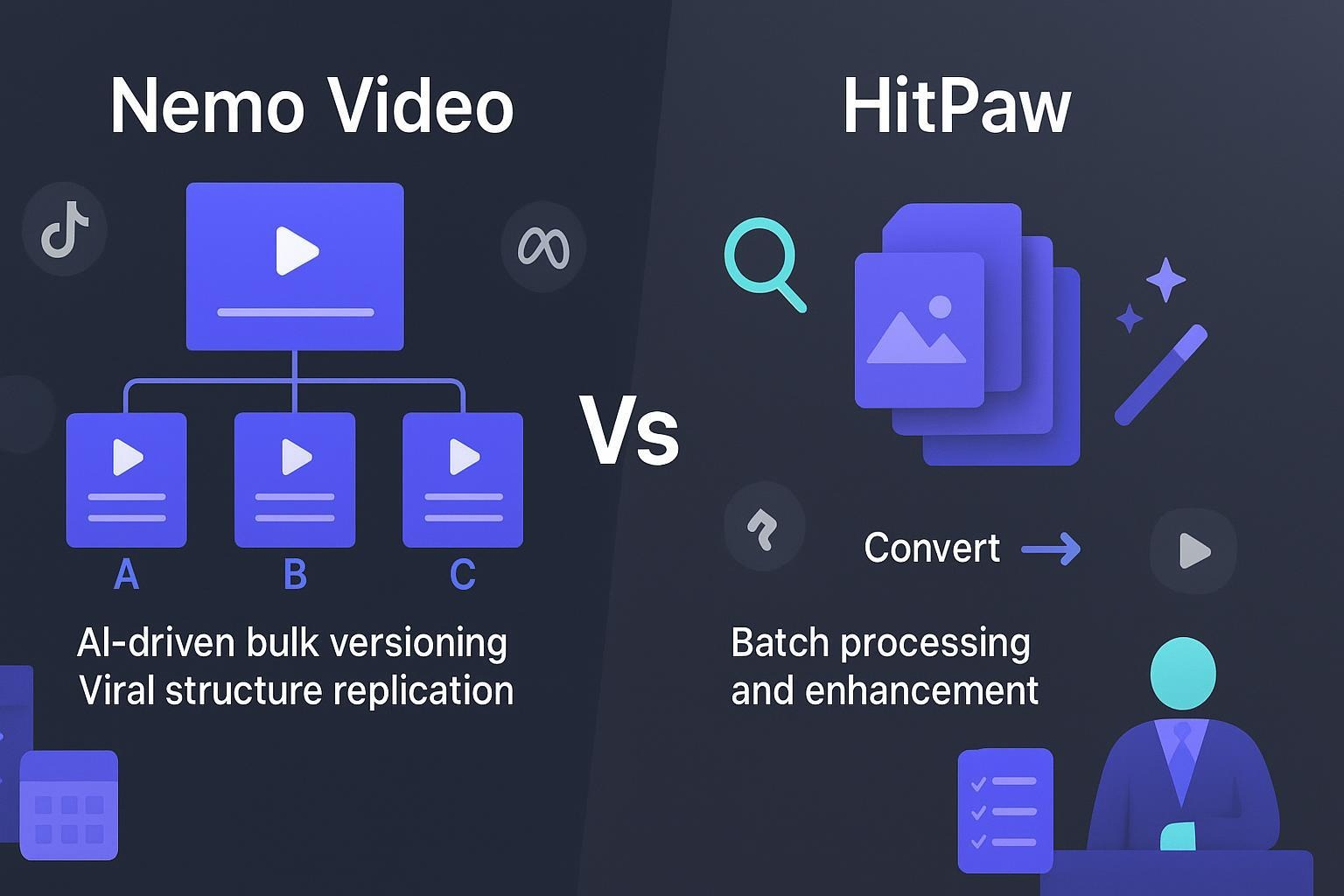
The core difference: bulk versioning vs. batch processing
Bulk versioning (NemoVideo): Think “distinct variants for testing.” From one core concept, you generate A/B/C versions with different hooks, CTAs, lengths, and pacing, plus platform-specific formats. The goal is to feed experiments.
Batch processing (HitPaw): Think “apply the same operation to many files.” Convert formats, enhance multiple videos, or remove watermarks in bulk. Helpful for speed, but it doesn’t create ad variants with intentional creative differences.
HitPaw does have an AI tool to slice one long video into multiple shorts—see the Edimakor feature that can create “multiple short viral clips” from a longer source in the AI Clip Maker. That’s efficient repurposing, but it’s not the same as structured ad variant generation for creative testing.
Use case 1: High‑volume social ad production
Picture a weekly sprint where your team needs 30–60 short ads across TikTok, Meta Reels, and YouTube Shorts, with multiple aspect ratios and lengths.
With NemoVideo, the premise is to scale creative from the start. The AI helps deconstruct winning viral patterns, then generates many versions tailored for different audiences or platforms. The emphasis is on outputting distinct variations you can actually test.
With HitPaw, the emphasis is helping an editor move faster. For example, you can batch convert and transcode assets via the HitPaw Video Converter and clean batches of assets using the Bulk Watermark Remover. Edimakor’s AI Clip Maker can turn a long cut into many shorts, which is great for repurposing. But you’ll still need manual work to craft different hooks and CTAs for testing.
What this means for throughput: If your bottleneck is “we can’t prep/source/process files fast enough,” HitPaw’s utilities shine. If your bottleneck is “we can’t produce enough true creative variants to test,” Nemo’s bulk versioning model is built for that.
Scale 30–60 Ad Variants Without Scaling Headcount
NemoVideo’s Viral+ Studio reverse-engineers winning ad structures so you can launch platform-specific variants in minutes, not hours.
Use case 2: Creative testing (A/B/C for ROAS lift)
Creative testing isn’t just exporting a lot of files—it’s about intentional variation and labeling so you can compare results.
NemoVideo’s approach centers on bulk versioning and viral structure replication, which maps directly to testing. You can generate variants that change the opening hook, pacing, overlays, or CTA across platforms, so you’re feeding experiments with meaningful differences.
HitPaw’s AI assists help you produce assets quicker, and Edimakor offers creative tools like script-to-timeline via the AI Video Generator. But there’s no official workflow described for multi-variant experiment management, labeling, or reporting. You’ll likely manage that outside the editor in your ad platforms or project tools.
Bottom line: If creative testing velocity is your north star, make sure your toolchain generates and tracks distinct variants, not just batches of similar outputs.
Build Test-Ready Variants, Not Just More Files
Use NemoVideo’s Inspiration Center to generate hooks, scripts, and angles designed for testing, not guesswork.
Generate Your First Hook Set →
Collaboration and governance
Agencies need shared libraries, roles/permissions, and approval flows.
HitPaw/Edimakor: Across official pages, we didn’t find evidence of cloud workspaces, shared projects, or role-based access. HitPaw does offer business licenses (e.g., multi‑PC SKUs) on its promotions page—see the Edimakor Sales Promotion, but multi‑PC licensing isn’t the same as team collaboration in a shared environment.
NemoVideo: We’re not linking public docs for collaboration today. If you need specifics on roles, approvals, or shared libraries, plan a quick pilot and ask for a walkthrough.
🚀 Build 10x More Testable Creatives This Week
Auto-generate distinct A/B/C variants
Replicate viral pacing & hooks
Publish faster across TikTok, Reels & Shorts
👉 Build Your First Variant Now
Localization and multi‑market campaigns
HitPaw has strong language tooling in Edimakor, including translation and dubbing with many voices and languages. If your priority is fast multilingual outputs, review the AI Video Translator/Dubbing capabilities. It can be an efficient companion for localization workflows.
NemoVideo is designed to tailor versions for different audiences and platforms, which is useful for international campaigns where the creative angle changes by market, not just the language.
If you often need both localization and creative varianting, the two approaches can actually complement each other: generate variants, then localize; or localize first, then variant the creative angle.
After variants are generated, Smart Caption applies platform-native subtitle styles proven to boost watch time on TikTok and Reels.
Performance and throughput (practical lens)
HitPaw’s suite offers several batch operations that speed up prep and finishing—conversions, enhancements, and clean-up—so editors spend more time creating and less time handling repetitive tasks.
NemoVideo’s value is in multiplying the number of genuinely testable creatives without linearly multiplying editor hours. That often shifts the throughput conversation from “How fast can we render?” to “How many distinct tests can we ship per sprint?”
We’re avoiding speculative performance numbers. If throughput is mission-critical, run a contained pilot and time end-to-end steps (ingest to published) for 20–30 variants across 2–3 platforms.
For talking-head ads, NemoVideo’s Talking-Head Editor automatically removes filler words and syncs B-roll to speech beats, cutting edit time before variants even begin.
Pricing and licensing (what to know before you commit)
HitPaw/Edimakor: Pricing is typically per device/OS with monthly, yearly, or perpetual options, and many advanced AI features consume credits. You can buy credits separately—see the Edimakor AI Credits explainer—and there are “business” multi‑PC license SKUs promoted on the Sales Promotion page. Note that multi‑PC licensing doesn’t imply shared cloud projects.
NemoVideo Enterprise Pricing NemoVideo’s Business Plan is designed for scaling teams and enterprise workflows. Pricing is fully customized and includes priority project processing, flexible usage credits, multi-seat team access, dedicated storage, advanced security standards, a dedicated success manager, and early product access. Speak with sales to receive a personalized quote.
See Plans Built for Agencies & High-Volume Teams
From creators to enterprise agencies, NemoVideo offers transparent tiers and custom Business Plans.
👉 View Pricing & Business Plans
Quick comparison (agency lens)
Dimension | NemoVideo | HitPaw / Edimakor |
Core approach | Bulk versioning; viral structure replication; AI-driven creative automation | AI-assisted desktop editing plus utility suite for batch tasks |
Variant generation for testing | Designed to create distinct ad variants at scale | No official claim of automated ad-variant generation; does offer multi-clip slicing via AI Clip Maker |
Batch utilities | N/A emphasis | Strong: Video Converter, Bulk Watermark Remover, enhancer tools |
Localization | Audience- and platform-specific versions | Robust translation/dubbing via AI Video Translator/Dubbing |
Collaboration | Not publicly documented | Not evidenced on official pages; business licenses ≠ team workspaces |
Licensing | Ask for agency/team tiers | Device/OS licenses; AI credits and multi‑PC options via promotions/credits pages |
Best for agencies that want to… | Scale A/B/C ad testing and creative velocity | Speed up individual editing tasks |
Try it |
Recommendations by role and scenario
Choose NemoVideo if:
Your main constraint is creative testing velocity (you need more A/B/C variants every sprint).
You want AI that helps replicate proven viral structures and tailor outputs by platform/audience.
You measure success by ROAS lift from sustained creative experimentation, not just faster file handling.
Choose HitPaw/Edimakor if:
Your editors work mostly solo and need fast utilities for conversion, enhancement, and repurposing.
You want strong language tools (translation/dubbing) to localize quickly.
You already have a separate process for creative testing and experiment tracking.
How to pilot (2-week sprint)
Define success: ROAS lift, CTR, CPV, and time-to-first-publish. Set target counts for variant volume (e.g., 30+ variants across 3 platforms).
Pick one product line/client and two creative angles. Create clear naming conventions for variants (hook, CTA, length, platform).
Run parallel pilots:
Track Nemo Video for variant throughput and test-readiness.
Track HitPaw/Edimakor for asset prep speed and repurposing efficiency.
Measure end-to-end time from ingest to published, then review ad platform results after 3–5 days of spend.
Decide on the stack: In many agencies, a hybrid works—use Nemo to generate meaningful variants and use HitPaw utilities to speed prep/localization.
Start your pilot faster with SmartPick, which auto-extracts the strongest moments from raw footage to create instant rough cuts ready for variant generation.
If you’re an Agency Owner or Creative Director optimizing for high-volume social ads and continuous creative testing, start with the tool that multiplies variants without multiplying headcount. Then layer in utilities that remove friction in your pipeline.
Frequently Asked Questions
Is NemoVideo better than HitPaw for agencies?
NemoVideo and HitPaw are built for different use cases. HitPaw is best for individual editors who need batch utilities like format conversion, enhancement, or repurposing. NemoVideo is purpose-built for agencies that need to scale creative testing. If your success metric is ROAS lift from shipping more A/B/C variants per sprint—not just faster editing—NemoVideo is the stronger fit.
Can NemoVideo replace our current video editor?
NemoVideo doesn’t try to replace every editor in your stack. Instead, it replaces the most expensive bottleneck: manual variant creation. Many agencies use NemoVideo alongside existing tools, using Nemo to generate test-ready variants at scale, then layering in utilities or finishing tools where needed. The result is higher output without disrupting your workflow.
How fast can we launch our first pilot?
Most teams can launch a pilot within the same day. Upload raw footage, generate your first set of variants, and publish across TikTok, Reels, or Shorts in a single sprint. For agencies, a 2-week pilot is usually enough to measure creative throughput, time-to-publish, and early performance signals like CTR and CPV.
Does NemoVideo support team workflows and agencies?
Yes. NemoVideo is designed for multi-seat agency and enterprise use cases, including shared workspaces, bulk projects, usage-based scaling, and dedicated support. While not all collaboration features are publicly documented, agency teams typically review these during a short walkthrough or pilot to ensure fit with approvals, roles, and volume requirements.
Is NemoVideo suitable for enterprise or high-volume clients?
Absolutely. NemoVideo’s Business Plan is built specifically for agencies and enterprises managing high creative volume. It includes flexible usage credits, priority processing, advanced security standards, dedicated storage, and a success manager. Pricing is customized based on scale, making it suitable for teams running continuous paid social testing across multiple clients or markets.
What makes NemoVideo different from other AI video editors?
Most AI editors focus on helping people edit faster. NemoVideo focuses on helping teams test faster. Its core advantage is bulk versioning—generating intentionally different creatives with varied hooks, pacing, CTAs, and formats—so agencies can run real experiments instead of guessing. It’s an AI system designed for performance marketing, not just editing.
When should we choose HitPaw instead?
HitPaw is a good choice if your team works mostly solo, relies heavily on desktop utilities, or prioritizes batch processing like conversion, enhancement, or watermark removal. If creative testing and variant experimentation already happen elsewhere in your workflow, HitPaw can complement your stack. If variant generation is your bottleneck, NemoVideo is the better starting point.
What’s the best way to decide between NemoVideo and HitPaw?
Run a short, contained pilot. Track:
How many distinct ad variants you can ship
Time from ingest to publish
Early performance metrics (CTR, CPV, ROAS signals)
Many agencies discover that a hybrid approach works best, using NemoVideo to generate testable variants and other tools to speed up prep or localization.
Final Nudge
If your agency’s growth depends on shipping more meaningful creative tests without adding headcount, NemoVideo is designed to be your unfair advantage.
👉 Start your first variant pilot and see the difference in one sprint.
Ship More Ad Variants, Without Burning Editors
Launch bulk A/B/C creatives, test faster, and scale output in your next sprint.