

NemoVideo vs CapCut in 2026: Which One Is Faster for Viral Shorts?
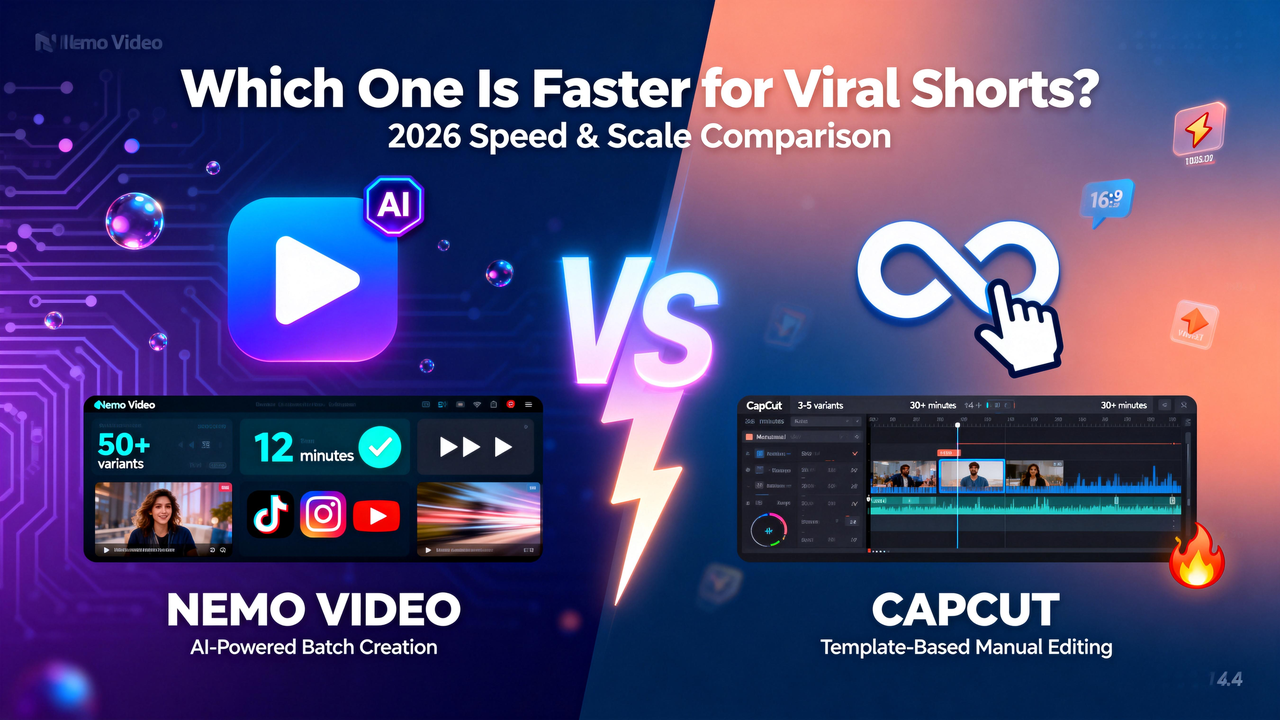
If you're reading this in 2026, you already know the game has changed. Viral shorts aren't about luck anymore—they're about speed. The creator who can pump out 10 test variants in the time it takes you to finish one? That's the one dominating algorithm.
When agencies and fast-moving creators ask "NemoVideo vs CapCut, which one ships faster?" They are not asking about features. They are asking: which tool enables me to test more hooks, experiment with more formats, and identify winning content before my competitors?
Here is the reality: CapCut remains dominant for individual creators who prefer familiar, template-driven editing. However, if your bottleneck is creative labor per variant—if you need 50 versions of the same concept for different platforms and audiences—Nemo Video's AI-first architecture reduces that timeline by 60-70%.
Quick Verdict
Pick CapCut if: You're comfortable with manual editing, you want a massive template library, and you're producing 5-10 videos per week max.
Pick NemoVideo if: You need to scale to 20+ variants per campaign, automate repurposing from long-form content, or eliminate repetitive editing tasks entirely.
Feature Comparison Table
Here's what actually matters when you're racing to pump out viral shorts:
Feature | NemoVideo | CapCut |
Batch variant generation | AI auto-generates platform-specific versions with optimized dimensions and formats | Manual duplication required; |
AI workflow automation | SmartPick automatically detects key moments, trims filler, and arranges clips into a rough cut | Auto-captions and basic AI; manual copy-paste for consistency; |
Viral content intelligence | Inspiration Center analyzes millions of viral clips for hooks and script structures | Large template library updated with 2-3 week trend cycles |
Input flexibility | Drop Anything accepts product links, scripts, raw footage (MP4, DOCX, PDF, etc.) | Standard: MP4, MOV, AVI import; |
Platform adaptation | One-click generation of 10+ platform versions with auto-optimization | Manual aspect ratio switching (9:16, 1:1, 16:9); Capcut Pro: Smart resize and batch generation |
Learning curve | Talk-to-Edit conversational interface, zero technical knowledge needed | Familiar timeline editor; moderate learning curve for batch workflows |
The table clarifies: CapCut provides manual control for experienced users, while NemoVideo accelerates the process with intelligent automation, making it ideal for large-scale production.
What this means in practice:
If you need 5 TikTok videos with identical color grading and transitions, CapCut's copy-paste workflow delivers efficiently.
However, if you need one product video transformed into 50 different versions—each tailored for specific audiences (Gen Z vs. millennials), platforms (TikTok vs. YouTube), and formats (15-second hook vs. 2-minute tutorial)—Nemo Video's AI-driven variant generation is purpose-built for that workflow.
Where CapCut Wins
CapCut remains a top choice in 2026 for creators who value manual control over their editing process. Here is why it stands out for those comfortable with timeline editing.
Batch Editing & Scale
CapCut's strength for scaling is not automation—it is template depth and familiarity.
The platform offers thousands of free trending templates. These templates update constantly to match what performs on TikTok and Instagram Reels right now. This matters when you are attempting to capitalize on a trend before it saturates.
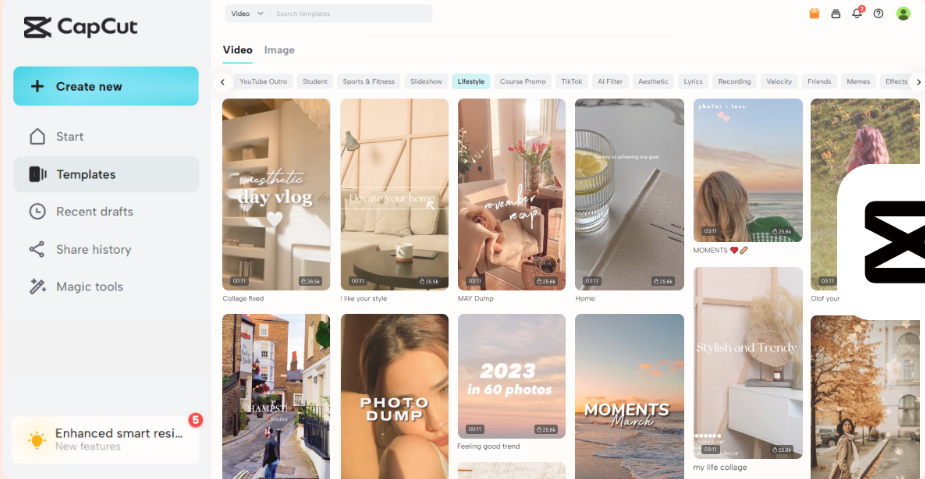
For experienced editors who have built workflow muscle memory, CapCut's copy-paste adjustment system enables batch-application of color grading, transitions, and effects across multiple clips. You are not waiting for AI to determine the approach. You know precisely what you want and apply it manually but efficiently.
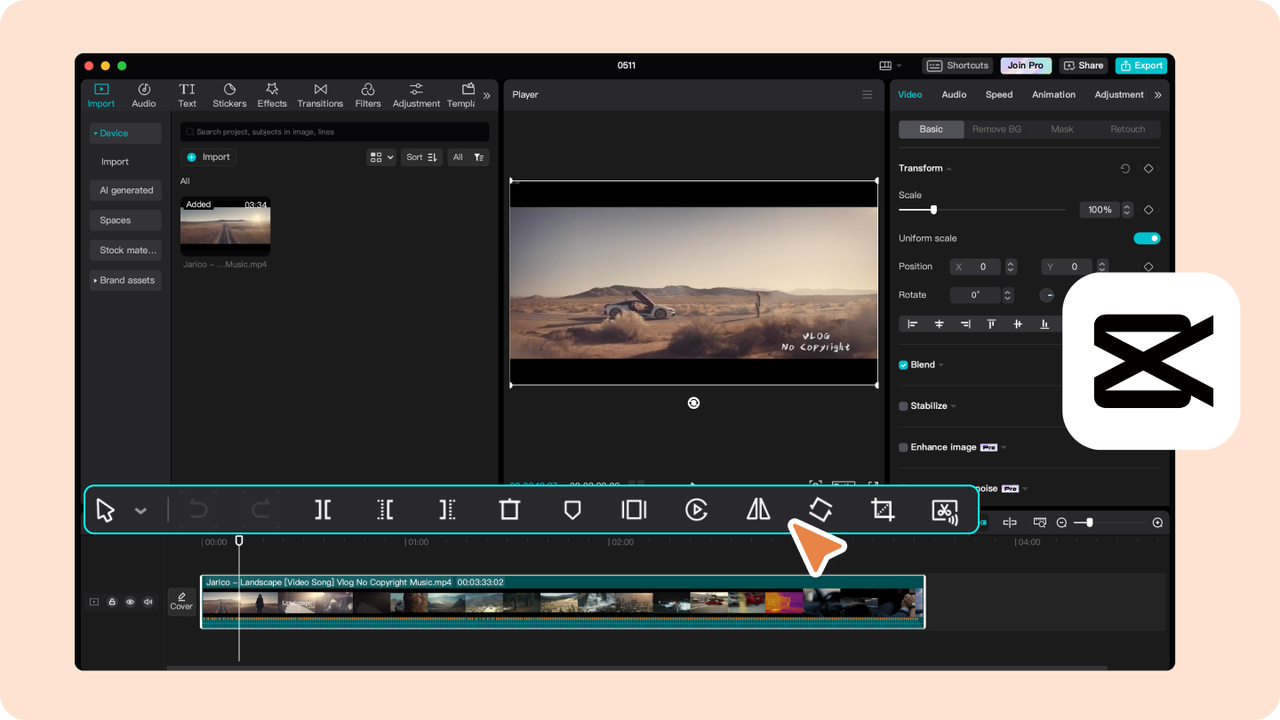
For e-commerce sellers, CapCut Pro (refer to Capcut Subscription Plans for details) offers batch editing tools that allow you to process multiple videos or images simultaneously, maintaining consistent branding. It also features URL-to-video generation, which automatically converts product links from platforms like Amazon, Shopify, and TikTok Shop directly into ads. This is ideal for merchants who need 20 product videos by the end of the day, not for agencies creating 50 audience variants.
The gap: Capcut Pro handles bulk product content effectively, but the standard CapCut version lacks native multi-variant export in one action. Both versions miss the granular A/B testing logic required for audience segmentation. If your workflow is "one product, many platforms," Capcut Pro works. If it is "one concept, 50 micro-targeted variants," you will encounter friction.
AI Workflow Speed
In Capcut Pro, AI automatically selects optimal cuts, transitions, and effects for product footage. Auto-captions process quickly and now support 30+ languages in bilingual mode. If your clips are already pre-sorted and require only polish, it executes rapidly.
However, here is the trade-off: while AI accelerates individual edits, CapCut still requires manual copy-pasting across clips to maintain consistency. This means you are not eliminating repetitive tasks entirely—merely speeding up each individual edit. In CapCut Pro, this is enhanced for product-centric workflows, but the AI remains template-driven. Unlike Nemo Video, CapCut's AI cannot analyze viral patterns or optimize content to adjust to trending patterns in real-time.
Where Nemo Video Wins
If you are spending excessive time manually creating and adjusting multiple versions for different audience segments, NemoVideo can save hours. Here is how its AI-driven architecture streamlines the process and accelerates production.
Batch Editing & Scale
Nemo Video does not simply duplicate videos. It generates audience-specific variants from a single input.
Users can create 8 tailored platform cuts in approximately 12 minutes, compared to 30+ minutes for 3 versions in template-driven tools. That is not a marginal improvement—it represents a different workflow category entirely.
Here is the practical difference: You upload a product demo video. NemoVideo's AI engine orchestrates the edit. It automatically generates:
A 15-second attention-grabbing cut for TikTok (focused on the result shot)
A 2-minute tutorial for YouTube Shorts (with detailed steps)
A text-heavy, silent reel for Instagram (optimized for viewers without sound)
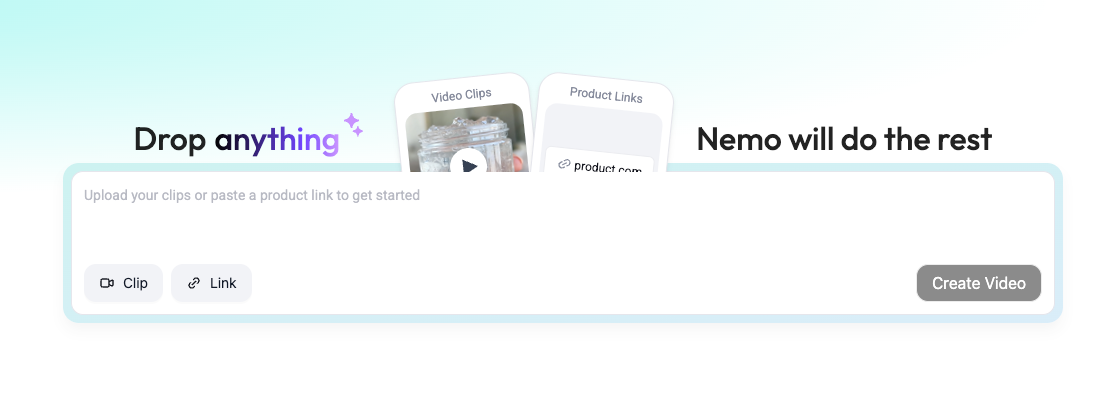
These are not merely resized versions. They are re-paced, re-structured, and optimized to match the unique demands of each platform's algorithm. Nemo Video automatically adapts content for maximum engagement.
The platform's batch video generator supports bulk versioning through spreadsheet integration. You can map product SKU data to dynamic template tokens. This allows you to scale from 1 product video to 50+ SKU-specific variants without manual cloning. This proves purpose-built for agencies running "one concept, many micro-targets" campaigns, not just "one product, many aspect ratios."
AI Workflow Speed
This is where Nemo Video conversational editing transforms the equation.
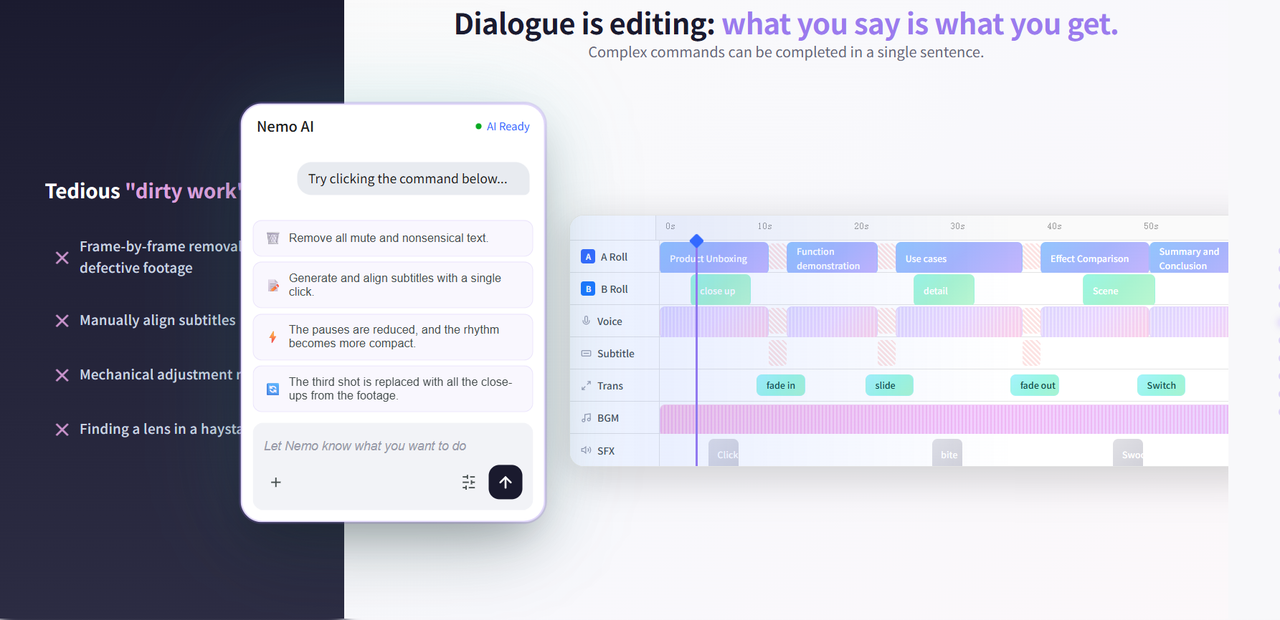
With Nemo Video's conversational editing feature, you simply type a command: "Make this more engaging for TikTok." The AI adjusts pacing and transitions. It adds trending audio with automatic beat syncing.
Want different versions for various demographics? Type: "Create three versions for different audiences." The AI generates content with customized tones and styles. No tedious timeline scrubbing required.
NemoVideo SmartPick does not merely add effects. It automatically identifies key moments in your footage:
That "aha moment" when a product tester makes an impactful statement
The optimal close-ups and before/after shots
The compelling narrative sequences

It then assembles these into a coherent video. It removes filler words, awkward pauses, and irrelevant shots. This means you can skip frame-by-frame review and allow the system to handle editing.
The Inspiration Center eliminates guesswork from viral content creation. It analyzes millions of viral clips to recommend successful hooks and script structures. Instead of wondering what might trend, you build on proven patterns that the algorithm already rewards.
Which Should You Pick?
Choosing between Nemo Video and CapCut depends on your specific needs and workflow priorities. Both tools offer powerful features, but they serve different user types and use cases.
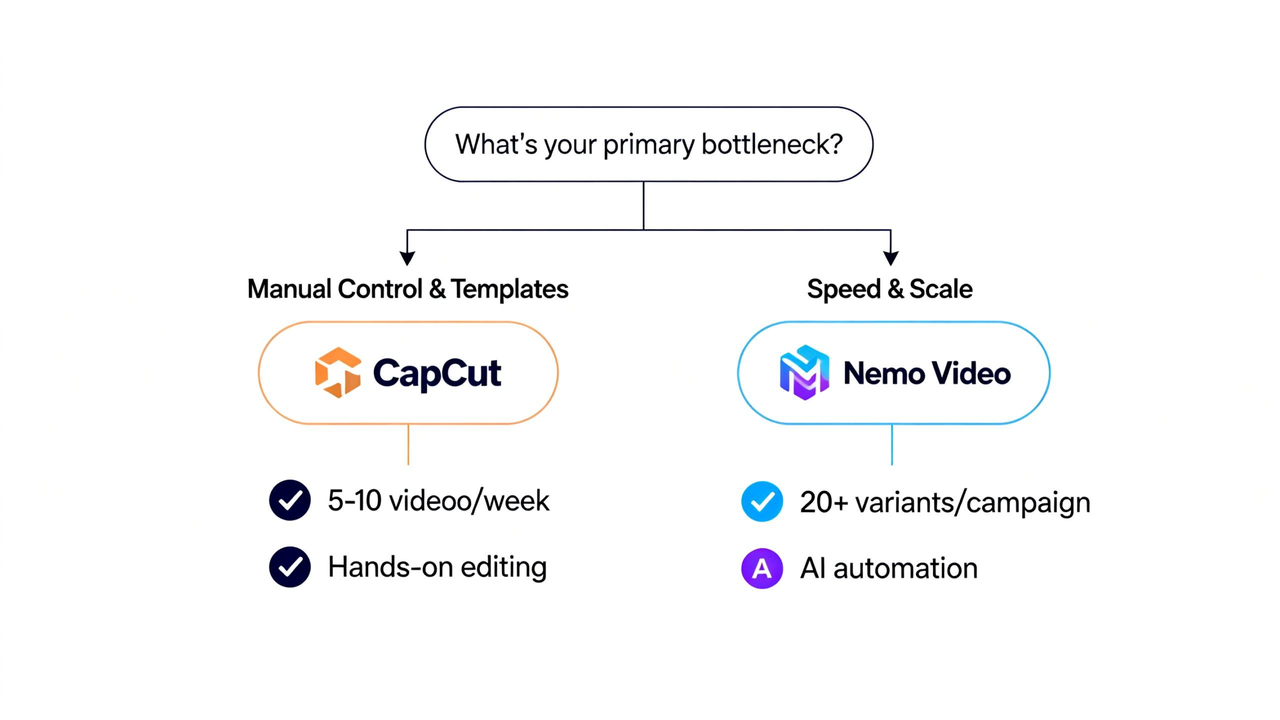
Choose CapCut if:
You value manual control and customization
If you prefer a hands-on approach with complete control over edits, CapCut's manual editing features prove ideal. You can easily apply batch edits, color grading, and effects across clips, particularly if you are already familiar with timeline editing.
You are comfortable with a moderate learning curve
While CapCut's editing interface is accessible for many users, it requires some experience, especially when working with batch exports and managing manual adjustments across clips.
You are working with limited video versions
If your project involves one product and several platform versions, CapCut offers an efficient method to duplicate and adjust content. CapCut Pro is particularly effective for e-commerce creators requiring bulk product videos with consistent branding across multiple platforms.
CapCut provides a massive template library and hands-on control. If you are comfortable with copy-paste workflows and do not need to test dozens of audience variants per campaign, it represents a solid, cost-effective choice.
Choose NemoVideo if:
You need speed and automation
Nemo Video is designed for creators who must scale quickly and efficiently. If you require multiple variants for different audience segments or platform-specific cuts in minimal time, Nemo Video's AI-powered batch editing and one-click platform adaptation prove ideal. It can handle 50+ versions in a fraction of the time CapCut requires for just a few.
You prioritize AI-driven intelligence
Nemo Video offers a more intelligent, automated workflow. Whether creating viral content or optimizing for platform algorithms, Nemo's AI handles much of the heavy lifting. Features like SmartPick and Inspiration Center help create engaging content faster, with AI automatically selecting optimal moments, pacing, and effects based on viral trends.
You prefer a simple, intuitive interface
With Nemo Video's Talk-to-Edit feature, you can communicate desired changes in natural language. Whether you are a novice or an expert editor, this conversational interface reduces the learning curve and allows you to focus on creative vision.
NemoVideo's conversational editing and SmartPick engine eliminate repetitive tasks that CapCut still requires manual effort to complete. If your workflow is "one concept, many micro-targeted variants," Nemo Video's AI-first architecture cuts production time by 60-70%.
Frequently Asked Questions
Q. What is the main difference between NemoVideo and CapCut?
The main difference lies in their design philosophy. CapCut is a template-driven tool that gives creators manual control, making it ideal for those who want to fine-tune each frame. Nemo Video, on the other hand, is an AI-powered tool focused on automation, helping creators scale production and generate multiple variants in a fraction of the time it takes with manual methods.
Q. Is NemoVideo suitable for beginners?
Yes, Nemo Video is highly beginner-friendly thanks to its Talk-to-Edit feature, which allows users to communicate with the AI using natural language commands. This eliminates the need for complex editing skills, making it easy for anyone, from novices to experts, to create high-quality content quickly.
Q. What is CapCut Pro, and how is it different from the regular version?
CapCut Pro is a paid tier designed specifically for e-commerce creators. It offers bulk editing tools that allow you to process multiple videos or images simultaneously while maintaining consistent branding. It also includes URL-to-video generation, converting product links from platforms like Amazon, Shopify, and TikTok Shop into ads. Unlike the standard version, Capcut Pro is tailored to merchants who need fast, bulk video generation.
Q. Can I use Nemo Video for long-form to short-form repurposing?
Absolutely. While CapCut has basic auto-cut features, Nemo Video’s SmartPick engine analyzes the transcript and visual cues to identify "viral-worthy" moments. It doesn't just cut clips; it builds a story around the most engaging segments of your podcasts or webinars.
Q. How does CapCut compare to other video editing tools in terms of speed?
While CapCut is fast for individual video edits and batch processing with templates, it doesn’t match the speed of Nemo Video for high-volume content creation. CapCut’s manual workflows require more time and effort, especially if you're creating many variants or platform-specific versions of a video. Nemo Video automates the entire process, reducing the time needed by up to 60-70%.
Final Verdict: Which Future Are You Building?
In the 2026 landscape, the choice between CapCut and NemoVideo isn't about which tool is "better"—it’s about which bottleneck you are trying to break.
Stick with CapCut if you are an artist at heart. If you enjoy the tactile feel of the timeline, want to chase the latest TikTok transitions, and prioritize "stopping the scroll" through pure visual creativity, CapCut remains the world's most powerful playground. It’s the tool for making your next masterpiece.
Switch to NemoVideo if you are a growth engine. If your goal is to dominate the algorithm through sheer volume, micro-targeting, and rapid A/B testing, Nemo Video is your unfair advantage. It turns a week’s worth of labor into a few clicks, allowing you to focus on scaling your empire rather than moving keyframes.
Try Nemo's free trial if you're currently spending more than 10 hours per week on repetitive editing tasks. The time saved on your first batch project will make the decision clear.