

Molmo2 vs Qwen3-VL: Which Is Better for Video Understanding?
If you're a content creator dealing with video understanding tasks, you've probably hit this wall: you need captions that don't hallucinate, timestamps that actually mark clean start/end points, and tracking that doesn't lose objects mid-shot. Molmo2 and Qwen3-VL both promise strong video comprehension, but they excel at different jobs.
Molmo2 shows strong video tracking and grounding, while Qwen3-VL’s long context support often yields better alignment over long-form videos. This comparison cuts through the specs to answer which model fits your workflow—whether you're captioning tutorials, extracting highlights, or tracking objects. We'll also give you a simple test checklist to verify results yourself.
And if you want to streamline the entire pipeline from analysis to platform-ready output, tools like NemoVideo can pick up where these models leave off.
👉 streamline the entire pipeline from analysis to platform-ready output
NemoVideo’s Workspace lets you upload clips, test outputs, and manage bulk versions in one place — no exporting, reformatting, or tool-hopping.
Quick Verdict: Pick Your Model
Feature | Molmo2 | Qwen3-VL |
Best For | Precise tracking, spatial grounding, and short-form captions | Long-form videos, multilingual OCR, and timestamp precision |
Max Context | Optimized for short-to-medium clips | Up to 256K tokens (expandable to 1M+) |
Key Edge | Outperforms Gemini 3 Pro in multi-object tracking | Massive native context; strong long-video retrieval |
Once you’ve picked the right model, the real speed gains come from execution. Instead of manually trimming clips, syncing captions, and formatting exports, you can push timestamps and captions straight into NemoVideo’s SmartPick to auto-assemble clean rough cuts in minutes.
Best for Captions
Winner: Molmo2 (for short, viral-ready accuracy)
While Qwen3-VL can describe an entire movie, Molmo2 is your best bet for the "dirty work" of captioning short-form content.
Fewer Hallucinations: Because Molmo2 uses a "point-and-describe" mechanism, it is much less likely to "make up" details that aren't there.
Publish-Ready Output: Molmo2's captions are semantically aligned with the actual action, meaning fewer manual corrections before you hit post.
Best for Highlights
Winner: Qwen3-VL
Finding the perfect clip boundaries requires timestamps that align with both speech and action.
Clean Boundaries: Qwen3-VL's text-timestamp alignment delivers precise temporal grounding—timestamps land on complete sentences and action endpoints, not mid-word cuts.
Semantic Alignment: It understands what's being said alongside what's happening, so highlight clips start and end exactly where they should for coherent social media snippets.
Best for Tracking
Winner: Molmo2 (By a Landslide)
If your video involves moving subjects — like a product demo or multi-speaker interview, you need identity consistency.
Cross-Shot Stability: Molmo2 outperforms even proprietary models like Gemini 3 Pro in multi-object tracking benchmarks.
No "ID Drift": It maintains the same ID for an object even if it goes off-screen or gets partially occluded, essential for consistent professional editing.
Comparison Criteria That Actually Matter to Creators
To choose between Molmo2 and Qwen3-VL, you need to look at the factors that directly impact your workflow—the criteria that determine whether you spend your afternoon creating or troubleshooting.
For creators who care about real timestamps and usable captions, starting with a hands-on test in NemoVideo often saves hours of trial and error.
⚡ Turn Model Output Into Publish-Ready Video — Automatically
Vision models tell you what happens in your video. NemoVideo handles everything after:
Auto-build rough cuts from clean timestamps (SmartPick)
Remove filler words + sync AI-matched B-roll (Talking-Head Editor)
Apply viral caption styles in one click (Smart Caption)
Generate multiple platform-ready variants at once
No credit card is needed to test your first workflow.
Timestamp Precision: Where Clips Start and End
Qwen3-VL's text-timestamp alignment delivers precise temporal grounding—timestamps land on complete sentences and actions, not mid-word cuts. Molmo2 identifies events but often requires manual trimming.
Why this matters: Processing 50 clips with messy timestamps means 30 seconds of adjustment per clip—that's 25 minutes of lost productivity. Clean boundaries mean one-click exports. Once timestamps are accurate, tools like NemoVideo's SmartPick can automatically assemble rough cuts without manual scrubbing.
Tracking Stability: Keeping Objects Labeled Correctly
"Phone" becomes "unknown object" becomes "Phone 2" when partially occluded—now you're fixing labels across 200 frames. Molmo2's tracking covers occlusions and re-entries with persistent IDs, keeping labels consistent. Qwen3-VL handles tracking but shows more ID drift in multi-object scenes.
Workflow impact: Auto-blurring logos, auto-cropping to speakers, or focus tracking all depend on stable IDs. Molmo2's consistency cuts cleanup time significantly.
Caption Quality: Publish-Ready vs. Needs Editing
The worst caption isn't awkward—it's factually wrong. Molmo2's captions average hundreds of words with human narration and frame verification reducing invented details. Qwen3-VL is solid but occasionally infers unseen actions.
Length vs. usability:
Molmo2: Verbose output (300+ words) works for YouTube descriptions, accessibility transcripts, and SEO-rich blog embeds
Qwen3-VL: Concise output fits better for social media post text or short video descriptions
Deployment & Speed
Factor | Molmo2 | Qwen3-VL |
Parameter options | 4B, 8B, 7B (Olmo-based) | 2B, 4B, 8B, 32B, 235B (MoE) |
GPU requirements | Standard setup for 8B variant | Largest variants need specific configs and memory profiling |
Batch processing | Efficient at 8B scale | Variable depending on chosen model size |
Testing advice: Before committing to weekly batches of 500+ videos, run 10-20 test samples on both. Latency differences compound at scale—what seems "fast enough" on 5 videos may bottleneck production workflows.
Integration note: Vision models handle analysis; production tools handle execution. Once Molmo2 or Qwen3-VL generates your timestamps, captions, and tracking data, platforms like NemoVideo can streamline the rest—automatically syncing audio, applying captions, and formatting for TikTok/YouTube/Instagram without manual export tweaking.
3 Real-World Tests You Can Run Yourself
Don't just take benchmarks at face value—run your own tests with footage that matches your actual workflow.
Talking-Head Tutorial
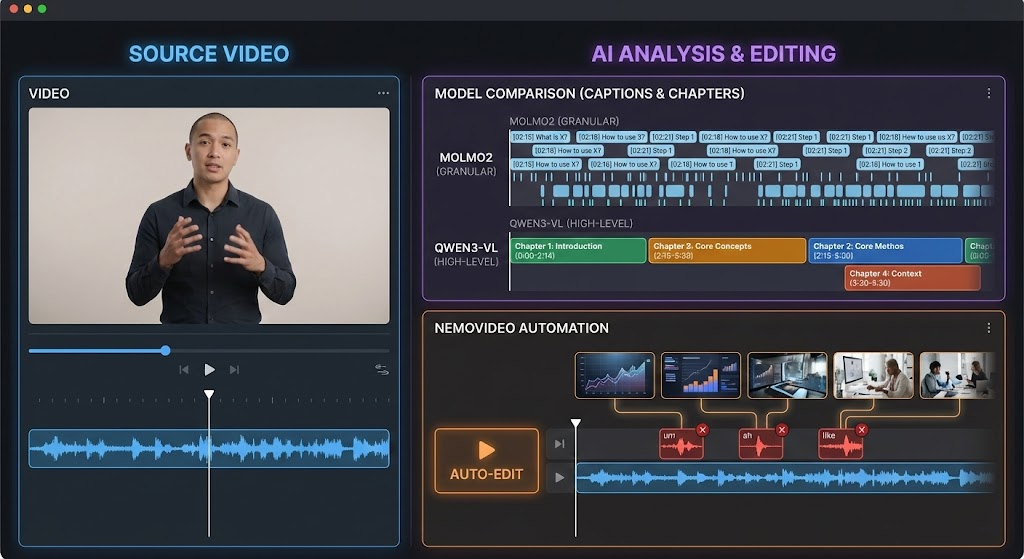
What to test: Upload a 5-10 minute tutorial or interview where someone explains a concept step-by-step.
Key point extraction: Ask both models to identify the main topics discussed. Does the model catch when the speaker transitions from "What is X?" to "How to use X"? Molmo2's detailed captions should surface more granular topic shifts, while Qwen3-VL may provide cleaner high-level summaries.
Chapter and timestamp generation: Request timestamps for natural chapter breaks. Check if the start/end points land on complete sentences or awkwardly cut mid-phrase. Qwen3-VL's timestamp alignment typically produces cleaner boundaries for chaptered content.
What success looks like: Timestamps you can paste directly into YouTube chapters without adjusting. Captions that accurately reflect what was said without inventing steps.
From analysis to final edit: Once you've got accurate timestamps and captions from either model, the real work begins—removing filler words, matching B-roll to key points, and syncing audio. NemoVideo's Talking-head Editor automates this workflow by transcribing speech, removing "ums" and pauses, and auto-matching thematic B-roll to speech beats.
Product Demo
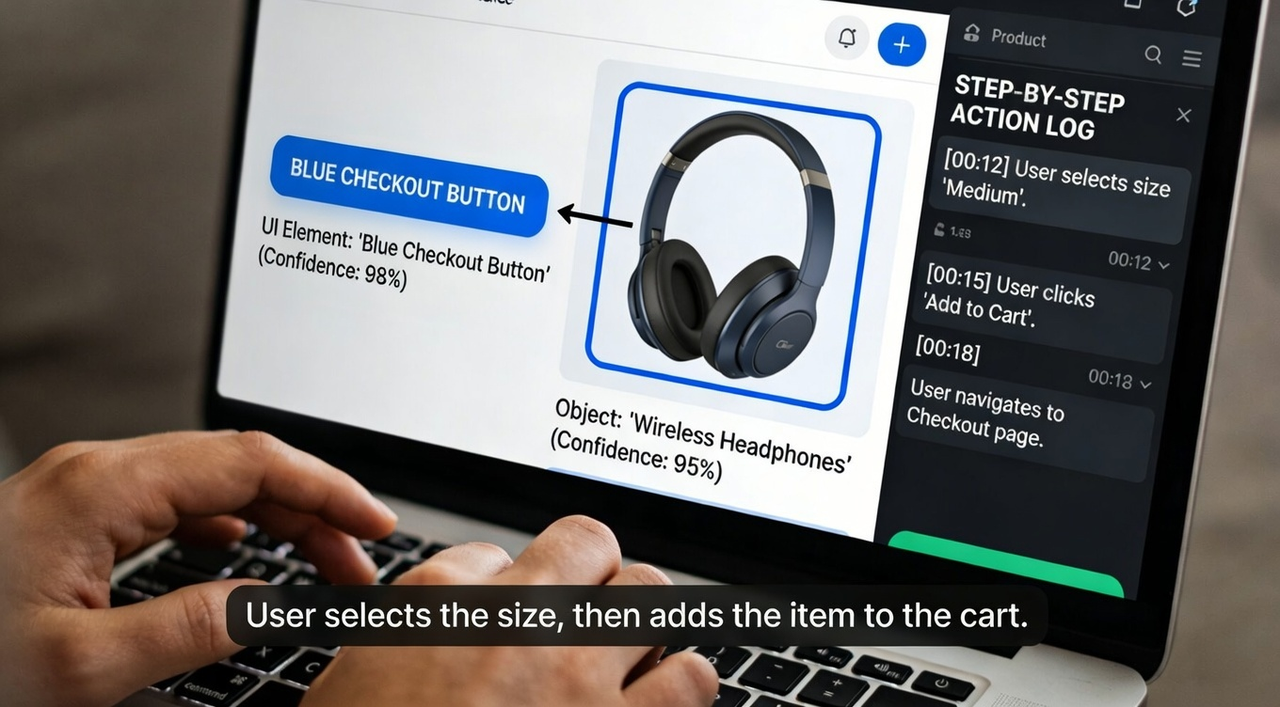
What to test: Use a screen recording or product showcase video with clear object interactions (clicking buttons, moving items, feature demonstrations).
Object references: Ask the model to describe specific UI elements or product features shown. Does it correctly identify "the blue checkout button" vs. inventing details? Molmo2's frame-level verification reduces hallucinated object descriptions.
Step-by-step action understanding: Request a breakdown of each action taken. Check if the sequence matches reality—"user selects size" then "adds to cart" vs. getting the order wrong or skipping steps.
What success looks like: Captions accurate enough to use in product documentation. Object labels you could use for automated tagging or highlight reels.
Sports / Gameplay Footage
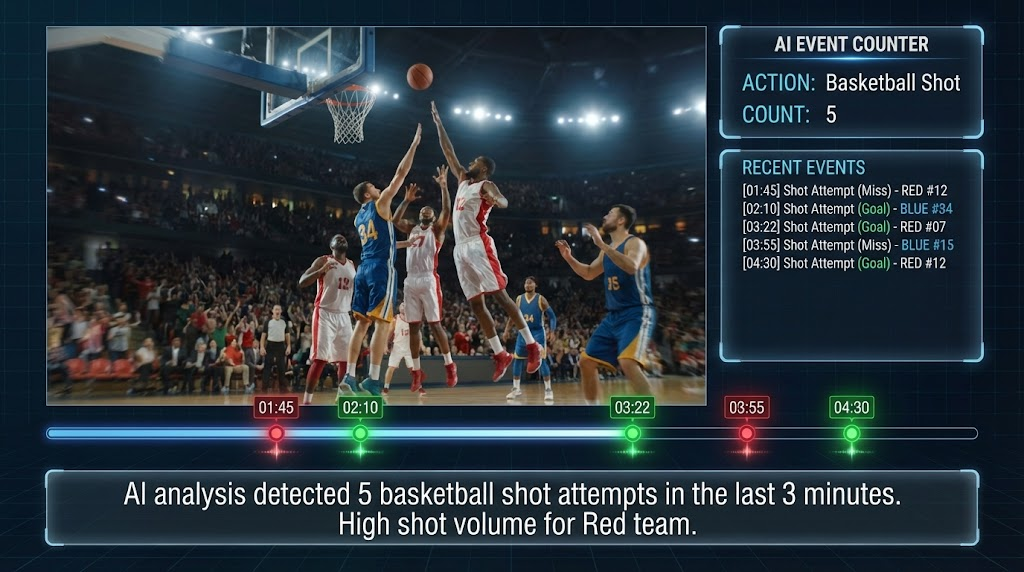
What to test: Upload action-heavy footage with repetitive events—basketball shots, game kills, race laps, etc.
Event counting: Ask "How many times does [specific action] occur?" Molmo2 leads open models on video counting benchmarks, but check both models' accuracy against your manual count.
Repeated action detection: Request timestamps for every instance of a specific action (e.g., every goal scored, every power-up collected). Do both models catch all instances, or do they miss events during fast camera movements or occlusions?
What success looks like: Accurate counts that match manual review. Timestamp lists are complete enough to generate a highlight reel without missing key moments.
This cleanup step is where most creators lose time. NemoVideo’s Talking-Head Editor automatically removes filler words, tightens pacing, and syncs AI-matched B-roll to speech beats—so your first cut is already watchable.
Side-by-Side Test Template
Use this template to document your tests and compare which model fits your workflow. Copy this into a spreadsheet or doc, then fill in the results for each model side-by-side.
Test Inputs
Field | Your Test Details |
Video type | (e.g., Talking-head tutorial, Product demo, Sports footage) |
Duration | (e.g., 5 minutes, 15 minutes) |
Resolution | (e.g., 1080p, 4K) |
Camera setup | (e.g., Single static angle, Multi-angle cuts, Handheld shaky footage) |
Content complexity | (e.g., One speaker, Multiple objects, Fast action sequences) |
Prompts Used
Document the exact prompts you gave each model—consistency matters for fair comparison.
Highlight extraction prompt: Example: "Identify the top 5 most important moments in this video and provide timestamps for each."
Caption / tracking prompt: Example: "Generate a detailed caption describing what happens in this video. Also track the main subject throughout and maintain consistent labeling."
Output Comparison
Criteria | Molmo2 Result | Qwen3-VL Result |
Timestamp accuracy | (Clean cuts? Mid-sentence breaks? Rate 1-5) | (Clean cuts? Mid-sentence breaks? Rate 1-5) |
Caption usability | (Publish-ready? Hallucinations? Rate 1-5) | (Publish-ready? Hallucinations? Rate 1-5) |
Tracking stability | (Consistent IDs? Lost objects? Rate 1-5) | (Consistent IDs? Lost objects? Rate 1-5) |
Processing time | (How long did it take?) | (How long did it take?) |
Manual fixes needed | (What had to be corrected?) | (What had to be corrected?) |
Rating scale: 5 = Perfect, publish immediately 4 = Minor tweaks needed 3 = Usable but needs editing 2 = Major corrections required 1 = Unusable, start over
What It Means for Creators
Workflow fit:
Which model's output style matches how you work? (Verbose captions vs. concise? Frame-perfect timestamps vs. close-enough?)
Does one model require fewer steps to get to final output?
Required post-editing:
Time saved: If Molmo2 needs 10 minutes of caption cleanup but Qwen3-VL needs 20 minutes of timestamp adjustment, which matters more for your workflow?
Scalability: Multiply that editing time by 50 videos/week. Which model's weaknesses are easier to batch-fix?
Which Model Actually Fits Your Workflow?
The best model isn't the one with the highest benchmark score—it's the one that solves your specific bottleneck.
When Molmo2 Makes More Sense
You're producing content where caption accuracy is non-negotiable—product demos, educational tutorials, or accessibility-required videos where hallucinated details damage credibility
Your workflow involves tracking multiple objects or people across complex scenes—interviews with several speakers, product showcases with items moving in/out of frame, or events with occlusions
You need rich, verbose descriptions for YouTube SEO, blog embeds, or detailed transcripts that capture every visual nuance
Real scenario: You're an affiliate creator making product comparison videos. You need frame-accurate descriptions of features ("the silver button on the left, not the black one") and consistent labeling when the product rotates or gets partially hidden. Molmo2's tracking stability and verified captions prevent the "wrong button" mistakes that kill conversion. When paired with a workflow using NemoVideo's SmartPick, these precise moments are automatically flagged, sparing you from manual scrubbing.
When Qwen3-VL Is the Better Choice
Your main job is extracting highlight clips for social media—TikToks, Reels, Shorts—where clean start/end boundaries save hours of trimming
You're working with long-form content that needs precise chaptering—webinars, podcasts, or tutorials where viewers jump to specific sections
You prefer concise, social-ready captions over verbose descriptions, and you rarely deal with complex multi-object tracking
Real scenario: You're a marketer repurposing a 60-minute webinar into 10 Instagram Reels. Qwen3-VL provides timestamps that start and end exactly where sentences complete. By feeding these into a Platform Intelligence system, you can automatically generate multiple platform-specific versions—synced and formatted—without ever touching a traditional timeline.
When Combining Both Saves Time
The Long Scan: Use Qwen3-VL to get clean highlight timestamps and overarching chapter markers for the entire file.
The Deep Dive: Run Molmo2 on those specific segments to get high-density captions and tracking data for the visuals.
The Final Cut: Use the clean timestamps for the extraction and the tracking data for dynamic "viral-ready" captions.
The Reality: Vision models analyze your footage—they tell you what is there and when it happens. But analysis isn't a finished video. Production tools like NemoVideo serve as the "Execution Layer," bridging that gap by matching B-roll, applying brand styling, and formatting for every platform. With features like Talk-to-Edit, you can simply tell your Creative Buddy, "Make the captions pop during the highlight," and let the AI handle the keyframing.
If you’re curious how Molmo2 or Qwen3-VL behave on your own footage, a quick NemoVideo trial is usually the fastest way to find out.
⚡Start a free NemoVideo trial and compare outputs in real workflows.