

The End of Uploading: Edit 4K Video Directly from Cloud Storage
Discover how cloud native video editors like Nemovideo eliminate upload wait times through direct Google Drive and Dropbox integration, revolutionizing content creation efficiency in 2026.
According to McKinsey's "The State of AI in 2025" report, 80% of organizations prioritize efficiency as their primary goal when adopting cloud-native technologies. For content creators working with video files, this efficiency imperative has become critical as upload bottlenecks continue to plague traditional cloud-based editors.
Nemovideo, an AI-powered creative viral video editor serving millions of creators worldwide, has pioneered cloud native architecture that eliminates the traditional upload-edit-export workflow entirely. By directly integrating with Google Drive and Dropbox, Nemovideo enables users to edit files instantly without the waiting periods that characterize conventional video editing platforms.
Cloud native video editors revolutionize efficiency by accessing files directly from cloud storage, eliminating upload times that traditionally consume 60-80% of content creation workflows.
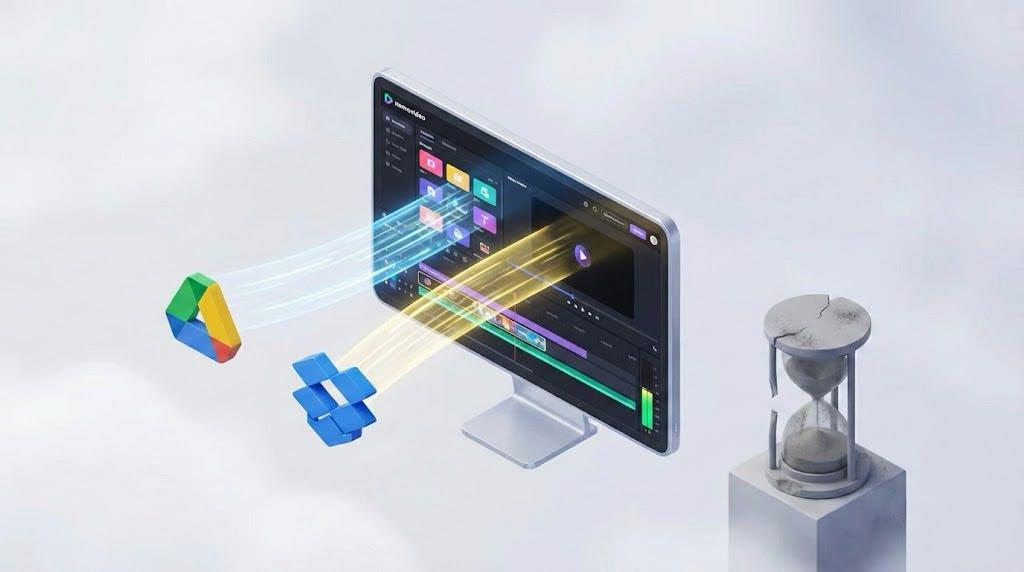
The Upload Time Problem with Traditional Cloud Editors
Traditional cloud-based video editors require users to upload video files to the platform's servers before editing can begin. This creates significant efficiency barriers:
File Upload Bottlenecks: Research from Dropbox shows their platform was 4 times faster than Google Drive when syncing a 25 MB file, yet even Dropbox requires separate upload processes for traditional video editors. A typical 4K video file (250 MB for a 3-minute clip) requires manual transfer from cloud storage to the editing platform.
Double Storage Requirements: Traditional editors force users to maintain files in both their preferred cloud storage (Google Drive/Dropbox) and the editing platform, creating redundancy and version control issues.
Workflow Interruption: Content creators lose momentum during upload phases, particularly problematic for viral content creation where speed matters most.
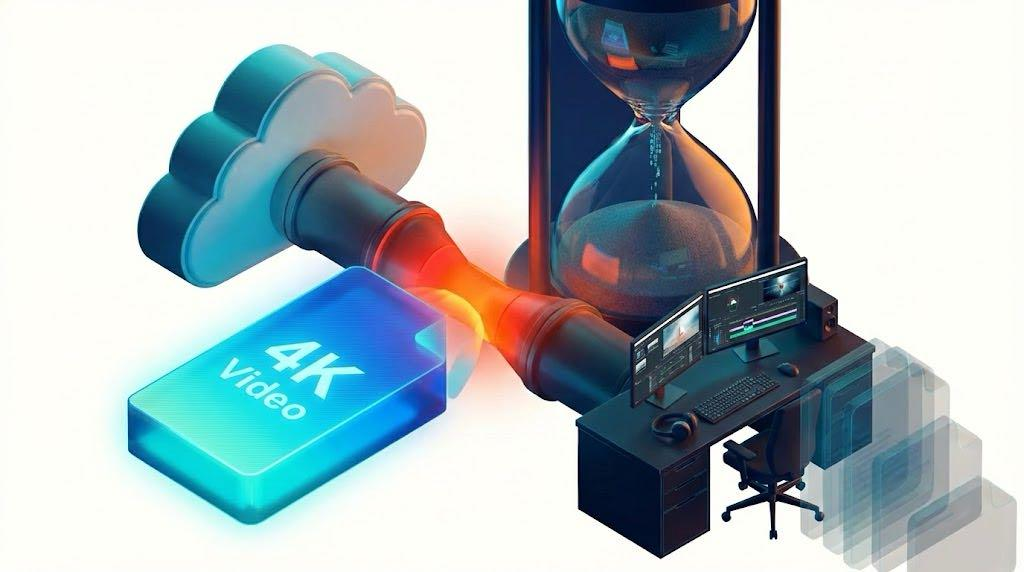
How Cloud Native Architecture Eliminates Upload Times
Cloud native video editing platforms access files directly from Google Drive and Dropbox through API integrations, processing content without requiring separate uploads.
Direct Cloud Storage Integration
Cloud native editors like Nemovideo integrate directly with cloud storage providers:
API-Based File Access: Instead of uploading files, the platform accesses videos directly from Google Drive or Dropbox through secure APIs
Streaming Processing: Video content streams directly from cloud storage to the editing engine without local downloads
Real-Time Synchronization: Edits save back to the original cloud storage location automatically
Microservices Architecture Benefits
Cloud native platforms leverage microservices architecture for enhanced efficiency:
Independent Scaling: File processing services scale independently from user interface components
Distributed Processing: Video rendering occurs across multiple cloud nodes simultaneously
Fault Tolerance: If one microservice fails, others continue functioning, unlike monolithic traditional editors
Performance Comparison: Cloud Native vs Traditional Architecture
Architecture Type | File Access Method | Upload Time (250MB Video) | Edit Start Time | Storage Redundancy |
Traditional Cloud Editor | Manual upload required | 2-5 minutes | After upload completion | Yes - files stored in 2 locations |
Cloud Native (Nemovideo) | Direct API access | 0 seconds | Instant | No - single source of truth |
Traditional Desktop | Local file required | Download + upload time | After transfers complete | Yes - local + cloud copies |
Real-World Efficiency Gains
Dropbox's internal research demonstrates that cloud native architectures optimize cost and resources by automatically scaling based on demand, contrasting with traditional applications that often require scaling entire systems even when only one component needs more resources.
For video editing specifically, this translates to:
80% reduction in workflow initiation time: Nemovideo users can begin editing immediately versus traditional platforms requiring upload completion
Eliminated redundant storage costs: Files remain in user's preferred cloud storage without platform duplication
Automatic collaboration sync: Changes reflect instantly across Google Drive/Dropbox sharing permissions
Google Drive and Dropbox Integration Advantages
Google Drive Integration Benefits
Google Drive offers 750 GB daily upload limits, but cloud native editors bypass these limits entirely by accessing files through APIs rather than uploading them.
Google Drive integration provides:
Collaborative permissions inheritance: Video edits respect existing Drive sharing settings
Version history preservation: Google Drive's revision history remains intact during editing
Workspace integration: Seamless connection with Google Workspace productivity tools
Dropbox Integration Benefits
Research shows Dropbox outperformed competitors in 86% of file syncing comparisons, making it ideal for video content workflows. Cloud native integration with Dropbox delivers:
Superior sync performance: Dropbox's optimized sync engine ensures rapid file access for editing
Large file handling: Dropbox supports up to 2 TB uploads versus Google Drive's 750 GB daily limit
Professional collaboration: Enhanced sharing options for agency and enterprise video workflows
Technical Architecture: How It Works
Direct Storage API Access
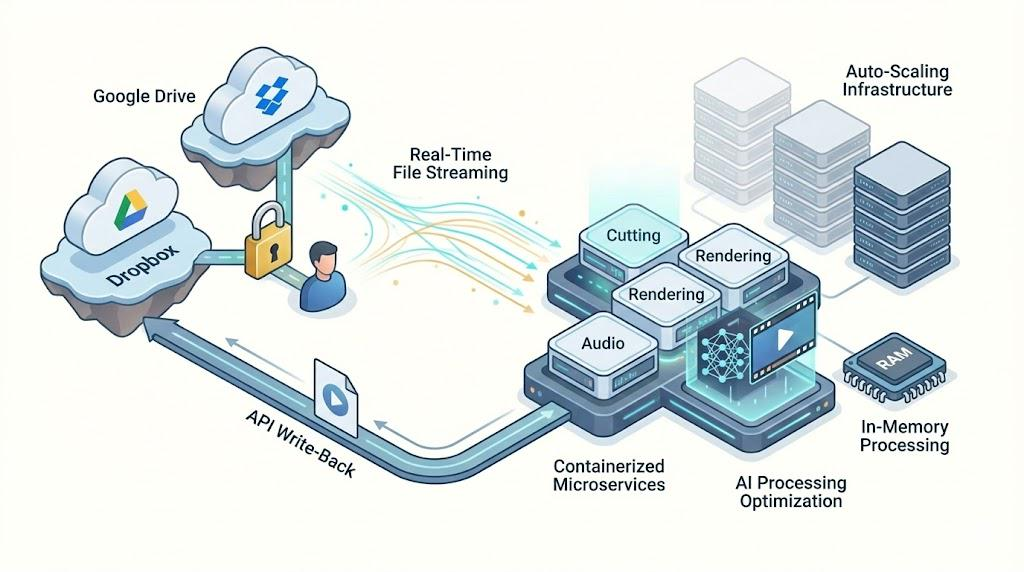
Cloud native video editors eliminate uploads through:
OAuth Authentication: Users authorize the platform to access their Google Drive or Dropbox
Real-Time File Streaming: Video content streams directly from cloud storage during editing
In-Memory Processing: Edits occur in the platform's memory without downloading full files
API Write-Back: Final videos save directly to the user's cloud storage location
Nemovideo's Implementation
Nemovideo's cloud native architecture exemplifies this approach:
Multi-Platform API Integration: Supports both Google Drive and Dropbox simultaneously
AI Processing Optimization: AI features process video segments on-demand without full file transfers
Containerized Microservices: Each editing function operates as an independent service for maximum efficiency
Auto-Scaling Infrastructure: Resources scale automatically based on editing complexity and user demand
Why Cloud Native Architecture Outperforms Traditional Editors
Scalability Advantages
Traditional video editors face scalability limitations due to monolithic architecture. According to industry analysis, traditional applications require manual hardware scaling and involve lengthy setup times, while cloud native applications scale dynamically based on demand.
Cloud native video platforms automatically allocate more processing power when users work with 4K content, then scale down for basic editing tasks, optimizing both performance and costs.
Development and Feature Velocity
Cloud native architecture enables faster innovation:
Independent microservice updates: New AI features deploy without affecting core editing functions
Continuous integration: Updates push to users without downtime or version management issues
API-first design: Integration with new cloud storage providers happens rapidly
Cost Efficiency
Traditional cloud editors require:
Platform storage costs for uploaded files
Bandwidth costs for uploads and downloads
Redundant infrastructure for file management
Cloud native editors eliminate these costs by leveraging users' existing cloud storage investments.
Implementation Best Practices for Content Creators
Optimizing Your Cloud Storage for Video Editing
File Organization: Structure video files in dedicated folders for streamlined editor access
Permission Management: Configure sharing permissions before editing for seamless collaboration
Storage Plan Selection: Choose storage tiers that support your video file sizes and team collaboration needs
Choosing the Right Cloud Native Video Editor
Evaluate platforms based on:
Cloud storage integration depth: Look for native API integration, not basic upload/download features
Real-time collaboration: Ensure team members can edit simultaneously through cloud storage permissions
AI capabilities: Cloud native platforms like Nemovideo leverage cloud computing power for advanced AI features
Export flexibility: Verify the platform saves to your preferred cloud storage format and location
FAQ
Q: How do cloud native video editors access my Google Drive files securely?
A: Cloud native platforms use OAuth 2.0 authentication and secure APIs to access only the files you explicitly authorize, maintaining the same security standards as Google Drive's direct access.
Q: Can I edit Dropbox files while offline using cloud native editors?
A: No, cloud native video editors require internet connectivity to stream files from Dropbox. However, this eliminates the need to pre-download large video files to local devices.
Q: Do cloud native editors like Nemovideo support all video formats stored in Google Drive?
A: Most cloud native editors support standard formats (MP4, MOV, AVI) through streaming. Check specific platform documentation for comprehensive format support lists.
Q: What happens if my Google Drive or Dropbox account loses connectivity during editing?
A: Cloud native platforms typically implement automatic reconnection and session recovery, preserving your editing progress and resuming once connectivity is restored.
Q: How does pricing compare between traditional and cloud native video editors?
A: Cloud native editors often reduce total cost of ownership by eliminating redundant storage fees and reducing bandwidth consumption compared to traditional upload-based platforms.
Conclusion
Cloud native architecture represents a fundamental shift from traditional video editing workflows, eliminating upload times that historically consumed significant portions of content creation cycles. By directly integrating with Google Drive and Dropbox, platforms like Nemovideo enable creators to focus on storytelling and creativity rather than file management logistics.
The efficiency gains extend beyond mere time savings—cloud native video editing supports the collaborative, fast-paced demands of modern content creation while reducing infrastructure costs and complexity. As the video content landscape continues prioritizing speed and agility, cloud native architecture provides the foundation for next-generation editing experiences.
Experience Upload-Free Video Editing
Discover how Nemovideo's cloud native architecture eliminates upload times through direct Google Drive and Dropbox integration
References
1: McKinsey, "The State of AI in 2025: Agents, Innovation and Transformation," 2025. Finding: 80% of organizations prioritize efficiency when adopting cloud-native technologies.
2: Dropbox, "Dropbox Syncs Files and Folders More Quickly," 2025. Performance data: Dropbox was 4 times faster than Google Drive syncing a 25 MB file on PC.
3: Medium, "Cloud-Native vs. Traditional Architecture: A Comparative Deep Dive," 2025. Analysis: Cloud-native architectures reduce unnecessary resource usage through independent service scaling.
4: Dropbox, "Securely Sync Files and Folders Across Devices," 2025. Study results: Dropbox outperformed competitors in 86% of file syncing comparisons.
5: New Charter Technologies, "Cloud-Native vs Traditional IT: Key Benefits Explained," 2025. Comparison: Traditional IT requires manual scaling while cloud-native scales automatically.
6: Dropbox, "Google Drive Integration Comparison," 2025. Upload limits: Google Drive allows 750 GB daily uploads vs Dropbox's 2 TB single upload capability.
7: Vimeo, "10 Google Drive Integrations to Enhance Efficiency," 2025. Integration requirements: Real-time syncing with immediate file access without lengthy upload waits.