

Is Nemo Editor Free in 2026? Watermark, Limits, and Export Quality Explained
Is There a Free Plan?
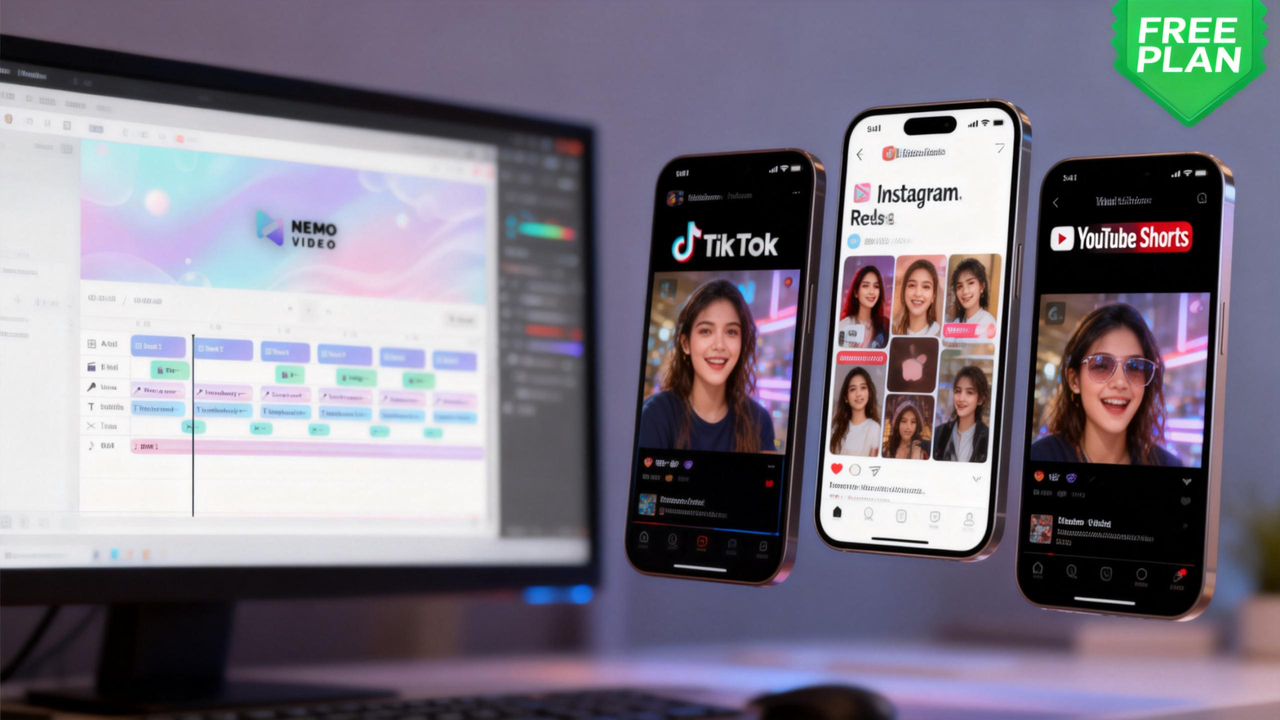
Yes, NemoVideo offers a free plan in 2026—and it's genuinely usable, not just a teaser. Unlike some video editors that lock core features behind paywalls or slap aggressive watermarks on every export, Nemo gives you real access to its AI-powered editing tools from day one.
The free tier includes 15 credits monthly 3 video downloads and lets you experience the platform's core strengths:
Drop Anything – Import product links, documents, scripts, or raw footage and let AI understand your intent
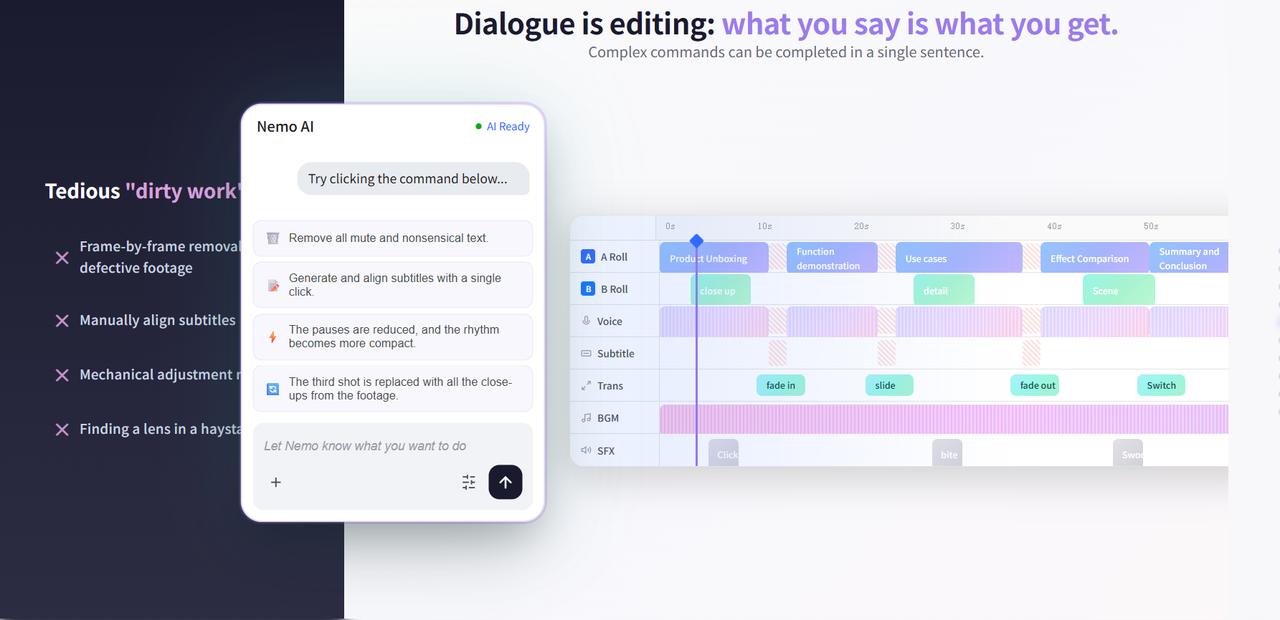
Talk-to-Edit – Control edits through natural conversation, zero technical learning curve required
Inspiration Center – AI analyzes viral content patterns and suggests hooks, scripts, and structures
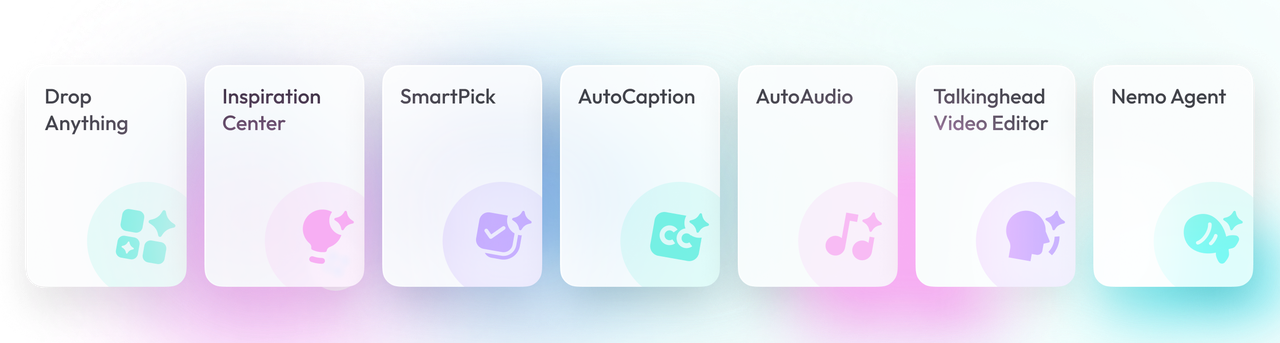
You can create videos, export them, and publish them—all without paying.
Here's the catch: 15 credits won't sustain heavy use. Think of this as a proper trial that respects your time by letting you test the full workflow, not a crippled version. Within a few projects, you'll know if Nemo's efficiency gains justify upgrading.
For casual users exploring AI video editing, the free plan might be enough.
For creators shipping content regularly, you'll hit the credit ceiling fast—and that's when paid plans start making sense.
What You Actually Get for Free
No Watermarks, Full Quality Exports
Nemo doesn't watermark free videos. Your exports come out clean and platform-ready—whether you're posting to TikTok, Instagram Reels, or YouTube Shorts.
Export quality matches paid tiers completely. You're using the same rendering engine, same resolution options, same processing power.
The limitation isn't what you can export—it's how much.
This matters: your first videos can look as polished as those from paid accounts. You're not compromising quality while testing the platform.
The Real Limits
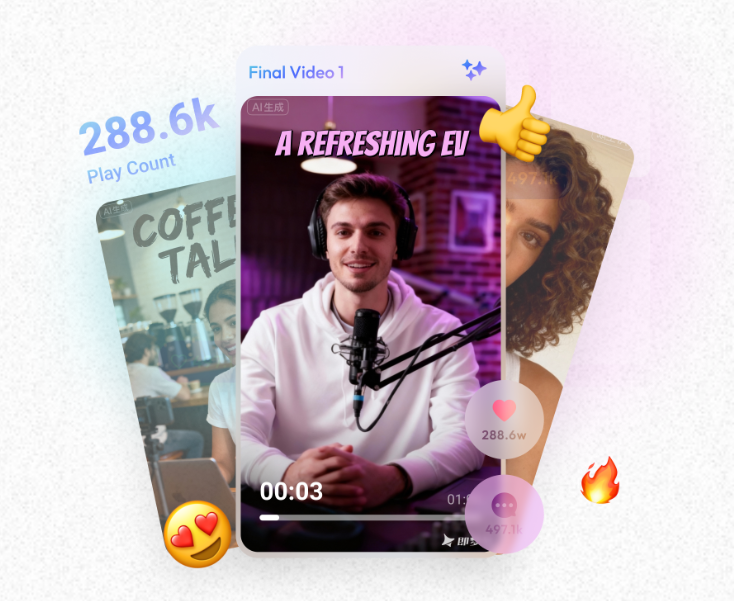
While the Free plan offers a great entry point, it comes with specific "invisible walls" that could slow down your workflow. Here is exactly what you need to know about the limitations:
Volume & Output Constraints
The most immediate bottleneck for any creator is the monthly quota. If you are looking to scale an SEO video strategy, these limits will be reached quickly.
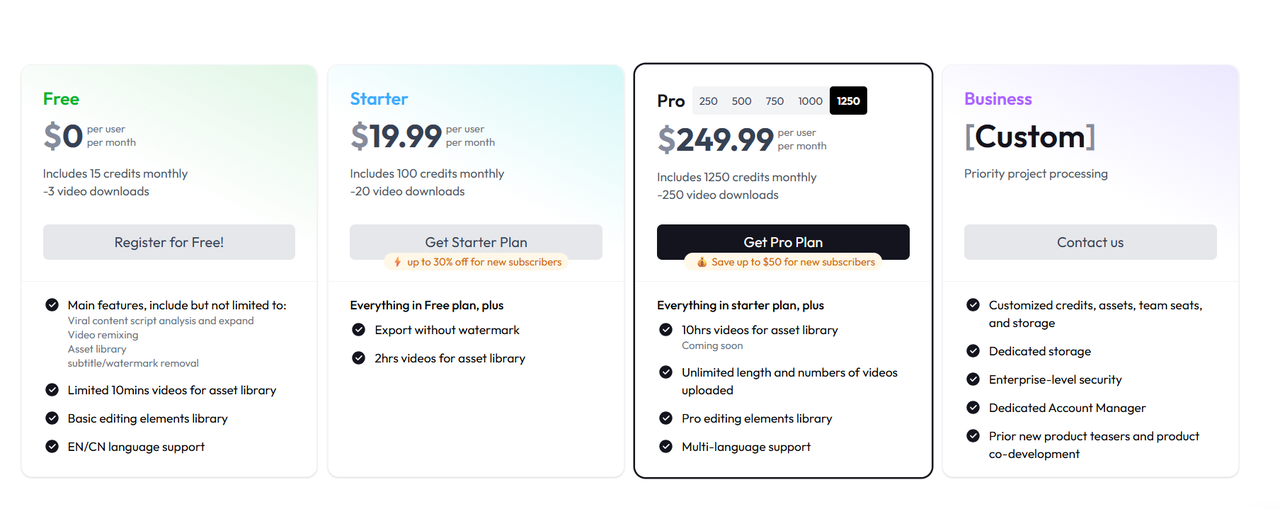
Monthly Credits: You are capped at 15 credits monthly. In contrast, the Starter plan offers 100, and the Pro plan scales up to 1250.
Download Limits: You are restricted to just 3 video downloads per month. This is a hard ceiling compared to the 20 downloads allowed in Starter or the 250 in Pro.
Asset Library & Project Length
For creators working on long-form content or requiring a diverse range of visual styles, the Free plan has significant depth restrictions.
Video Length Cap: Your asset library is limited to 10 minutes of video. This expands to 2 hours on the Starter plan and 10 hours on the Pro plan.
Basic vs. Pro Elements: Free users only have access to the Basic editing elements library. The "Pro editing elements library" is a locked feature reserved for Pro-tier subscribers.
Language Accessibility
If your SEO strategy targets a global audience, the Free version keeps you within a specific linguistic niche.
Limited Dialects: The Free plan supports EN/CN (English and Chinese) only.
Global Reach: To access full Multi-language support for a wider international audience, you will need to upgrade to the Pro plan.
Common FAQ:
Q:What are "Credits" and how are they consumed?
We use a "Pay-as-you-go" logic:
Token-Based Calculation: Instead of a fixed cost per video, credits are deducted based on the actual tokens consumed during a session.
Verification at "Generate": We do not interrupt your creative process with cost alerts during editing. Credits are only verified and frozen at the moment you click "Generate."
Q:How long are my credits valid?
Monthly Refresh: Credits refresh every month on your original billing date (e.g., if you subscribed on the 5th, they refresh on the 5th of every month).
Expiration: Recurring credits are valid for the duration of your billing cycle and will expire at 23:59 the day before your next refresh.
Includes 15 credits monthly—even if you have leftover credits, you can only export up to three final videos. This prevents abuse while keeping the free tier useful for genuine exploration. If you're making one carefully crafted video, this works.
If you need weekly output, you'll outgrow the free plan immediately.
When to Upgrade (And Why)
The free plan answers one key question: Can Nemo handle my creative workflow? But once you know the answer is yes, the credit limits become the primary friction point.
Here’s when upgrading makes sense—and what you actually get for your money.
1. You're Hitting the Monthly Credit Limit
Three videos per month may suffice for testing, but it’s not sustainable if you're serious about content creation. Whether you're posting weekly on TikTok, running client campaigns, or experimenting with multiple versions of a concept, you'll quickly exhaust those 3 videos within the first week.
Starter Plan: 100 credits (~20 video downloads) for $19.99/month—the entry point for consistent creators.
Pro Plans: Scale to fit your needs. Choose based on your actual output—there’s no need to overbuy capacity you won’t use.
$49.99/month:250 credits (~50 videos)
$99.99/month: 500 credits (~100 videos)
$149.99/month: 750 credits (~150 videos)
$199.99/month: 1000 credits (~200 videos)
$249.99/month: 1,250 credits (~250 videos)
Business Plan (Custom): For enterprises and large agencies needing unlimited scale
Custom credit allocation tailored to your volume
Configurable team seats and concurrent task processing
All video generation and editing models with unlimited access
Priority support with dedicated account management
Pricing: Contact Sales for custom quote
2. You Need Faster Turnaround
Free users get standard processing speed and support, but paid plans unlock priority support and faster render queues—critical when you’re racing against a trending topic or a client deadline.
Pro tiers include "Pro Lv1 credits", likely granting access to more advanced AI models and enhanced processing capabilities for faster results.
3. You're Ready to Scale Multi-Platform Content
Platform Intelligence works on the free plan, but multi-platform exports can quickly drain your credits. Each format (TikTok vertical, YouTube horizontal, Instagram square) costs credits separately.
Paid plans give you the credit budget to maximize this feature without constantly rationing your credits.
Please note: Prices are subject to active promos. Click here to grab the latest deal at our official store.
Free vs Paid: Quick Comparison Table
Here's the direct comparison—what you're getting on the free plan versus what unlocks when you pay.
Feature | Free Plan | Starter Plan | Pro Plan | Business Plan |
Monthly Credits | 15 | 100 | 250 – 1,250 | Custom allocation |
Video Output | ~3 videos | ~20 videos | 50 – 250 videos | Unlimited |
Watermark | None | None | None | None |
Export Quality | Full HD | Full HD | Full HD | Full HD |
AI Editing Tools | Standard | Standard | Priority / Pro Lv1 | Unlimited models |
Support | Basic | Standard | Priority | Priority + dedicated |
Price | Free | $19.99 | $49.99 – $249.99 | Custom quote |
Key takeaway: Free and paid users access the same tools—the difference is capacity, not capability. You're not locked out of features; you're limited by how many videos you can produce.
Which Plan Should You Choose?
The Free Plan: Best for exploring if AI video editing fits your workflow. It gives you enough runway to decide without cost.
The Starter Plan: Makes sense for solo creators publishing 2-4 videos weekly.
The Pro Tiers: Targets agencies and brands needing high-volume, multi-platform content at scale.
The Business Plan: Built for enterprises, agencies managing multiple brands, or high-volume production teams needing unlimited capacity, team collaboration, and enterprise-grade security. Contact Sales for custom pricing.
The Bottom Line: Once you're convinced, the "credit math" quickly favors a paid plan to keep your momentum.
How to Start Using Nemo Editor Today
Getting started takes less than two minutes. Follow this zero-risk process:
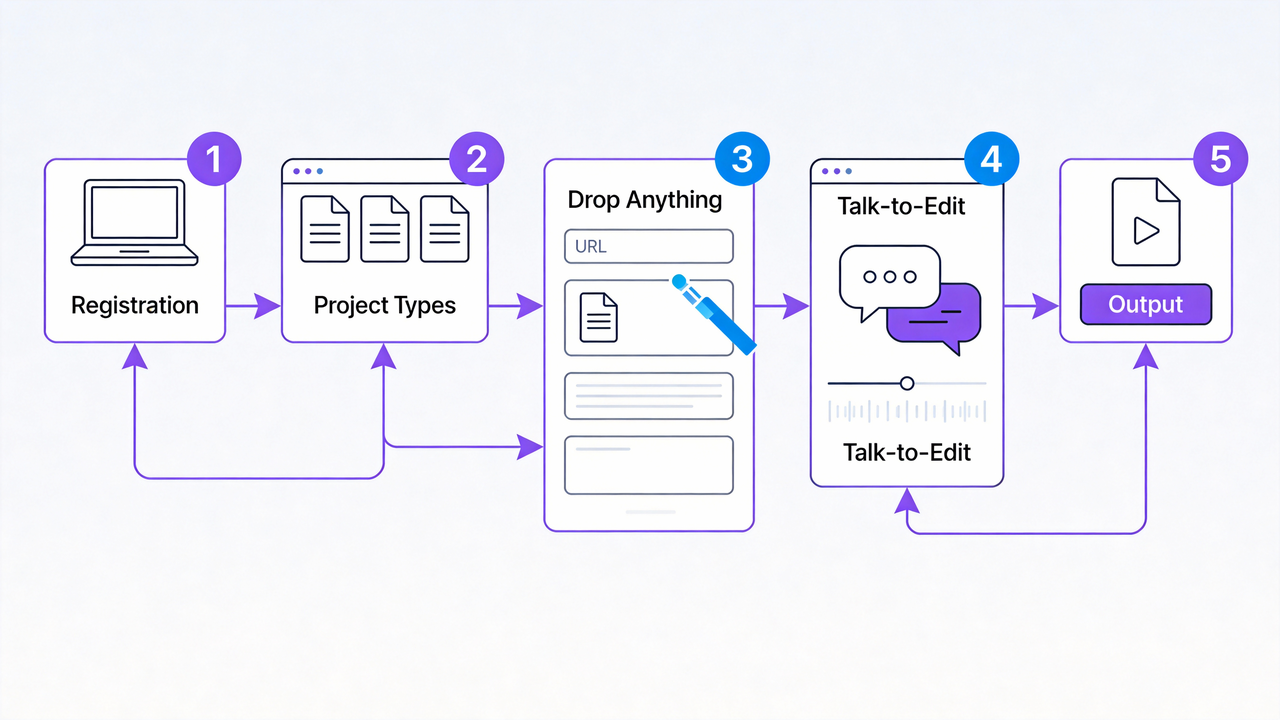
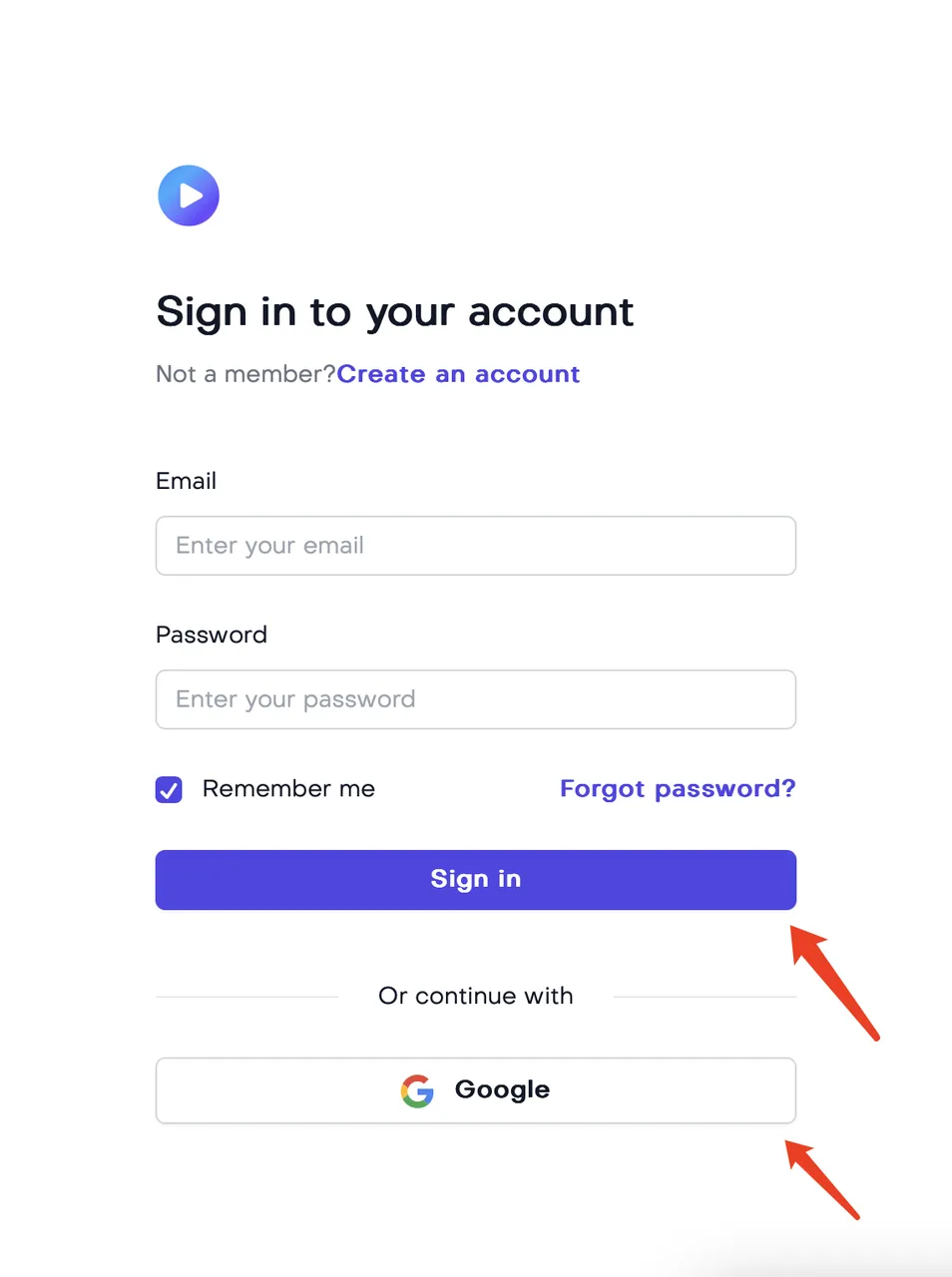
Step 1: Create Your Account
Visit nemovideo.com and sign up via Google or email. No credit card is required, and there is no "hidden trial" that auto-charges you later.
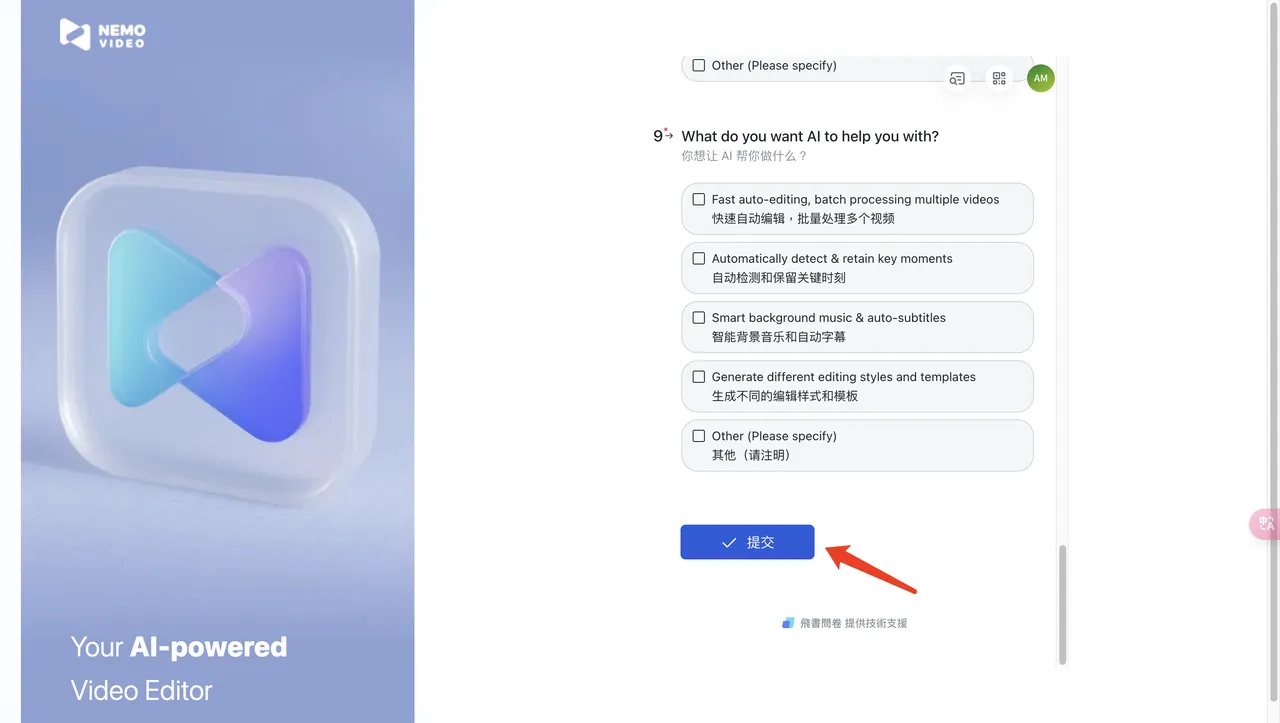
Step 2: Define Your Intent
Choose your project type. This calibrates the AI to suggest the right hooks and structures for your specific niche.
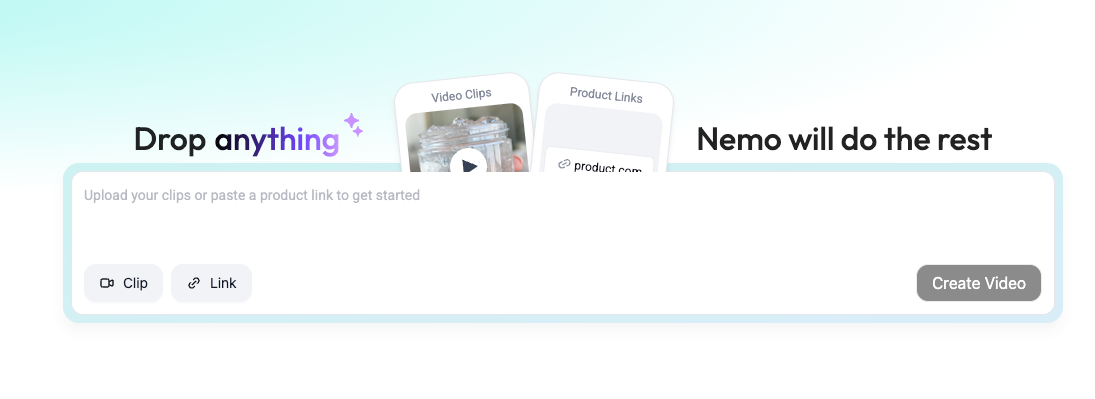
Step 3: Drop Your Content
Paste a URL or upload raw footage. Use the Inspiration Center to let Nemo’s AI analyze your input and suggest an immediate editing strategy.
Step 4: Refine with "Talk-to-Edit" I
Instead of hunting for tools, just type: "Make the intro punchier" or "Add bold white captions." Watch the AI execute your commands in real-time.
Step 5: Export & Publish
Click the "Export" button and download your final video.. It’s 100% watermark-free and ready for your socials.
Nemo isn't just another editor; it’s your shortcut to consistent, high-quality content. Try it for your next project—you’ll feel the hours saved from the very first export.
Start here and see how much faster content creation can feel: Try Nemo Editor Free →