
Stop Editing, Start Selling: The AI Video Editing Tools Professional Creators Use to Escape the View Count Jail
Are You Stuck in the Video Content Grind?
Let's face it: If you’re a professional creator—a realtor, a gym owner, or a brand marketer in the US—you're probably dealing with one huge headache. It’s not just having long editing times; it’s the frustration of high effort leading to low rewards. We’re talking about Low video views (300 views jail), long hours doing repetitive dirty work, and Product videos that never convert to actual sales.
You need to be posting constantly, but the moment you open Adobe, you feel like you need a college degree. CapCut is too ugc style, making your professional content look… very good, amateur.
The truth is, the way you create video is broken, but the good news is the solution exists. Welcome to the transforming landscape of content creation, where cutting-edge software handles the grind so you can focus on your business.

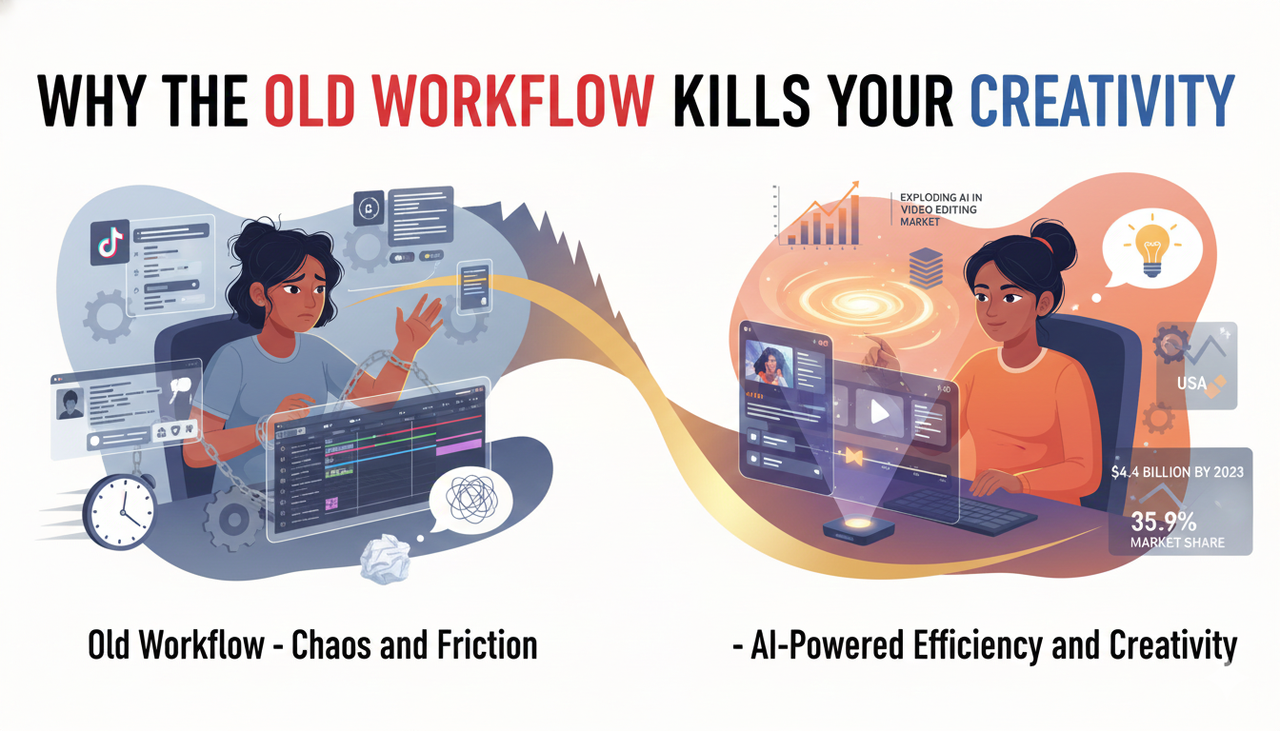
Why The Old Workflow Kills Your Creativity
The core problem for professional creators isn’t a lack of inspiration; it’s the insane friction between idea and upload. You’re struggled with inspirations, wasting time juggling tools—TikTok for trends, ChatGPT for scripts, and then jumping into an editor.
The most effective best AI tools on the market tackle this friction head-on. They free you from the editing bottleneck and simultaneously clean up the asset chaos that plagues every growing business.
Did you know the market for AI in video editing is exploding? The Global AI in Video Editing Market size is expected to be worth around USD 4.4 Billion By 2033, from USD 0.9 Billion in 2023. Meanwhile, North America is already a dominant force, holding a 35.9% market share in 2023. This means the best AI tools are right here in the US, ready to be adopted.
Before diving into the AI video editing tools professional workflow, you need a strong, tidy foundation.
Step 1: Laying the Foundation for AI (Organize Your Files)
AI works best when it has a clean foundation. If your drives are full of "final_FINAL2.mov" files, even the smartest tool gets confused. In about an hour, you can build a simple, human-readable naming system.
A strong naming scheme must communicate the essentials instantly, like what the content is for, where it goes, and which version it is. Industry wisdom strongly suggests concise names, consistent field order, and using ISO dates (YYYYMMDD). This best practice is echoed in practical guidance on file naming conventions from the [Iowa State University Library – Naming conventions].
Visual Mandate: Insert an annotated table here that visually compares "Messy" filenames vs. "Tidy" filenames, using the
ACME_SPR24_TT_9x16_varA_20251017_v02.mp4Tips for a Tidy System:
Use underscores or hyphens as separators; ditch spaces and special characters. Windows users should especially note that Microsoft documents these constraints in their official guidance on [Microsoft – Naming files, paths, and namespaces].
Keep filenames short (under 50 characters) to avoid issues with cloud sync tools.
Step 2: Clearing the Chaos with AI Assistance
Once your schema is set, it's time for the heavy lifting: batch cleanup. The key is safety—always work on a copy.
The best modern AI video editing tools professional assistants can generate rename proposals by reading metadata and existing file names, standardizing them to your new schema. You can check representative capabilities in ClickUp’s overview of its [ClickUp – File Organization AI Agent].
If you need a fallback, your OS has options:
macOS users: Finder’s built-in batch rename supports find/replace and includes a live preview (refer to [Apple Support – Rename files in Finder] for details).
Windows users: PowerRename, a component of Microsoft PowerToys, offers bulk renaming with live previews and undo functionality (see Microsoft’s documentation on [Microsoft – PowerRename (PowerToys)]).
Adobe users: [Adobe – Automate tasks in Bridge (Batch Rename)] lets you use presets and combine text with metadata templates for consistency.
How Nemo (AI Video Editor) Gives You Creative Control
The real game-changer is moving beyond just file naming and into pure creation. You don't need to jump between TikTok for inspiration, ChatGPT for script, CapCut and many other tool for editing anymore. You need an all-in-one tool that ensures high-quality output while leaving space for your creativity.
This is where the AI video editing tools professional creators actually use, like [Nemo (AI Video Editor)], come in.
The AI-Powered Methodology: How Nemo Works
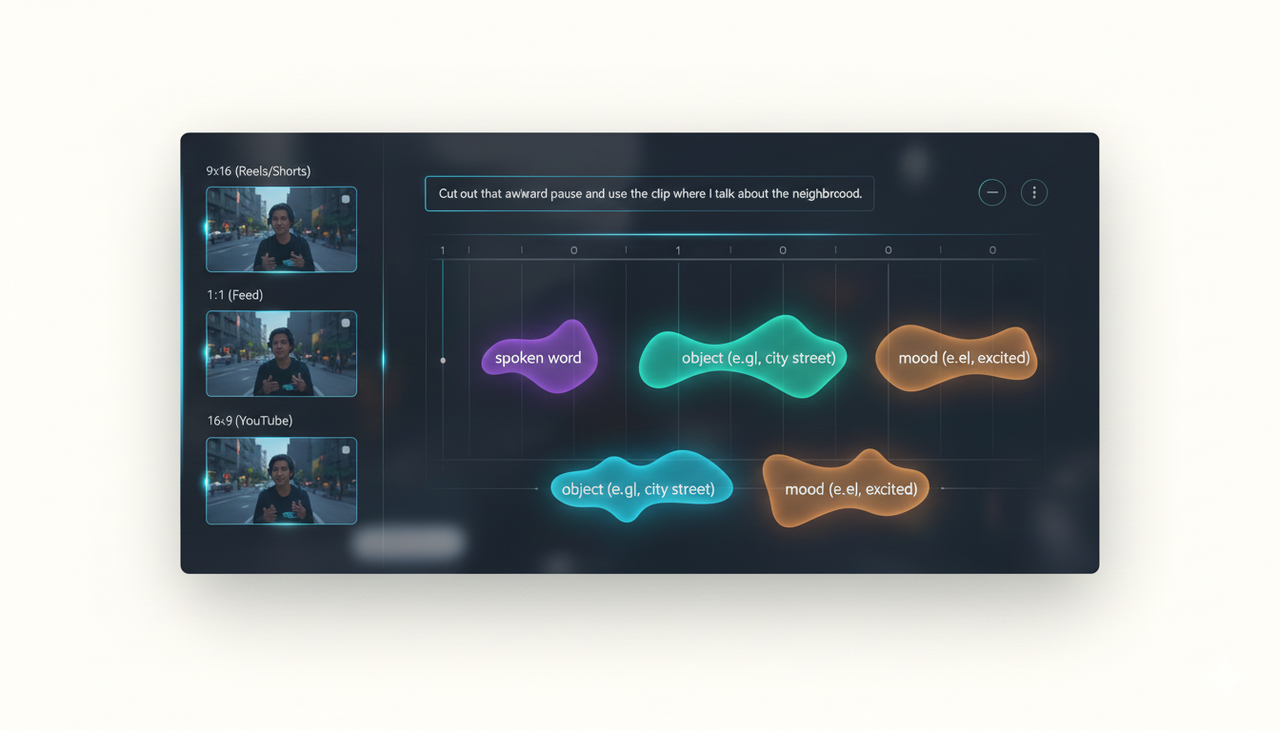
We call this "Zero-Friction Editing." Instead of wrestling with a timeline, you tell the AI what you want using natural language. The system’s core technical methodology involves:
Semantic Analysis: The AI ingests your raw footage and uses machine learning to transcribe and categorize every clip by spoken word, object, and mood.
Conversational Cut: You interact with the script, not the timeline. Say "cut out that awkward pause" or "use the clip where I talk about the neighborhood," and the AI makes the professional creators edit instantly.
Automated Versioning: It takes that one perfect video and automatically reformats it for every platform (9x16 for Reels/Shorts, 1:1 for feed, 16:9 for YouTube). This means consistent versions, all organized according to the best practices of a Digital Asset Management (DAM) mindset, which [Brandfolder – File naming best practices] articulates so well.
AI Editor vs. Traditional NLEs
Here is a quick look at why traditional editors are holding you back:
Feature | Traditional Editors (e.g., Adobe, Final Cut) | AI Creative Buddy (e.g., NemoVideo) |
Learning Curve | High (Requires Professional editing skills) | Low (Conversational/Text-based) |
Time to First Draft | Hours/Days | Minutes |
Optimization | Manual Re-cropping for every platform | Automated (One click) |
Creativity Focus | Technical adjustments and keyframing | Script, narrative, and brand message |
Output Quality | High, but depends entirely on the editor | High-quality, consistent, and watermark-free |
US Compliance and Monetization Mandate
For professional creators in the US using these tools for business, compliance matters. When creating ads, ensure you follow guidelines for platforms like TikTok.
You must utilize the appropriate [Commercial Music Library (TikTok Ads Help)] to avoid rights issues.
Check out the specifics of running ads through TikTok’s system, like understanding [TikTok Auction In‑Feed Ads (TikTok Ads Help)] and general advice on TikTok Auction In‑Feed Ads.
Always adhere to [Creative best practices (TikTok Ads Help)] and the general [Creative best practices] when running campaigns.
Also, be aware of US federal regulations. The FTC provides essential guidance for marketing, particularly on disclosures, which you can read up on in the [FTC Endorsement Guides: What People are Asking].
When [Promoting a brand, product, or service (TikTok Support)], remember to consider your audience’s needs, including [Accessibility for watching videos (TikTok Support)] and general [Accessibility for watching videos].
Finally, use smart testing to maximize your results, following [Split test best practices (TikTok Ads Help)] and general [Split test best practices].
Get Your Time Back. Get Your Sales Up.
You are no longer limited by the professional editing skills required for Adobe or the lack of control in over-automated tools. The new generation of AI video editing tools professional creators demand gives you back the power. You get organized, you cut down editing time by 80%, and you generate the hyper-optimized content necessary to boost your conversion rate.
Ready to stop wasting hours staring at timelines and start seeing actual results for your business?
Give NemoVideo (AI Video Editor) a try today and see how effortless professional creators content can be.
Frequently Asked Questions (FAQ)
Q: Do I lose creative control if I use an AI video editor?
A: Absolutely not! The best AI tools, like NemoVideo, are designed to handle the repetitive, tedious parts of editing (like cutting filler words, color correction, and re-formatting). This frees you to focus on the big-picture creative elements: your script, your hook, and your brand message.
Q: How do I handle file organization when using a cloud-based AI editor?
A: Even with cloud tools, organization is key. Use a shallow, predictable folder structure (e.g., 01_Source, 02_Working, 03_Exports) and apply a consistent naming schema. Let the filename carry critical information, while the AI tool handles the metadata and tagging. This balanced approach is what modern DAM (Digital Asset Management) systems recommend.
Q: What is the main difference between an "AI Creative Buddy" and traditional editing software?
A: Traditional software is a tool you must master. A Creative Buddy is a partner. It simplifies complex tasks—like reformatting for different aspect ratios—to a single click. It's built for speed and volume, allowing professional creators to publish more high-quality, conversion-focused content faster.