

OpenClaw + NemoVideo Workflow (2026): Script → Captions → Shorts in One Pipeline
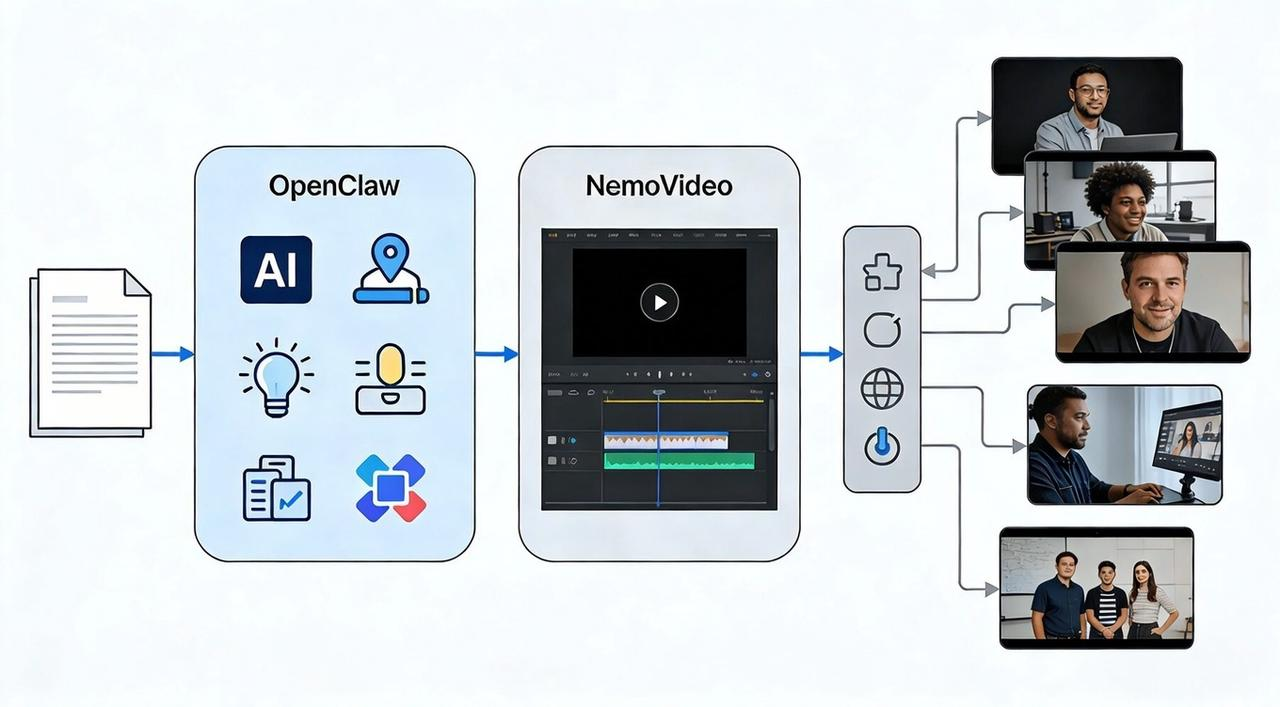
You've got the raw footage and the idea. But manually copying AI suggestions into your editor, retyping captions, and adjusting formats for every platform burns hours—and scaling to 5-10 variants weekly feels impossible.
This guide shows you a practical 2026 workflow connecting OpenClaw (which generates editing briefs) and NemoVideo (which executes them into finished videos). You'll learn how to generate structured briefs, execute them with one-command automation, batch-produce variants, and publish mobile-first Shorts fast. By the end, you'll have a reusable pipeline that turns one script into a complete content library.
Want to see this pipeline in action? Try NemoVideo free and turn your next idea into 10 variants in one session. Get started →
The Pipeline Overview: Strategize with OpenClaw, Execute with NemoVideo
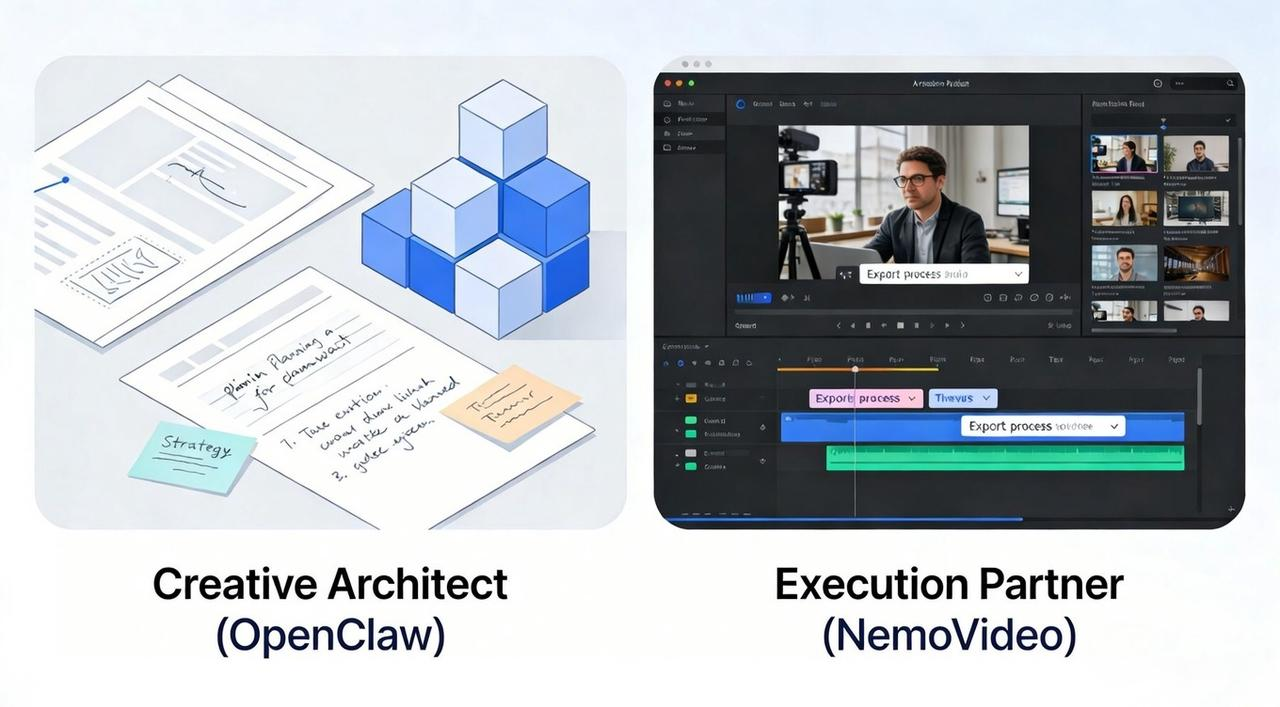
The OpenClaw + NemoVideo pipeline is designed to eliminate "blank page" anxiety and the "export nightmare". By combining strategic AI with a dedicated AI Creative Buddy, you stop fighting with complex timelines and start focusing on your message.
In this workflow, OpenClaw (formerly MoltBot/ClawdBot) acts as your Creative Architect—it handles the high-level strategy, determining what you should say and how to structure your story for maximum impact.
NemoVideo then steps in as your Execution Partner, using its "Talk-to-Edit" interface to handle the technical "dirty work" of cutting, captioning, and formatting your video in minutes.
The Input/Output Logic
Stage | What You Put In (Inputs) | What You Get Out (Outputs) |
Strategy | OpenClaw digests your raw footage (talking heads, B-roll), core topics, and target platforms. | A professional edit brief that serves as a blueprint for your video’s structure. |
Execution | NemoVideo takes the brief and your raw assets. You simply tell it what you want using natural language. | Multiple viral-ready variants with accurate, on-brand captions and platform-optimized 9:16 exports. |
What Gets Automated vs. What Gets Edited
NemoVideo doesn't operate as a "black box" that ignores your vision. Instead, it uses White-Box AI, meaning you see every decision and maintain final creative authority while the system handles the repetitive friction.
Fully Automated (Zero Friction): NemoVideo automatically handles audio normalization, format conversion for different platforms, and ensures your text stays within mobile safe zones so engagement buttons don't block your captions.
Semi-Automated (Intelligent Assistance): You can use Nemo’s SmartPick to scan your footage for the best shots or let the Inspiration Center suggest viral-ready hooks. You simply choose the ones that feel most authentic to your brand.
Always Manual (The Human Touch): You retain control over the final messaging, the publication schedule, and the final mobile quality check to ensure the video has the "soul" of your brand.
By offloading the soul-crushing technical labor to NemoVideo, you transform from a "manual editor" into a "content director," focusing your energy entirely on the creative choices that actually drive conversion and growth.
Step 1: OpenClaw Generates the Edit Brief
In this 2026 pipeline, you don’t start by opening an editor; you start by talking to your strategy engine. OpenClaw acts as your Creative Architect. Because it is an agentic AI that can browse your local files and the latest web trends, it performs the heavy lifting of researching what works now.
Instead of staring at a blank screen, you give OpenClaw your raw topic or footage. It then generates a structured Edit Brief. This brief is the strategic blueprint that tells NemoVideo—your AI Creative Buddy—exactly how to execute the technical "dirty work" of cutting and captioning.
⚡Turn your next OpenClaw brief into a finished video. Try NemoVideo now
Brief Template: Hook, Beats, B-roll Notes, Caption Tone
To get the most out of NemoVideo's Talk-to-Edit interface, your OpenClaw brief should follow a specific "Lego-block" structure. This ensures the AI understands your creative intent without any "black-box" randomness.
Copy and paste this template into your OpenClaw prompt:
Hook (0–3s): Define the "pattern interrupt." (e.g., "Start with a contrarian stat: 73% of editors are wasting time.")
Beats (The Story Logic): List 3–4 punchy points. Each beat should represent a single idea or transition to maintain a high pacing for retention.
B-roll Notes: Describe the visual vibe. (e.g., "Use high-energy product shots for Beat 1, and a close-up reaction for the payoff.")
Caption Tone: Set the brand voice. (e.g., "Bold, witty, and direct. Use no emojis in the first 5 seconds.")
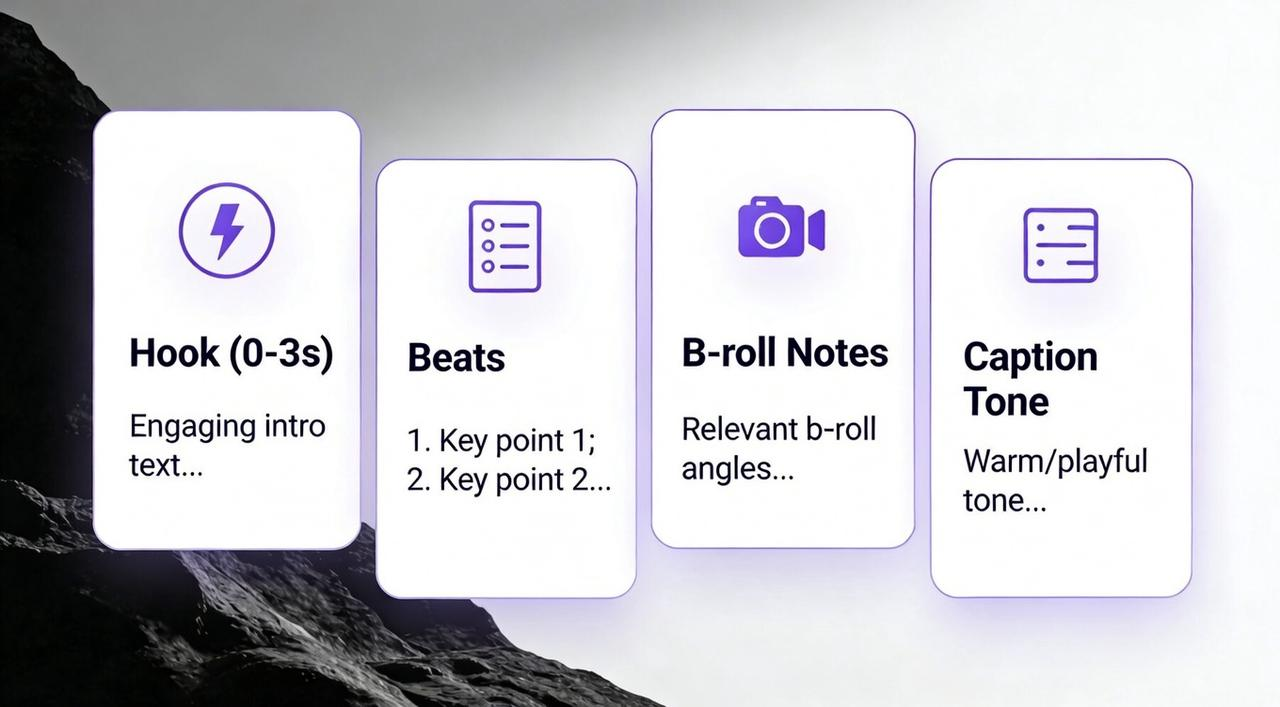
Why this works: By separating the strategy (OpenClaw) from the execution (NemoVideo), you avoid "brand drift". You aren't just making a random video; you are making a calculated, viral-ready asset that fits your specific marketing goal.
Step 2: NemoVideo Executes: From Brief to Final Export
This is where the brief becomes the video. You take OpenClaw's structured instructions and feed them into NemoVideo—no manual timeline dragging, no caption retyping, no export guesswork.
What NemoVideo does here: It reads the brief, applies the edits, generates captions, and outputs platform-ready files automatically. You go from "raw footage + brief" to "finished video variants" in one session.
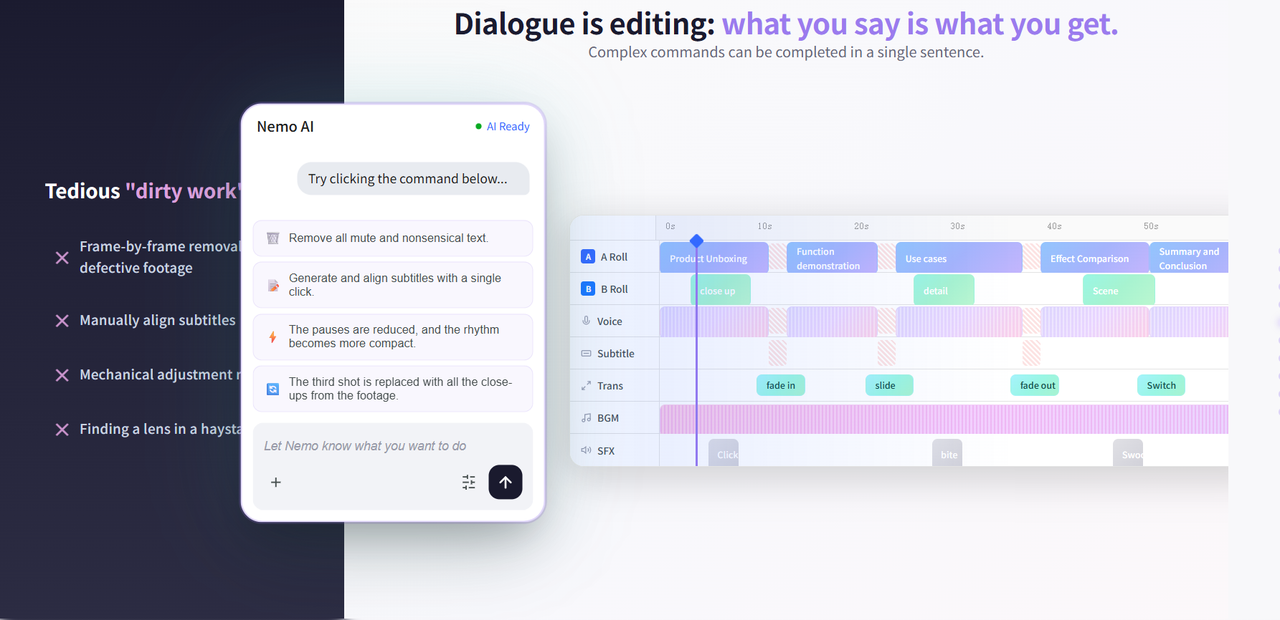
How it works: NemoVideo's Talk-to-Edit feature lets you give natural language commands based on the brief. Instead of clicking through menus, you tell it what to do: "Cut to the beat structure from the brief. Add captions in casual tone. Export 9:16 for TikTok and 1:1 for Instagram."
The "One Command" Checklist: Trim, Captions, and Presets
The real power of NemoVideo lies in its ability to execute complex workflows through simple, natural language commands. You can combine multiple instructions into a single prompt to accelerate your production speed by up to 70%.
Use this checklist for your first "One Command" edit:
Smart Trim & Pacing: Tell Nemo to "Remove boring segments and dead audio". The AI identifies awkward pauses and tightens the pacing to keep viewer retention high.
On-Brand Captions: Command Nemo to "Apply bold, witty captions centered in the middle-third". Nemo’s SmartCaption ensures subtitles are frame-accurate, high-contrast, and stay within platform safe zones so they aren't blocked by UI elements.
Platform Intelligence (Formatting): Simply say, "Export this for TikTok 9:16, Instagram 1:1, and YouTube 16:9". NemoVideo automatically reframes and optimizes the layout for each platform's specific requirements.
Branding & CTA: Add instructions like "Insert my logo in the top right and add a 'Link in Bio' call-to-action in the last 3 seconds".
The entire process—from brief to finished videos—takes minutes instead of hours because you're giving clear instructions once, and NemoVideo executes them consistently across all variants.
Experience one-command editing yourself. Try NemoVideo free →
Step 3 — Batch Variants: Scale Your Growth Without the Burnout
In the fast-moving world of 2026, you don't need one viral video; you need fifty. Relying on a single creative is a gamble that usually leads to "creative fatigue" and wasted budget. NemoVideo—your AI Creative Buddy—is built for this high-velocity era, allowing you to turn one core concept into dozens of unique variants instantly.
By using NemoVideo’s Bulk Generation engine, you stop treating every video like a bespoke art project and start treating your content like a high-performance product line. The goal is to test faster and grow quicker by isolating which specific hooks and visual styles actually drive your target audience to take action.
🚀 Scale from 1 video to 10 variants instantly. See how NemoVideo does it
The A/B Plan: 5 Hooks × 2 Caption Styles
The most efficient way to find a winner is to build a Matrix Strategy. You take your master footage and use NemoVideo’s Inspiration Center—which analyzes million-level viral trends—to generate five different "thumb-stopping" hooks.
Your 10-Video Matrix Blueprint:
The 5 Hook Variants:
The Contrarian: "Stop doing [common mistake]. Do this instead".
The Statistical: "73% of professionals are failing because of this one thing".
The Direct Question: "Are you still struggling with [pain point]?".
The "Aha" Moment: Front-load your result or transformation in the first second.
The Curiosity Gap: "I found the secret to [goal], and it's not what you think".
The 2 Caption Styles:
Style A (Bold & Minimal): Clean, sans-serif fonts focused on high-speed readability and a "professional expert" vibe.
Style B (High-Energy/Pop): Dynamic, colored captions with strategic emojis to trigger "novelty" in younger audiences.
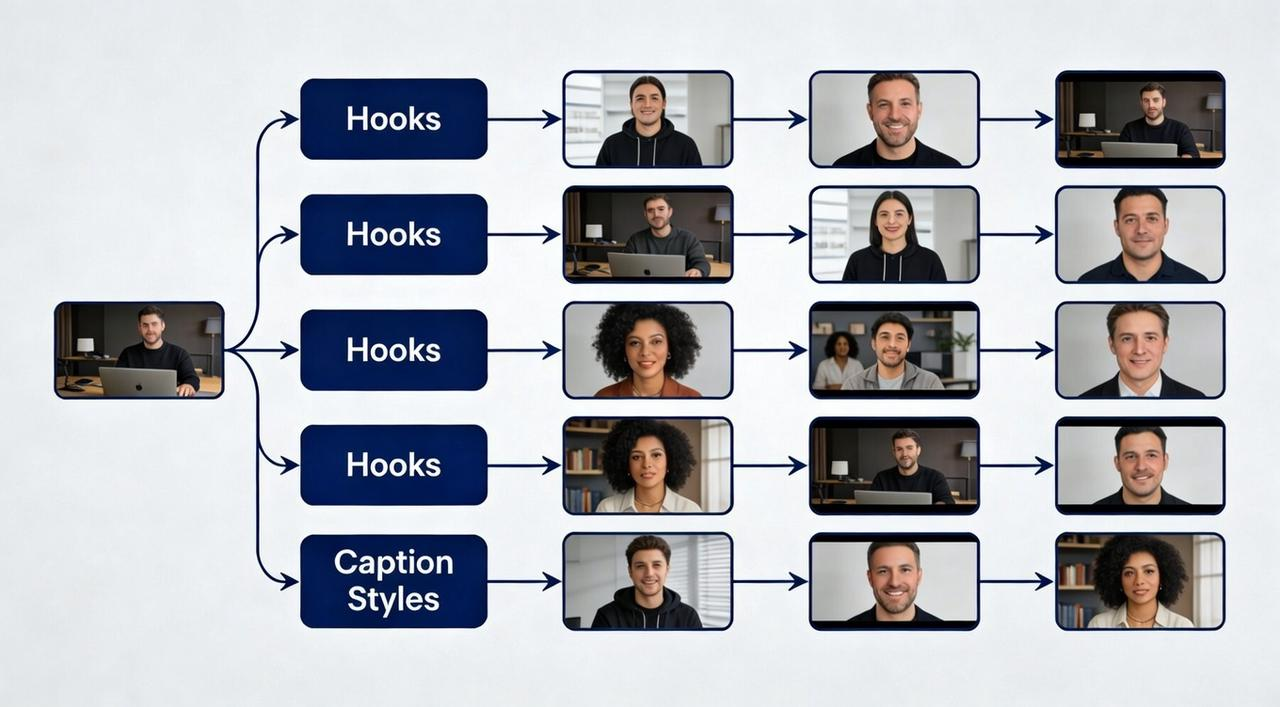
The Execution: You don't have to edit these manually. Simply tell NemoVideo: "Generate 5 variants using these specific hooks and alternate between Style A and Style B captions". Nemo handles the reframing, syncing, and exporting for all 10 videos in a single pass.
This batch workflow ensures you have a steady stream of content to schedule over two weeks, giving you the data you need to "kill" the losers and "double down" on the winners.
QA Checklist (Timing, Safe Areas, Readability)
You've generated your variants. Now comes the crucial step most creators skip: the mobile QA check. Publishing without mobile preview is how you end up with captions covering faces, CTAs hidden behind UI elements, and text too small to read.
60-Second QA Before Publish (Mobile-First)
Pull up your video on a real phone or use your editor's mobile preview. Run through this checklist in order:
Caption readability (20 seconds)
Can you read every word without pausing the video?
Is text size large enough (minimum 48pt for mobile)?
Does contrast meet standards (white text on dark background or vice versa)?
Are captions clear of faces, products, and key visual elements?
Safe zone compliance (15 seconds)
Are captions and CTAs inside platform safe zones?
TikTok: Avoid bottom 35% and top 10%
Instagram Reels: Avoid bottom 30%
YouTube Shorts: Avoid bottom 20%
Is your logo or branding visible but not blocking content?
Timing and pacing (15 seconds)
Does the hook land in the first 3 seconds?
Are transitions smooth with no awkward pauses?
Does the CTA appear long enough to be readable (minimum 2 seconds)?
Audio check (10 seconds)
Play with volume at 50%—is dialogue clear?
Are music levels balanced (background doesn't overpower voice)?
No clipping or distortion at peaks?
Publishing without mobile QA is like shipping code without testing. The 60 seconds you spend here prevent hours of rework and protect your performance metrics.
Your Next Step: Launch Your First 2026 Pipeline
Ready to stop fighting with keyframes and start scaling your views? You don’t need a bigger team; you just need a better workflow.
Audit Your Current Speed: Track how long it takes you to go from a raw idea to 10 published variants.
Build Your Matrix: Use OpenClaw to generate your first 5-hook strategic brief today.
Experience "Talk-to-Edit": Sign up for NemoVideo and drop your first brief. Use a single command to see your variants come to life in minutes.
Ready to turn one script into a complete content library?
🚀 Start Creating with NemoVideo for Free Today
Your AI Creative Buddy is waiting to handle the dirty work. Let’s get to work on your next viral hit.