

OmniTransfer Explained: How ByteDance's New AI Framework Will Change Video Creation
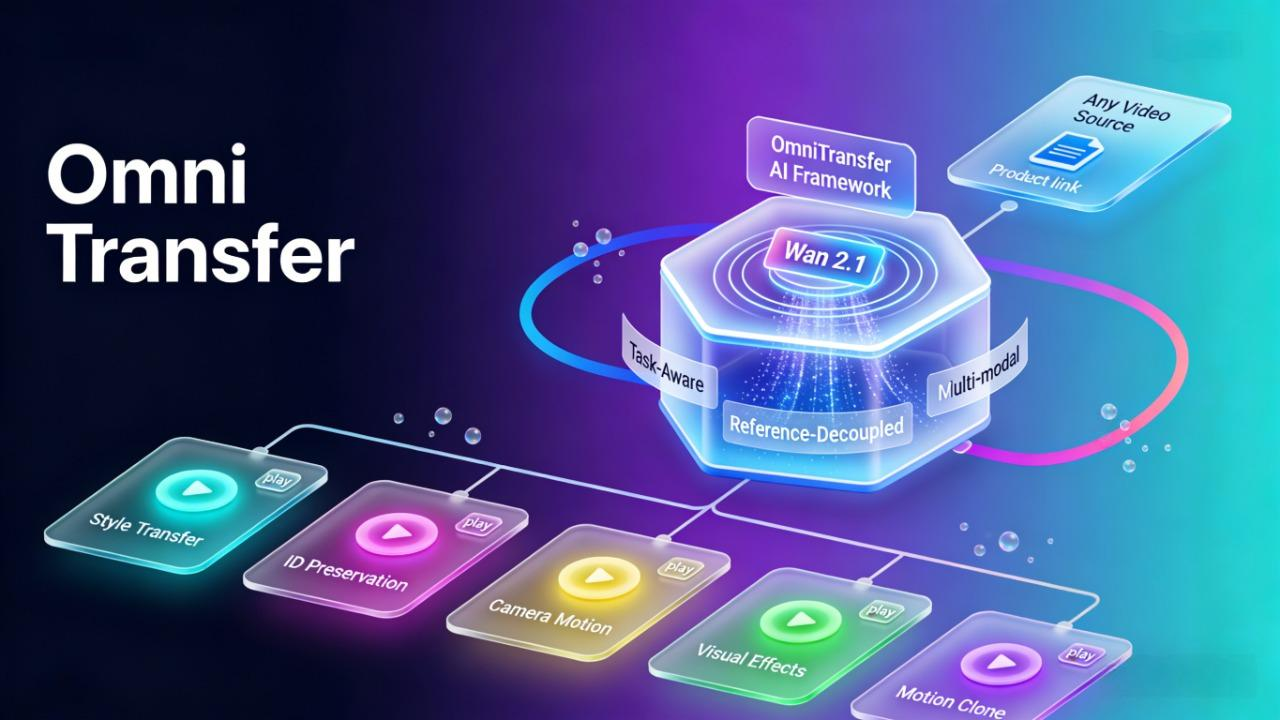
Imagine turning any regular video into a Studio Ghibli masterpiece—or cloning the exact camera movement from a Hollywood film onto your smartphone footage. In January 2026, ByteDance released OmniTransfer, an AI framework that can do all of this and more in one unified system.
If you've been keeping up with AI video tools, you know most of them handle one task at a time.
OmniTransfer changes that. In this article, we'll explain what it is, how it works, and what it means for video creators who want to work smarter, not harder.
If your goal is to turn these AI-powered transformations into scroll-stopping videos right now, creators are already using NemoVideo’s AI Workspace to polish, caption, and batch-produce variants at scale.
What Is OmniTransfer?
OmniTransfer is ByteDance's new AI framework for video transformation, released on January 20, 2026. It's built on top of Wan 2.1, ByteDance's advanced diffusion model designed specifically for video generation and editing.
At its core, OmniTransfer is a unified spatio-temporal video transfer framework. In simpler terms: it's a system that can analyze an entire video—understanding both how things look (space) and how they move over time (time), and then transfer those visual elements to another video with frame-by-frame precision.
Why This Matters
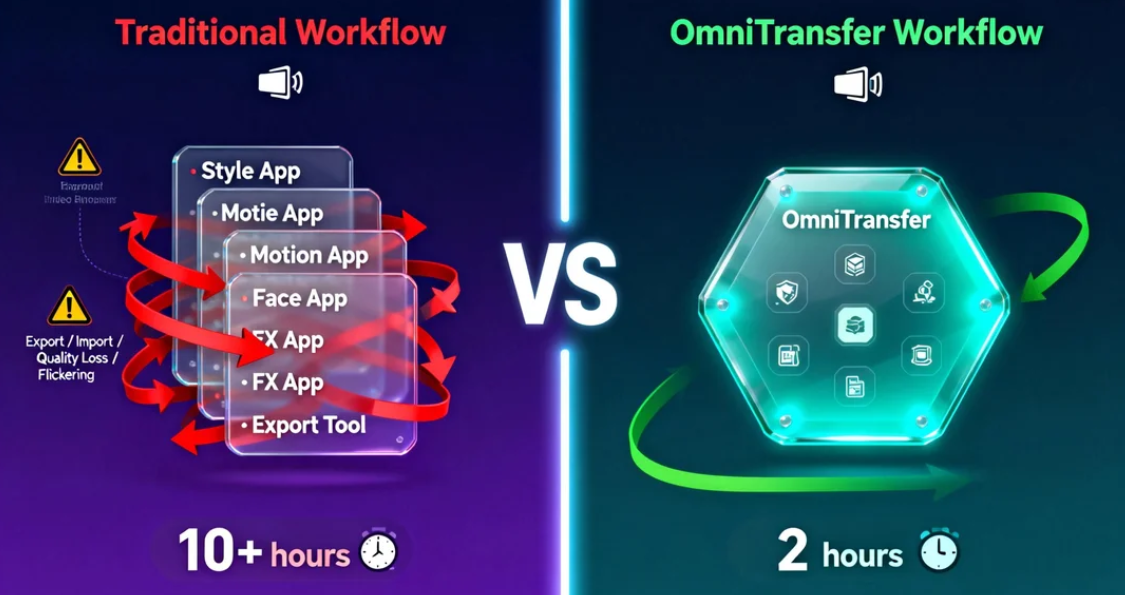
Here's the reality of video editing today: most AI tools are specialists, not generalists. You use one tool for style transfer, another for motion cloning, and a third for face consistency. Each works fine alone—but getting them to work together creates headaches.
Let's say you want a product demo with the artistic style of a Wes Anderson film, smooth camera movements from a luxury car ad, and your brand spokesperson's face kept consistent.
With current tools, you'd need to run style transfer, export, import into a motion tool, export again, then fix face consistency, all while manually patching the flickering and quality loss that happens when separate AI processes collide.
This is exactly the kind of fragmented workflow OmniTransfer is designed to fix.
OmniTransfer handles all five major transformation tasks in one unified system: style transfer, identity preservation, camera movement, visual effects, and motion transfer. No app-hopping. No layering incompatible processes.
For creators on tight deadlines or brands producing dozens of video variations, this means less time fixing technical glitches and more time on actual creative decisions.
OmniTransfer promises a future without fragmented workflows. Until then, top creators are already eliminating 80% of editing friction by automating the cleanup and structure phase.
With SmartPick (AI Rough Cut), NemoVideo instantly removes filler, trims dead air, and extracts your best moments, so you can focus on creative decisions, not timelines.
Five Things OmniTransfer Can Do
OmniTransfer isn’t just a research concept—it works more like a toolbox, offering five distinct capabilities that give creators far more control over how their videos look and move.
Style Transfer (Artistic Transformation)
Transform your footage into any visual style by referencing an image or video. Want your product shoot to look like a Miyazaki animation or a 1970s film photograph? Show OmniTransfer the reference, and it'll apply that aesthetic across every frame.
Use case: Turn a standard corporate video into a stylized brand film that matches your visual identity—without hiring a motion graphics team.
ID Transfer (Keep Faces Consistent)
Lock in a specific person's facial identity and keep it consistent throughout the video, even as they move, turn, or change expressions.
Use case: Create multiple ad variations featuring the same spokesperson without reshooting. Or swap actors in existing footage while maintaining facial consistency frame-by-frame.
Camera Movement Transfer
Borrow the exact camera motion from one video and apply it to another. This includes pans, tilts, zooms, dolly movements—essentially the cinematographer's entire playbook.
Use case: Take the smooth tracking shot from a high-budget reference video and apply it to your smartphone footage, instantly elevating production value.
Video Effect Transfer (Weather, Lighting)
Extract visual effects like lighting conditions, weather patterns, or atmospheric elements from a reference and apply them to your footage.
Use case: Add golden-hour lighting to a video shot at noon, or make a sunny day look overcast—without waiting for the right weather or time of day.
Motion Transfer (No Pose Data Needed)
Transfer the motion and movement patterns from one video to another, without needing skeletal pose data or motion capture equipment.
Use case: Take a professional dancer's choreography and apply the movement style to your subject—useful for fitness demos, dance tutorials, or animation reference.
Turn AI Video Breakthroughs Into Viral Outputs, Today
OmniTransfer handles transformation.
NemoVideo handles everything that comes after.
Creators use Viral+ Studio and Smart Captions to:
Reverse-engineer viral pacing
Auto-sync captions to speech beats
Launch multiple platform-ready versions in minutes
🚀 Build Your First Viral Variant
🎬 Try Smart Captions in One Click
The Tech Behind It
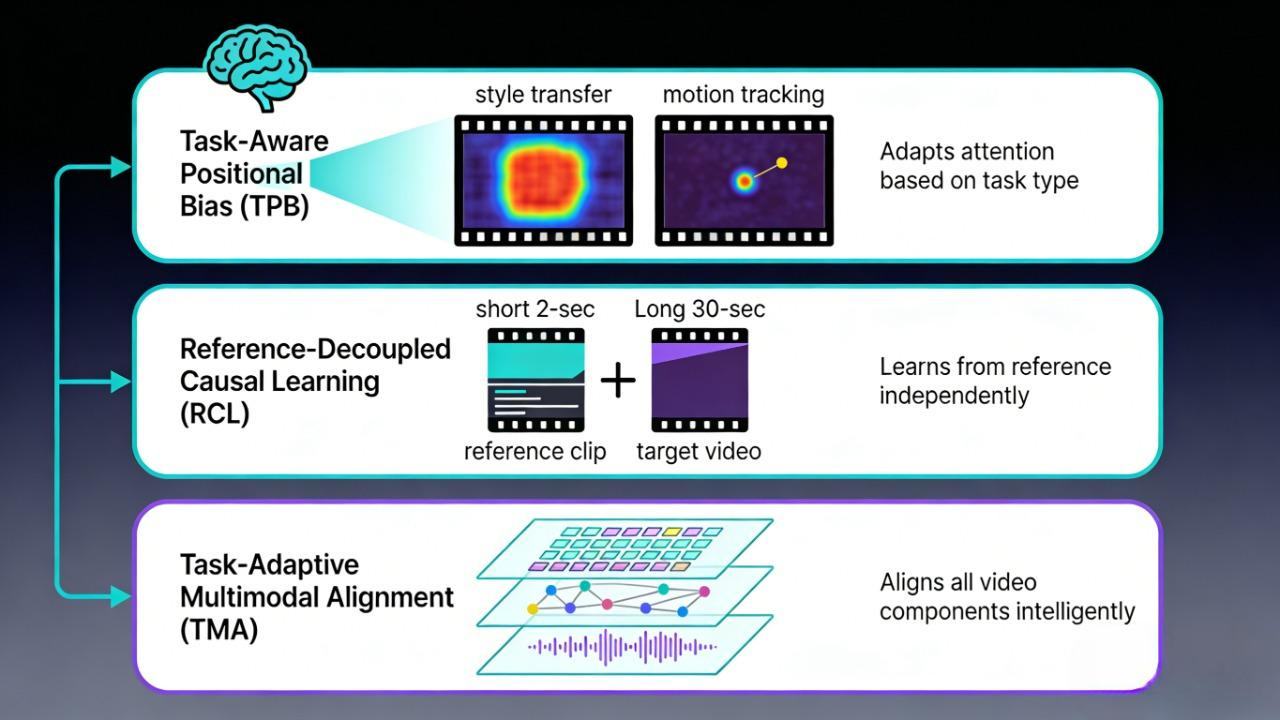
You don't need to understand the code to appreciate what makes OmniTransfer work—but knowing the three core innovations helps explain why it's different.
Task-Aware Positional Bias (TPB) Traditional AI models treat every video frame the same way. OmniTransfer doesn't. It understands that style transfer needs different attention patterns than motion cloning. Think of it like this: when you're coloring a drawing, you focus on broad strokes first. When you're tracing movement, you track specific points frame-by-frame. OmniTransfer adjusts its "attention" based on what task it's performing.
Reference-Decoupled Causal Learning (RCL) Most video AI tools get confused when the reference video and target video are very different lengths or have different pacing. OmniTransfer separates the "learning from reference" step from the "applying to target" step. This means you can use a 2-second clip as a style reference for a 30-second video without the AI trying to force them to match duration.
Task-Adaptive Multimodal Alignment (TMA) Videos aren't just pixels—they're pixels plus motion plus audio plus context. OmniTransfer doesn't just align images; it aligns all these layers in a way that adapts to the specific task. For camera movement transfer, it prioritizes spatial trajectories. For style transfer, it focuses on color and texture patterns.
What this means in practic better temporal consistency (no flickering between frames), faster processing (fewer failed attempts), and the ability to handle wildly different source and target videos without breaking.
OmniTransfer vs OmniHuman-1
If you've been following ByteDance's AI research, you might have heard about OmniHuman-1—and wondered how it relates to OmniTransfer.
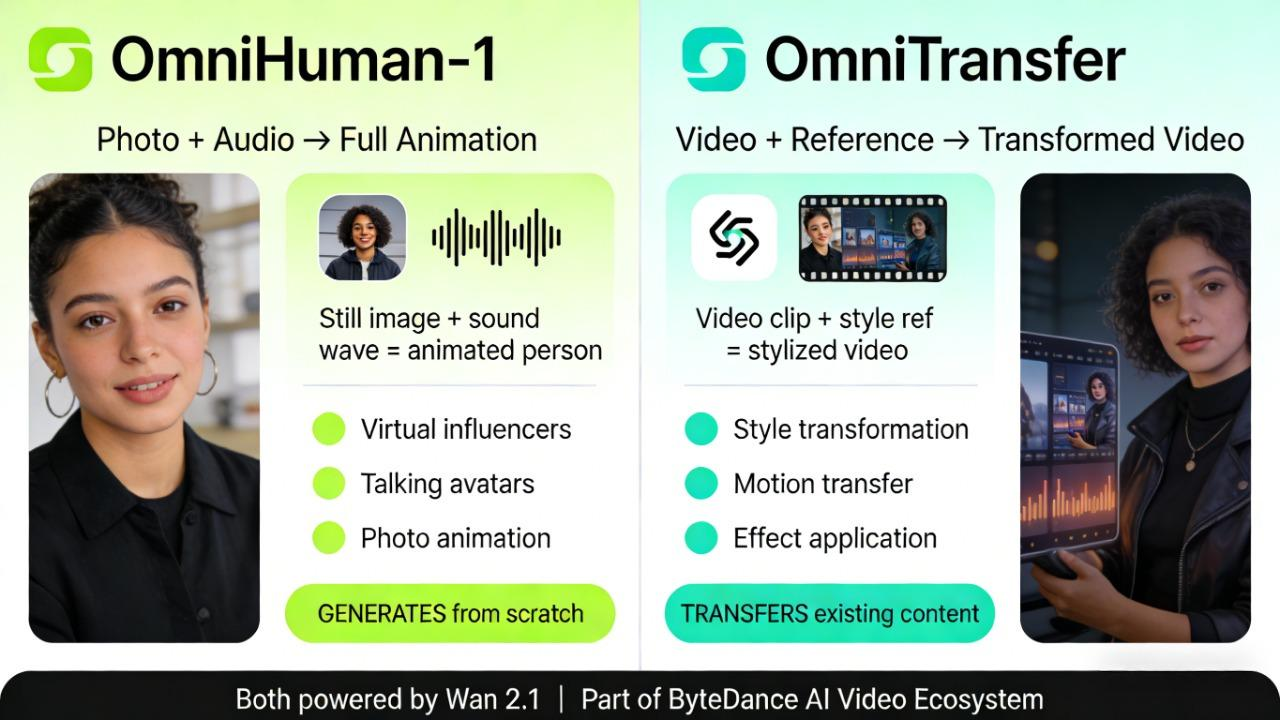
Here's the key difference: OmniHuman-1 generates, OmniTransfer transfers.
OmniHuman-1 (released February 2025) takes a single photo and audio clip, then creates a full-body animated video from scratch. It's designed specifically for human animation—think virtual influencers, talking avatars, or bringing historical photos to life. The focus is on creating new content where none existed.
OmniTransfer, on the other hand, takes existing videos and transforms them by transferring style, motion, or effects from reference footage. It's not generating from zero—it's reshaping what you already have.
How they fit in ByteDance's ecosystem
Both are part of ByteDance's broader AI video strategy, which includes:
Seedance (their #1-ranked text/image-to-video model, accessible via Dreamina)
Wan 2.1 (the foundation model powering OmniTransfer)
Dreamina (the consumer-facing platform where these technologies eventually land)
Think of it as a toolbox: Seedance creates videos from scratch, OmniHuman-1 animates people, and OmniTransfer transforms existing footage.
Each serves a different creative need, but they're all building toward the same goal—making professional-quality video creation accessible to everyone.
When Can You Use It?
Right now? You can't. OmniTransfer was just released as a research paper on January 20, 2026. There's no public demo, no API, and no consumer product yet—just the arxiv paper and a project page on GitHub showing what's possible.
But if you've been watching ByteDance's release pattern, you know this is just the beginning.
The likely path:
Based on how ByteDance moved OmniHuman-1 from research to product, here's the roadmap OmniTransfer will probably follow:
Research stage (now): Paper published, community testing internally
Integration phase (potentially Q2-Q3 2026): Features start appearing in Seedance or Dreamina—ByteDance's consumer video platform where Seedance 1.0 already lives
API access (expected mid-late 2026): Third-party platforms like Replicate, Fal.ai, or RunComfy add OmniTransfer endpoints, similar to how they integrated OmniHuman-1 and Seedance
Because OmniTransfer is already built on Wan 2.1 and designed to integrate with Seedance, a faster product rollout is plausible.
What to watch for:
ByteDance Seed official site – check for updates on Seedance 1.0 and Wan 2.1.
Dreamina updates – if transfer features quietly appear in the "Video Editor" section
Third-party API docs – platforms like Fal.ai or RunComfy often get early access
GitHub repository – watch for model weights or integration guides before official launch
Pro tip: Check the official ByteDance Seed site or start the OmniTransfer GitHub repository. for technical details if you want to understand the implementation.
What This Means for Video Creators
OmniTransfer is more than a research milestone—it signals a broader trend in video creation. The future is moving toward unified frameworks that handle multiple transformation tasks in one system. For creators, this means less time juggling apps, fewer technical headaches, and more time focusing on storytelling and creative expression.
Practical takeaways
Start learning transfer-based thinking. Even before OmniTransfer launches, understanding how to use reference videos as creative input—not just text prompts—will set you apart.
When you see a camera movement you like, a lighting effect that works, or a motion style that fits your brand, save it. Those references will become your creative assets.
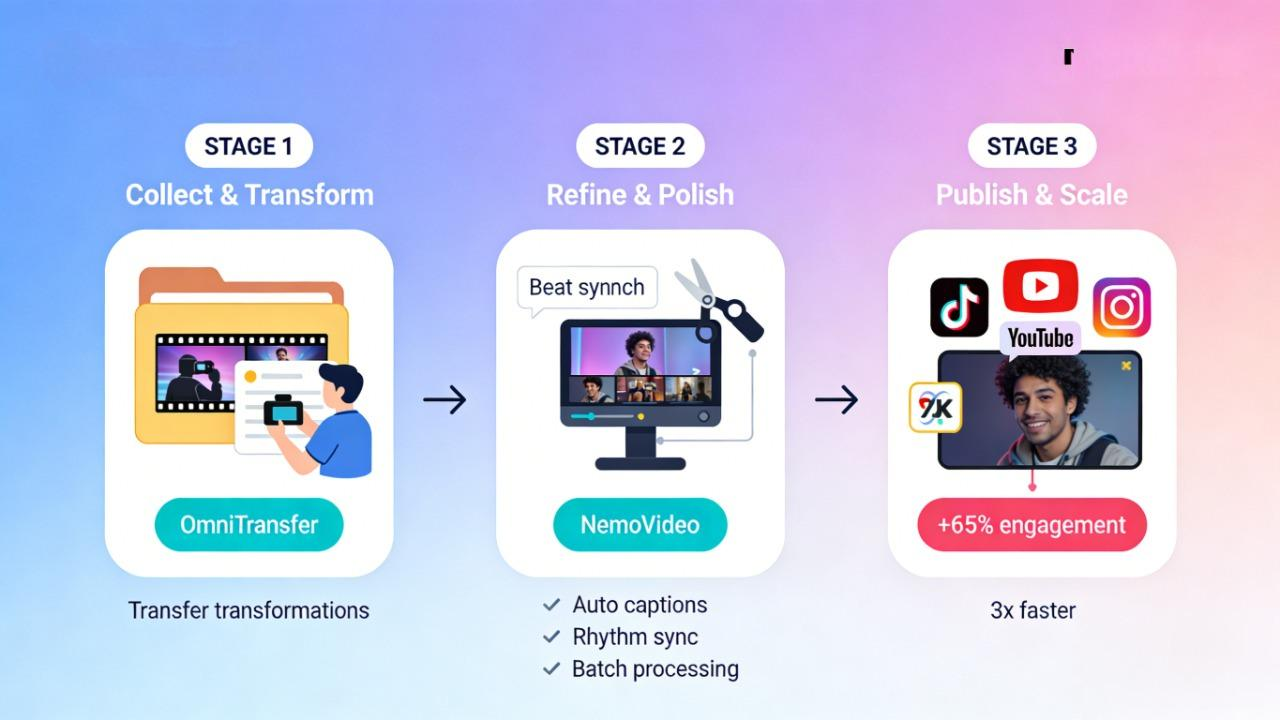
Once you have your transferred footage, the next step is refining it for your audience. Platforms like NemoVideo, your "AI Creative Buddy," make this process faster and more efficient:
Automatically add and align captions with speech
Sync clips to rhythm or beats for social media formats
Batch process multiple clips to maintain consistent branding or messaging
Key Takeaways
Unified Video Transformation: OmniTransfer combines style transfer, motion cloning, camera movement, visual effects, and identity preservation in a single system—eliminating the need to juggle multiple tools.
Built on Proven Tech: The framework leverages ByteDance’s Wan 2.1 foundation model, ensuring high temporal consistency and the ability to handle complex transformations that traditional AI struggle with.
The Future of Creative Control: While currently in the research phase, OmniTransfer represents a shift from "generating from scratch" to "precision transformation," giving creators surgical control over how they reshape existing video content.
The Complete Workflow: OmniTransfer handles the transformation heavy lifting, but that's just step one. Once you've transferred your desired style or motion, tools like NemoVideo step in for the finishing touches—adding captions, syncing to beats, adapting for multiple platforms, and optimizing for viral potential. The combination means less time on technical execution and more time on what actually matters: your story and your audience.
Time and Workflow Efficiency: By reducing technical headaches, creators can focus on storytelling and refining their content. Tools like NemoVideo can complement this workflow by helping you batch process clips, sync captions, and polish your videos for social media faster.
While OmniTransfer is still in development, you can stay ahead by joining our creator community. Share your projects, discover new workflows, and get early access to emerging AI video tools, join our Discord.
Want to refine your videos right now? Check out NemoVideo for AI-powered editing, captions, and multi-platform optimization.
⚡ Launch Your First AI-Optimized Video