

LTX-2 Text-to-Video in ComfyUI: Copy-Paste Workflow Settings

I've been knee-deep testing LTX-2 text to video inside ComfyUI for the past two weeks (Windows 11, RTX 4090 24GB, ComfyUI nightly Jan 2026, LTX‑2 weights). My goal: a dead-simple setup that lets me spin up 6–10 on‑brand clips per hour without babysitting. Below is exactly how I import the workflow, the parameters that actually matter, the defaults I now trust, and the prompt templates I reuse. If you're juggling client deadlines or trending sounds, this will save you the "why does this look crunchy?" guesswork.
Import the workflow (fast start)
Here's the quickest way I've found to get LTX‑2 running in ComfyUI without falling into dependency hell. Total time: ~15–25 minutes on a clean setup.
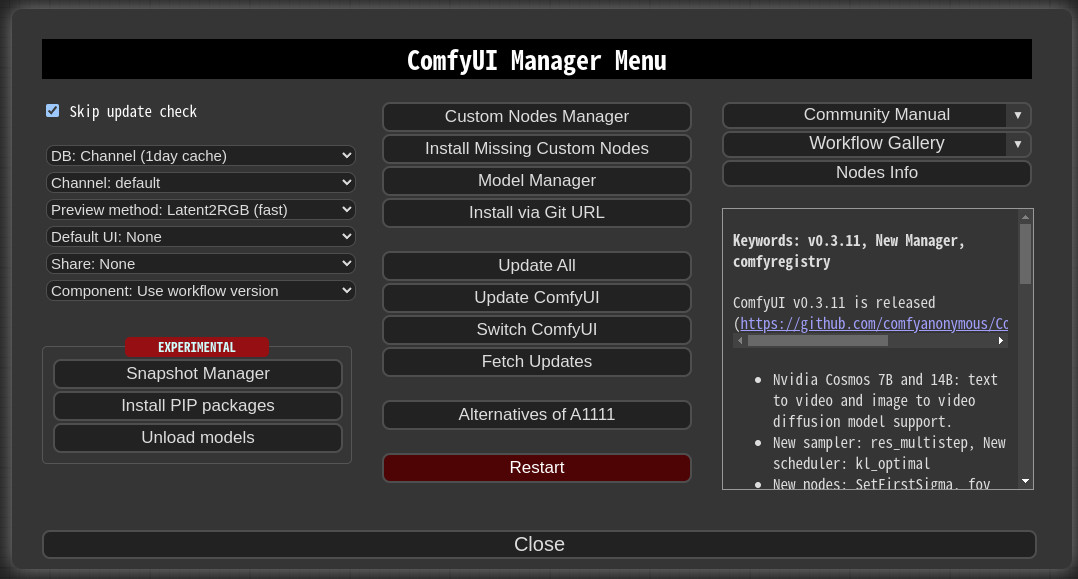
Install ComfyUI and Manager
Grab ComfyUI from the official repo (I'm on the Jan 2026 nightly).
Install ComfyUI-Manager (makes node installs painless). Restart ComfyUI after install.
Add required custom nodes
In ComfyUI Manager → Install custom nodes:
comfyui_controlnet_aux (for some preprocessors if your workflow uses them)
ComfyUI-VideoHelperSuite (handy I/O + frame utilities)
Any LTX‑Video/LTX‑2 specific node pack (search "LTX" in Manager, the community pack lists as LTX-Video v2 adapters). Restart.
Download LTX‑2 model files
Weights: LTX‑2 base (fp16) + any motion adapters your workflow includes.
Put model files where the LTX nodes expect them (usually models/ltx or models/checkpoints). The node tooltip will show the exact path.
Import the ready-made workflow
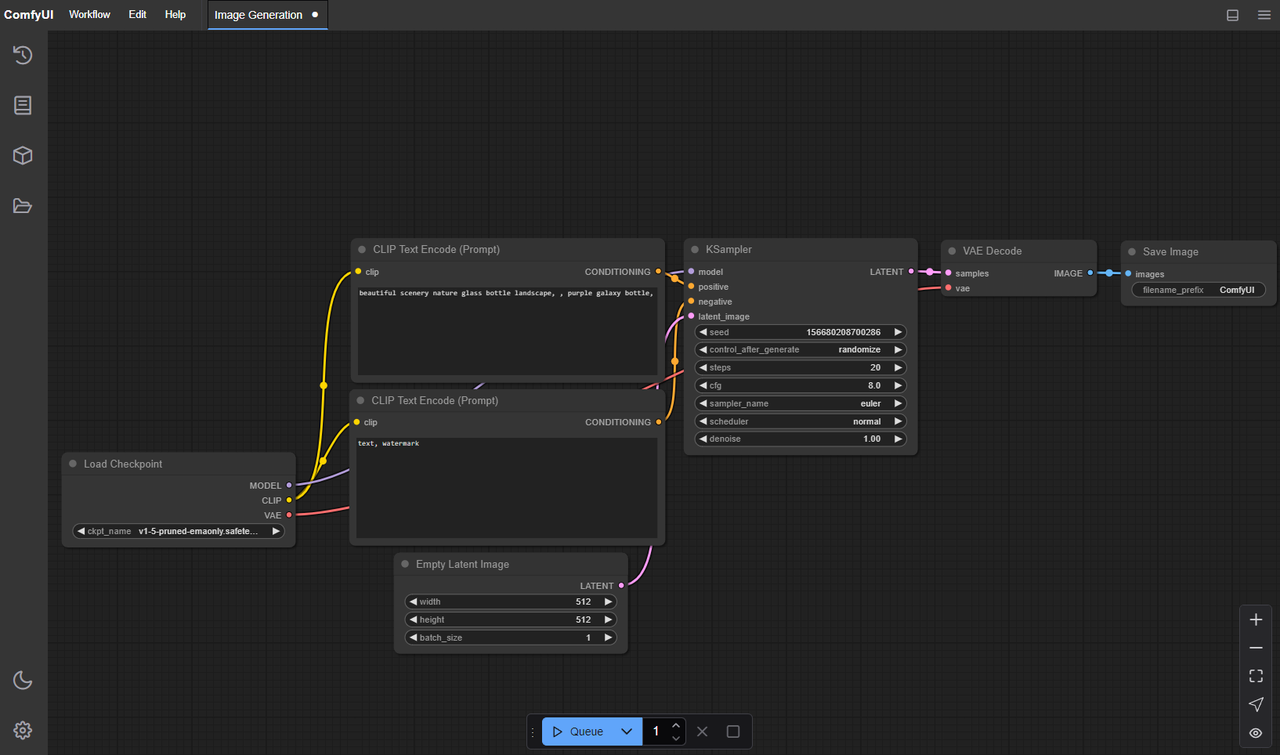
File → Load → select the LTX‑2_ComfyUI.json (I'm using a streamlined graph with: Prompt → Sampler → LTX‑2 Video Decoder → VideoWriter). If you need mine, search "ltx2_minimal_dora.json" in the usual community hubs.
Set inference device + VRAM budget
In the sampler node, pick your GPU. If you're on 12GB VRAM, set tiling/chunking on where available.
Test a 2-second clip first
Keep it small: 16 frames, 512×288, 20–25 steps. You want to confirm everything loads and writes a .mp4.
What tripped me up: On my first attempt, I pointed the node to a mismatched adapter version and got silent black frames. Fix was matching the adapter commit date to the weights. If your output is pure black or green-ish, double-check model file names and dtypes. Also, LTX‑2 hates too-high CFG at low steps, you'll see crunchy edges or pop-in artifacts. We'll fix that next.
Key parameters explained (no fluff)
Steps (quality vs speed)
What I saw: Below 18 steps, motion coherence drops and edges smear on fast action. Above 32, returns diminish hard.
My ranges:
Drafts: 18–22
General: 24–28
Final: 28–34 (only if the shot really needs it)
Time impact (4090): 16 frames at 512×288, 24 steps ≈ 35–45s per sample. Doubling steps ≈ ~1.7–1.9× longer.
CFG scale (control vs artifacts)
Too low (2–3): prompts get ignored: scenes drift.
Too high (8–10): ringing, over-sharpened edges, and flicker on textures.
Sweet spot for LTX‑2 in my tests: 4.5–6.5. I ship 5.5 most often. If you're seeing crunchy halos, lower CFG before touching steps.
Resolution / aspect ratio
LTX‑2 is happier generating smaller, then upscaling. I draft at 512×288 (16:9) or 512×512 (square for TikTok crops), then upscale 1.5–2×.
If you must go native 1080×1920, expect VRAM pressure and slower renders: artifacts can creep in at the edges.
Rule of thumb: Keep shortest side ≤ 512 for ideation. For final B‑roll, upscale with a separate node (VideoHelperSuite → frame upscale) or external upscalers.
Frames / duration tradeoffs
12–16 frames: snappy 0.5–0.7s at 24fps. Good for cutaways and transitions.
24–32 frames: 1–1.3s micro-scenes. This is my daily workhorse.
48–64 frames: 2–3s shots. Only when the scene needs distinct beginning/end.
More frames = more drift risk. If your subject mutates on frame 40, try shorter clips chained together instead of one long render.
Recommended defaults
These are the presets I now start with. I measured with an RTX 4090. On a 3060 12GB, expect ~2–3× longer.
Stable preset (least failures)
Resolution: 512×288 (16:9)
Frames: 24
Steps: 26
CFG: 5.5
Seed: fixed (e.g., 12345)
Sampler: the default Euler/UniPC equivalent bundled with LTX‑2 nodes
Notes: Rarely crashes, good baseline. I got ~1m10s per clip. Use this for client-safe drafts.
Fast-iteration preset (more tests / hour)
Resolution: 448×256
Frames: 16
Steps: 20
CFG: 5
Seed: random per batch
Batch size: 4–6 if VRAM allows
Notes: ~30–40s per sample. I run 3–4 prompts at once, skim outputs, and only "promote" keepers to higher quality.
Higher-quality preset (final render)
Resolution: 576×320 (then upscale 1.5–2× in post)
Frames: 32
Steps: 30–32
CFG: 5–5.5
Seed: lock the winning seed from drafts
Notes: ~2–3m per clip. I only use this after I'm sure the composition works. If flicker appears, reduce CFG to 4.8–5.2 or drop steps by 2.
Prompting that works for LTX-2
What to include (camera, motion, subject)
LTX‑2 responds best when I specify:
Camera position + movement: "shoulder‑level dolly‑in," "tripod static," "drone sideways pan."
Subject + action: "a corgi running across a living room rug," "barista steaming milk with dense fog."
Lighting + vibe: "golden hour side‑light," "neon cyberpunk alley, wet asphalt."
Style constraints (if needed): "realistic, natural color," or "stylized claymation." Pick one, not both.
Duration feel: add "2‑second shot" to encourage compact motion.
What to avoid (contradictions)
Don't stack mutually exclusive cues: "handheld AND perfectly smooth gimbal" will produce jitter.
Avoid cramming too many objects: 1–2 focal elements per 2‑second clip is cleaner.
Skip micro‑details you can't see at 512p: "embroidered text on hat" invites artifacts.
5 prompt templates (copy-ready)
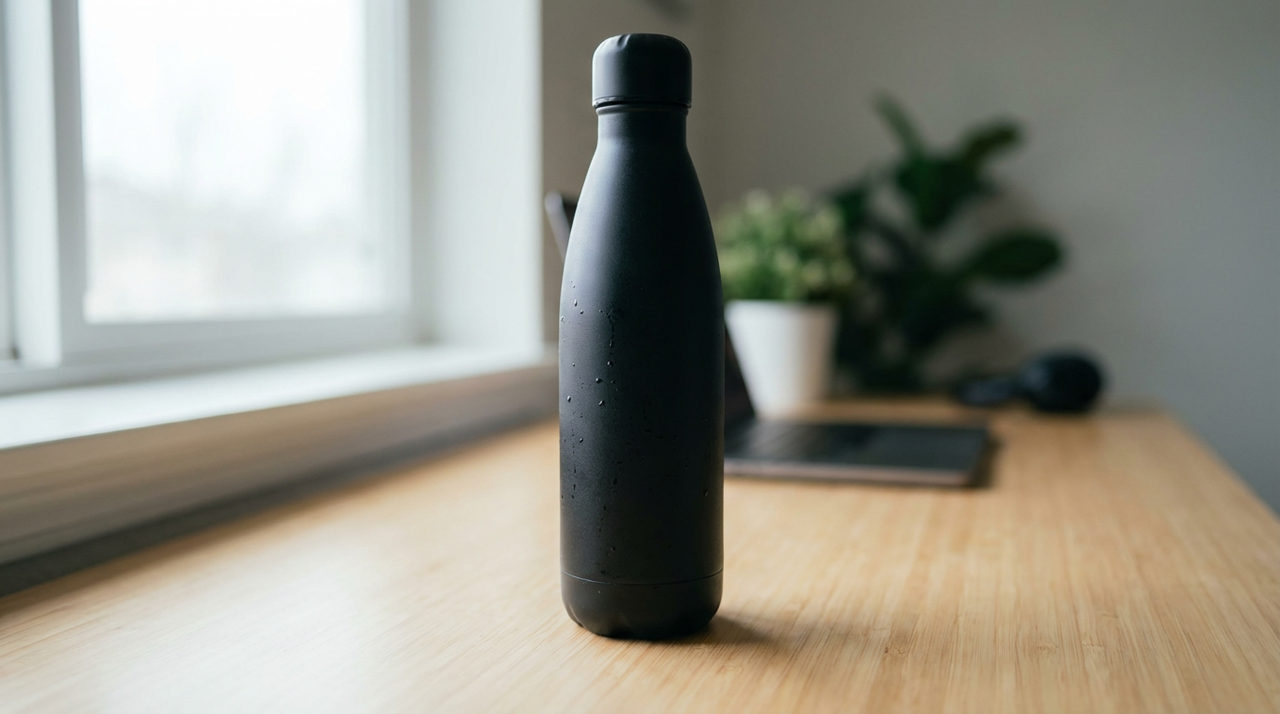
Realistic product B‑roll
"Close‑up gimbal push‑in of a matte black water bottle on a wooden desk, soft window light, shallow depth of field, gentle condensation on surface, 2‑second shot, realistic color, clean background."
Lifestyle action
"Shoulder‑level handheld of a young runner tying shoes then starting a jog on a city sidewalk, morning golden hour light, subtle lens breathing, natural motion blur, 2‑second shot."
Food steam money shot
"Tripod static shot of a ceramic cup as milk is poured, dense white steam rising, warm cafe lighting, bokeh in background, 2‑second shot, realistic."
Tech aesthetic loop
"Slow dolly‑right past a floating holographic circuit board in a dark studio, rim lighting, subtle particles, moody teal and magenta, 2‑second shot, stylized but clean."
Creator desk scene
"Top‑down camera of hands opening a small box on a minimalist desk, soft daylight, crisp shadows, small dust motes, 2‑second shot, realistic color, no text."
Tip: If I'm matching a viral format, I'll feed that reference into Nemo to auto‑extract beats (intro pop, action, reveal), then prompt LTX‑2 for each beat as a separate 1–2s clip. Glue them together in your editor, structure first, effects later.
If you’re experimenting with reference clips, I often drop them into Nemo first—it’ll auto-extract the key beats (intro, action, reveal) so I can build LTX‑2 prompts faster. It’s saved me a ton of trial-and-error.
Iteration strategy
Seed management
Lock a seed when you like the motion silhouette. Small text edits will keep the same "feel."
If a scene mutates mid‑clip, try two seeds 20 apart (e.g., 1200 and 1220). LTX‑2 seems to settle better within small seed neighborhoods.
Keep a seed log in your ComfyUI preset name, e.g., "ltx2_stable_s12345.json." Future you will thank you.
Batch testing plan
Here's exactly how I test one idea in under 10 minutes:
Draft batch: Fast preset, batch=4, random seeds, 16 frames, 20 steps.
Quick cull: I watch at 1.5× speed, keep only clips with clear subject and stable motion (usually 1 of 4).
Promote: Take the winner's seed → Stable preset (24 frames, 26 steps) for a sanity check.
Finalize: If it holds up, render with the Higher‑quality preset and upscale.
Measured throughput: ~6–8 usable clips/hour on 4090. On a 3060, I averaged ~3–4/hour.
What to change first when results are bad
Over‑sharpened edges, halo crunch? Lower CFG by 0.5 before anything else.
Motion wobble/jitter? Add "tripod static" or "gimbal slow dolly" and reduce frames to 24.
Subject drift/mutation? Shorten duration (16–24 frames) and lock a seed: bump steps +2.
Flat/washed look? Specify lighting: "golden hour side‑light" or "contrast studio light." Don't raise CFG for this.
VRAM errors? Drop resolution one notch (576→512 short side) or enable tiling. If it still fails, reduce batch size.
One failure worth sharing: I tried "handheld running camera through neon alley, fast parallax, 3 seconds" at 576×320, 32 steps, CFG 7. Results looked exciting in the first half, then the subject melted into signage at frame 28. The fix wasn't "more steps", it was splitting into two 1.5s shots, each with its own prompt and matched seeds. Structure over brute force. Always.