
Advanced AI Video Editing: Nemo Video vs. Moovly – Which All-in-One Tool is Best for Creators?
Video has undeniably become the top-performing content type online, but keeping up with the demand for fresh content is exhausting. Whether you are an agency scaling ads or a creator managing a brand, the search for the perfect advanced AI video editing tool often comes down to one question: Do you need rapid, data-driven iteration, or a traditional template-based workflow?
In the landscape of AI video editing solutions, two names often come up: Nemo Video and Moovly.
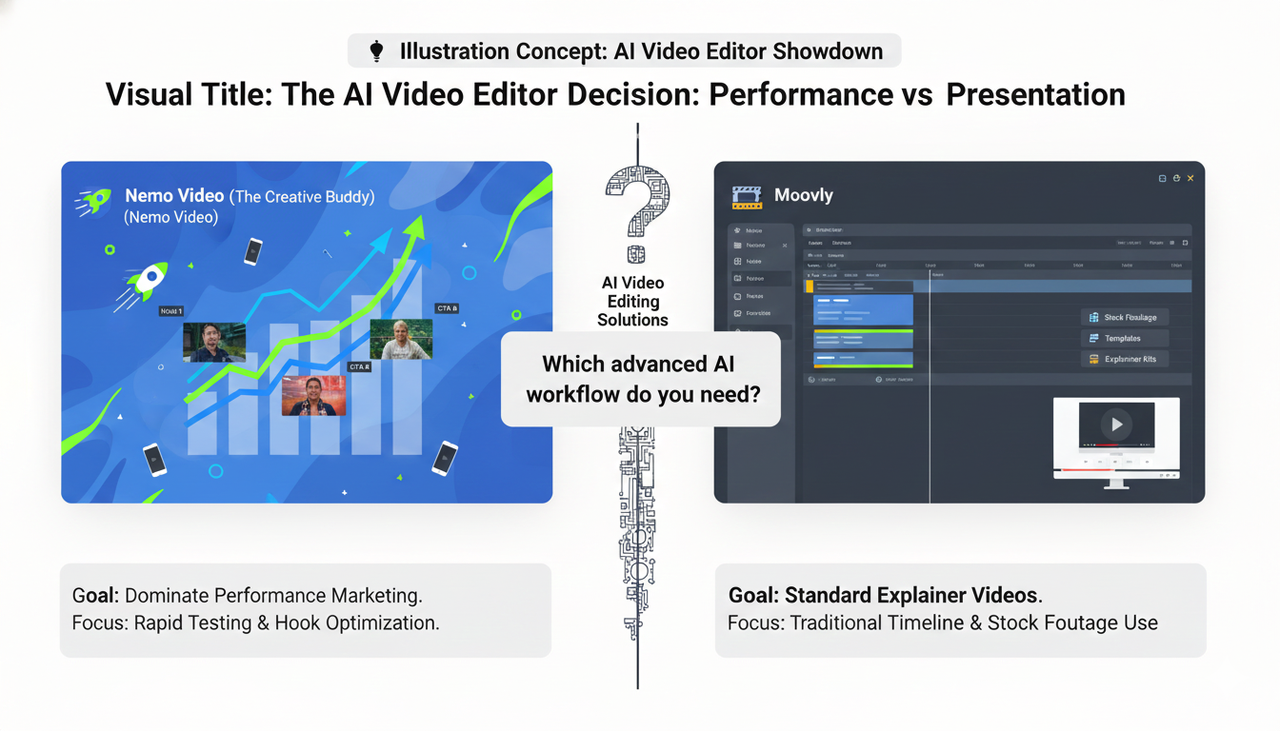
The short answer? If your goal is to dominate performance marketing with rapid testing and viral formatting, Nemo (AI Video Editor) is your "Creative Buddy." It automates the heavy lifting of A/B testing and hook optimization. Conversely, if you need a traditional timeline editor for standard explainer videos or heavy stock footage use, Moovly is a solid alternative.
Below, we break down exactly how these tools compare for the next-gen video editing workflow.
The Core Philosophy: Creativity vs. Templates
To understand the future of editing, we must look at how we work. Traditional timeline editing is slow. Advanced AI video editing isn't just about faster cuts; it's about reimagining the workflow.
Nemo Video operates as an "AI Creative Buddy." It is designed to eliminate technical friction. Instead of manually splicing clips, you converse with the AI to generate high-performing variants instantly. This approach aligns perfectly with modern creative filmmaking where the idea—not the mouse click—is may not be king.
Moovly, on the other hand, follows a more traditional structure. It relies heavily on drag-and-drop templates and stock libraries. It is powerful, but it still requires you to act as a manual editor.
Feature Showdown: Speed, Scale, and Compliance
When evaluating an all-in-one video creation tool for creators, specific features matter more than general capabilities. Here is how they stack up in a real-world US market context.
Viral Replication and Bulk Versioning
Performance marketing relies on data. You don't just need one video; you need ten versions to see what sticks.
Nemo Video: Focuses on bulk versioning. You can upload a hero video and instantly generate variations with different hooks and aspect ratios. This is crucial for adhering to Split test best practices (TikTok Ads Help).
Moovly: Excellent for creating a single polished video from stock assets, but lacks the native automated bulk workflows required for aggressive ad testing.
Ad Formats and Commercial Intent
Creating content for platforms like TikTok requires strict adherence to format standards.
Nemo Video: Automatically reformats videos for vertical feeds, ensuring your content looks native. This is essential for TikTok Auction In‑Feed Ads (TikTok Ads Help) where native-looking content performs better.
Moovly: Allows for custom aspect ratios, but the adjustment is often a manual process per project.
Assets and Audio Safety
Using the wrong music can get your video muted or banned.
Nemo Video: Integrates safe asset selection directly into the workflow.
Moovly: Provides access to stock libraries.
Pro Tip: Regardless of the tool, always ensure your audio sources are compliant. Refer to the Commercial Music Library (TikTok Ads Help) for guidelines on safe audio usage.
Accessibility and Compliance
In the US market, accessibility isn't optional.
Nemo Video: Its AI can auto-generate captions that are stylish and readable, boosting engagement and meeting standards for Accessibility for watching videos (TikTok Support).
Compliance Note: When using AI tools for sponsored content, transparency is key. Always follow the FTC Endorsement Guides: What People are Asking to ensure your ads are legally sound.
Comparison Table: Nemo Video vs. Moovly
Here is a side-by-side look at how these tools tackle the demands of next-gen video editing.
Feature | NemoVideo | Moovly |
Core Philosophy | AI "Creative Buddy" (Automated & Conversational) | Timeline Editor (Template & Stock based) |
Best For | Rapid Ad Testing, Viral Replication, Creators | Explainer Videos, Corporate Training, Stock-heavy clips |
Bulk Versioning | Native AI Capability (Auto-generate variants) | Manual duplication required |
Editing Style | Prompt-driven & Semantic | Drag-and-drop Timeline |
Learning Curve | Low (Zero-frustration philosophy) | Moderate (Requires editing knowledge) |
Ad Format Optimization | Auto-resize for TikTok Auction In‑Feed Ads | Manual Canvas Setup |
How It Works: The "Creative Buddy" Engine
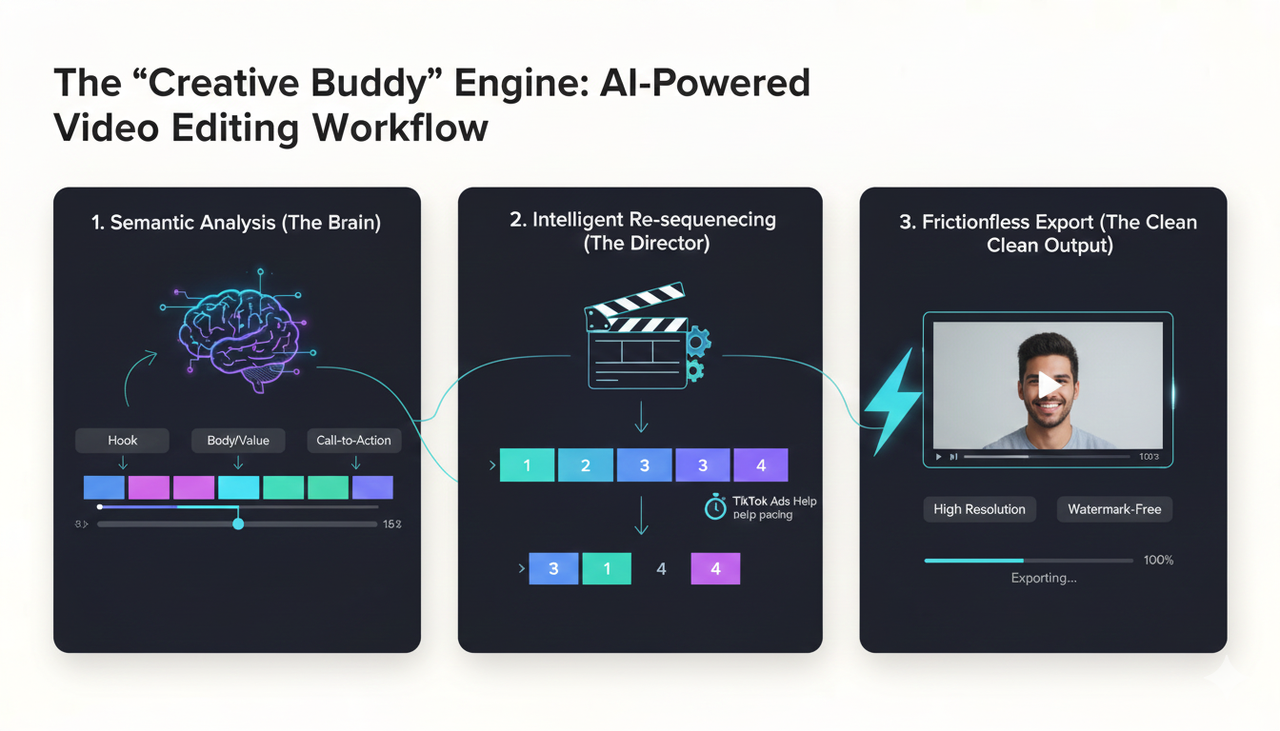
How does advanced AI video editing actually save you time? Let’s look at the "under the hood" logic using Nemo Video as the prime example.
Semantic Analysis: Unlike traditional tools that just see "pixels," Nemo Video analyzes the content. It identifies the "hook," the "body," and the "CTA."
Intelligent Re-sequencing: If you need to shorten a 60-second clip to 15 seconds, the AI doesn't just chop the end off. It intelligently re-orders the scenes to keep the narrative intact while hitting the fast pacing required by Creative best practices (TikTok Ads Help).
Frictionless Export: The goal is a "clean output." Nemo Video prioritizes watermark-free, high-resolution exports even for trials, ensuring you can test your content immediately.
Strategic Advice for Creators
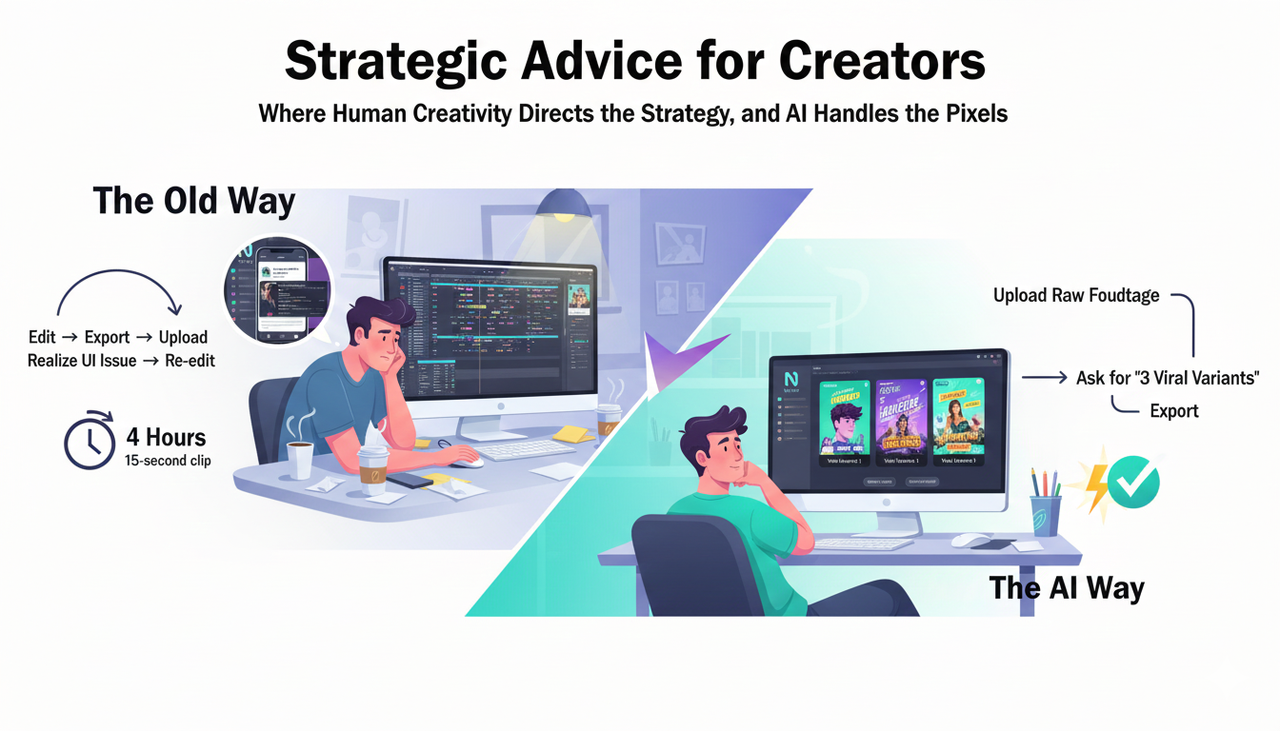
If you are Promoting a brand, product, or service (TikTok Support), you cannot afford to spend 4 hours editing a single 15-second clip.
The Old Way: Edit -> Export -> Upload -> Realize the text is covered by the UI -> Re-edit -> Re-export.
The AI Way: Upload raw footage to Nemo Video -> Ask for "3 viral variants with captions" -> Export.
This shift represents the true future of editing—where human creativity directs the strategy, and AI handles the pixels.
FAQ: Advanced AI Video Editing
Q: Can Nemo Video really replace a professional human editor?
A: For high-volume ad variations and social clips, yes. It acts as a force multiplier. However, for complex cinematic storytelling or documentaries, human editors using AI video editing solutions as assistants are still the gold standard.
Q: Is it safe to use AI voices and stock footage for ads?
A: Generally, yes, provided the platform has licensed the assets. Always verify commercial usage rights. For example, check the Commercial Music Library when working with audio on social platforms.
Q: How does bulk versioning help my ROAS (Return on Ad Spend)?
A: By using tools like Nemo Video to generate multiple hooks, you can run split tests more effectively. See Split test best practices to understand why testing volume correlates with success.
Q: What is the best free all-in-one video creation tool for creators?
A: Most "free" tools leave watermarks. Nemo Video offers a "try before you buy" philosophy that often includes clean exports for testing, positioning it as a highly accessible option for creators starting out.
Ready to stop editing and start creating?
Don't let technical hurdles kill your flow. Experience the future of editing today.