
Stop the Wait: How to Use Shareable Review Links Video to Slash Client Feedback Time
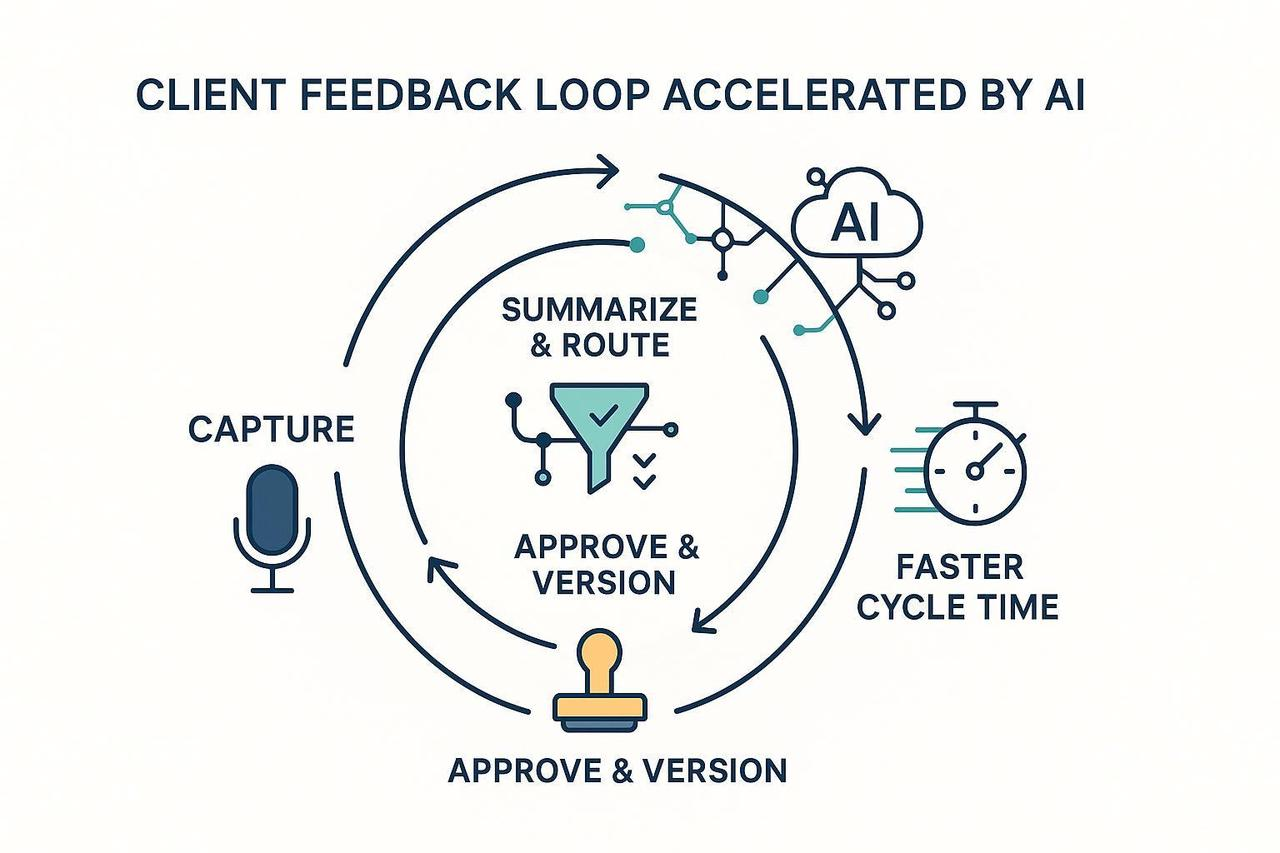
If client reviews take days instead of hours, the problem usually isn't the client. It is a workflow that makes it difficult to give, process, and approve edits. You need a system that captures feedback effortlessly and moves straight into production.
In this guide, you will set up a lightweight, AI assisted review system. We will show you how to use shareable review links video workflows to shorten the loop without forcing your clients to learn complex new tools.
Goal: A 3-step flow to capture input, prioritize tasks, and close the loop.
Time to Pilot: ~90–120 minutes for one project.
Tools Needed: Your meeting app (Zoom/Teams/Meet), a comms channel (Slack/Email), and a task tool (Asana/Notion).
Step 1: Capture Client Video Feedback Instantly
Consistency is your best friend. If all feedback lands in a predictable place, you eliminate the "scavenger hunt" through email threads and DMs.
Option A: Live Meetings with AI Note-Takers
Don't waste time typing. Use built-in AI tools to capture decisions while you talk.
Zoom: Enable the AI note taker to generate summaries and action items automatically.
Microsoft Teams: Use Intelligent Recap to save recordings and transcripts to OneDrive or SharePoint.
Google Meet: Use Gemini to "take notes for me" so attendees can stay focused on the creative.
Option B: Structured Async Intake
Give clients a path of least resistance. Use a short form with required fields (what changed, priority, and due date). You can use Asana’s native forms to turn these submissions into tasks automatically.
Checkpoint: Verify that your meeting platform creates a transcript and that your async form successfully creates a task in your project tool.
Step 2: Turn Raw Feedback into Prioritized Work
Compress hours of manual triage into minutes. A human checked AI summary should become your single source of truth for every edit.
Standardize Your Summary
Decisions Made: What was greenlit?
Open Questions: What is blocking the next cut?
Action Items: Who owns the next step and when is it due?
Automate Your Routing
For high volume teams, you can build an automated summarization system using Amazon Bedrock to route tasks based on priority.
P1 Priority: Auto assign to the lead editor and set a 24 hour SLA.
Missing Dates: Auto set a 3 day default and flag for the PM.
Step 3: Approve Video Remotely and Close the Loop
The fastest loops are the most explicit. Everyone on the team should know, at a glance, if a deliverable is "Approved" or if "Changes are Requested."
Define Explicit States
Move your tasks through a visible pipeline:
Draft → In Review → Awaiting Approval → Approved.
Master Versioning and Comparison
Keep your file names simple (e.g., project_v03.mp4) and link the prior version in the task. When the deliverable is video, generating multiple cuts for different channels at once reduces back and forth.
NemoVideo (our AI Video Editor) is designed for this exact moment. It helps you surface the strongest footage and generate multiple tailored versions to compare in a single review session. This allows you to share edits for review that cover all platform specs in one go.
Checkpoint: Ensure every deliverable has a final shareable review links video artifact, a change log, and a clear "Approved" status.
Creative Empowerment with NemoVideo
Scaling your content shouldn't mean scaling your stress. NemoVideo enables speed and scale by automating the tedious parts of the video review collaboration process.
By using shareable review links video, you empower your clients to give external video comments exactly where they matter. NemoVideo lets you focus on the creative substance while AI handles the cut detection and platform optimization.
Sign up for NemoVideo today and cut your review cycles in half!