
Stop the Scramble: Your Content Calendar Video Workflow in 3 Steps
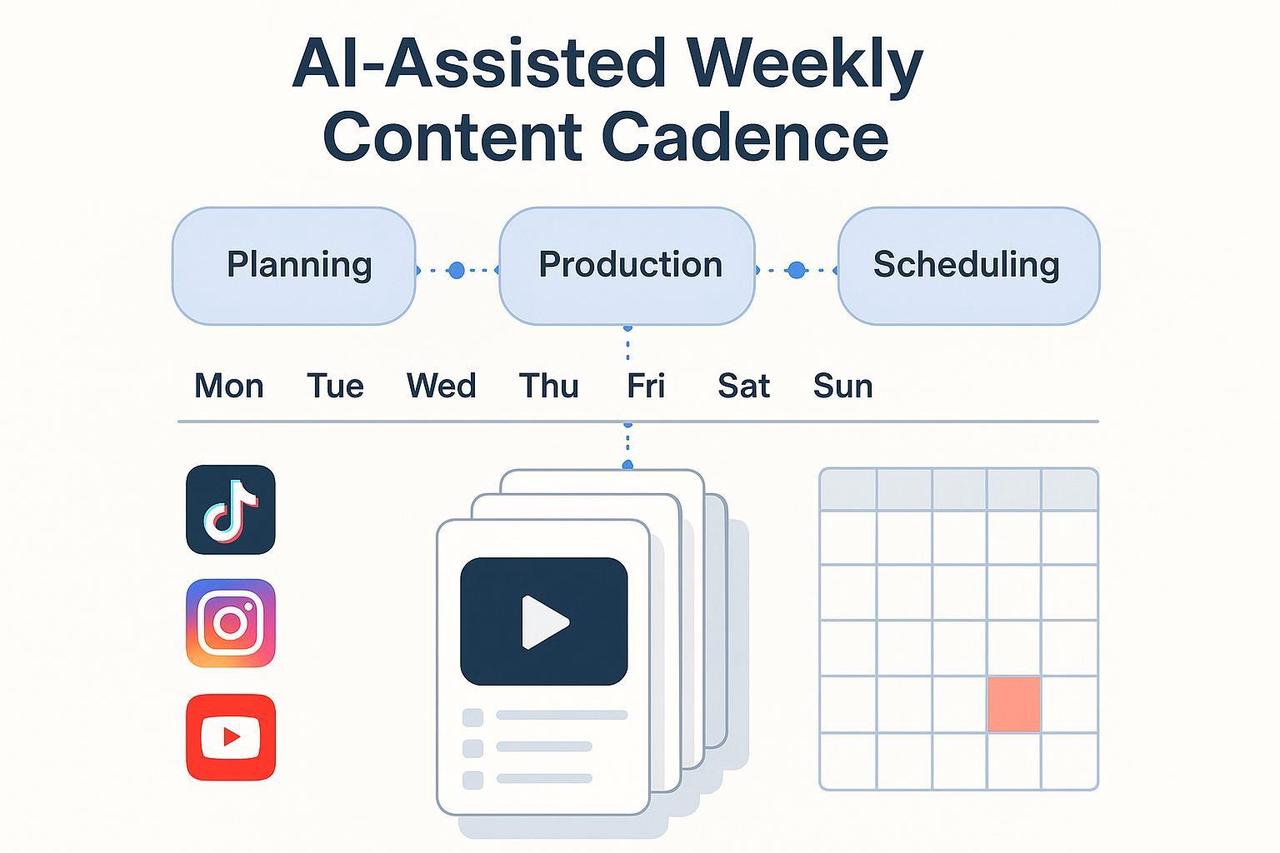
You're a creator, not a full-time scheduler. If producing great video feels like a weekly sprint, you’re hitting the same blockers: ideation, editing, and distribution—all stealing time from actual creative work.
Stop letting inconsistency derail your growth. This guide shows you how to build a simple, AI-powered system to manage your video publishing schedule. You’ll learn a practical, repeatable workflow to ship high-quality video across channels every single week.
At a Glance
-
The Goal: Move from weekly scramble to batch production with a consistent content calendar video.
-
What you’ll achieve: At least one short-form video per channel weekly, plus 2–5 variants for testing.
-
Weekly Time Commitment: Just 60–120 minutes after initial setup.
Step 1: Plan Smarter with an AI-Augmented Content Calendar Video
The foundation of consistency is a great monthly video planner. You need a pipeline that removes friction from output, complete with prompts and clear ownership.
Define Your Cadence and Pillars
Don't overcommit. Decide on a realistic video publishing schedule per platform:
-
Cadence Example: 1 Short/Reel/TikTok per channel per week.
-
Testing: Plan for 2–5 variants for A/B testing key elements (hooks, CTAs).
-
Pillars: Map each slot to a content pillar (e.g., Product Demo, UGC Remix, Tip/How-to).
Batch Ideation with Your AI Buddy
Use AI to break the blank page barrier. Planning ahead and batching ideation is key to consistency, echoing the approach in StoryChief’s AI content calendar framework.
Example Prompt for Ideation (CARE Structure):
Context: We’re a DTC coffee brand targeting busy professionals. Goal: weekly 30–60s Reels/Shorts/TikTok that drive saves and profile visits.
Ask: Propose 12 video topic ideas mapped to 4 pillars. Include a 6–10 word hook for each.
Rules: Tone = concise, energetic, no hype words; keep hooks platform-friendly.
Protect your brand voice by saving your winning hooks into a prompt library for reuse and iteration. Use the CARE structure (Context, Ask, Rules, Examples) from Nielsen Norman Group's prompt guidance to ensure consistency.
Build Your Editorial Calendar for Video Structure
Your calendar needs clear visibility. Structure it like widely recommended frameworks, such as the one in Sprout Social’s social media calendar workflow:
-
Essentials: Date, Platform, Content Pillar, Topic, Owner, Status.
-
Visualization: Use a calendar tool that shows real content previews to streamline alignment, a practice advocated by Opal’s visual content workflows.
Step 2: Produce Efficiently with Templates and Bulk Versioning
Stop editing videos one by one. The secret to scaling your content calendar video is moving from single edits to batch production using reusable templates.
Script and Template Setup
-
Draft Modular Scripts: Use AI prompts to request 3–5 script variations per topic, keeping an eye on audience nuances and KPIs (watch time, saves). Keep scripts tight: Hook (2–5s), Body (20–40s), CTA (5–10s).
-
Set Up a Template: Create a vertical 9:16 (1080×1920) template with dynamic text blocks for the hook, body, and CTA.
-
Connect Data: Connect a spreadsheet with columns for hook, body lines, CTA, and hashtags. This template + spreadsheet approach is key to bulk output, mirroring the processes outlined in Creatomate’s bulk generation guide.
Run a Micro-Test Before Scaling
Validate your template before batch-rendering 20 videos. Render previews for 3 sample rows and check mapping accuracy, pacing, and legibility. This small test-run and validation mimics the advice from Plainly’s bulk editor setup.
Practical Example: AI Video Editor for Pacing and Variants
You can use an AI video editor like Nemovideo to accelerate production.
-
Import your rough clips.
-
Let the AI surface the strongest shots and auto-refine pacing.
-
Generate multiple versions tailored to different audiences or channels.
Using the NemoVideo AI Video Editor Tool helps you produce 5 variants in under ~90 minutes with acceptable quality, keeping a human review gate to maintain your brand voice. Remember, ethical frameworks emphasize transparency, so keep human editorial oversight, echoing practices summarized by the Digital Marketing Institute.
Step 3: Distribute, Schedule, and Optimize
With assets ready, the final step is distribution and setting up a simple feedback loop to improve next week’s monthly video planner.
Confirm Specs and Schedule Natively
-
Specs: Use 9:16 vertical at 1080×1920. Confirm platform limits, like YouTube Shorts' duration guidance or TikTok's upload limits.
-
Scheduling: Schedule via platform-native tools (YouTube Studio, Meta Business Suite for Reels, or TikTok Studio/desktop), as detailed in Sprout’s 2025 coverage of TikTok scheduling.
Test Variants and Set the Feedback Loop
Don't post and pray. Use your variants to learn what truly resonates.
-
Test: Publish 2–3 variants per topic across platforms and track key performance indicators (KPIs) like hooks, watch time, saves, and CTR.
-
Feedback Loop: Hold a brief weekly session (or solo review) to score each variant. Move winning hooks and formats into next week’s prompts and templates; retire weak ones. This continuous learning makes your video content strategy tool better every week.
Optional Automation: For maximum scale, consider automation orchestrators like n8n for end-to-end generation and publishing (see n8n’s automation example).
Conclusion: Own Your Creative Cadence
You’ve now built a practical three-step system that replaces the content scramble with a consistent, data-driven content calendar video. Keep your prompts lightweight, iterate based on performance, and maintain human approvals so AI helps you scale while your brand voice stays sharp.
Ready to put this video content strategy tool into action and get 4 weeks ahead? Give NemoVideo a try today and start batch-producing your next viral hits.